
Pipedrive & QuickBooks Integration

Pipedrive QuickBooks Integration for Finance Teams

Pipedrive QuickBooks integration: won deal checked against QuickBooks invoices, recognised revenue and pipeline vs target

ScaleXP seamlessly combines data from Pipedrive with QuickBooks to help you make better decisions.

Pipedrive QuickBooks integration: won deal checked against QuickBooks invoices, recognised revenue and pipeline vs target
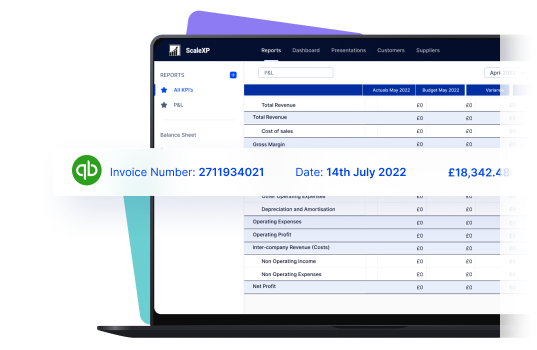
Laptop screen displaying a financial report with invoice details and a QuickBooks logo.

Connect Pipedrive deals to QuickBooks invoices

Laptop screen displaying a financial report with invoice details and a QuickBooks logo.

ScaleXP connects the finance workflow from a closed-won Pipedrive deal to invoicing in QuickBooks and revenue recognition.

When a deal closes in Pipedrive, finance can see that it is ready to invoice and check the deal against invoices issued in QuickBooks. ScaleXP then uses the connected invoice data to support revenue recognition, giving finance a clear workflow from Pipedrive deal → QuickBooks invoice → recognized revenue.

Read more about Smart Reporting here

Teams running Pipedrive can also explore the full ScaleXP Pipedrive integration, or the Pipedrive Xero integration if Xero is the accounting system.

What syncs between Pipedrive, ScaleXP and QuickBooks Online

CRM integrations (HubSpot, Salesforce, Pipedrive) can be added to any plan. Setup takes four steps: connect Pipedrive under Load Data > Connections, choose the pipelines to read, set up contracts through invoice matching or manually, then set up the Contracts, Renewals, Forecast and Invoice Matching reports.

Pipedrive and QuickBooks Online data handled by ScaleXP
ObjectData handledDirectionLimitation
DealsDeal value, contract start and end dates, products or SKUs and renewal linksPipedrive → ScaleXPDeal currencies are converted at the Actual P&L rate.
Pipelines and stagesThe pipelines you choose, with their stages, for New Sales in Progress and the Forecast tabPipedrive → ScaleXPYou pick which Pipedrive pipelines are read during setup.
ContractsDeals matched to QuickBooks invoices in Invoice Matching (booked vs billed), or contracts added manuallyPipedrive and QuickBooks → ScaleXPA won deal with no matching invoice shows as booked but not billed.
InvoicesInvoice-level detail by customer, used for revenue recognition, MRR and ARRQuickBooks → ScaleXPClear line descriptions with one date range give the most reliable revenue spread.
P&L and balance sheetFull profit and loss and balance sheetQuickBooks → ScaleXP—
Revenue journalsDeferred and accrued revenue journals prepared by ScaleXPScaleXP → QuickBooksPosted when finance reviews the journal and clicks Post journal; QuickBooks posts it directly.

Based on the ScaleXP help centre, checked October 2026.

Revenue recognition streamlined

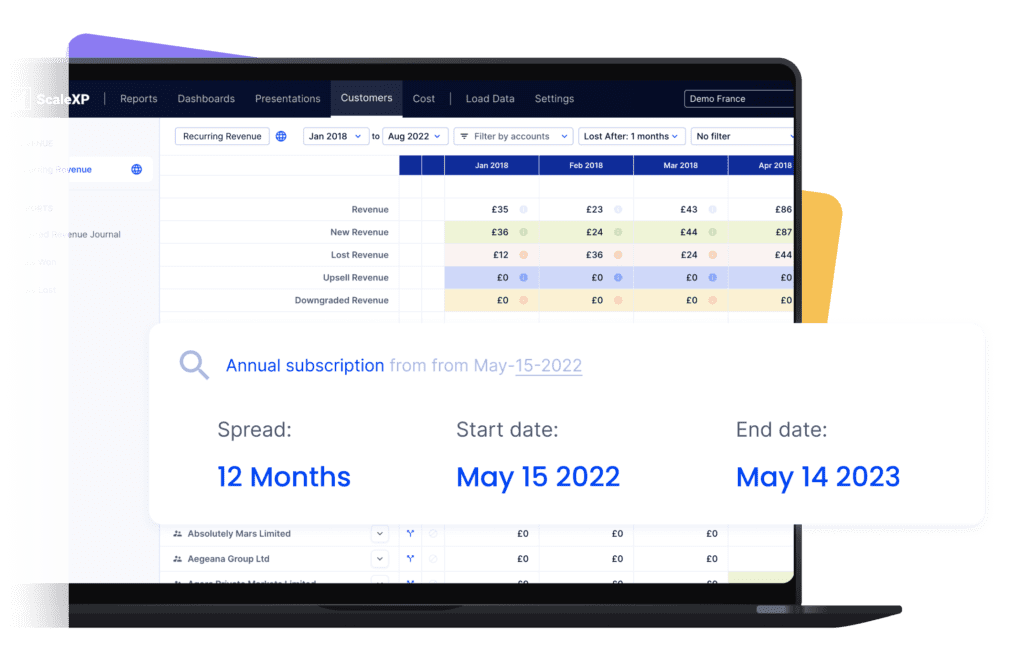
User interface of ScaleXP showing a revenue dashboard with subscription details and financial data.

ScaleXP streamlines revenue recognition, starting with deals won in Pipedrive.

User interface of ScaleXP showing a revenue dashboard with subscription details and financial data.

Walkthrough: a 24-month Pipedrive deal from Won to the deferred revenue balance in QuickBooks

One worked example of what happens between the Pipedrive deal and the QuickBooks balance sheet: a $48,000 subscription for 24 months, billed annually in advance.

  1. The deal closes in Pipedrive. The customer signs for 24 months at $2,000 a month. The deal is marked Won with its products, value and contract dates.
  2. The invoice reaches QuickBooks Online. The first $24,000 invoice is raised in QuickBooks Online. ScaleXP reads the Pipedrive deal (value, contract start and end dates, products) and matches it to the QuickBooks invoice in Invoice Matching, so booked and billed amounts sit side by side. Writing the service period into the line description, for example "Subscription, 1 January to 31 December", gives ScaleXP one unambiguous date range to read.
  3. ScaleXP builds the revenue schedule. ScaleXP reads the invoice from QuickBooks and spreads the $24,000 over the 12 months of service: $2,000 a month, with partial months taken into account. The Customers tab shows the recognition dates customer by customer, so the spread can be checked before any journal is posted.
  4. ScaleXP prepares the month-end journal. Each month, ScaleXP suggests the deferred revenue journal, with the detail behind it: invoices issued in the month, revenue recognized and deferred revenue on the balance sheet at month-end. Finance reviews it in ScaleXP and clicks Post journal, which posts the journal to QuickBooks.
  5. The deferred revenue balance runs down. After posting, ScaleXP syncs with QuickBooks and the recommended journal falls to nil. The deferred revenue account holds the unearned part of the invoice until month 12, and the second invoice in month 13 starts the cycle again for year two.
Revenue schedule and deferred revenue balance for a 24-month contract
MonthInvoiced in QuickBooksRevenue recognizedDeferred revenue at month-end
Month 1$24,000$2,000$22,000
Month 2—$2,000$20,000
Month 6—$2,000$12,000
Month 12—$2,000$0
Month 13$24,000$2,000$22,000
Month 24—$2,000$0

Illustrative figures for a $48,000, 24-month contract billed annually in advance, with service starting on the first day of month 1. Steps based on the ScaleXP help centre, checked October 2026.

What breaks at month end, and how ScaleXP flags it

The failure points finance teams meet when Pipedrive revenue is closed in QuickBooks, and the check ScaleXP gives for each.

  • A won deal with no invoice. ScaleXP matches Pipedrive deals to QuickBooks invoices (booked vs billed), so a contract that was never invoiced shows up before the month is closed.
  • Unclear dates on the invoice line. A line with conflicting dates, or none, puts revenue in the wrong months. Recognition dates can be reviewed customer by customer, and account-level or invoice-level rules can replace the text reading where needed.
  • An invoice missing from the month. The deferred revenue balance stops reconciling to QuickBooks. Outstanding system checks are flagged at the top of the journal page before you post, and the journal download lists every invoice issued in the month.
  • Revenue and deferred revenue accounts not both in the journal. The suggested amount is then wrong. The journal setup includes both the revenue accounts and the deferred revenue balance sheet accounts, mapped to each other.
  • A period already locked in QuickBooks. ScaleXP suggests posting to the next available open period.
  • The same month posted twice. If journals by customer are turned on after a month was posted by account, a system check asks you to remove the earlier journal first, so revenue is not counted twice.
  • More than one entity. In a group, each journal is reviewed and posted at subsidiary level, where the QuickBooks connection sits.

Move your finance team from routine processing into powerful business partner

A circular clock icon with a turquoise outline and clock hands indicating time.

Monitor sales pipeline

Monitor your sales pipeline over time to understand trends and issues. Easily track changes in the size of your pipeline by stage, number of deals, conversion between stages and closure rates.

Purple target icon with a dart hitting the center, symbolizing focus and precision.

Booked vs. billed in a click

Easily check that all invoices are issued, using our booked vs. billed report. The report provides a list of deals won in Pipedrive and invoices issued in QuickBooks, making it easy to check that every invoice is issued and that all amounts are correct.

A presentation slide featuring a graph with an upward trend on a yellow background.

Track actuals vs. targets, or forecast

Automatically track actual sales performance compared to a budget or latest forecast. Targets include a wide variety of metrics including number of deals in the pipeline, conversion rates by pipeline stage, deal conversion rates.
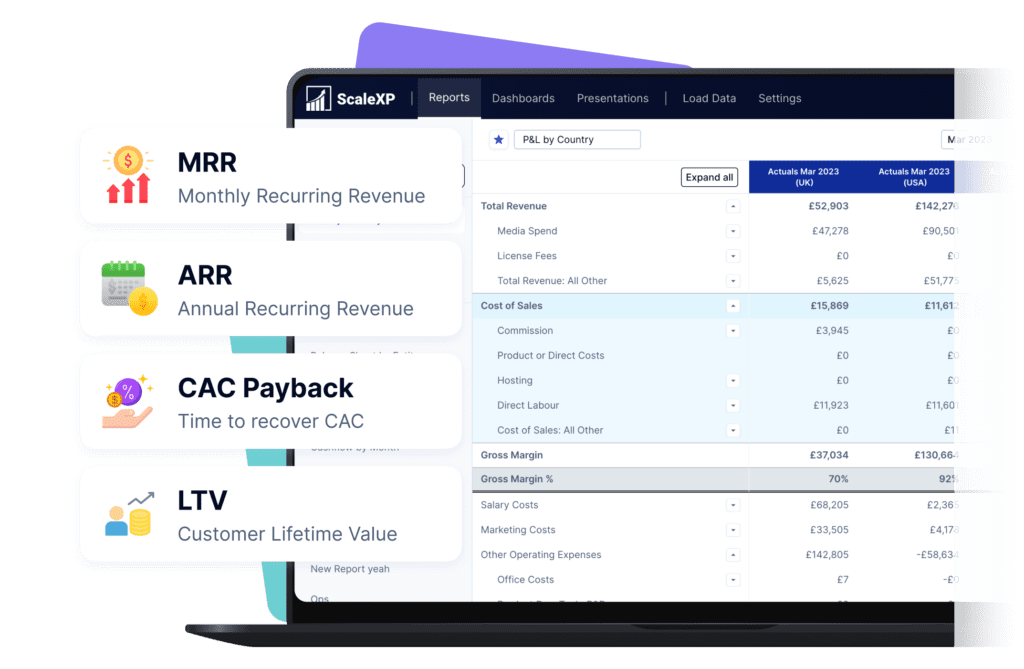

Financial reporting dashboard displaying metrics like MRR, ARR, CAC Payback, and LTV on a laptop screen.

Subscription & SaaS metrics made easy

Financial reporting dashboard displaying metrics like MRR, ARR, CAC Payback, and LTV on a laptop screen.

Pipedrive pipeline and conversion data can be combined seamlessly with QuickBooks to automate subscription metrics and KPIs.

Complex metrics such as ARR, MRR and unit economics can be fully automated using your QuickBooks and Pipedrive data. The same integrated data also powers revenue forecasting, combining your Pipedrive pipeline with QuickBooks actuals.

ScaleXP has a predefined metric library, filled with industry standard calculations, which are easy to customize for your business.

SaaS or tech companies read more here

“We needed to elevate our reporting from Quickbooks and the integration with Pipedrive allows us to forecast new business along with renewals.”

Emily · Finance Director (G2 review)

Pipedrive + ScaleXP Delivers More

Pipedrive logo displayed in green text on a white background.

+ QuickBooks

Pipedrive logo in green text on a transparent background.
ScaleXP dashboard showing connected CRM and accounting data for Finance reporting

+ accounting data

Fully integrate Pipedrive and accounting data, without the need for unique identifiers

No
Yes

Automate revenue forecasting, from integrated QuickBooks + Pipedrive data

No
Yes

Ensure all invoices are issued on time

Yes

In limited cases

Yes

Automatically track contract renewals

Yes

In limited cases

Yes

Understand data using AI powered dashboards across integrated datasets

No
Yes

Understand the highest growth customers, their channel, sector and geography

No
Yes

Automate business critical KPIs by fully integrated data sets

No
Yes
Nourish logo featuring a stylized design with blue and black text.

Join Nourish & other companies automating complex financial reporting.

Nourish started using the ScaleXP revenue recognition, SaaS metrics and consolidation functionality in late 2022 to enable them to speed up production of monthly board packs and performance analysis.

3–5 days
Saved per month
1,000+
Deferred Rev Accounts
6
Business entities
We have been able to significantly reduce the time to prepare our monthly reporting packs, feeding into a group board pack at the click of a button with 100% accuracy. We also have a real time view of our ARR bridge, are able to get to SaaS metrics quickly and also to sanity check that invoicing aligns with contracts.
A man with short brown hair smiling while seated in an office chair, wearing a blue shirt.
John
Chief Financial Officer

Pipedrive and QuickBooks Integration FAQs

Revenue recognition can be fully automated from Stripe, Xero, QuickBooks, Sage Business Cloud, most versions of Sage 50, Microsoft Dynamics 365, Exact and other platforms. For the full list of our accounting integrations, just click here ->

A CRM connection is not essential. Revenue recognition can be fully automated using all of the data and text on your invoices. The only requirement is for the system to see your invoices.

ScaleXP is built on a series of sophisticated natural language processing algorithms, which read and understand the text, just as a person would. Any date format can be used.  You can even mix and match American date format (mm-dd-yy) and British date format (dd-mm-yy). 

The system also understands words which convey time such as annual, quarterly, 6 months, 2 weeks, 6 days, just about anything you can think of. If a person can read and understand the revenue recognition period on your invoices, the ScaleXP algorithms will also understand. 

Xero and QuickBooks can be automatically updated with draft revenue recognition journals. You simply review and click to approve. Journals can not be automatically passed to Sage or Dynamics, but ScaleXP provides the full journal and a comprehensive CSV download. 

Yes, of course. ScaleXP provides a full breakdown of both Revenue (on the P&L) and Deferred Income (on the Balance Sheet). It will work across all of your accounts, as many as you have. 

Schedules can be viewed by customer, by invoice, and by general ledger code. An audit trail of all journals passed to the accounting system. And, in case that’s not enough, all schedules can be downloaded to an Excel file.

Yes. ScaleXP connects Pipedrive and QuickBooks so finance teams can combine CRM deal data with invoices, payments and accounting data. This creates a connected workflow from closed-won deals through billing, revenue recognition, forecasting and reporting.

Connect Pipedrive and QuickBooks to ScaleXP, then bring the relevant CRM and accounting data into one finance workflow. ScaleXP can match Pipedrive deals with QuickBooks invoices, helping finance teams identify what has been sold, what has been billed and what should be recognized as revenue.

ScaleXP connects Pipedrive sales data with QuickBooks accounting data to create a trusted Revenue Intelligence Layer.

Finance teams can track deals against invoices, identify missing billing, automate revenue recognition, forecast future revenue and report on SaaS metrics such as MRR and ARR, while retaining review and approval control over finance outputs.