See how ScaleXP works with Xero, QuickBooks or Zoho Books.
In a 30-minute demo, we’ll show the relevant workflows using example data and discuss how they could apply to your finance process. Complex requirements? Discuss them with us first.
Automate deferred revenue schedules and journals from your accounting, CRM and billing data. ScaleXP identifies service periods, calculates recognized and deferred revenue, and prepares review-ready journals for Xero or QuickBooks.
on the Xero App Store (75+ reviews)

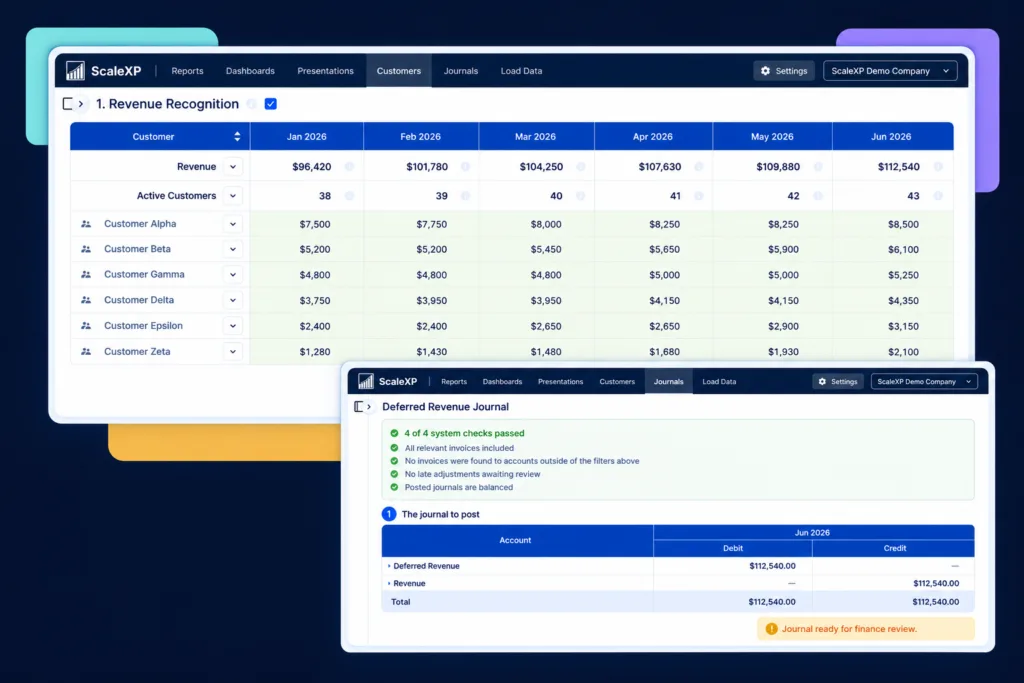








Deferred revenue is simple until billing terms, service periods, renewals and entities become more complex.
Finance teams often end up maintaining schedules manually.
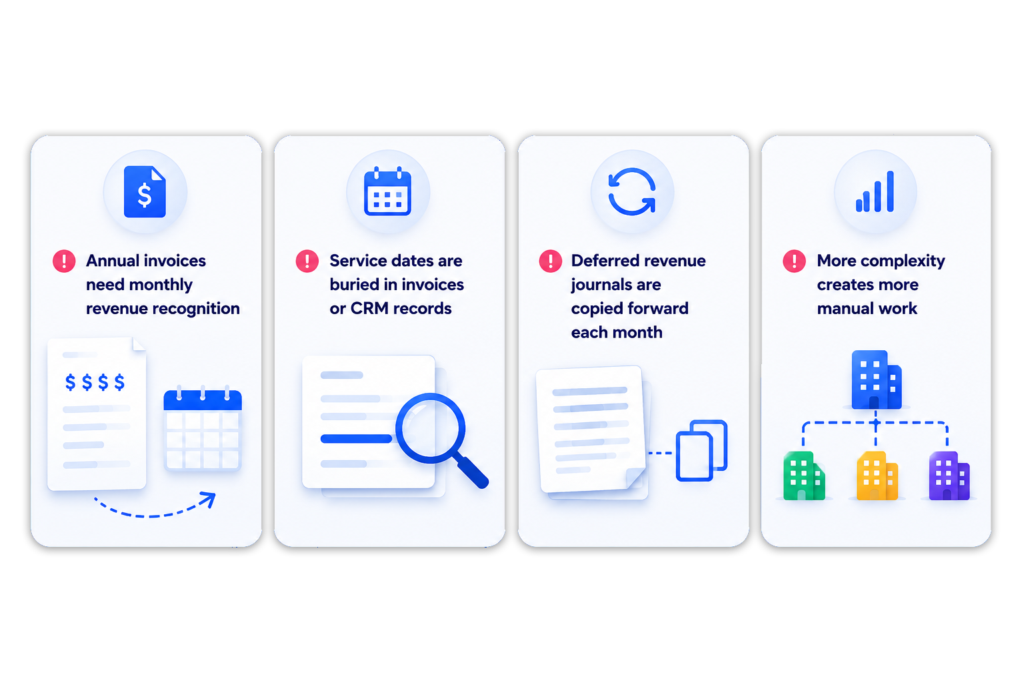

ScaleXP helps finance teams turn invoice, CRM and billing data into structured deferred revenue schedules.
Finance can review deferred revenue, recognized revenue, accrued revenue and journal outputs before posting. This reduces spreadsheet work while keeping control with finance.
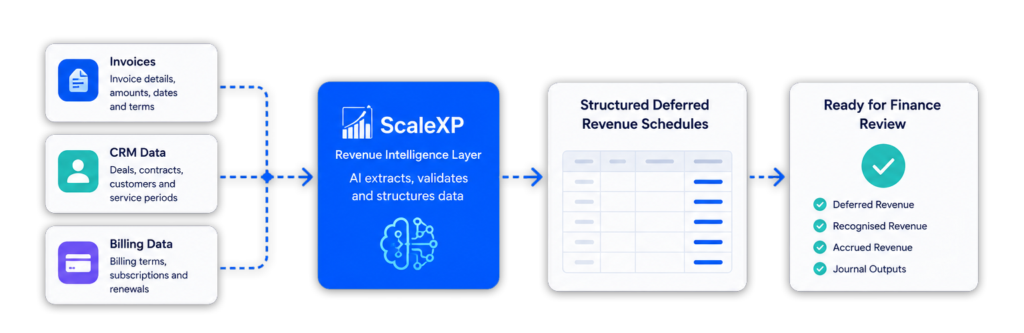
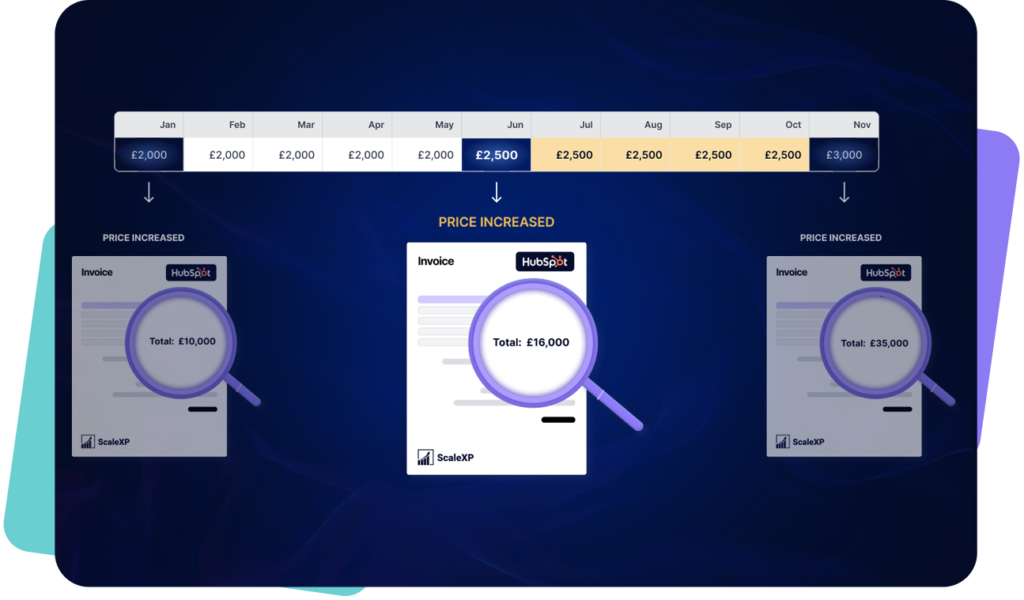
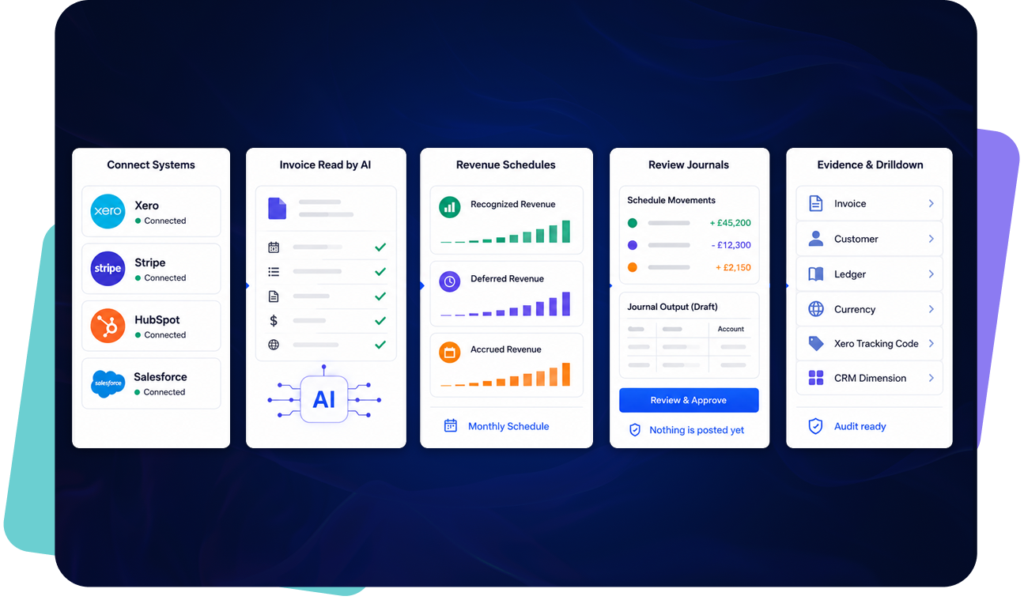
Deferred revenue depends on accurate service periods. When customers are billed upfront, finance teams need to know which part of the invoice should be deferred and which part should be recognized in each accounting period.
For many finance teams, this information sits across invoices, billing records, CRM data and spreadsheets. This creates manual work before a deferred revenue schedule can be reviewed.
ScaleXP helps finance teams use AI-assisted preparation to identify the inputs needed for deferred revenue workflows.
This can include: invoice dates, billing values, service start dates, service end dates, billing frequency, contract terms, customer and product information, amounts to recognize or defer, items requiring finance review.
ScaleXP then helps prepare deferred revenue schedules and journal outputs for finance review. AI supports the preparation process, but finance teams remain responsible for reviewing the accounting treatment, approving schedules and managing month-end outputs.
Learn more about AI Revenue Recognition Software.

ScaleXP builds schedules and journals for revenue that has to be recognized over time, deferred, accrued or reviewed before posting, including the arrangements that usually push finance back into spreadsheets.
This gives finance a clearer view of what has been billed, what remains deferred (unearned revenue, called a contract liability under ASC 606), what has been earned but not yet invoiced (accrued), and what should be recognized each month.
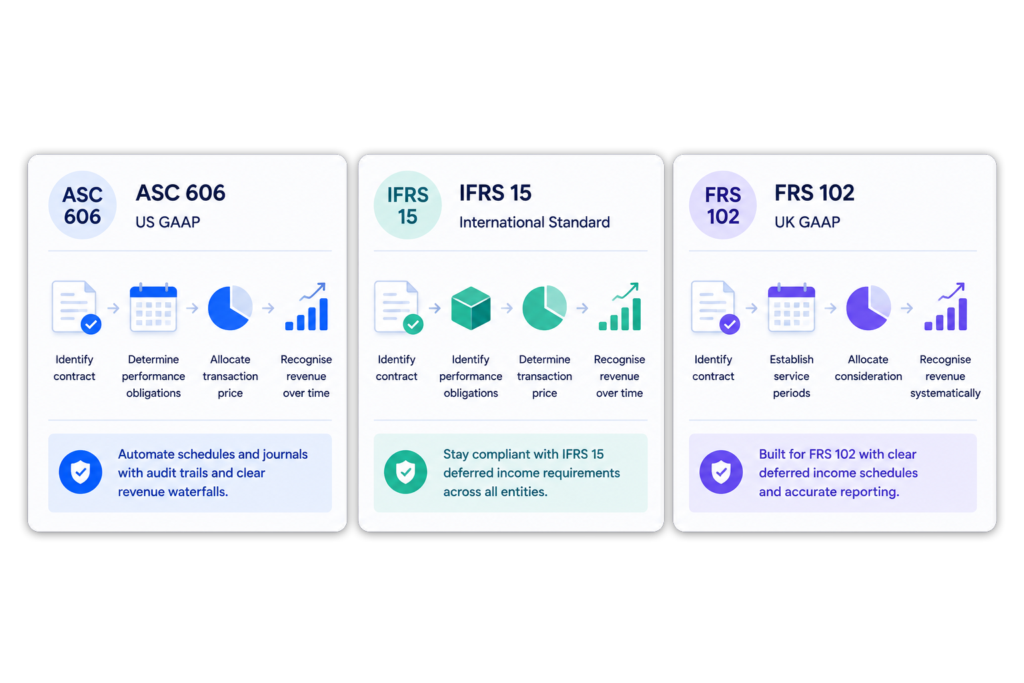
ScaleXP supports workflows where revenue billed upfront must be recognized over the correct service period.
This is relevant for finance teams managing annual subscriptions, implementation fees, support contracts, renewals, upgrades or multi-period service contracts.
ScaleXP helps prepare consistent deferred revenue and deferred income schedules for finance review.
Your team remains responsible for accounting judgment, approval and final posting.
Deferred revenue depends on more than the accounting invoice.
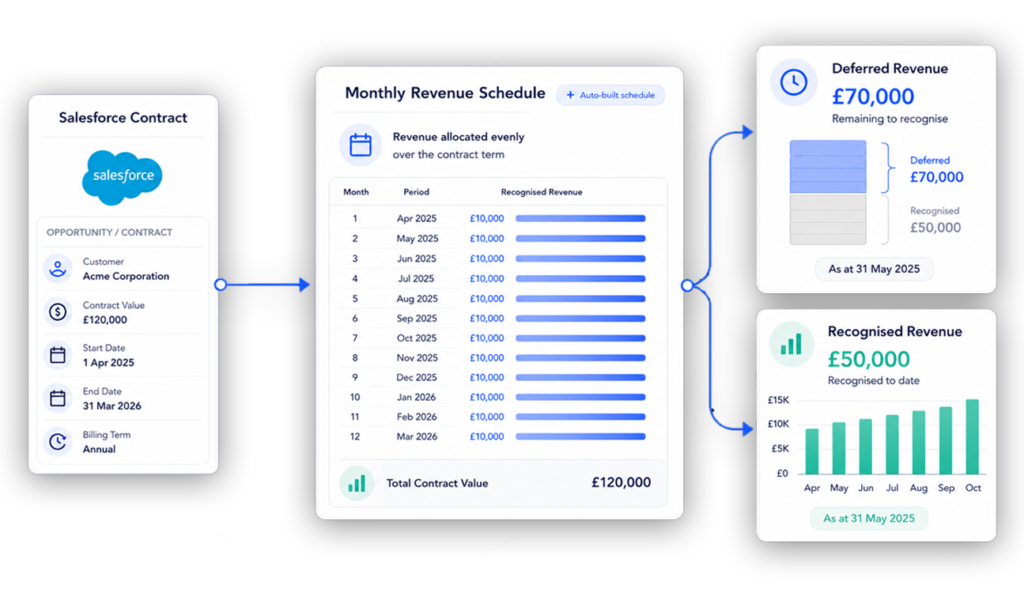
The invoice may show the amount billed. CRM data may hold the contract start date, end date, renewal date, product, sales owner and billing frequency.
ScaleXP can help finance teams connect accounting and CRM data so deferred revenue schedules reflect the full contract and billing workflow.
For teams working across systems, see how ScaleXP supports Xero revenue recognition, QuickBooks revenue recognition, and CRM–accounting integration to align invoice data with the full contract lifecycle.
For finance teams reducing manual schedule preparation, ScaleXP also supports AI Revenue Recognition Software to help identify service periods, billing terms and deferred revenue inputs for finance review.
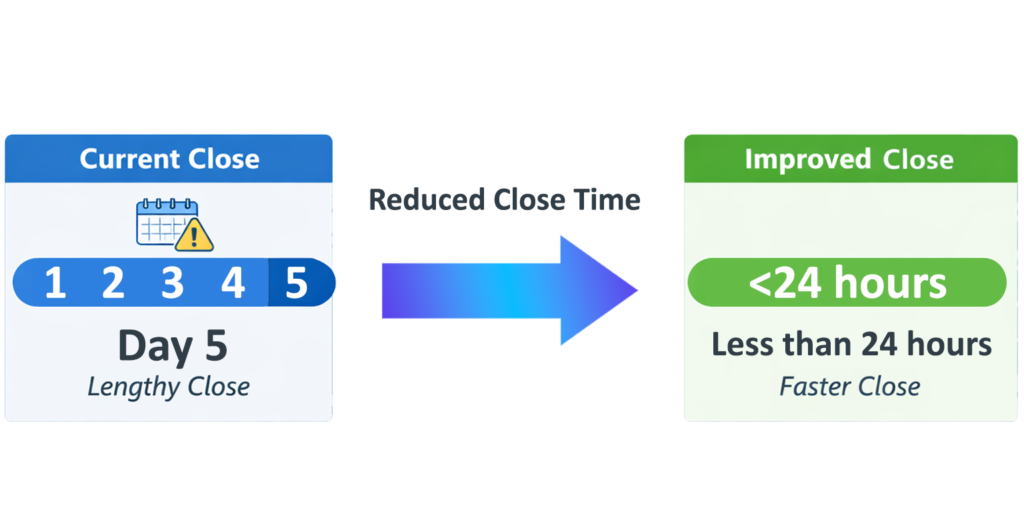
Manual deferred revenue schedules are where close risk hides: a copied-forward journal, a renewal nobody re-dated, a credit note that never reached the schedule.
ScaleXP replaces that with one controlled workflow: schedules are prepared from source data, exceptions such as missing dates or unusual billing terms are flagged before approval, and every journal requires explicit finance approval before it is posted. Opening, movement and closing balances reconcile to the journals posted in Xero or QuickBooks.
Finance teams spend less time rebuilding schedules and more time reviewing revenue movements.
Looking to streamline your processes but have complex requirements? Book a quick meeting to talk through them.
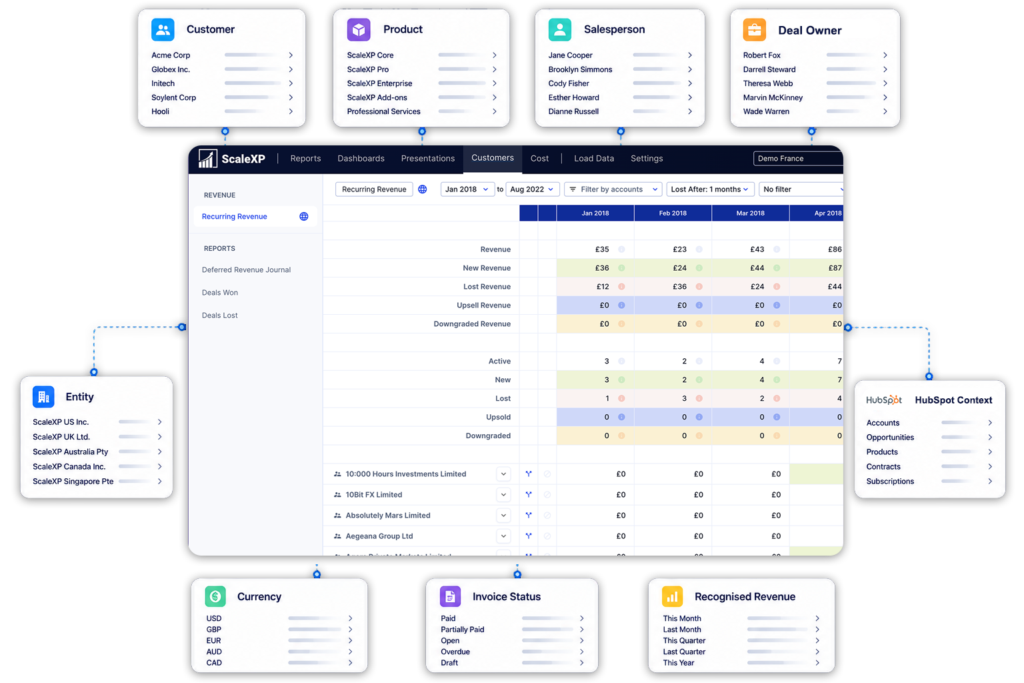
See the deferred revenue balance, the month’s release and the remaining liability by customer, product, entity, currency, sales owner or reporting dimension, without rebuilding the schedule in a spreadsheet.
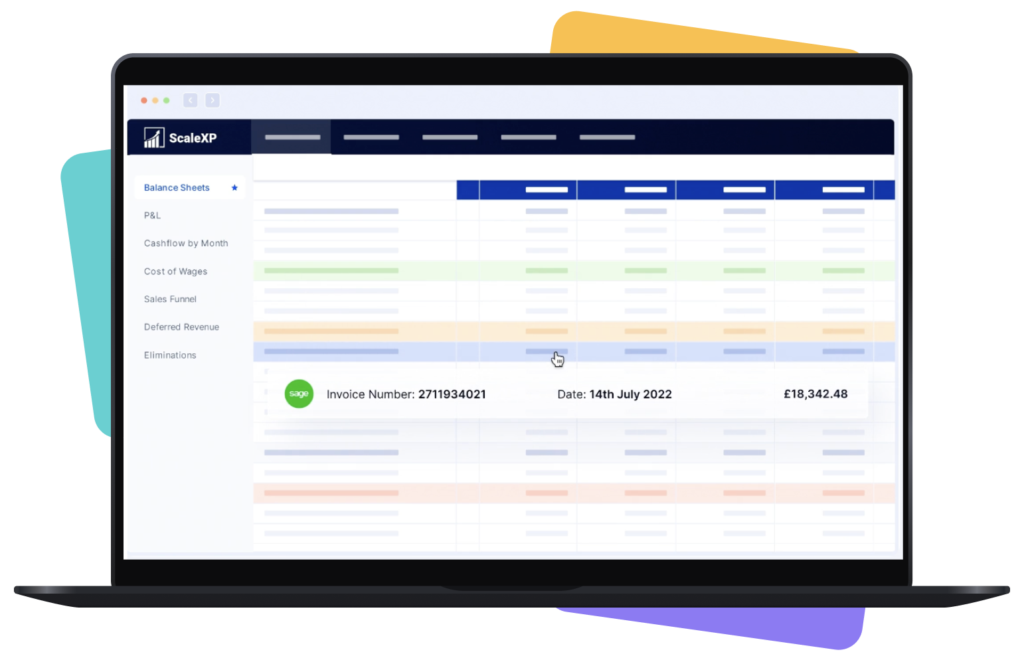
Balances refresh daily and on demand as invoices and credit notes change, so the deferred revenue position is current through the month rather than reconstructed at close. Every figure drills to the invoice, contract and journal behind it.
This level of reporting depends on billing and CRM data being aligned, which is why many teams also use CRM billing and invoicing automation to keep revenue data consistent from source to report.
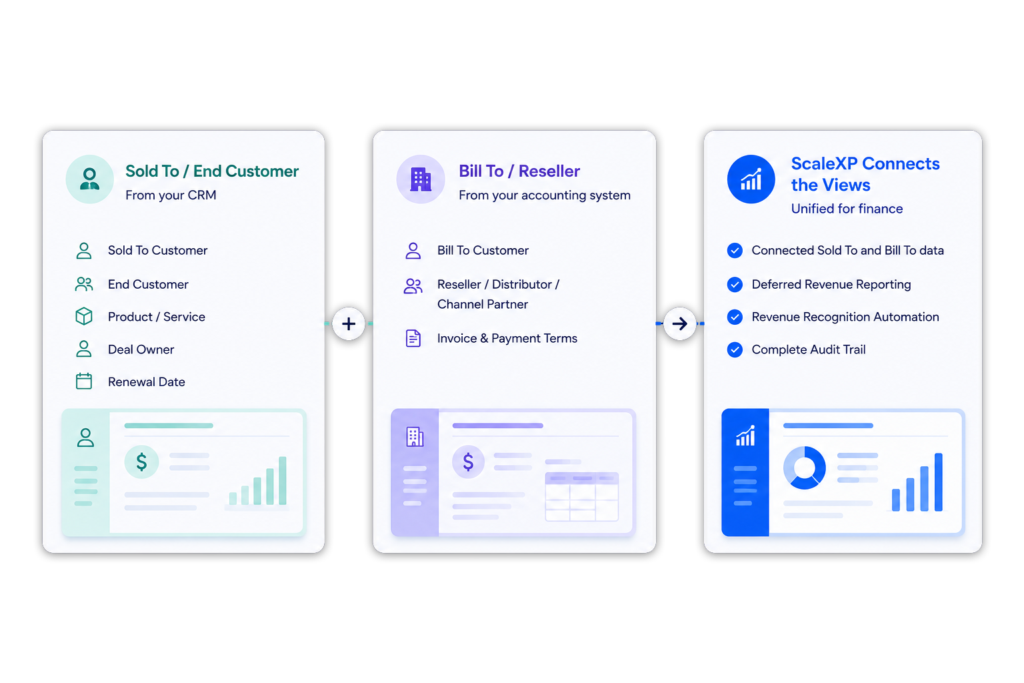
In channel sales models, the customer using the product may not be the customer receiving the invoice.
CRM data may hold the Sold To customer, end customer, product, owner and renewal. Accounting data may hold the Bill To customer, reseller, distributor or channel partner.
ScaleXP helps finance connect these views for deferred revenue reporting and revenue recognition.
Customer result
Deferred revenue at the click of a button
Before ScaleXP, deferred revenue was calculated manually in Excel — a very time-consuming process.
“ScaleXP is great in calculating deferred revenue by click of a button compared to manual excel system which was very time consuming.”

Madhu
Xero review
Deferred revenue software builds and maintains the schedules that release revenue billed in advance into the periods in which it is earned, and prepares the month-end journals that move each amount from the deferred revenue liability to recognized revenue. ScaleXP does this for finance teams using Xero or QuickBooks: it reads invoice, contract and CRM data, identifies the service period, builds month-by-month schedules and prepares journals for finance review before they are posted back to the ledger.
Deferred revenue is revenue that has been billed or collected but not yet earned; it sits on the balance sheet as a liability until the service is delivered. Recognized revenue is the portion earned in the accounting period and reported in the income statement. Each month a journal debits the deferred revenue liability and credits revenue for the amount earned. ScaleXP calculates that movement per invoice and prepares the journal for finance review.
Yes. ScaleXP builds deferred revenue schedules for the arrangements that usually break spreadsheets: annual and multi-year subscriptions billed upfront, implementation and onboarding fees, professional services and retainers, milestone and project revenue, usage-based billing, multi-element contracts and reseller or channel sales, where the required dates and billing data are available. Renewals, amendments, credit notes and unusual billing terms are flagged as exceptions for finance to review, so nothing is posted until someone has looked at it.
Yes. ScaleXP automates deferred revenue schedules from invoice dates, service start and end dates, billing frequency and contract terms, then calculates each month’s revenue release without a spreadsheet. When an invoice is changed or credited, the affected schedule is recalculated rather than rebuilt by hand. Finance reviews the exceptions ScaleXP flags, such as missing dates or unusual terms, and approves the resulting journals before they are posted to Xero or QuickBooks.
Yes. ScaleXP prepares the monthly journal that debits the deferred revenue liability and credits revenue for the amount earned in the period, with the supporting schedule and invoice detail attached. Every journal requires explicit finance approval. Once approved it can be posted to Xero as a draft or final manual journal, or to QuickBooks Online as a journal entry, in two clicks, and the underlying schedule is retained for audit.
Yes. ScaleXP supports revenue recognition workflows under ASC 606, IFRS 15 and FRS 102, where the balance is usually called deferred income, by spreading revenue billed upfront over the service period in which the performance obligation is satisfied. Finance configures the approved recognition policy by contract, product or entity and keeps control of journal approval; ScaleXP applies that policy consistently and retains invoice-level evidence for review. It does not make the accounting judgments for you, and it does not replace your auditors.
Yes. ScaleXP is an approved Xero app. It imports Xero invoices and credit notes, builds the deferred revenue schedule for each one, calculates the monthly revenue release and prepares the journal, which finance posts to Xero as a draft or final manual journal after review. Xero tracking categories flow through schedules, journals and reporting, and Xero remains the system of record.
Yes. ScaleXP connects to QuickBooks Online, pulls invoices and transaction data, builds deferred revenue schedules and prepares the monthly recognition journals for review. Approved journals post to QuickBooks as journal entries in two clicks and can be posted by QuickBooks class or location. QuickBooks Online stays the accounting system of record; ScaleXP adds the schedules, exception review and customer- and product-level deferred revenue reporting on top of it.
Yes. ScaleXP can combine invoices from Xero or QuickBooks with deal and contract data from Salesforce, HubSpot or Pipedrive, so a schedule can use the contract start date, end date, renewal date, product and billing frequency held in the CRM rather than only what appears on the invoice. That also lets finance report deferred revenue by sales owner, end customer or Sold To and Bill To relationship. CRM connections are configured for each customer during setup.
Yes. ScaleXP uses AI-assisted extraction to read invoice dates, billing values, service start and end dates, billing frequency, contract terms and product detail from invoices, billing records and CRM data, then prepares the deferred revenue schedule and journal for review. AI does the preparation; finance reviews the accounting treatment, approves the schedule and decides what is posted or used in reporting.
No. AI-assisted preparation reduces the manual work of extracting service periods, billing terms and deferred revenue inputs, and every journal still requires explicit finance approval before it is posted. Finance teams remain responsible for reviewing exceptions, approving schedules, setting the recognition policy and controlling deferred revenue outputs.
Yes. ScaleXP reads the invoice date, value and line detail from Xero or QuickBooks and, where the service period is stated on the invoice, spreads the revenue month by month across that period. Where the invoice shows only a billing date, ScaleXP can take the service start and end dates from the CRM deal in Salesforce, HubSpot or Pipedrive, or from finance-reviewed inputs, so revenue follows the period in which it is earned rather than the date of billing.
Yes. ScaleXP compares contract or service periods with invoice activity to separate recognized revenue, which has been earned, from deferred revenue, which has been billed but not yet earned, and from accrued income, which has been earned but not yet invoiced. Recognized and deferred balances are calculated automatically from the same data, and each figure is drillable to the customer, contract and source transaction, so the deferred revenue liability and the accrued income asset reconcile instead of living in separate spreadsheets.
A deferred revenue schedule is a month-by-month table showing, for each invoice or contract, how much revenue was billed in advance, how much has been recognized to date and how much remains deferred at each period end. It supports the deferred revenue liability on the balance sheet and drives the monthly recognition journal. ScaleXP builds these schedules automatically from invoice and service-period data across customers, products and contracts, and keeps opening, movement and closing balances reconciled to the journals in Xero or QuickBooks.
““move away from a recurring revenue master spreadsheet”
Deferred revenue
See reviewable schedules and journals built from your invoices and contract dates, not a sample set.
In a 30-minute demo, we’ll show the relevant workflows using example data and discuss how they could apply to your finance process. Complex requirements? Discuss them with us first.