Best Maxio Alternatives for Xero and QuickBooks Finance Teams

Already happy with Xero or QuickBooks? Keep them. ScaleXP adds the revenue recognition, SaaS metrics, CRM invoicing and consolidation your finance team is missing.

4.9

in Xero & QuickBooks app stores

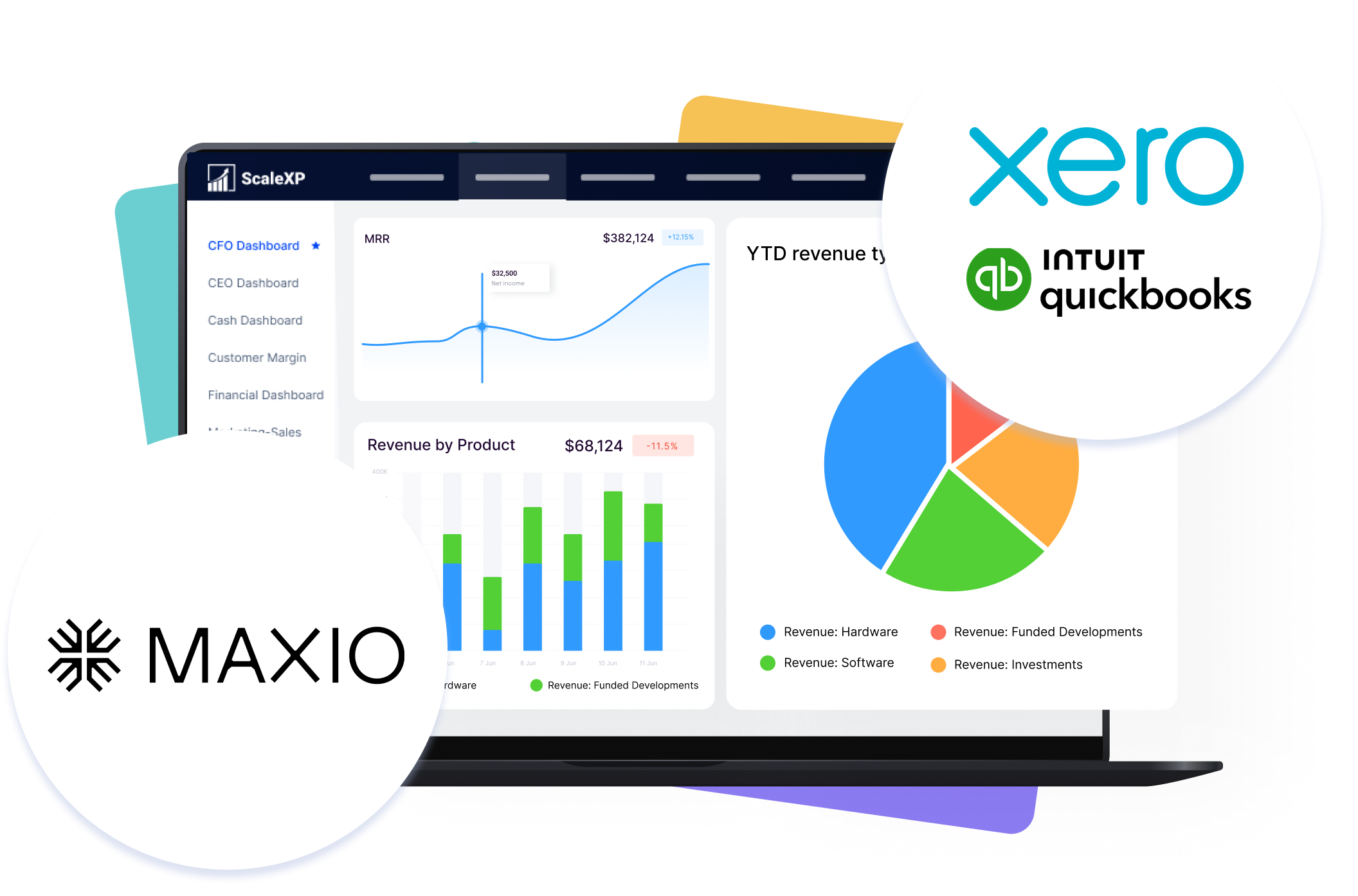
Laptop showing the ScaleXP CFO Dashboard with MRR trend, revenue by product chart, and YTD revenue type pie chart, alongside Maxio, Xero, and QuickBooks logos in circular badges.

ScaleXP is an approved app for leading accounting & CRM systems

You may not need to replace your finance stack

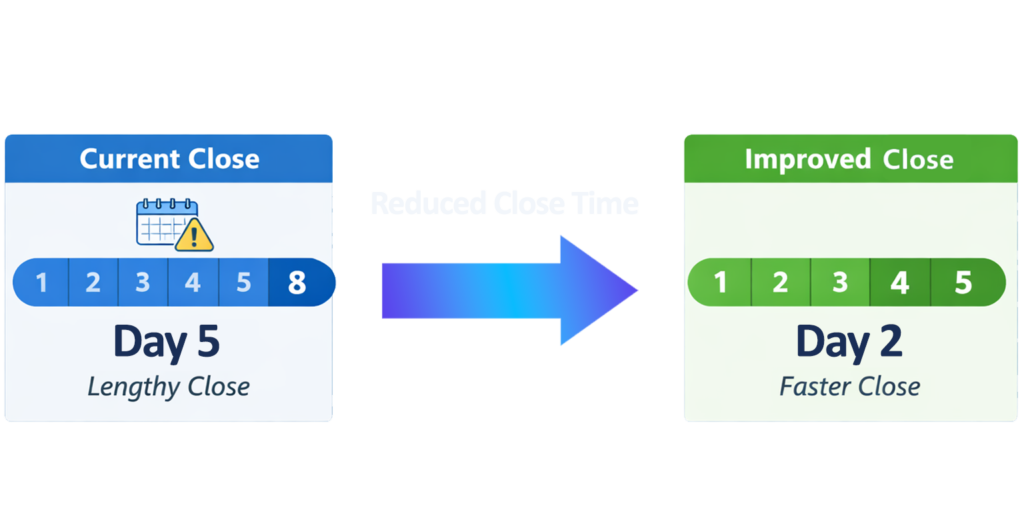
Month-end close infographic with Current Close and Improved Close panels, Day 5 lengthy close transitioning to Day 2 faster close, blue arrow across the center.

Many Maxio alternatives start with the assumption that your billing and finance systems need replacing.

For many SaaS companies, they do not.

Finance already works in Xero or QuickBooks. Sales manages deals in HubSpot, Salesforce or Pipedrive. Customer Success relies on the CRM.

What is missing is the connection between them.

ScaleXP fills that gap.

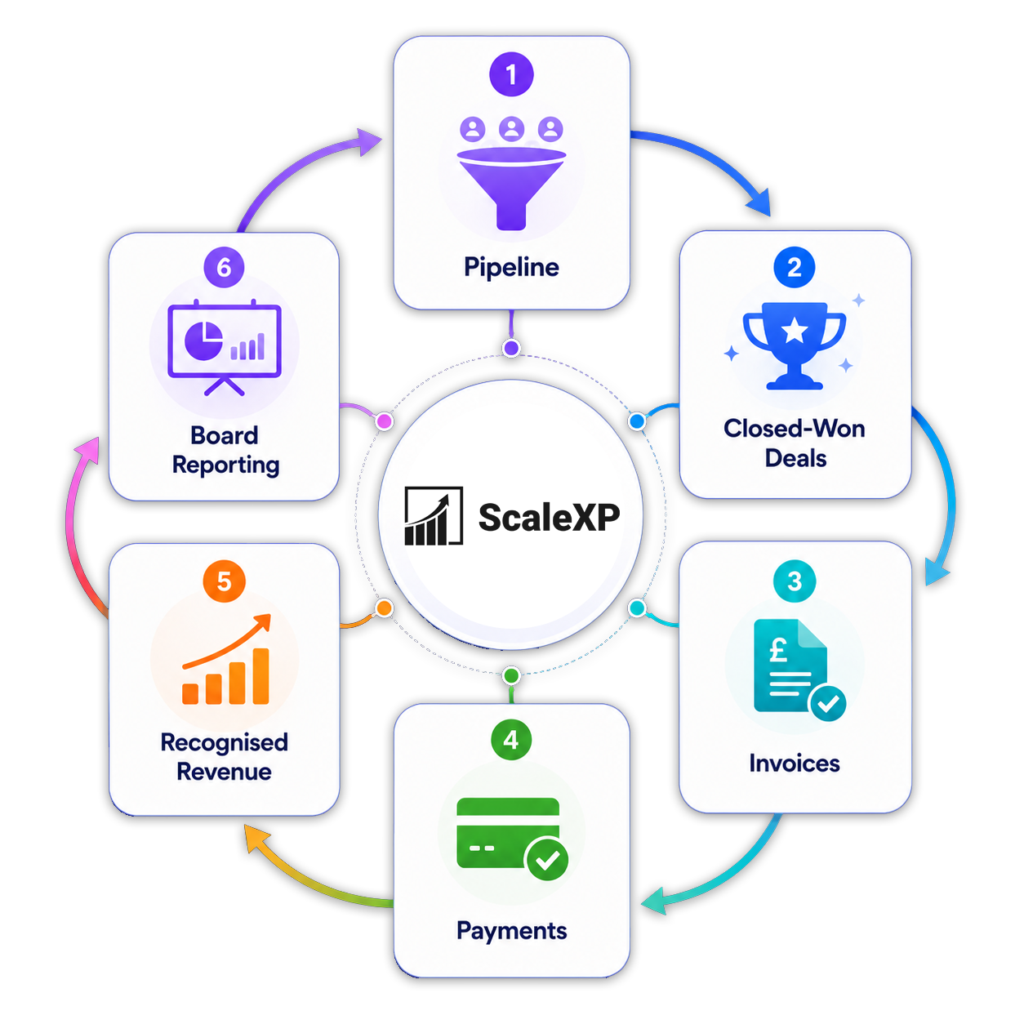
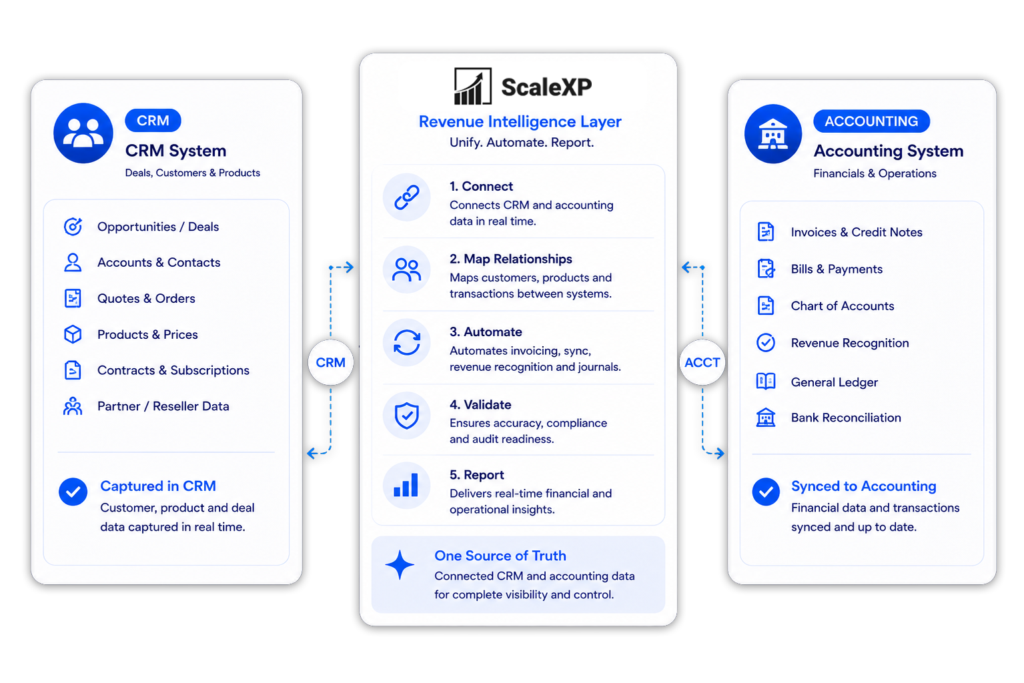
It connects what was sold, billed, collected, recognised and forecast, without asking every team to learn a new core system.

A diagram showing CRM deals turning into billing and invoicing workflows with ScaleXP

First decide which Maxio problem you are solving

Recurring revenue and renewals dashboard connected to HubSpot and accounting

“Maxio alternative” can mean very different things.

You need a new subscription billing engine

Consider Chargebee, Recurly or Zuora for complex recurring, usage or enterprise billing.

You want a Merchant of Record

Consider Paddle if you want another company to manage payments, sales tax and the customer transaction.

You need better SaaS analytics

Consider Subscript if SaaS metrics and revenue analytics are the main priority.

You want Xero or QuickBooks to do more

Choose ScaleXP when you want to retain your accounting system and add:

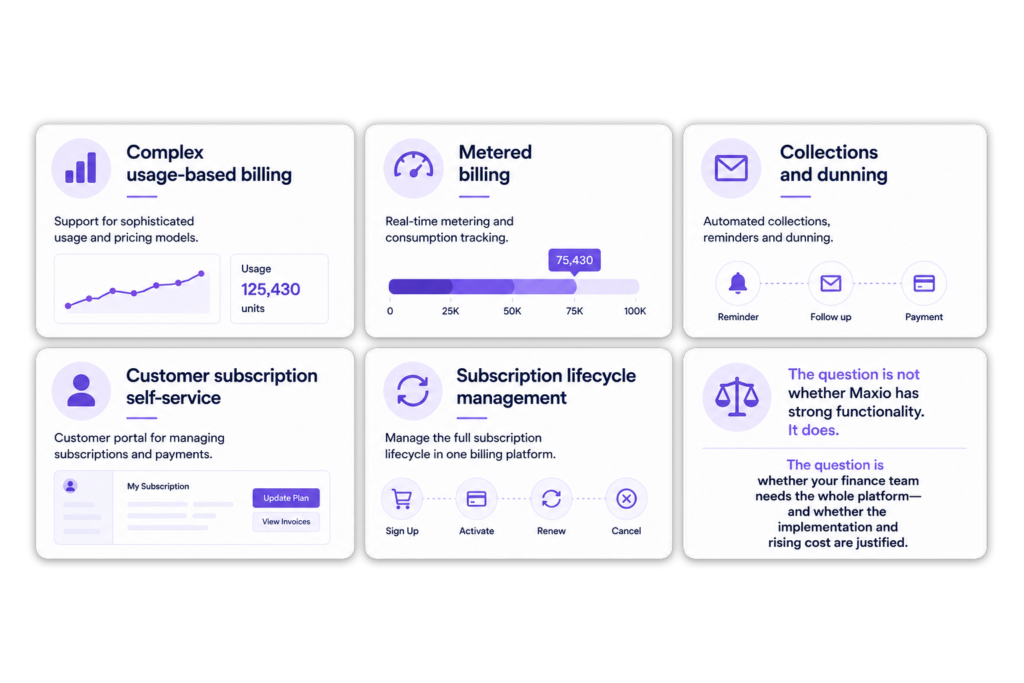
Infographic titled "Where Maxio may be the better choice," showing six areas: complex usage-based billing, metered billing, collections and dunning, customer subscription self-service, subscription lifecycle management, and a note on evaluating platform fit.

Maxio alternatives at a glance

Best for

What changes

ScaleXP

SaaS finance automation, revenue recognition, metrics and consolidation

Keeps the existing CRM and ledger; connects the data around them

Chargebee

Subscription billing and collections

Moves more billing and subscription activity into Chargebee

Recurly

Recurring billing, payments and subscriber retention

Adds a dedicated subscription and payment platform

Paddle

Merchant-of-record services

Paddle becomes the seller of record

Subscript

B2B SaaS billing, revenue and analytics

Adds a SaaS-focused billing and reporting platform

Zuora

Complex enterprise monetisation

Introduces a broad enterprise quote-to-cash platform

No credit card required

ScaleXP — the natural Maxio alternative for Xero and QuickBooks

Recurring revenue and renewals dashboard connected to HubSpot and accounting

ScaleXP is built for finance teams that like their accounting software but have outgrown spreadsheets.

Finance keeps the ledger it trusts

Invoices, payments, journals and records stay in Xero or QuickBooks. ScaleXP extends those workflows instead of replacing them.

Sales keeps the CRM it knows

HubSpot, Salesforce or Pipedrive continues to hold deals, products, customers, owners, contract terms and renewals.

ScaleXP connects the two

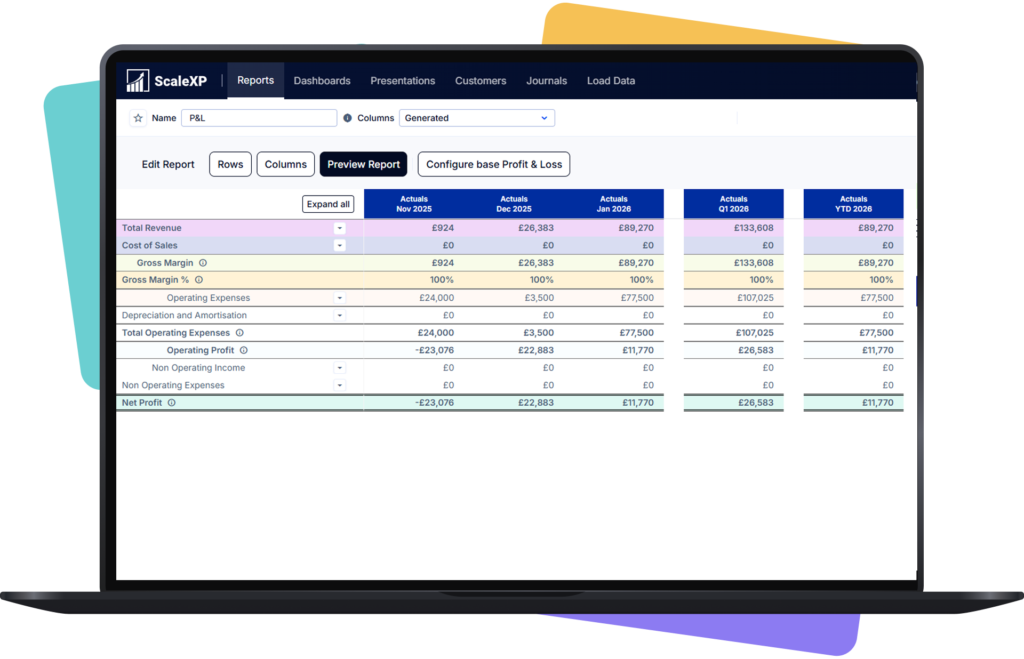
ScaleXP turns CRM and accounting data into draft invoices, revenue schedules, deferred and accrued revenue, SaaS metrics, renewals, forecasts, reporting and board-ready presentations.

No double entry. No spreadsheet bridge between Sales and Finance. No unnecessary system overhaul.

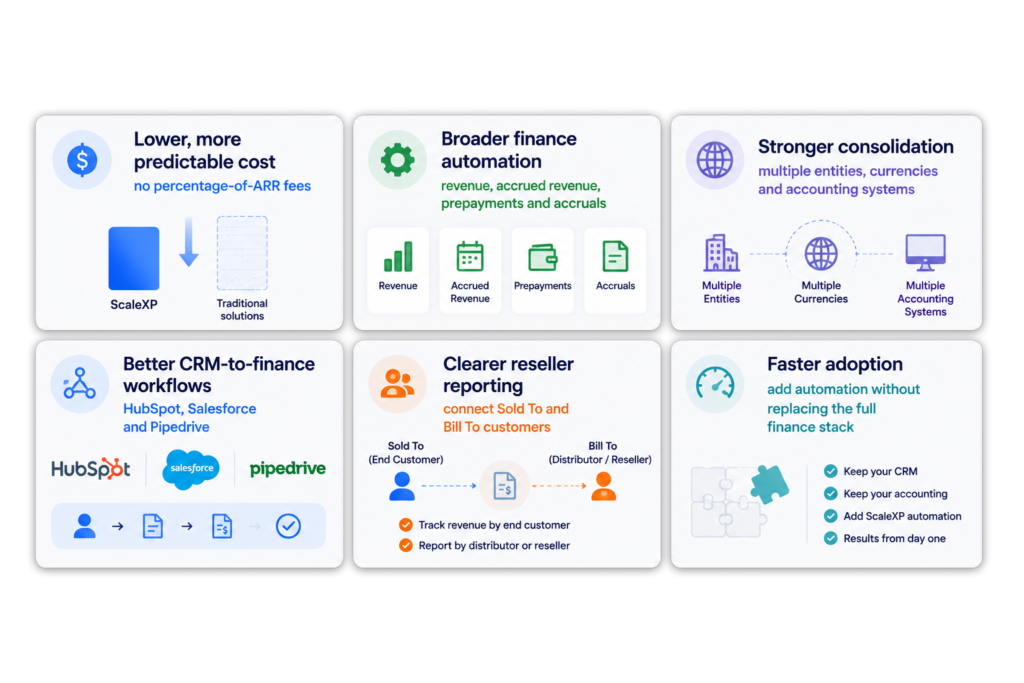
Infographic titled "Where ScaleXP Wins," showing six benefits: lower cost, broader finance automation, stronger consolidation, better CRM-to-finance workflows, clearer reseller reporting, and faster adoption.

The month-end Xero and QuickBooks teams actually want

Shared operating dashboard across customer revenue and business performance data

Most finance teams do not wake up wanting another billing platform.

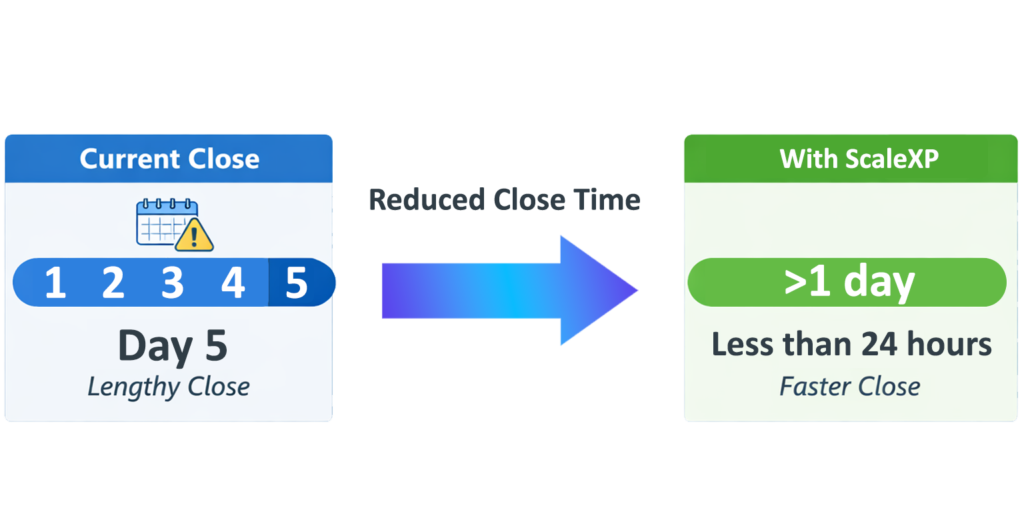
They want month end to be faster, clearer and easier to explain.

QuickBooks or Xero remains the accounting ledger. ScaleXP adds a wider finance automation layer around it.

See how ScaleXP’s revenue recognition and deferred revenue software works.

Diagram comparing month-end close time: current close takes 5 days, ScaleXP reduces it to less than 24 hours

Your Sales team should not have to become accountants

Recurring revenue and renewals dashboard connected to HubSpot and accounting

Without a connection between CRM and accounting, this information is copied into spreadsheets, emails and invoices.

ScaleXP connects it.

HubSpot, Salesforce or Pipedrive to invoice

Create draft invoices from CRM deal data while finance retains review and approval.

Invoice to revenue schedule

Use commercial and accounting data to prepare recognised, deferred and accrued revenue.

Pipeline to forecast

Combine invoices, renewals and CRM pipeline to forecast future revenue and MRR.

Explore our CRM Billing and Invoicing Automation software.

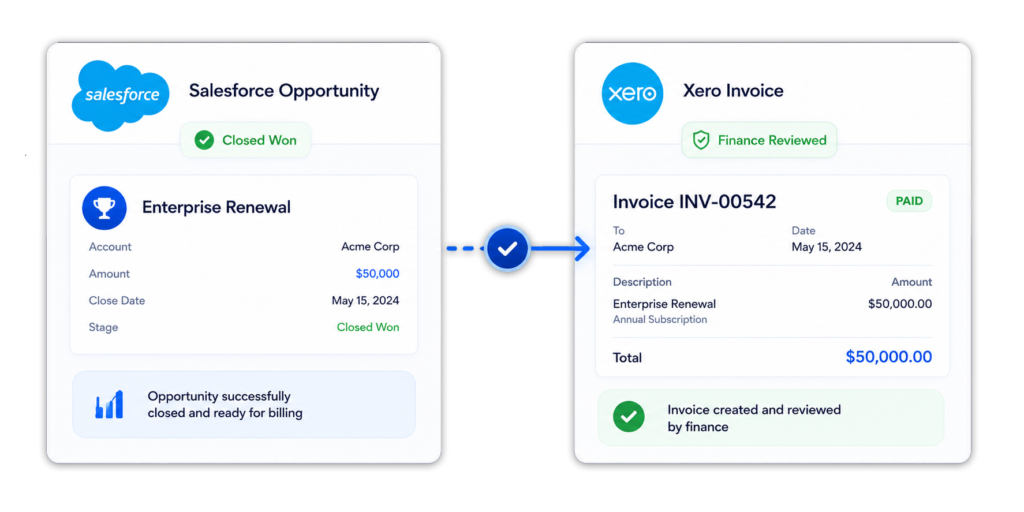
salesforce opportunity going into the xero invoice

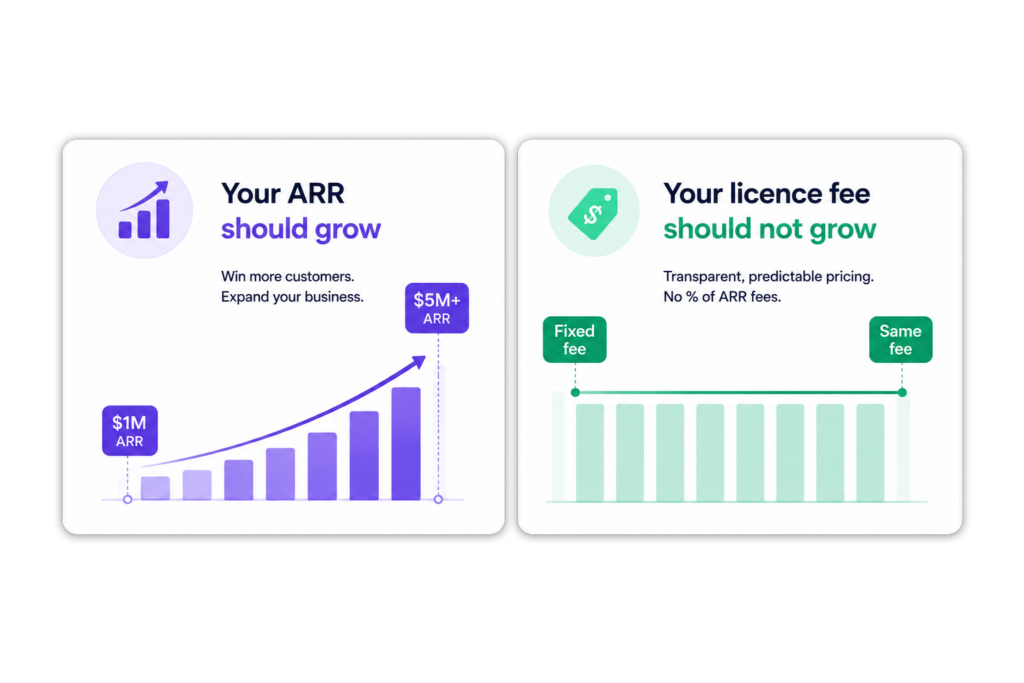
Your ARR should grow.
Your licence fee should not grow with it.

Shared operating dashboard across customer revenue and business performance data

ScaleXP does not charge a percentage of ARR.

Additional entities or functionality may change the subscription. ARR growth alone does not.

For a detailed feature and pricing comparison, see ScaleXP vs Maxio.

Infographic titled "Your ARR should grow. Your licence fee should not grow with it." Left panel shows an ARR bar chart rising from $1M to $5M+. Right panel shows a flat licence fee line staying constant across the same growth.

One group. Different ledgers. One finance view.

Recurring revenue and renewals dashboard connected to HubSpot and accounting

Growing groups rarely operate in a perfectly tidy system landscape.

The UK company may use Xero. The US company may use QuickBooks. Another entity may use Zoho Books.

ScaleXP brings them together.

Consolidate across systems

Consolidate across currencies

Create group reporting across local and reporting currencies without forcing every subsidiary onto the same accounting system.

Understand what drives performance

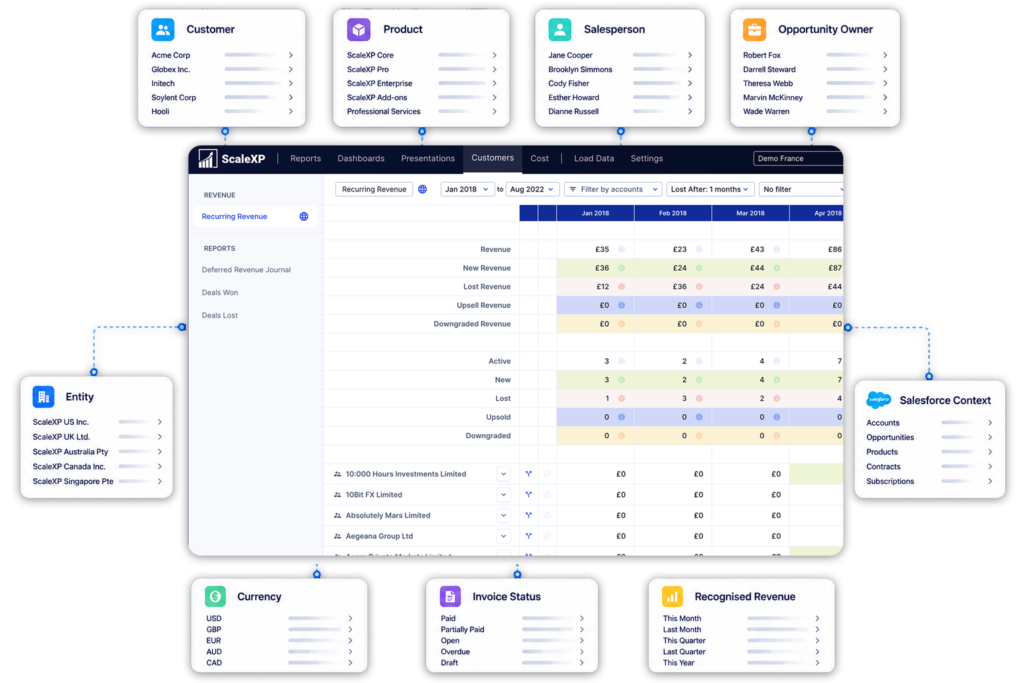
CRM and Xero consolidated revenue reporting by customer, product, owner, entity, currency and recognition status

Selling through resellers? Keep the real customer visible

Shared operating dashboard across customer revenue and business performance data

The customer using your product may not be the customer paying the invoice.

The CRM may hold the end customer. Xero or QuickBooks may hold the reseller or distributor.

ScaleXP connects both views.

The invoice can go to the correct legal customer without hiding the commercial relationship behind it.

CRM billing automation showing Sold To customer, Bill To customer, reseller and distributor invoice workflows in ScaleXP

Where the other Maxio alternatives fit

Recurring revenue and renewals dashboard connected to HubSpot and accounting
Dashboard interface of the 2023 Xero App Staff Pick displaying balance sheets and invoice details.

Why ScaleXP stands out

Shared operating dashboard across customer revenue and business performance data

ScaleXP is not trying to make Xero or QuickBooks irrelevant.

It makes them more useful.

Infographic titled "Where ScaleXP Wins," showing six benefits: lower cost, broader finance automation, stronger consolidation, better CRM-to-finance workflows, clearer reseller reporting, and faster adoption.

The simplest way to choose

Recurring revenue and renewals dashboard connected to HubSpot and accounting

For Xero and QuickBooks finance teams, ScaleXP usually offers the most direct route to better revenue control, reporting and automation.

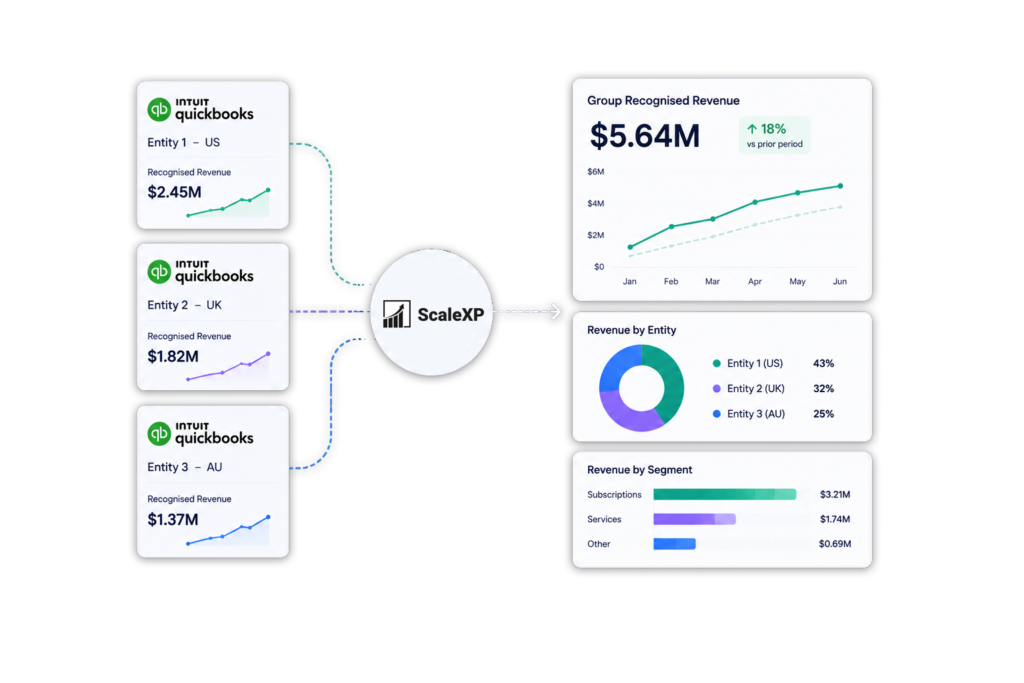
Diagram showing how ScaleXP consolidates revenue across multiple QuickBooks entities with automated consolidations, intercompany eliminations, multi-currency translation, and group-level revenue reporting.

HUBSPOT integration with xero and quickbooks

Integrate HubSpot and accounting data

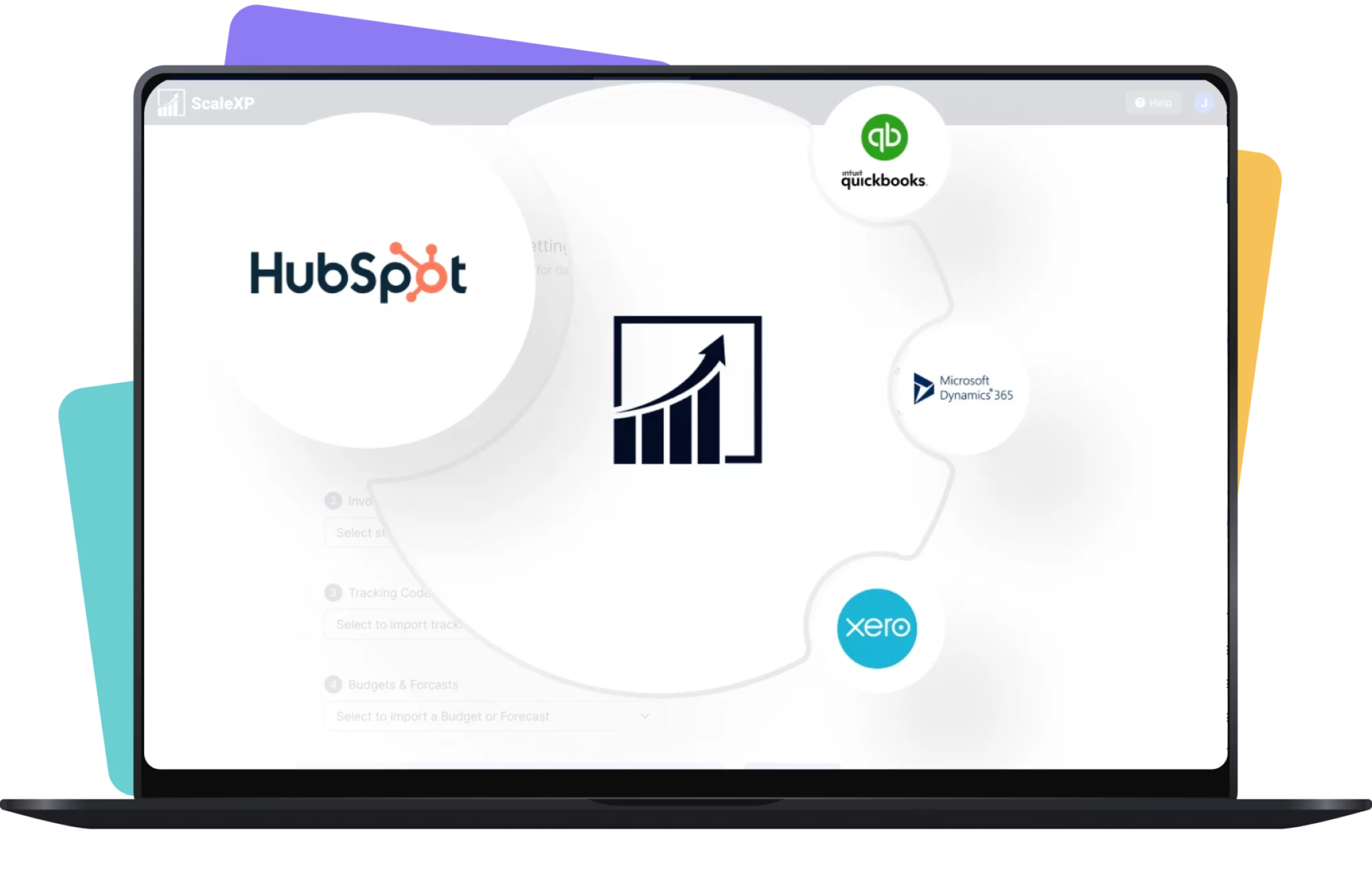
Graphic showing HubSpot logo alongside icons for QuickBooks, Microsoft Dynamics 365, and Xero.
Logos of HubSpot, Stripe, Intuit QuickBooks, and Xero displayed on a laptop screen.

Integrate data across multiple platforms & systems

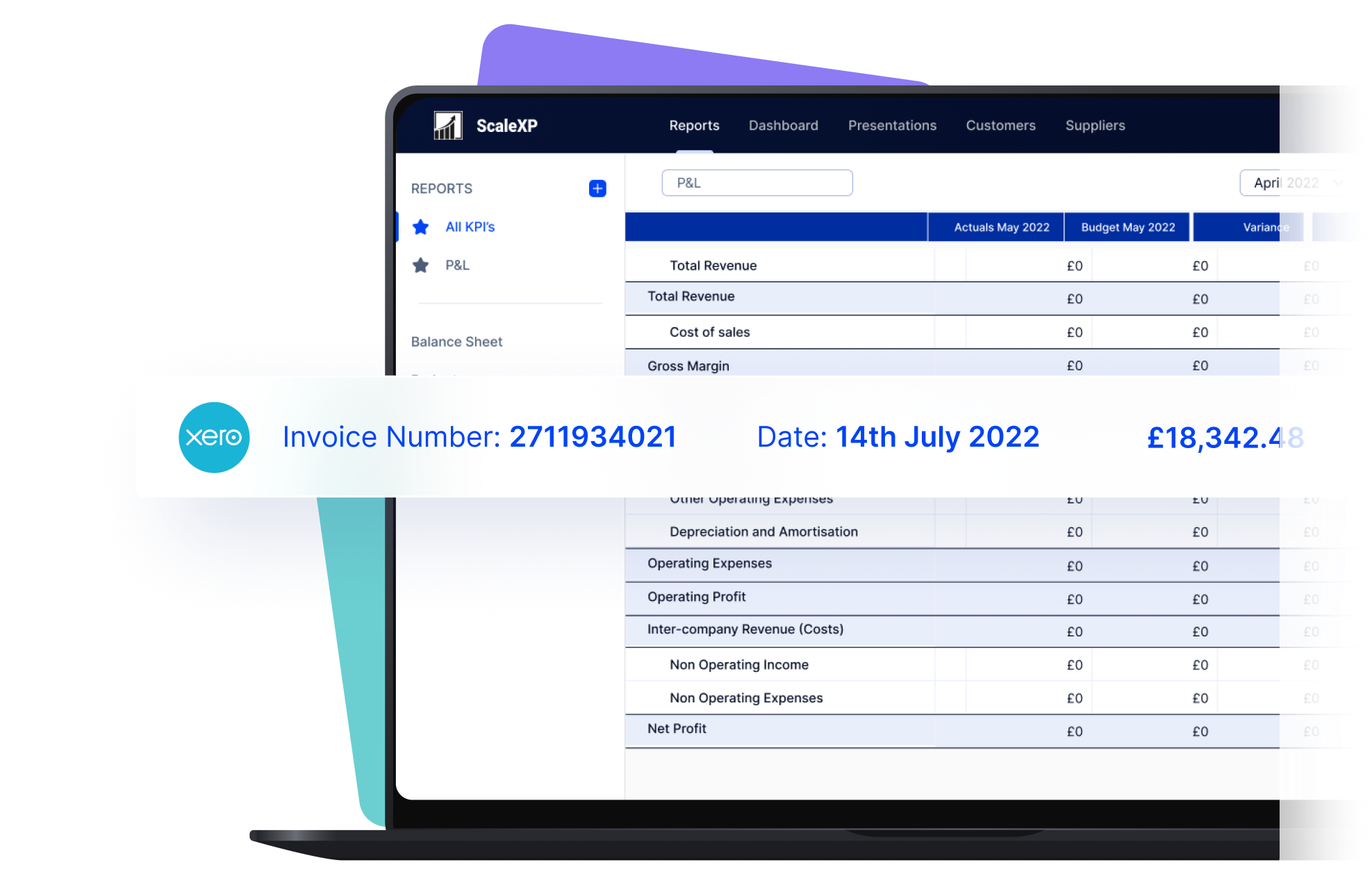
Laptop screen displaying an invoice report from Xero with financial data and graphs.

Close the month faster using automation

Reduce time spent manually tracking deferred revenue, income in advance and pre-paid expenses.  Eliminate tedious spreadsheet tracking and improve accuracy.

ScaleXP fully automates revenue recognition and prepayments using a sophisticated series of text recognition algorithms, which read and process all of the data and text on invoices. 

Read more about automating revenue recognition

Read more about automating prepaid expenses

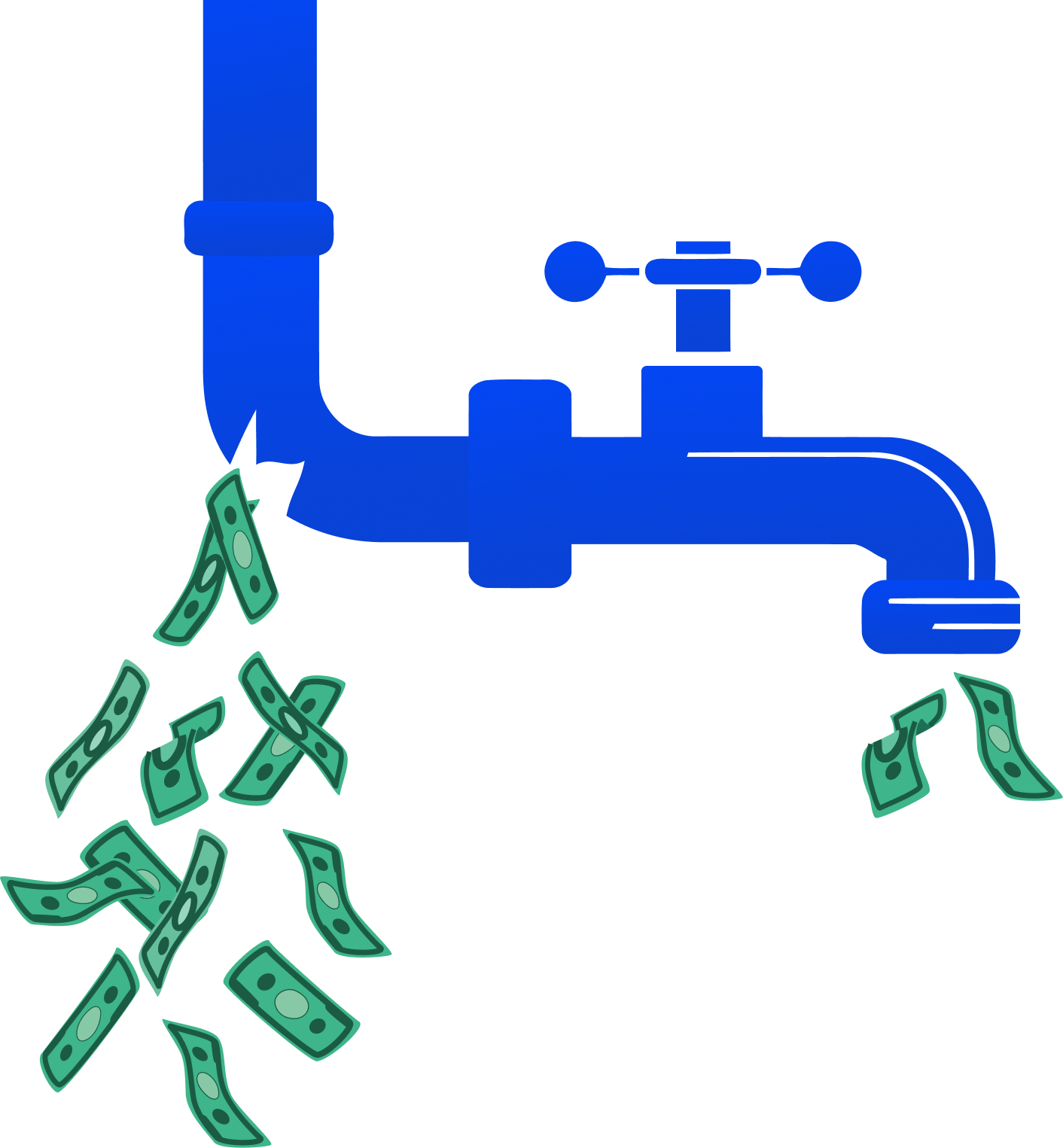
Stop revenue leakage & get paid faster with integrated billing

Illustration of a blue faucet with dollar bills flowing out of the spout.
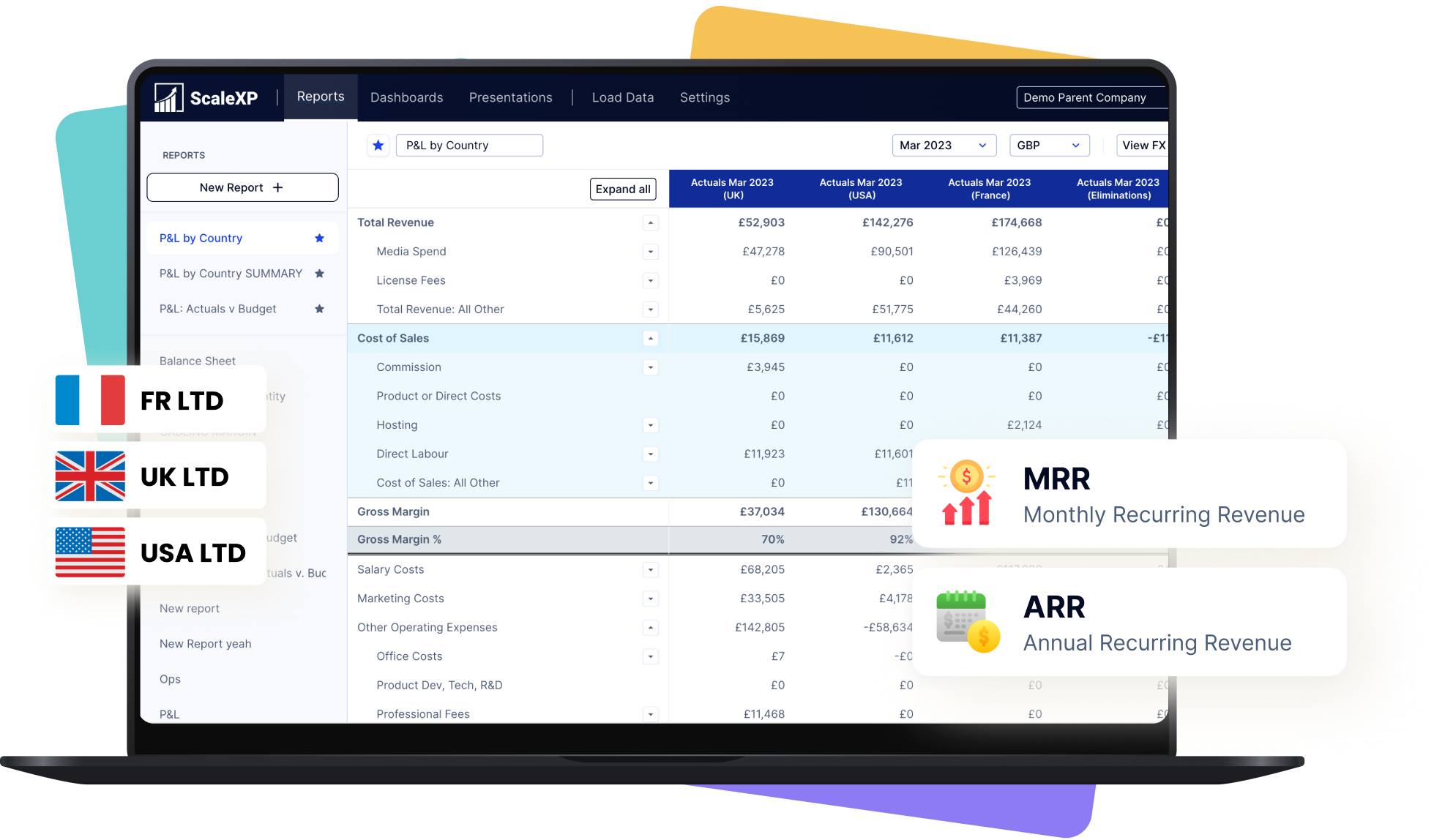
Financial reporting dashboard displaying various metrics such as MRR and ARR on a laptop screen.

Create a single source of truth for metrics

Easily forecast revenue or MRR

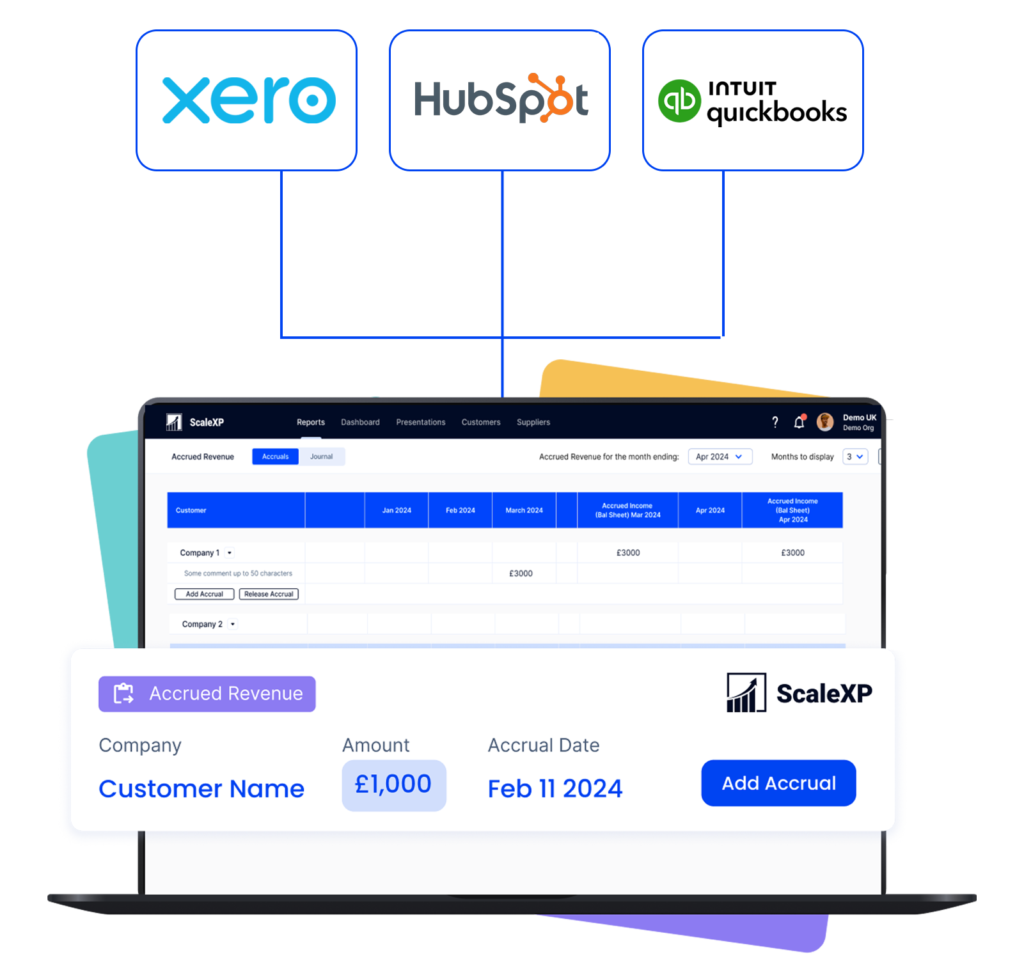
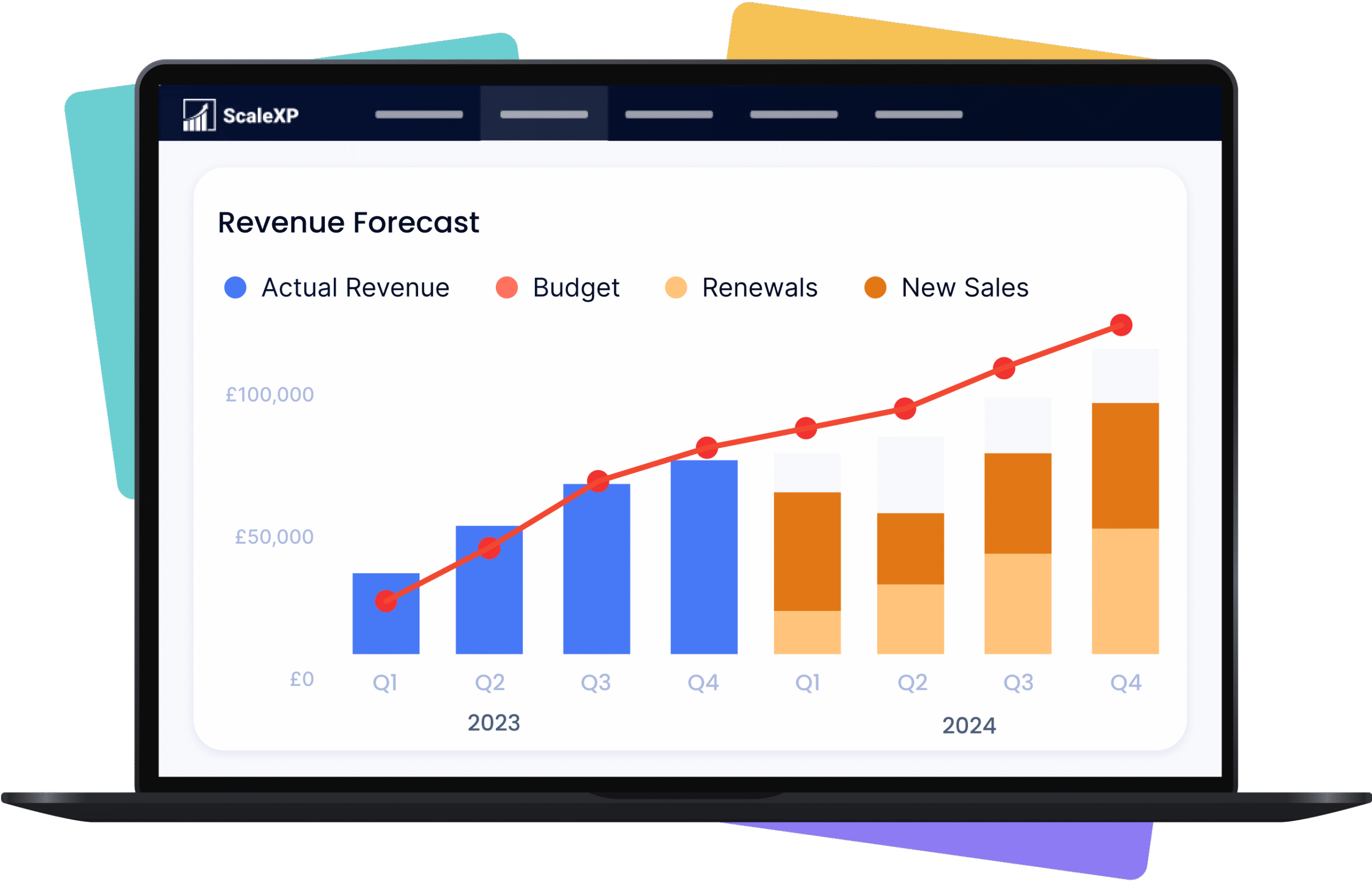
ScaleXP builds a forecast directly from HubSpot and QuickBooks or Xero

Hero product screenshot showing revenue forecast dashboard connected to CRM, billing, and accounting data
Graphic showing integration between Xero and QuickBooks with arrows indicating data flow.

Real-time 2-Way sync between HubSpot & your accounting system

Keep your teams aligned with a seamless sync between HubSpot and your accounting software (Xero, QuickBooks). 

ScaleXP automatically updates payment status and customer financial info in real time, so your sales and customer success teams can instantly see if a client is up to date or overdue, all within HubSpot. 

HubSpot + ScaleXP Delivers More

+ accounting data

+ accounting data

Fully integrate HubSpot and accounting data

Ensure all invoices are issued on time

In limited cases

Automatically track contract renewals  

In limited cases

Understand data using AI powered dashboards across integrated datasets 

Understand the highest growth customers, their channel, sector and geography

Automate business critical KPIs by fully integrated data sets

Automate sales forecasts

Woman in a yellow blazer holding an iPad displaying financial data, with logos of Xero and HubSpot in the corner.

Hubspot Contract Management FAQs

Invoicing and associated reporting can be fully automated in Xero and QuickBooks. 

ScaleXP will automatically provide a two way sync between HubSpot and your accounting system once daily.  You can also generate an immediate sync at any time, as often as you like.

Xero and QuickBooks can be automatically updated with draft revenue recognition journals. You simply review and click to approve. Journals can not be automatically passed to Zoho Books, but ScaleXP provides the full journal and a comprehensive CSV download. 

Yes.  ScaleXP provides full automation of all your sales revenue, past, current and future, including providing the associated accounting journals for accruals and deferrals in Xero and QuickBooks.

Further, ScaleXP provides a full breakdown of all revenue shown on your Income Statement as well as all deferred income and accrued revenue shown on your Balance Sheet. 

Revenue recognition schedules can be viewed by customer, by invoice, and by general ledger code. And, in case that’s not enough, all schedules can be downloaded to a spreadsheet or CSV.
By default, ScaleXP syncs daily between HubSpot and your accounting software. However, you can also trigger an immediate sync at any time. This ensures that new deals, invoices, and payments stay current across both systems on a daily basis.

Currently ScaleXP’s HubSpot invoicing automation works with Xero and QuickBooks. Invoices generated from HubSpot are posted directly into Xero or QuickBooks, where you can finalize and send them. (If you use other accounting software, ScaleXP can still produce the required journal entries for you to upload.)

Maxio Alternatives FAQs

Leading Maxio alternatives include ScaleXP, Chargebee, Recurly, Paddle, Subscript and Zuora.

ScaleXP is particularly well suited to Xero and QuickBooks finance teams that want revenue recognition, SaaS metrics, CRM invoicing and consolidation without replacing their accounting system.

ScaleXP is the most natural choice for QuickBooks finance teams that want to retain QuickBooks as the accounting ledger.

It adds CRM-connected invoicing, revenue recognition, SaaS metrics, forecasting and multi-entity reporting around QuickBooks.

ScaleXP is a strong Maxio alternative for Xero teams that need finance-reviewed revenue schedules, CRM invoicing, SaaS metrics, forecasting and group reporting.

Xero remains at the centre of accounting.

No. ScaleXP extends Xero and QuickBooks workflows.

Invoices, payments, journals and accounting records remain in the ledger, while ScaleXP connects CRM data and automates wider finance workflows.

ScaleXP does not charge percentage-of-ARR fees.

Its US$350 and US$600 monthly licence levels are based on the functionality required. ARR growth does not automatically increase the core licence.

ScaleXP is generally better when finance wants to retain Xero, QuickBooks or Zoho Books while adding broader month-end automation, CRM workflows, SaaS metrics and multi-currency consolidation.

Maxio may be better when complex subscription billing is the overriding requirement.

Chargebee, Recurly, Maxio and Zuora are strong subscription-billing platforms.

The best choice depends on billing complexity, usage models, payments, collections and company size.

Yes. ScaleXP connects HubSpot, Salesforce or Pipedrive data with accounting workflows.

CRM data can support invoicing, revenue recognition, forecasting, renewals, SaaS metrics and reporting.

Yes. ScaleXP can consolidate multiple entities, currencies and accounting systems, including groups using both Xero and QuickBooks.

Yes. ScaleXP supports Sold To and Bill To workflows where the end customer differs from the reseller, distributor or channel partner receiving the invoice.