See how ScaleXP works with Xero, QuickBooks or Zoho Books.
In a 30-minute demo, we’ll show the relevant workflows using example data and discuss how they could apply to your finance process. Complex requirements? Discuss them with us first.
on the Xero App Store (75+ reviews)
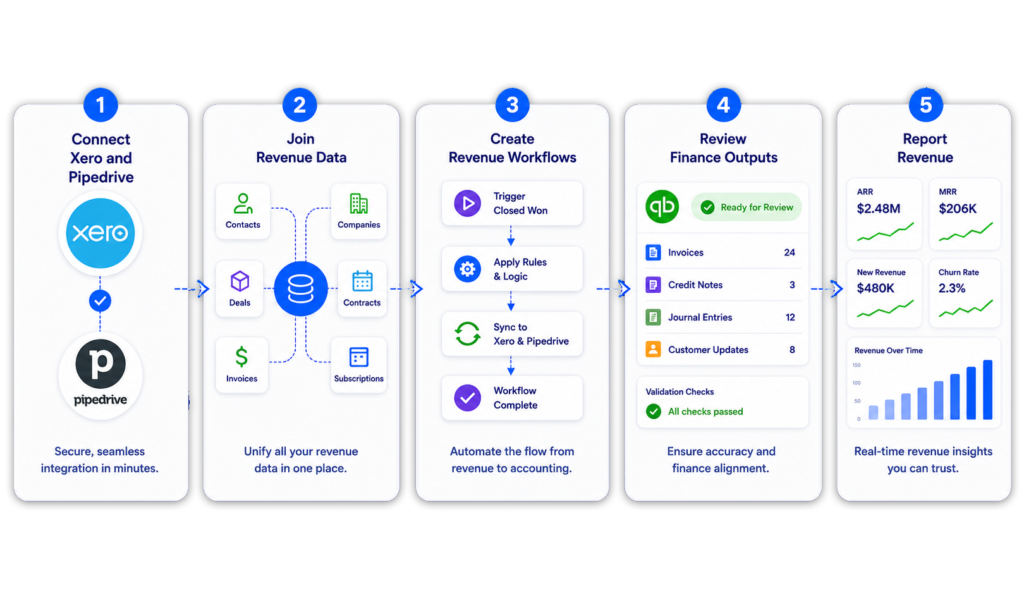
ScaleXP’s Pipedrive Xero integration turns Won Pipedrive Deals into draft Xero invoices, sends invoice and payment status back to Pipedrive, and forecasts revenue for finance teams. Pipedrive holds the commercial data behind revenue, including Deals, Products and customer relationships.
Xero holds invoices, payments and accounting records.
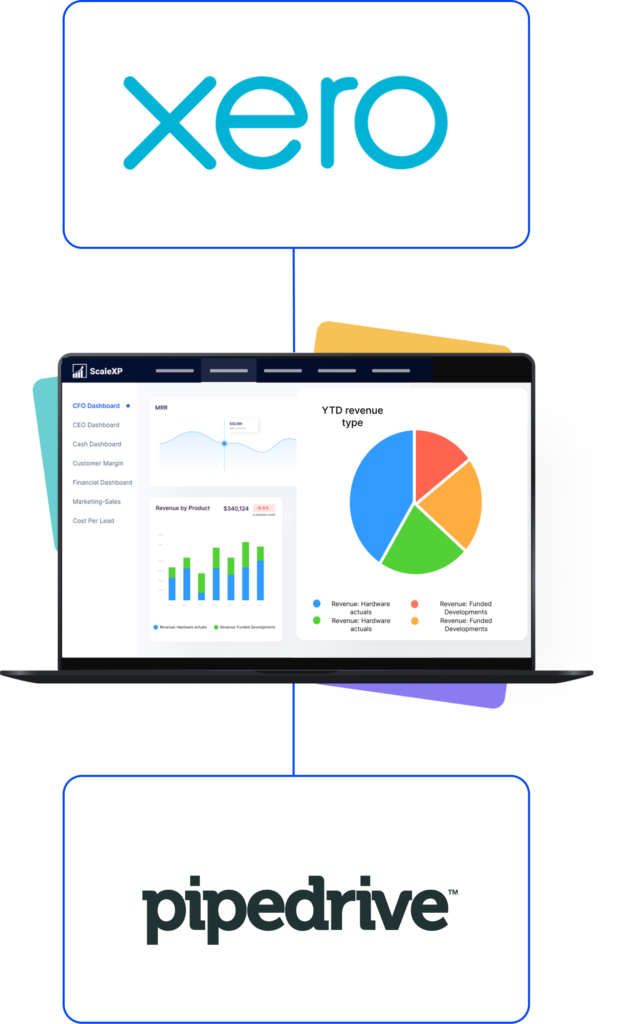
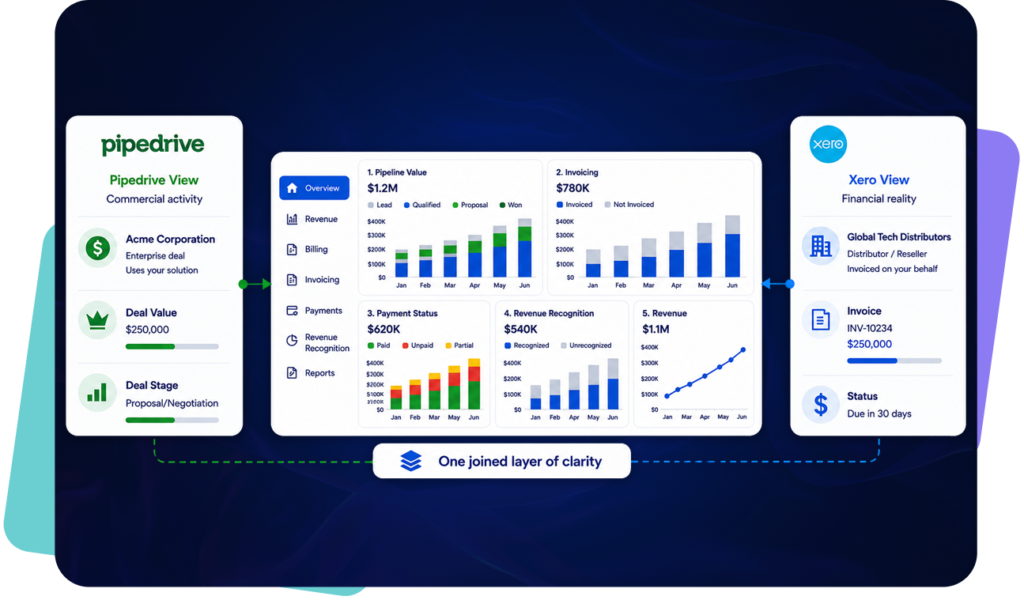
When these systems operate separately, teams often work from different versions of revenue performance. ScaleXP connects Pipedrive and Xero so sales, finance and leadership can report from one shared revenue view.
This is part of a broader sales-to-finance workflow where CRM and accounting data need to work together. Read more about how ScaleXP connects commercial and finance data in CRM Accounting Integration Software.
A Pipedrive Xero integration should do more than move information between systems.
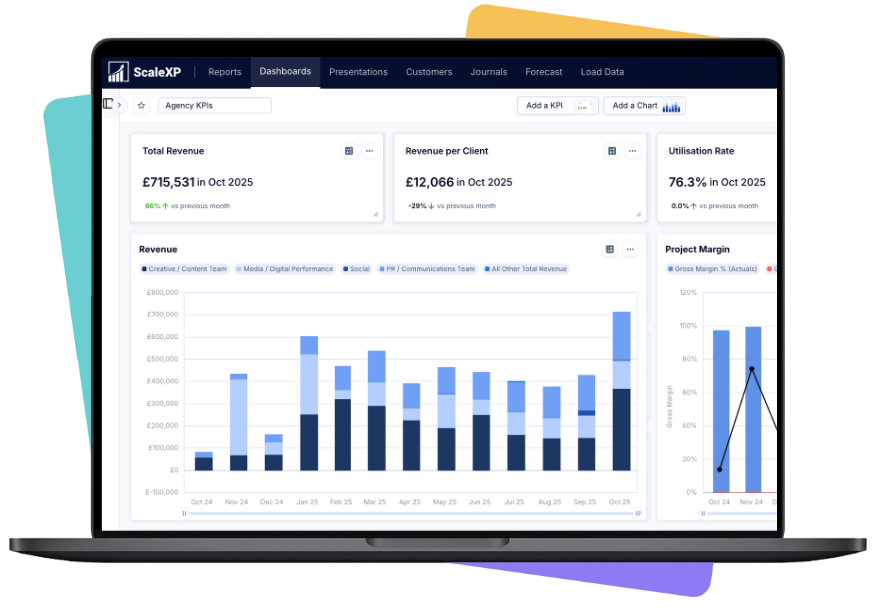
ScaleXP connects CRM and accounting data into a revenue intelligence layer that supports billing, invoicing, revenue recognition, forecasting, SaaS metrics and board reporting.
This creates one trusted view of revenue across finance, sales and leadership.
Teams running Pipedrive can also explore the full ScaleXP Pipedrive integration, or the Pipedrive QuickBooks integration if QuickBooks is the accounting system.
Pipedrive contains much of the information needed for billing, including Deals, Products, pricing and contract dates.
ScaleXP uses that data to prepare Xero invoice outputs for finance review, reducing manual re-keying while keeping finance in control of the final invoicing process.
If your main challenge is turning CRM deal data into controlled billing and invoice outputs, read more about CRM Billing and Invoicing Automation.
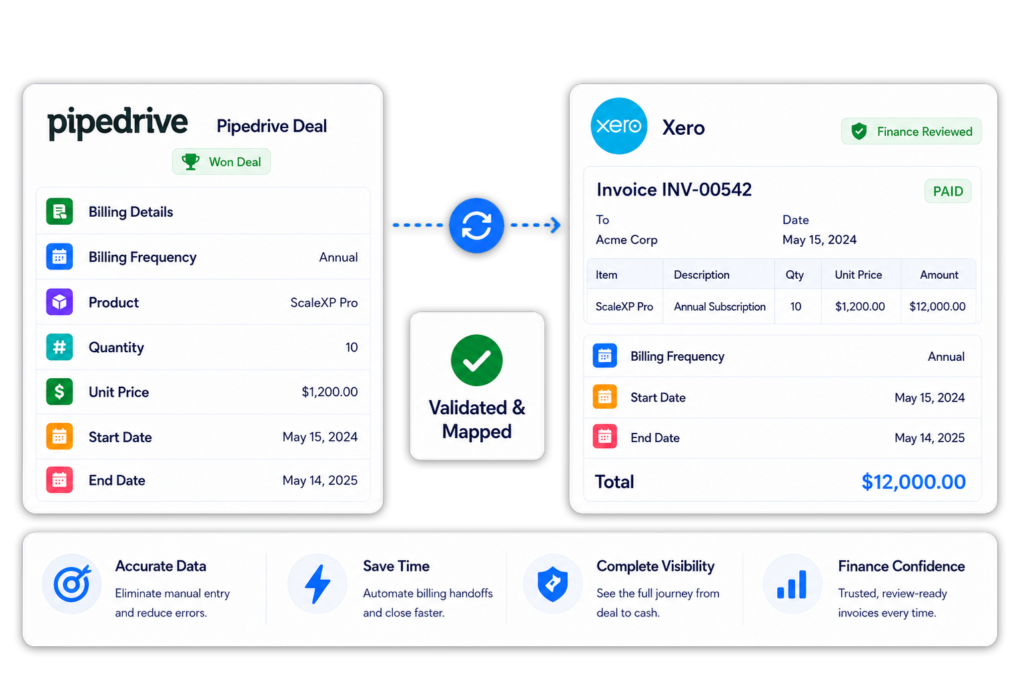
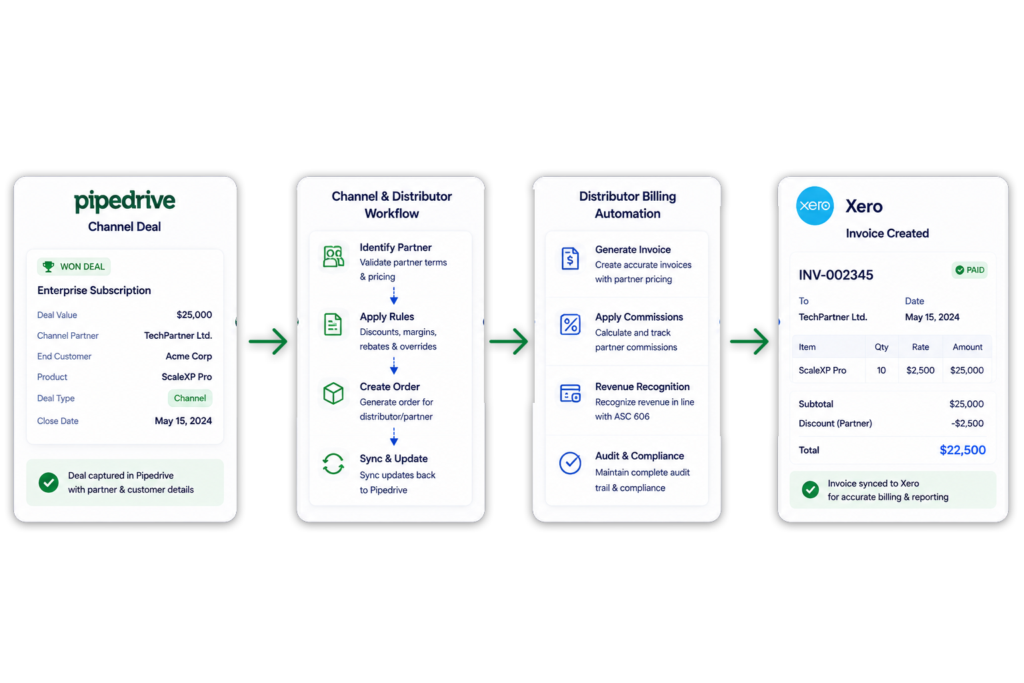
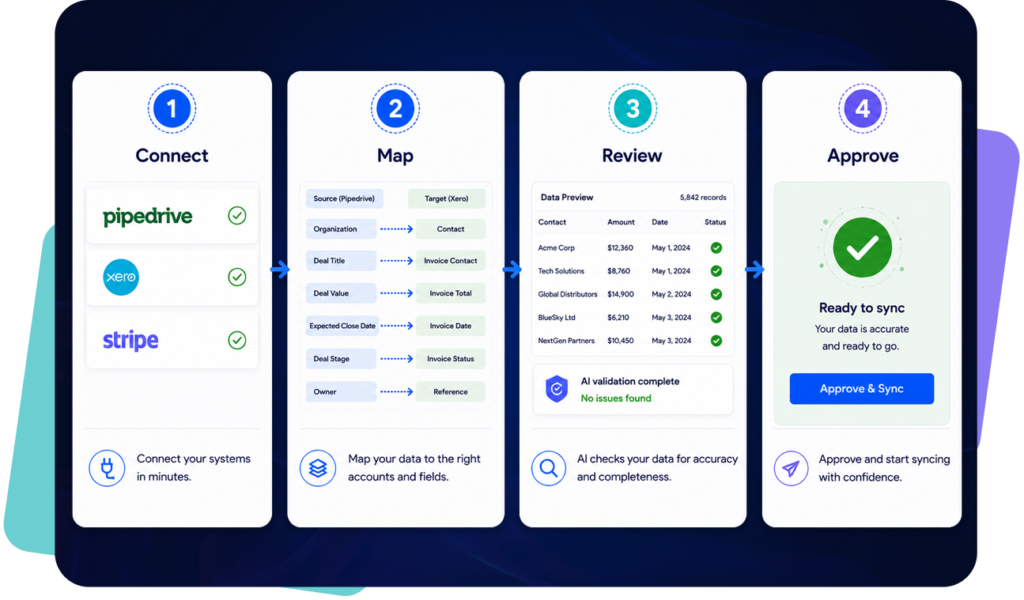
When a Deal is marked Won in Pipedrive, ScaleXP prepares a draft invoice in Xero from the Deal and Product data, so finance approves the invoice instead of rebuilding it.
ScaleXP maps these Pipedrive fields into each draft Xero invoice:
Finance reviews each draft in Xero before it is finalized. That is the only point where finance re-enters the process; the re-keying is gone.
Where configured, Pipedrive Deal and Product data can be combined with Xero invoices to support revenue recognition, deferred revenue and accrued revenue workflows.
Deal-level revenue schedules, journal review and the ASC 606 / IFRS 15 workflow are covered on the Pipedrive revenue recognition page.
For a deeper view of how ScaleXP automates revenue schedules, journals and recognized revenue reporting, read more about Revenue Recognition Software.
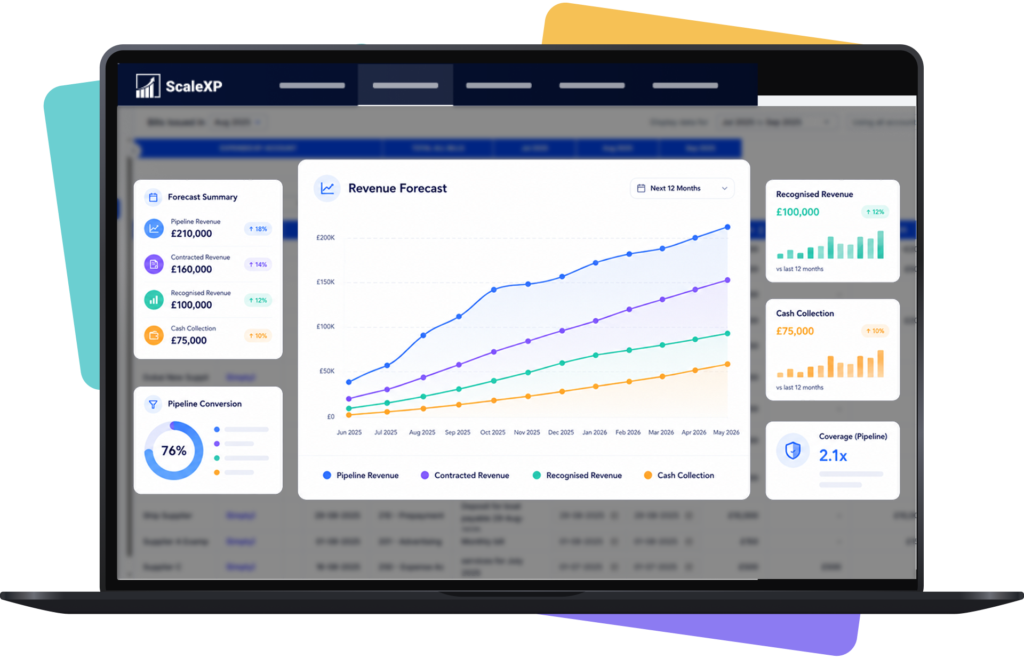
Forecasting is more reliable when pipeline and accounting data are connected.
This gives leadership a clearer view of expected revenue, recognized revenue and future cash flow.
Many businesses operate across multiple entities, currencies or regions.
ScaleXP helps combine Pipedrive commercial data with multiple Xero entities for reporting, forecasting and consolidation.
If you need to report across multiple Xero entities, currencies or accounting systems, read more about Financial Consolidation Software.
Some businesses sell to an end customer but invoice a distributor, reseller or channel partner.
ScaleXP supports workflows where the Pipedrive customer (Sold To) differs from the Xero billing customer (Bill To).
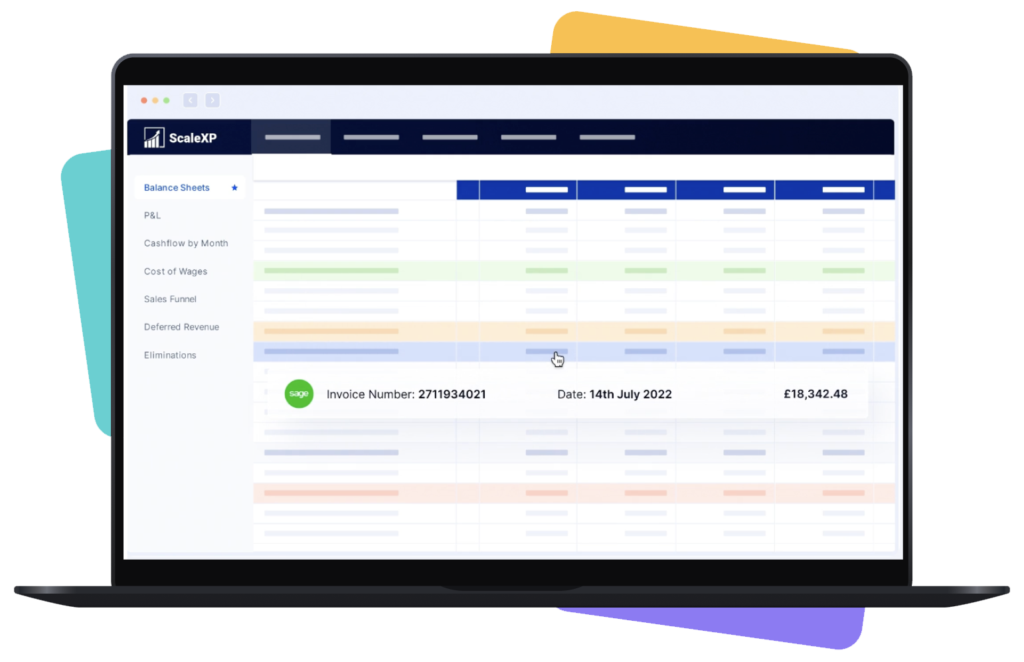
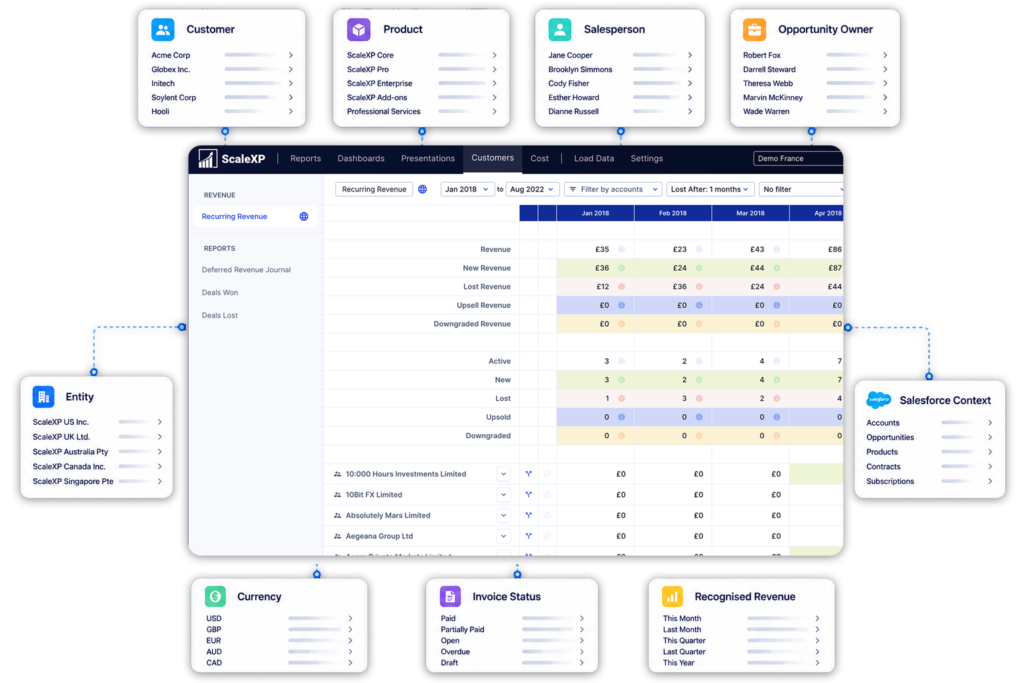
ScaleXP joins CRM and accounting data so teams can analyze commercial and financial performance from one reporting layer.
Revenue workflow
Pipedrive + ScaleXP + Xero
Pipedrive + Xero only
Join CRM and accounting revenue data
Yes
Limited
Create Xero invoices from Pipedrive Deals
Yes
Limited
Sync invoice and payment status back to Pipedrive
Yes
Limited or requires configuration
Use Pipedrive data for revenue recognition schedules
Yes
Not included
Forecast revenue from Pipedrive pipeline and Xero actuals
Yes
Not included
Build board-ready revenue intelligence dashboards
Yes
Not included
ScaleXP works with your existing Pipedrive and Xero setup. Most teams are live in approximately three weeks, depending on field mapping, the number of Xero entities and reporting requirements.
Pipedrive stays the sales system and Xero stays the ledger. Nothing is migrated.
ScaleXP sits between the two systems. Each line shows the direction, what moves, and what finance checks before anything is final.
Customer result
A Xero integration that became the primary finance tool
Consolidation, revenue recognition, SaaS metrics, prepayments and month-end reporting now run from Xero data in ScaleXP.
“This software integrates really well with xero and is now our primary tool for consolidation, revenue recognition, calculating saas metrics, prepayments, month end reporting of P&L, BS, & cash flow.”

Iain
Xero review

Yes. Pipedrive integrates with Xero through ScaleXP: Won Deals in Pipedrive become draft invoices in Xero, invoice and payment status returns to Pipedrive, and the joined deal and invoice records feed revenue recognition, forecasting and reporting.
ScaleXP reads Deals, Organizations, Persons, Products, contract dates and deal owners from Pipedrive, and customers, invoices, payments and accounting balances from Xero, so finance, sales and leadership report from one revenue view rather than two.
From Pipedrive, ScaleXP reads Won Deals, Organizations and Persons, Products, quantity and price, billing frequency, service periods, contract dates and deal owners. From Xero it reads customers, invoices, payments, accounting balances and tracking categories.
ScaleXP then prepares draft invoices in Xero from Won Deals, and, where configured, returns invoice and payment status to Pipedrive. Finance reviews every draft before it is finalized. Xero remains the invoice and payment record.
Neither. ScaleXP is a separate finance platform that connects to both Pipedrive and Xero; it is not a feature inside either product and it is not a generic field-sync tool.
A basic connector copies contacts or invoices between the two systems. ScaleXP joins the deal and invoice records so finance can draft Xero invoices from Won Deals, run revenue recognition, forecast from pipeline plus actuals, and report across both systems without replacing either one.
Yes. When a Deal is Won in Pipedrive, ScaleXP uses the Deal and Product data to prepare draft invoices in Xero for finance review.
Customer, product, price, quantity, billing frequency and service dates are mapped into the draft, so finance approves the invoice rather than re-keying it. This supports subscription, project, milestone, usage-based and renewal billing, and multi-period contracts.
No. Pipedrive-driven invoice creation is available for Xero only; it is not currently available for QuickBooks Online.
Teams that run Pipedrive with QuickBooks can still connect the two through ScaleXP for revenue recognition, forecasting and reporting, but invoices are created in QuickBooks the usual way. See the Pipedrive QuickBooks integration page for what that connection covers.
Yes, where configured. ScaleXP can return invoice and payment status to Pipedrive.
Sales and customer-success teams gain timely billing visibility, while finance retains control of the official invoice and payment records in Xero. A salesperson can see whether a customer has been invoiced and paid without raising a request with finance.
Yes. ScaleXP combines Pipedrive contracts and service periods with Xero invoices to calculate recognized, deferred and accrued revenue.
CFOs get an unbroken trail from commercial agreement to accounting treatment, revenue schedule and journal review. Accrued revenue can be calculated where service has been delivered but the invoice has not yet been issued.
Yes. ScaleXP supports businesses that manage sales in one Pipedrive account but invoice through multiple Xero entities.
Deals can be mapped to the appropriate company while ScaleXP provides consolidated revenue, SaaS metrics, forecasts and management reporting across the group. Revenue can be analyzed across entities and currencies and consolidated for group reporting.
Yes. ScaleXP combines Pipedrive pipeline and Won Deal information with Xero actuals, invoices, renewals and revenue schedules.
CFOs can compare pipeline, contracted, invoiced, recognized and forecast revenue from one connected reporting environment. The forecast draws on pipeline, Won Deals, Xero actuals, renewal data, existing invoices, deferred revenue schedules and payment status.
Yes, where configured. ScaleXP combines Pipedrive commercial information with Xero tracking categories and other reporting dimensions.
Finance can analyze revenue by customer, deal, product, owner, entity, region or channel, without maintaining a separate reporting model. Deals, Products and reporting dimensions are mapped once at setup, so the reports need no separate upkeep.
““challenging requirements ... tremendous help in making this happen”
Pipedrive and Xero
See booked-versus-billed checks, revenue schedules, renewals and SaaS metrics using your existing systems.
In a 30-minute demo, we’ll show the relevant workflows using example data and discuss how they could apply to your finance process. Complex requirements? Discuss them with us first.