Ready to transform data to insight?
Getting started with ScaleXP is easy! Try it for yourself free for 7 days. Or, if you have specific questions, just use the button to the right to schedule a quick meeting.
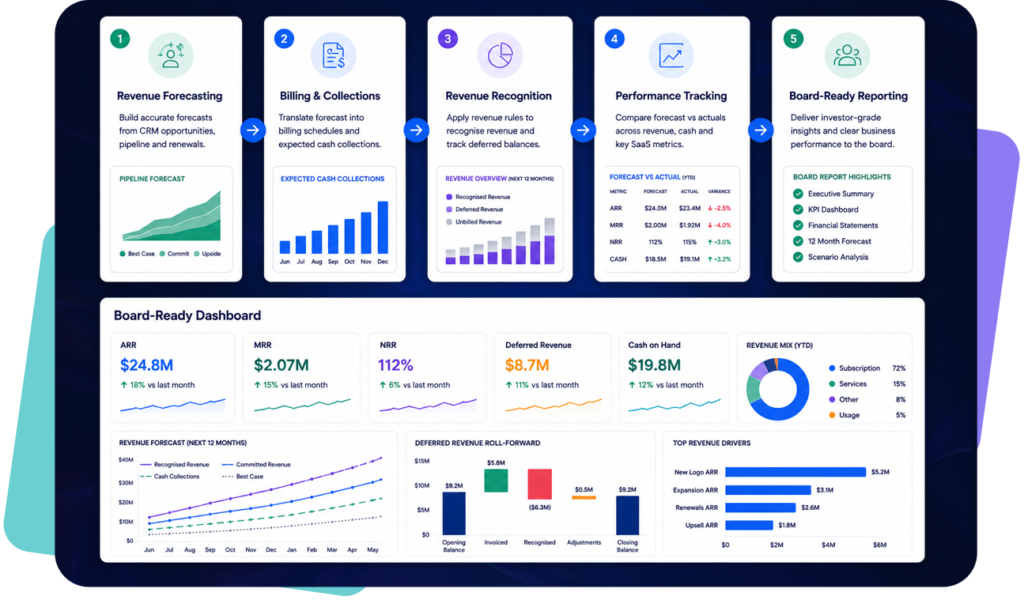
Forecast revenue from CRM pipeline, renewals, billing schedules and accounting actuals.
in Xero & QuickBooks app stores
Forecasts become unreliable when billing, CRM, and renewal data sit in different systems. Finance teams spend too much time updating assumptions and too little time explaining the numbers.
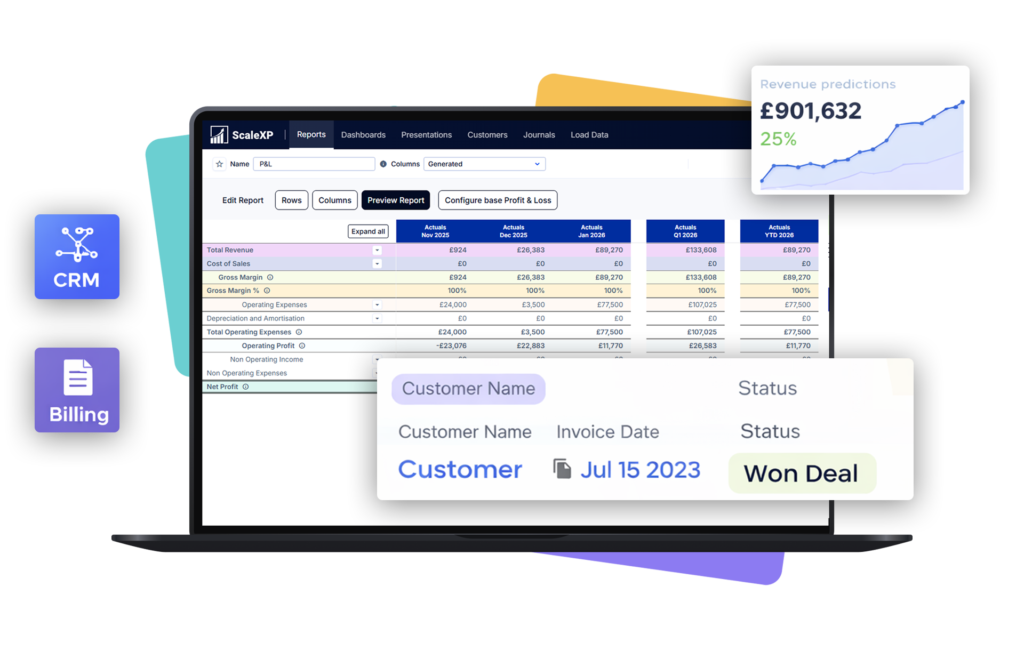
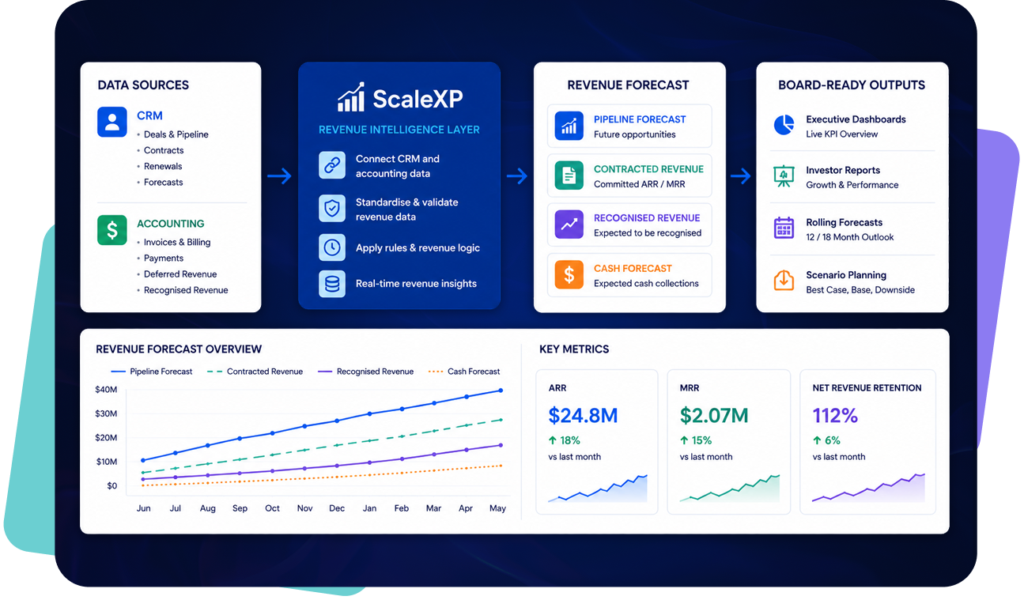
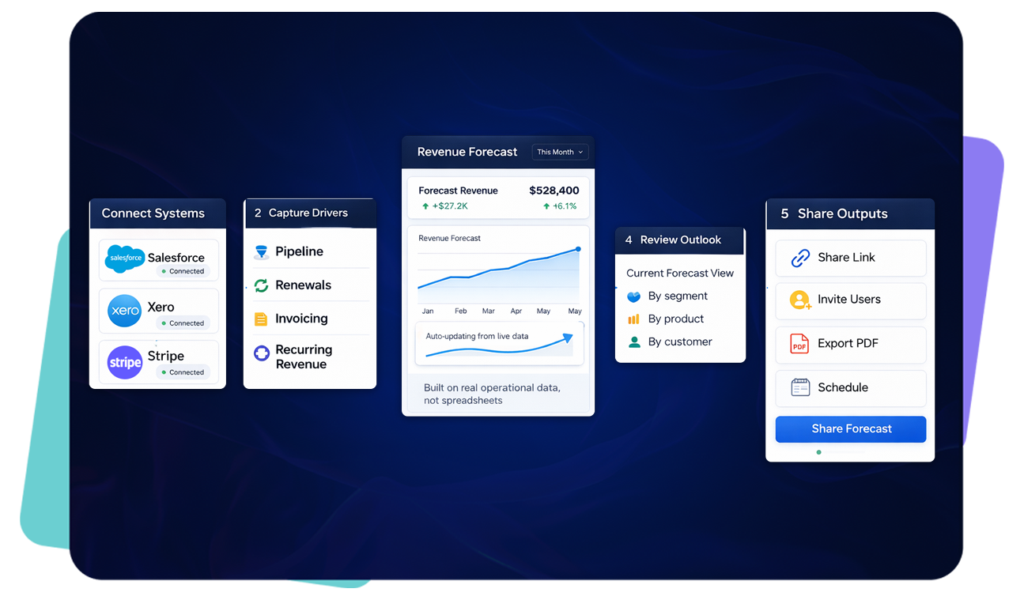
ScaleXP gives finance teams a connected revenue forecasting workflow built on live CRM, billing, and accounting data. It brings the core forecast drivers together in one place, so revenue projections stay current and easier to explain.
Instead of maintaining a manual spreadsheet model, finance can work from operational data that updates as deals move, renewals change, and invoices are raised. That improves control, reduces manual rework, and makes the forecast more credible.
Revenue forecasts become unreliable when pipeline, renewals, billing schedules and accounting actuals are managed separately.
CRM data shows what is expected to close, renew, expand or churn. Accounting data shows what has been invoiced, recognised, deferred and collected.
ScaleXP connects CRM, billing and accounting data so finance teams can forecast revenue from a more complete and finance-reviewed data layer.
This helps CFOs move beyond spreadsheet-based forecasting and create forecasts that are easier to explain, reconcile and update.
For broader CRM-to-finance workflows, see CRM Accounting Integration Software.
Forecast input
Why it matters
CRM pipeline
Shows expected new business and expansion
Renewals
Shows recurring revenue expected to continue
Billing schedules
Shows when customers are expected to be invoiced
Revenue schedules
Shows when revenue should be recognised
Accounting actuals
Shows what has already happened
Churn and contraction
Shows downside risk in the forecast
No credit card required
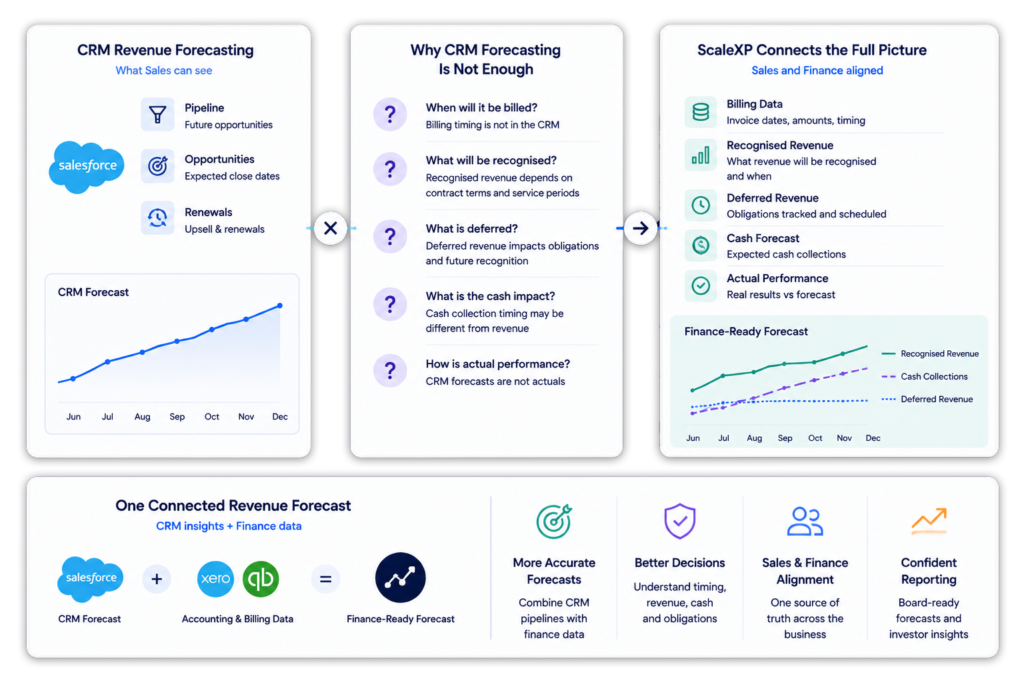
CRM revenue forecasting is useful, but it is not enough on its own.
Sales teams may forecast pipeline, opportunities and renewals in the CRM. Finance teams still need to understand billing timing, recognised revenue, deferred revenue, cash impact and actual performance.
ScaleXP helps connect CRM revenue forecasting with finance data.
ScaleXP reduces the manual effort needed to keep forecasts current. Finance teams spend less time collecting inputs and more time reviewing movement in revenue drivers.
When the forecast is built from live operational data, it becomes easier to explain the movement behind the numbers. That improves reporting quality for CFOs, finance managers, and leadership teams.
Disconnected models create version issues, stale assumptions, and hidden errors. A connected forecasting workflow helps reduce those risks by keeping billing, CRM, and finance inputs closer together.
Finance gains more control when forecast drivers are visible and current. Renewals, pipeline, and invoiced revenue can be reviewed as part of one process instead of several disconnected ones.
Forecasting is most useful when it supports board-level decisions.
Finance teams need to explain not only the forecast number, but also the assumptions behind it. That includes pipeline conversion, renewals, churn, expansion, billing timing and actual revenue performance.
ScaleXP helps finance teams connect forecast data with SaaS metrics and board reporting.
For board-ready reporting, see Board Reporting Software for SaaS Finance Teams.
Revenue forecasting software helps finance teams estimate future revenue using data such as pipeline, renewals, billing schedules, revenue schedules and accounting actuals.
ScaleXP helps finance teams forecast revenue from connected CRM, billing and accounting data instead of rebuilding forecasts in spreadsheets.
Revenue forecasting from CRM data uses opportunities, pipeline, renewals, expected close dates, products, customers and sales assumptions to estimate future revenue.
ScaleXP connects CRM data with billing and accounting data so finance teams can create forecasts that are easier to reconcile and explain.
Yes. ScaleXP can use accounting data such as invoices, recognised revenue, deferred revenue, cash collection and actual results to support revenue forecasting.
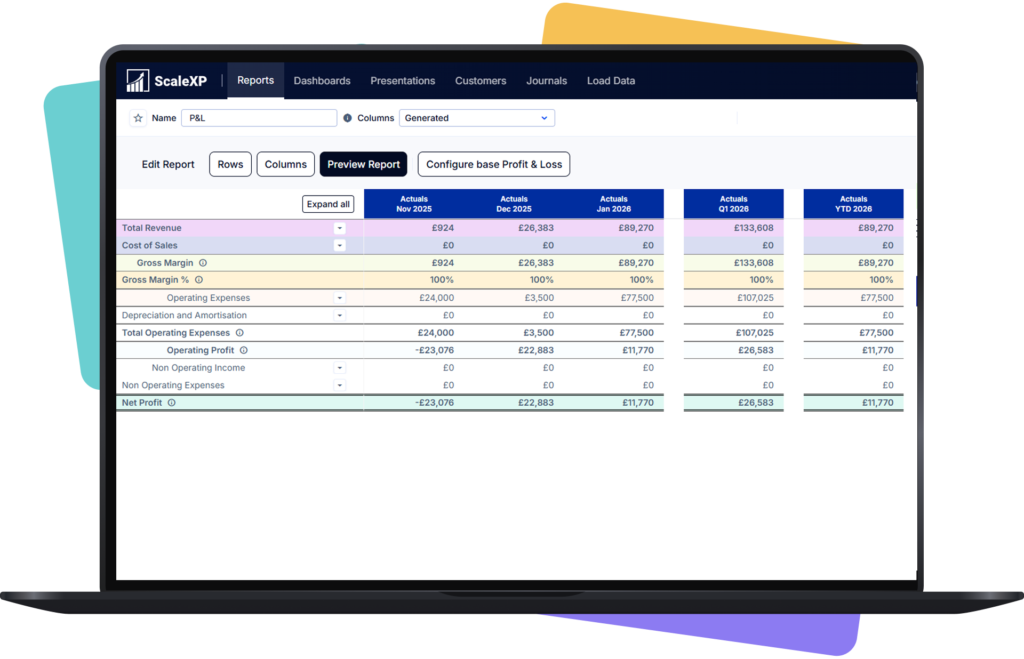
This helps finance teams compare forecast revenue with actual performance.
CRM revenue forecasting uses CRM data to estimate future revenue from pipeline, renewals, expansion and customer movement.
For finance teams, CRM revenue forecasting is strongest when it is connected to billing schedules, revenue recognition and accounting actuals.
Yes. ScaleXP can help finance teams use renewal data as part of the revenue forecasting process.
This is useful for SaaS and subscription businesses where future revenue depends on renewals, churn, contraction and expansion.
Yes. ScaleXP helps connect CRM pipeline, billing schedules and accounting actuals.
This gives finance teams a more complete view of expected revenue, actual revenue and forecast variance.
Spreadsheet forecasting often depends on manual exports, version control and repeated reconciliation.
ScaleXP helps finance teams connect source data, reduce manual preparation and create more repeatable revenue forecasting workflows.
Yes. ScaleXP supports SaaS revenue forecasting using CRM, billing and accounting data.
Finance teams can use ScaleXP to forecast revenue from pipeline, renewals, billing schedules, recognised revenue, deferred revenue and accounting actuals.
Yes. ScaleXP works with Xero and QuickBooks.
Finance teams can use accounting data from these systems alongside CRM and billing data for revenue forecasting, SaaS metrics and reporting.
Yes. ScaleXP works with CRM data from systems such as Salesforce, HubSpot and Pipedrive.
CRM data can support forecasting for pipeline, renewals, customers, products, owners and expected revenue movement.
Yes. ScaleXP can help finance teams compare forecast revenue with accounting actuals.
This helps CFOs understand forecast accuracy, explain variances and improve future planning.
No. ScaleXP is designed to support finance-reviewed workflows.
It helps reduce manual preparation work, connect source data and prepare forecasting outputs for finance review.
Getting started with ScaleXP is easy! Try it for yourself free for 7 days. Or, if you have specific questions, just use the button to the right to schedule a quick meeting.