
1. Blog
  2. Revenue recognition

How much is deferred revenue costing your business?

Deferred income and accrued revenue is essential for SaaS revenue reporting - relying on manual calculations can cost more & slow you down
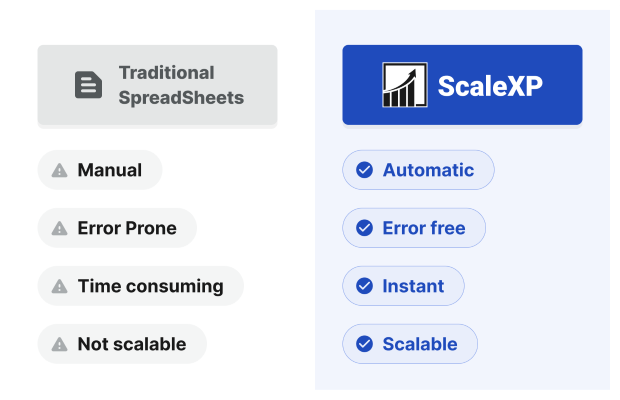
Tracking deferred revenue by hand costs finance teams days of work every month, plus the less visible costs of late invoices, missed renewals and revenue reporting errors. Building the schedules from your Xero or QuickBooks invoices removes most of that work, which is why teams automate deferred revenue. ScaleXP customers save 3–5 days at month-end.

Deferred revenue refers to money a business receives, or invoices with payment already due, in advance for services or products to be delivered in the future.Examples include annual invoices, quarterly invoices or invoices which cover a future event, such as a conference or a future deliverable or service. Deferred revenue is commonplace, particularly for SaaS or subscription businesses.

Too often, tracking deferred revenue is a tedious manual process which slows down both finance and sales teams. This article identifies the hidden cost of manually tracking deferred revenue and highlights how it can be improved, so if you’re looking to improve revenue recognition, keep reading.

How does deferred revenue slow down your business?

Manual deferred revenue tracking costs your business both explicitly through hours tracking invoices in spreadsheets and more subtly through lack of clarity.

1. Finance teams spend days every month tracking deferred revenue accounting

Finance teams can spend days each month updating deferred revenue schedules. Each invoice needs to be exported to a spreadsheet. Revenue is then manually spread by month, and the deferred revenue journal is typed back into the accounting system.

Any invoice modification or credit note needs to be captured in the spreadsheet, creating additional complexities. As invoices accumulate over months and years, spreadsheets become harder and more time-consuming to maintain. Typos are inevitable, resulting in more time spent unwinding mistakes.

Finance teams can feel like they are chasing their tails just to get an accurate revenue reporting process. All in, it costs days of finance time every month. ScaleXP builds those deferred revenue schedules and journals for every customer, invoice and invoice line item instead.

2. Failure to comply with ASC 606 and IFRS 15

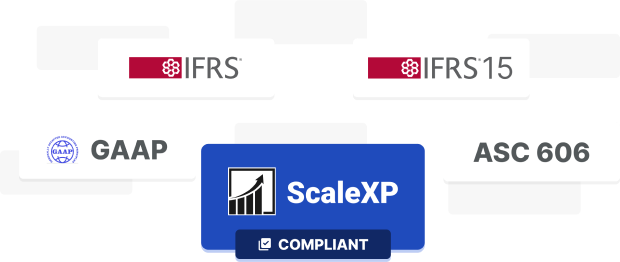
Companies on accrual accounting need to comply with the revenue standard for their framework, such as ASC606 and IFRS 15. It is a requirement from investors, lenders, and auditors. Failure to recognize revenue correctly can lead to expensive audits, retracted financials and lost credibility (see different types of revenue recognition).

ScaleXP IFRS, GAAP, IFRS 15, ASC 606

3. Missed or late invoices

Late invoices result in inaccurate revenue recognition and delays in cash collection. ScaleXP builds revenue recognition schedules for every customer, every invoice and every invoice line item. Sales teams can close a deal and easily forget to send an invoice or notify the relevant finance team member.

4. Renewals are hard to track

Manual spreadsheets make it nearly impossible for teams to track client renewals and share the data with the relevant teams. Finance tracks revenue recognition in spreadsheets; Sales maintains different renewals schedules, resulting in inefficient processes, errors and lost revenue.

How can I save time and money calculating deferred revenue?

1. Automate deferred revenue

ScaleXP automatically syncs with your accounting system (Xero, QuickBooks) and your CRM platform (Hubspot or Salesforce) to fully automate deferred revenue.

The system uses a sophisticated series of algorithms to identify all invoices which need to be deferred. Annual invoices, quarterly invoices, even invoices which cover a month and a day are identified by the system.

The result is a deferred revenue schedule, fully aligned to your accounting system and prepared in a single click. The system can even take care of the deferred revenue journal entry.

Benefits of automating with ScaleXP

2. Integrate disparate systems

ScaleXP is an approved app partner for Xero, QuickBooks, HubSpot and Salesforce. These certifications ensure that all data remains fully synced, without any manual tracking.

Data across systems is seamlessly joined, providing a single view of data.

3. Automate SaaS metrics and KPIs

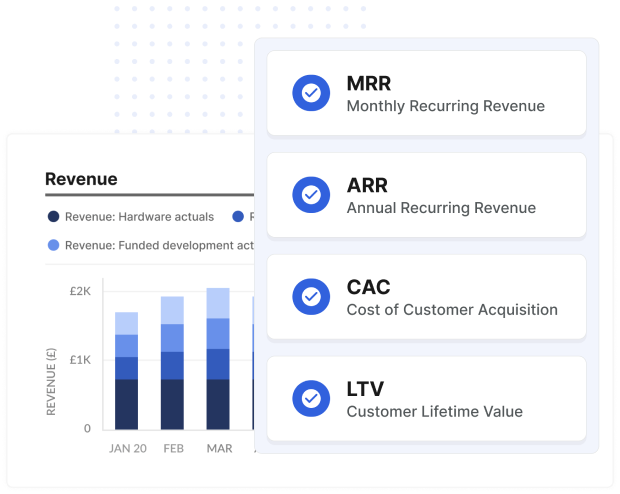
ScaleXP fully automates all SaaS metrics including ARR, MRR, Customer Acquisition Costs, Lifetime Value, net dollar retention, rule of 40, and so much more.

Automating MRR, precisely by customer, is the foundation for many SaaS metrics and reports.

Standard definitions can be customized to your specific business requirements, using any data field in your accounting or CRM systems.

The combination of automated SaaS revenue recognition, feeding into your MRR and ARR definitions, ensures that your KPIs and reports are always accurate.

ScaleXP MRR, ARR, CAC, LTV

4. Reveal customer insights

Automating deferred revenue enables ScaleXP to provide customer insights in real-time, making it easy to be proactive when opportunities arrive and increasing clarity on how to increase revenue and profitability.

5. Easily track retentions

Customer retentions are automatically flagged in ScaleXP based on the deferred revenue schedule the system creates – helping sales and finance teams work together to ensure that all renewals are in process, well before the renewal date.

6. Impress your board and investors

ScaleXP has fully integrated presentations and board packs. Graphs and KPIs can be added in a click, allowing you to prepare impressive and comprehensive packs, safe in the knowledge that your deferred revenue calculations and KPIs will always be accurate.

With deferred revenue automated, finance spends less time on calculations and more time on the decisions that move the business forward.

Frequently asked questions

How often should deferred revenue schedules be updated?

Deferred revenue schedules should be updated at least monthly, before each month-end close, so the journal posted matches the revenue earned in the period. They also need updating whenever a new advance invoice, credit note or contract change alters the amount or service period. Reconciling the schedule to the general ledger balance each month catches missed items before they build up.

How do deferred revenue errors affect the financial statements?

Deferred revenue errors misstate revenue on the income statement and the liability on the balance sheet at the same time, because every recognition entry moves an amount between the two. Recognizing revenue too early overstates revenue and understates deferred revenue; recognizing it too late does the reverse. Errors also distort metrics built on revenue, such as gross margin and growth rates, and may require restatement.

Does deferred revenue affect cash flow?

Deferred revenue does not reduce cash; it reflects amounts billed or collected before the revenue is earned. When customers pay upfront for annual subscriptions, the business holds cash before recognizing the revenue, which can support working capital. The obligation is the cost: the company must still deliver the service, and cash refunded to customers who cancel flows back out.

How can I reduce the cost of managing deferred revenue?

You can reduce the cost of managing deferred revenue by replacing spreadsheet schedules with schedules generated directly from invoice data and posted to the ledger through reviewed journals. ScaleXP connects to Xero and QuickBooks, builds deferred revenue schedules and journals from invoices, and posts them back to the ledger with an audit trail after your finance team reviews and approves each posting.

How ScaleXP does this

ScaleXP calculates deferred revenue from your invoices and contracts and keeps the balance sheet reconciled every month. See ScaleXP’s deferred revenue automation

Recognition schedule calculatorExplaining revenue recognition across the company?Try itClose
$
Invoiced$12,000
Cash received$12,000
Revenue recognized$3,000
Deferred revenue$9,000

Totals at the end of December 2026. Revenue is $1,000 a month. Click any month to move through the schedule.

ScaleXP prepares the schedules and journals for every customer, invoice and invoice line item, and finance reviews and approves them before they’re posted to Xero or QuickBooks.

Book a demo →

Invoiced in full at the start of the service period and recognized straight-line by whole month. Illustration only, not accounting advice.