

See how ScaleXP works with Xero or QuickBooks.
In a 30-minute demo, we’ll show the relevant workflows using example data and discuss how they could apply to your finance process. Complex requirements? Discuss them with us first.
Revenue recognition is essential for SaaS revenue reporting in monthly accounts - relying on manual calculations can slow you down.
The simplest way to increase accuracy and to reduce manual errors is to automate revenue recognition. Spreadsheets are difficult to share across teams or departments, and errors are inevitable. Particularly as invoices are modified, it becomes increasingly challenging to ensure the entire organization uses the most accurate and actionable information.
In a May 2026 survey of 303 UK CFOs by Sixthfin and Odoxa, 57% said they use spreadsheets for accruals and 54% for manual journal entries, and more than one in three were not highly confident in the reliability of their own figures (cfotech.co.uk, 18 May 2026).


 Automate deferred revenue recognition and accrued revenue with ScaleXP, making it easy to audit and track revenue streams and overall financial performance.
The core principle of both IFRS 15 and ASC 606 requires revenue to be recognized when (or as) each performance obligation is satisfied, at the transaction price allocated to it (see the main revenue recognition methods).
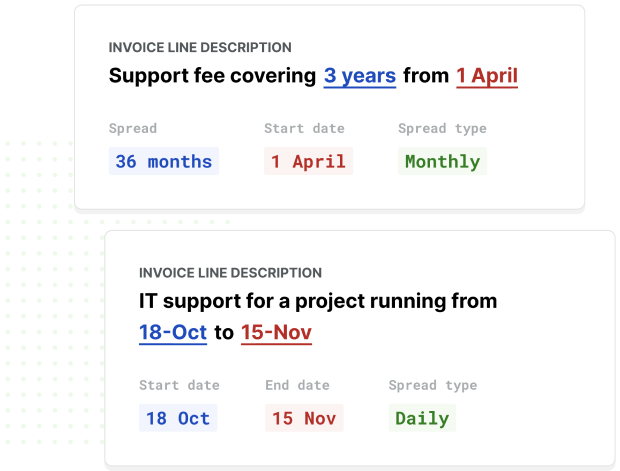
ScaleXP builds revenue recognition schedules and journals for every invoice line item, and finance approves them before they post to Xero or QuickBooks.
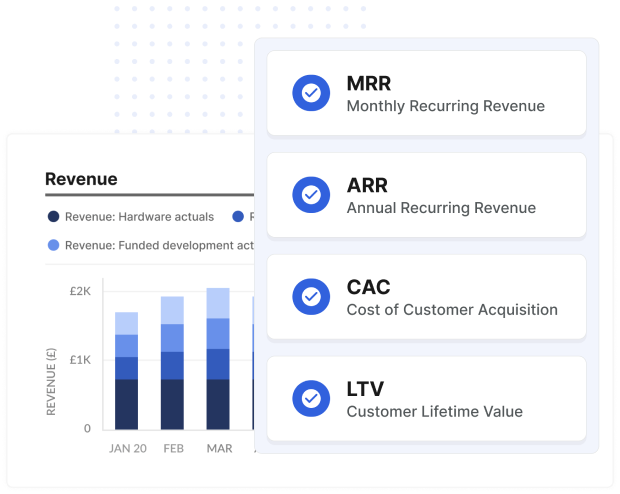
Once revenue has been allocated by month, ScaleXP provides business critical metrics such as MRR, ARR, and customer lifetime value, expense ratios, revenue per customer.
ScaleXP saves time and increases productivity by automating manual processes and providing interdepartmental access to crucial metrics and KPIs based on complete and current data.
Avoid errors and lost productivity with ScaleXP, where changes to an invoice or credit notes are automatically detected by the system.
Management accounts show lumpy revenue when invoices are booked as revenue in the month they are raised instead of over the period the service is delivered. An annual subscription invoiced in January then inflates January and understates the rest of the year. Recognizing a portion each month, and holding the remainder as deferred revenue, produces a trend that reflects actual performance.
For a subscription delivered evenly over the year, divide the price by the months in the service period and recognize that amount each month. For example, a $12,000 annual contract recognizes $1,000 a month, with $11,000 held as deferred revenue after the first month. The unrecognized balance sits on the balance sheet as a liability until it is earned.
Check revenue recognition by reconciling deferred revenue and accrued revenue balances to your schedules before signing off the month. Review new, changed and canceled contracts, confirm credit notes are reflected, and investigate unusual swings in recognized revenue compared with the prior month. Documenting these checks makes management accounts easier to explain and the year-end audit smoother.
How ScaleXP does this
ScaleXP builds revenue recognition schedules from your CRM contracts and prepares the journals for Xero or QuickBooks. Finance approves them before they’re posted. See how revenue recognition works in ScaleXP
Totals at the end of December 2026. Revenue is $1,000 a month. Click any month to move through the schedule.
ScaleXP prepares the schedules and journals for every customer, invoice and invoice line item, and finance reviews and approves them before they’re posted to Xero or QuickBooks.
Book a demo →Invoiced in full at the start of the service period and recognized straight-line by whole month. Illustration only, not accounting advice.