Automate Revenue Recognition from HubSpot Deals

Connect HubSpot with Xero or QuickBooks to turn deal and invoice data into finance-reviewed revenue schedules.

4.9

in Xero & QuickBooks app stores

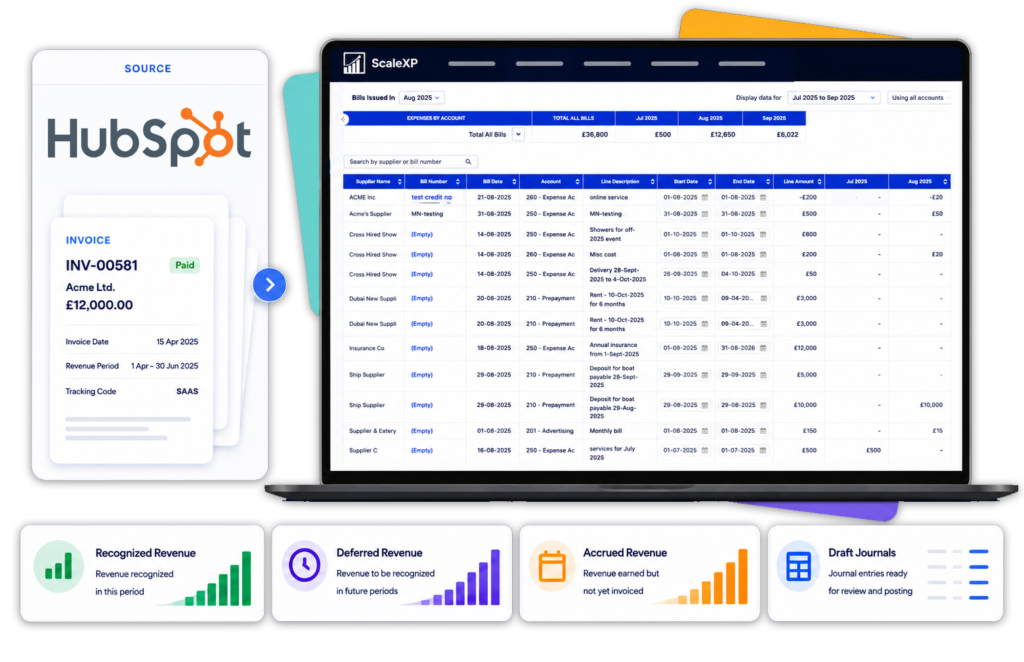
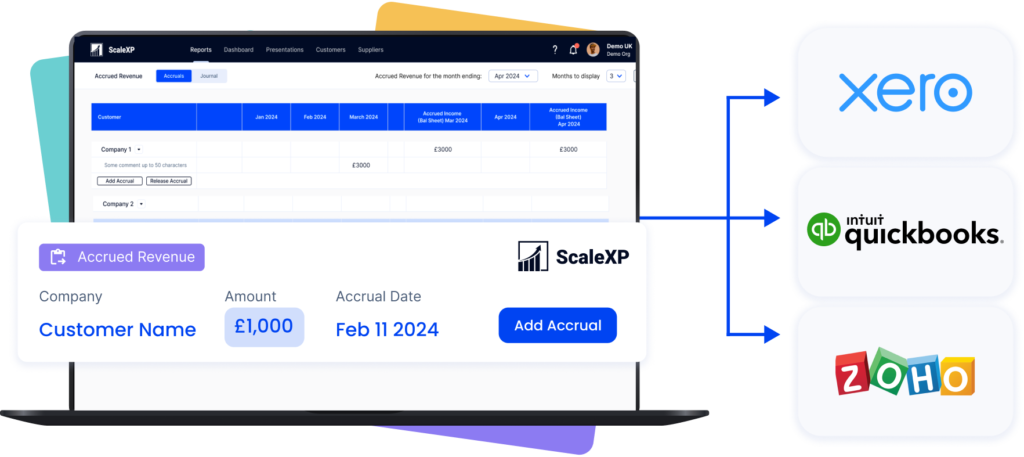
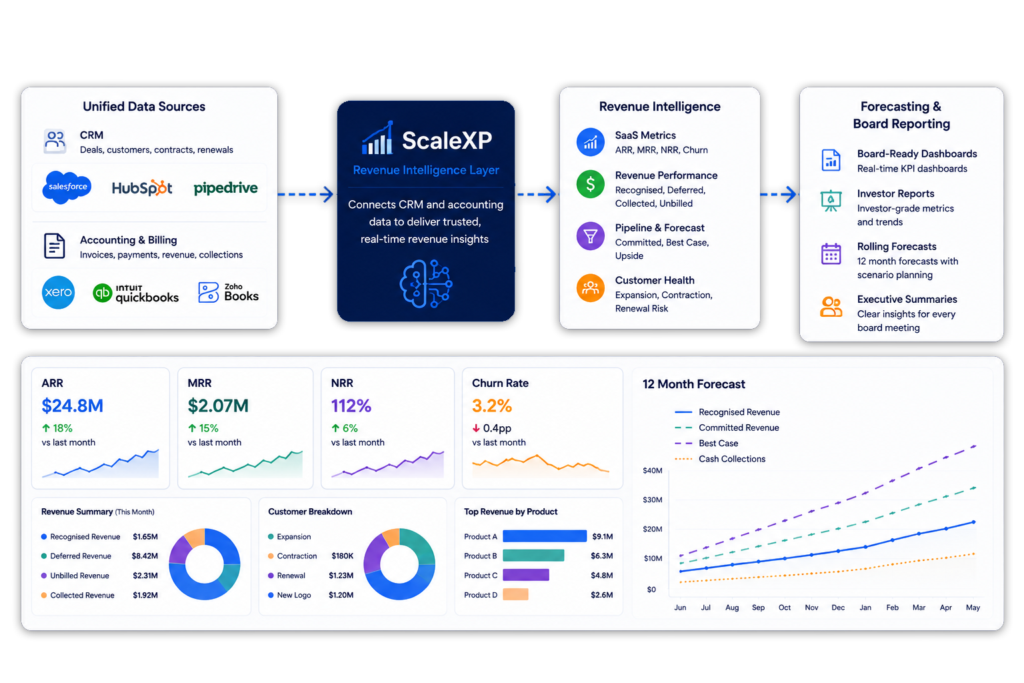
HubSpot revenue recognition software – ScaleXP dashboard showing HubSpot invoices syncing in real time, with recognized, deferred and accrued revenue tracked automatically

Connect Revenue Recognition to the Systems You Already Use

HubSpot Deals and Finance
Records Become Disconnected

HubSpot records what sales agreed, while finance often rebuilds billing and revenue schedules separately.

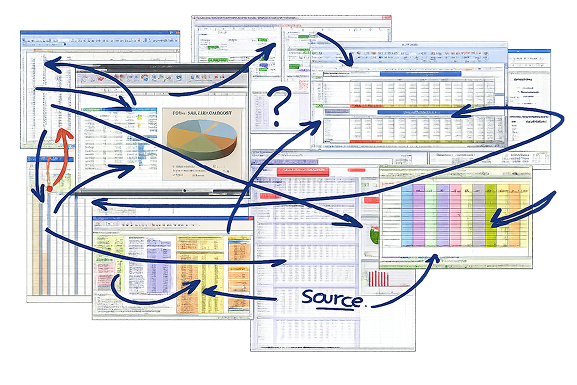
Visual showing the limitations of spreadsheet-based renewal tracking, with scattered files and disconnected teams across entities, countries, and currencies. ScaleXP is illustrated as a unified system replacing manual spreadsheets to improve speed, visibility, and control.

Connect HubSpot to an AI-Assisted Revenue Workflow

ScaleXP combines HubSpot deal and line-item data with invoices from Xero or QuickBooks.

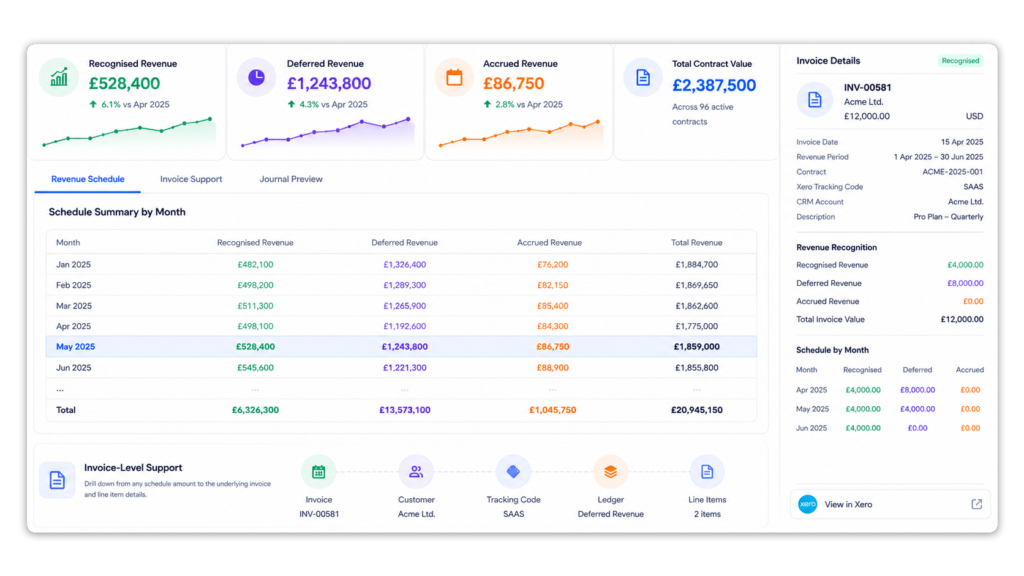
AI reads invoice text, line items, dates, currencies and service-period details. ScaleXP then prepares recognized, deferred and accrued revenue schedules for finance review.

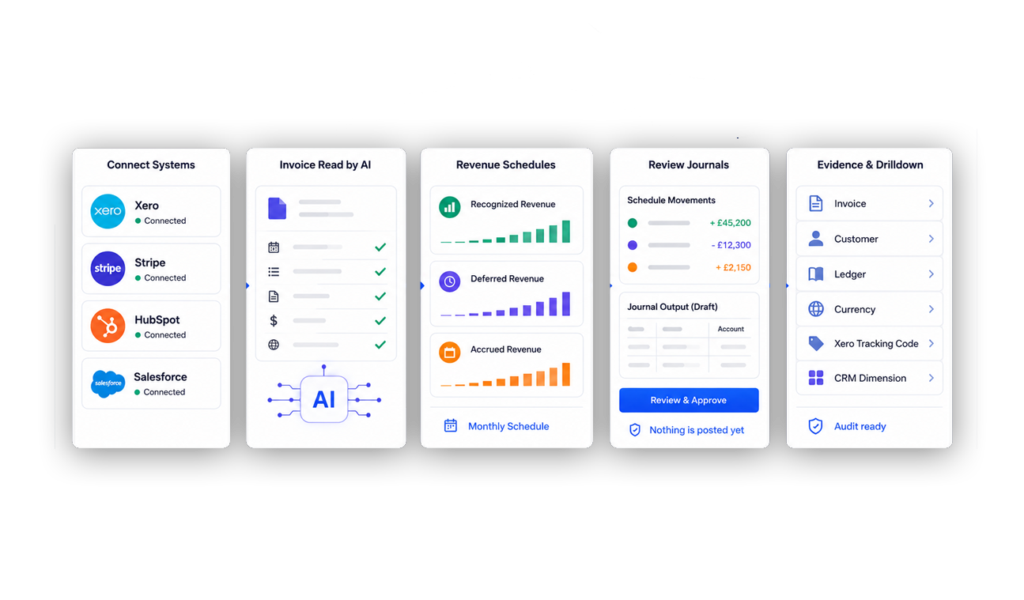
ScaleXP screen shows connected systems, AI invoice reading, revenue schedules, journal review, and evidence drilldown.

How HubSpot Revenue Recognition Works

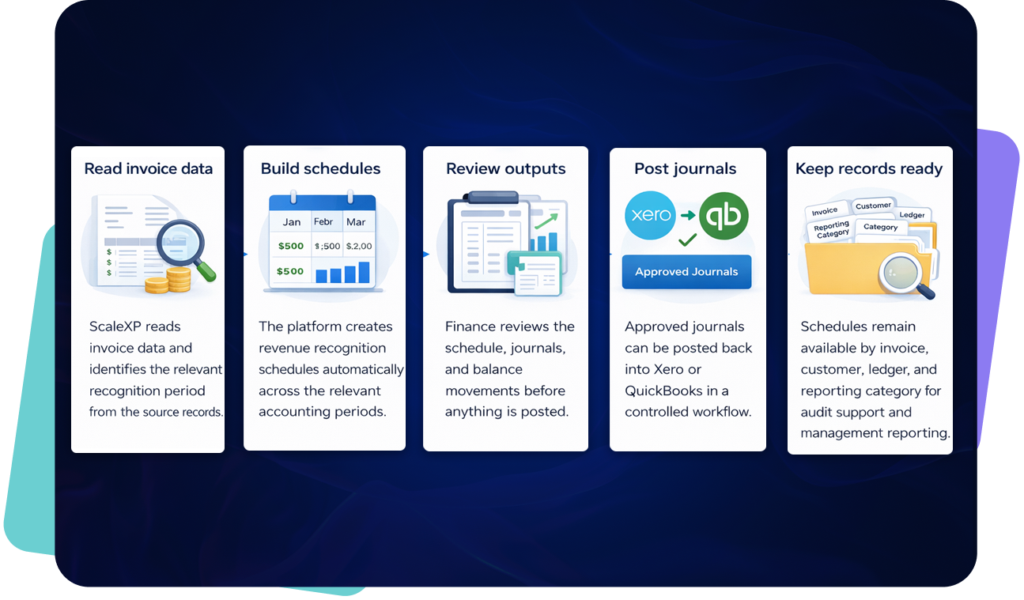
HubSpot and accounting data flow into live dashboards workflows and forecasts

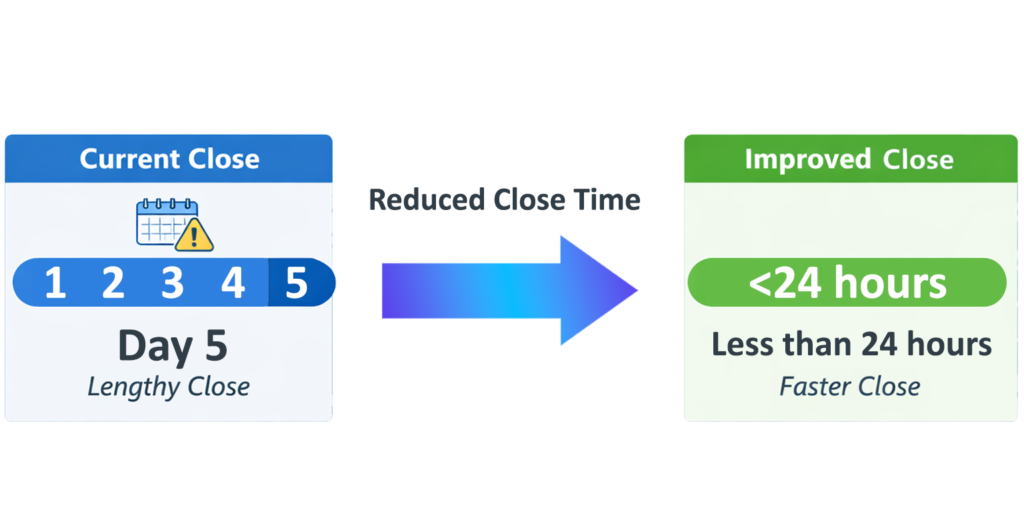
Shorten the Revenue Recognition Close

ScaleXP replaces manual HubSpot-to-spreadsheet processes with a controlled monthly workflow.

A diagram showing a sped up month end close process from 5 days to under 24 hours

Reconcile Sold, Invoiced
and Recognized Revenue

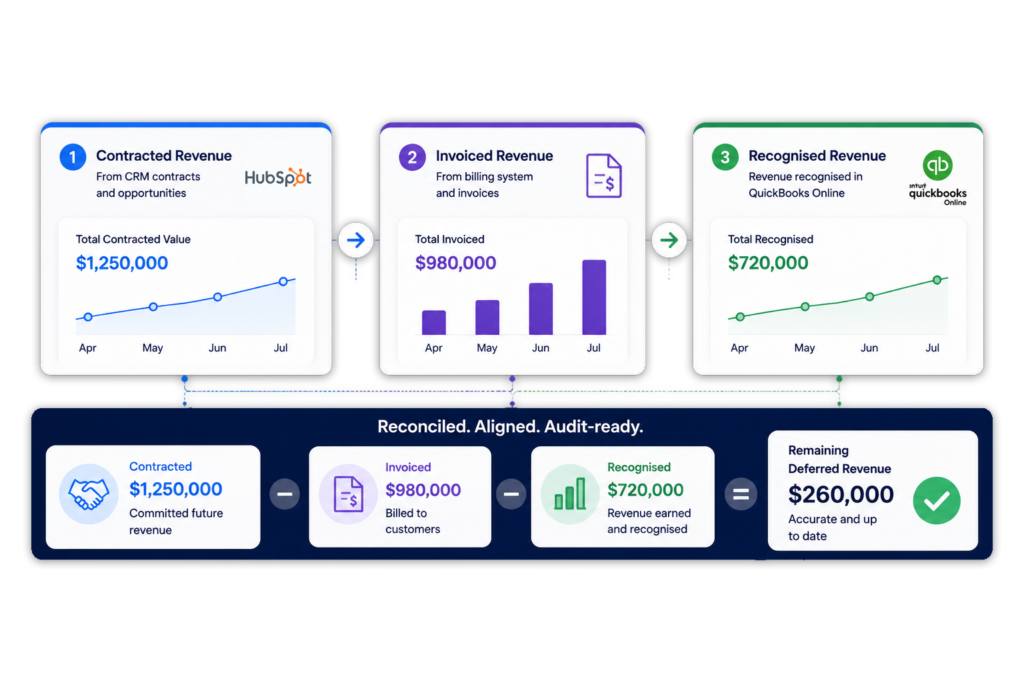
CFOs can compare HubSpot deal values with accounting invoices and recognized revenue in one reporting workflow.

Learn how ScaleXP supports CRM billing and invoicing automation.

A revenue reconciliation diagram shows contracted, invoiced, and recognised revenue flow from HubSpot to QuickBooks Online.

Automate Deferred and Accrued Revenue

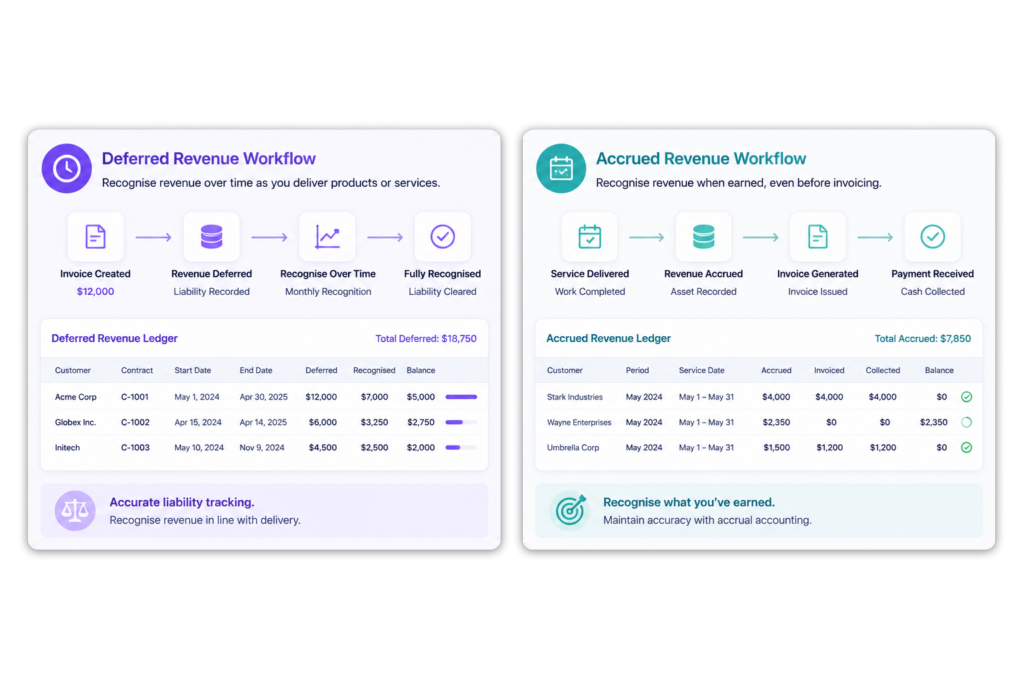
ScaleXP uses HubSpot commercial data and accounting invoices to calculate the correct revenue position for each reporting period.

Explore ScaleXP’s deferred revenue software.

two diagrams showing both deferred and accrued revenue flows

Connect HubSpot Revenue
Recognition with Xero or QuickBooks

HubSpot and Xero

Combine HubSpot deals with Xero invoices, customers and accounting balances to prepare revenue schedules, journals and reconciliation reports.

See the full HubSpot Xero integration.

HubSpot and QuickBooks Online

Combine HubSpot deal data with QuickBooks customers, invoices, classes, locations and accounting information where configured.

Finance can prepare deferred and accrued revenue schedules without replacing HubSpot or QuickBooks.

Use the Same HubSpot Data for Forecasting and SaaS Metrics

Revenue recognition should not sit in an isolated spreadsheet.

ScaleXP connects HubSpot deal data with accounting actuals to support:

This gives CFOs a consistent view of contracted, invoiced, recognized and forecast revenue.

SaaS metrics used for forecasting and board reporting

Finance-Controlled Automation

ScaleXP automates preparation without removing finance oversight.

ScaleXP revenue schedule dashboard showing recognised, deferred and accrued revenue by month with invoice-level audit support linked from accounting system

HubSpot Revenue Recognition FAQs

HubSpot revenue recognition software connects HubSpot deal data with invoices and accounting records to calculate when revenue should be recognized.

ScaleXP uses HubSpot commercial data and Xero or QuickBooks accounting data to prepare revenue schedules, journals, forecasts and reporting.

HubSpot stores deals, line items, products and commercial dates. Finance usually needs a separate process to connect that information with invoices, accounting balances and revenue schedules.

ScaleXP connects these datasets and prepares the revenue calculations for finance review.

ScaleXP connects HubSpot deal data with Xero or QuickBooks invoices.

AI reads invoice text, line items, dates, currencies and service-period details. ScaleXP then applies configured mappings and rules to prepare recognized, deferred and accrued revenue schedules.

Yes. ScaleXP can use HubSpot deals, line items, products, service dates and other configured properties as inputs to revenue schedules.

Accounting invoices and approved recognition rules determine the final finance outputs.

Yes. ScaleXP calculates the portion of invoiced revenue relating to future service periods and prepares the deferred revenue schedule and journal.

HubSpot provides commercial context, while Xero or QuickBooks provides the accounting records.

Yes. ScaleXP can identify revenue earned before invoicing when the required HubSpot deal, product and service-period information is available.

This helps finance calculate accrued or unbilled revenue.

Yes. Annual prepaid and multi-year deals can be scheduled across the appropriate service periods.

The necessary values, dates, products and recognition treatments must be available and configured.

Yes. ScaleXP connects HubSpot and Xero to support invoicing, revenue schedules, deferred and accrued revenue, journals, forecasting and reporting.

Yes. ScaleXP combines HubSpot deal data with QuickBooks customer, invoice and accounting information.

Finance can use the combined data for revenue recognition, reconciliation, forecasting and SaaS metrics.

Yes. Finance reviews the supporting schedules and proposed journals before approved entries are posted to Xero or QuickBooks.

This preserves control over the accounting process.