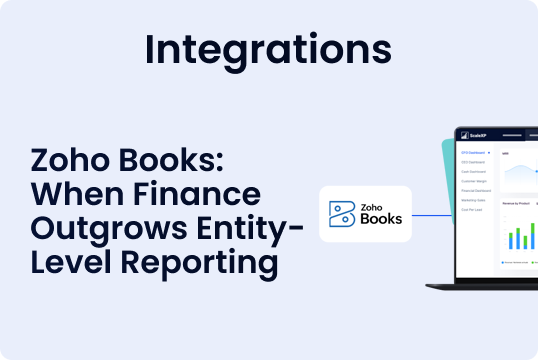


Zoho Books works well for individual entities. ScaleXP adds the group reporting layer finance teams need when they operate multiple Zoho Books consolidation organisations.
- Consolidate multiple Zoho Books organisations
- Automate FX translation and intercompany eliminations
- Create board-ready group reports without spreadsheet rebuilds
Start free trial Discuss your requirements
Key takeaways
- Zoho Books is strong for entity-level accounting, but group reporting needs a consolidation layer.
- Spreadsheet consolidation creates risk around FX, eliminations, audit trail and board reporting.
- ScaleXP connects to Zoho Books to automate multi-entity consolidation, reporting and controls.
When Zoho Books multi-entity accounting becomes difficult
Zoho Books gives finance teams a clear accounting system for each individual organisation. The challenge usually starts when the business needs to report across several Zoho Books entities at group level.
This is common for companies with subsidiaries, international operations, acquisitions, investor reporting requirements or board packs that need a consolidated view.
At that point, finance teams often need more than entity-level accounting. They need:
- Consolidated P&L reporting
- Consolidated balance sheet reporting
- FX translation across reporting currencies
- Intercompany eliminations
- Group-level adjustments
- Board-ready financial reporting
- A clear audit trail back to entity-level data
Without a consolidation layer, this work often moves into spreadsheets.
Why spreadsheet consolidation appears in Zoho Books environments
Spreadsheet consolidation usually starts as a quick fix. One person exports reports from each Zoho Books organisation, combines the files and manually adjusts the group numbers.
That approach can work for a small number of entities. It becomes harder to control as the group grows.
Typical spreadsheet consolidation steps include:
- Exporting trial balances or reports from each Zoho Books organisation
- Copying data into a consolidation workbook
- Mapping accounts to a group reporting structure
- Translating currencies
- Removing intercompany balances
- Checking formulas and versions
- Preparing management or board reporting
Finance teams that want to remove this spreadsheet layer often move to financial consolidation software.
Replace spreadsheet consolidation with a controlled reporting layer
If your finance team exports reports from multiple Zoho Books organisations every month, ScaleXP can replace the spreadsheet layer with automated consolidation.
- Connect each Zoho Books organisation
- Apply consistent group reporting logic
- Automate FX translation and eliminations
- Produce board-ready consolidated reports
Extending Zoho Books for multi-entity accounting
Zoho Books remains the accounting system for each entity. ScaleXP sits above Zoho Books to create one consolidation and reporting layer across the group.
This lets finance teams keep using Zoho Books for day-to-day accounting while adding the group reporting controls needed for multi-entity finance.
ScaleXP helps finance teams:
- Consolidate multiple Zoho Books organisations
- Report by entity and group
- Translate local currency results into group currency
- Automate intercompany eliminations and group adjustments
- Produce consolidated reporting for boards and investors
Zoho Books entity accounting vs ScaleXP group reporting
| Finance need | Zoho Books | ScaleXP |
|---|---|---|
| Entity-level accounting | Yes | Uses Zoho Books data |
| Multiple Zoho Books organisations | Yes, as separate organisations | Consolidates across organisations |
| Consolidated P&L | Manual or external process | Automated group reporting |
| Consolidated balance sheet | Manual or external process | Automated group reporting |
| FX translation | Manual consolidation work | Automated FX translation logic |
| Intercompany eliminations | Manual consolidation work | Automated eliminations |
| Board-ready group reporting | Requires additional work | Built for consolidated reporting |
| Mixed accounting systems | Limited | Supports Zoho Books, Xero and QuickBooks consolidation |
For a broader view of Xero, QuickBooks and Zoho group reporting, see ScaleXP financial consolidation software.
If your group has multiple entities, currencies or accounting systems, the right consolidation setup depends on your reporting structure.
How ScaleXP extends Zoho Books for multi-entity accounting
ScaleXP connects to each Zoho Books organisation and creates one controlled consolidation layer across the group. Finance teams can report by entity, currency and group without manually rebuilding consolidation spreadsheets each month.
IFRS- and GAAP-compliant FX translation
Multi-currency groups need consistent FX treatment. ScaleXP helps finance teams apply group-level FX translation logic across connected entities, reducing manual spreadsheet work and improving reporting consistency.
Multi-currency consolidation for Zoho Books groups
Many companies using multiple Zoho Books organisations also report across multiple currencies. ScaleXP helps finance teams consolidate group results across entities, currencies and reporting periods without rebuilding spreadsheet models each month.
Supported currencies for Zoho Books multi-currency consolidation include: AUD, BHD, BRL, CAD, CHF, CNY, COP, CZK, DKK, EGP, EUR, GBP, HKD, HUF, IDR, ILS, INR, JPY, KES, MAD, MDL, MXN, MYR, NGN, NOK, NZD, PHP, PLN, QAR, RWF, SAR, SDG, SEK, SGD, THB, TRY, TZS, UGX, VND and ZAR — covering major trading currencies across Europe, the Americas, Asia-Pacific, the Middle East and Africa.
Automated eliminations and group adjustments
Intercompany balances and group adjustments are difficult to manage manually once there are multiple entities. ScaleXP helps finance teams automate eliminations and manage consolidated group reporting with a clearer audit trail.
This also supports a more controlled month-end close process.
One consolidated source of truth
Instead of maintaining separate spreadsheets for each reporting cycle, finance teams can use ScaleXP as the consolidated reporting layer across Zoho Books entities.
Consolidated data can also support SaaS metrics and reporting.
What finance teams can see after connecting Zoho Books
When Zoho Books entities are connected to ScaleXP, finance teams can get a quick view of consolidated financials across the group.
This helps teams move from entity-by-entity review to group-level reporting faster.
ScaleXP helps finance teams review:
- Consolidated P&L
- Consolidated balance sheet
- Entity-level performance
- Group-level reporting
- FX translation requirements
- Intercompany elimination requirements
- Board and investor reporting outputs
When to start a free trial vs discuss your requirements
Some finance teams want to connect their Zoho Books entities immediately. Others prefer to review their reporting structure first.
| Option | Best for | Action |
|---|---|---|
| Start free trial | You want to connect Zoho Books and see consolidated financials quickly | Go to the trial section |
| Discuss your requirements | You have multiple currencies, eliminations or complex reporting needs | Book a meeting with ScaleXP |
Start free trial Discuss your requirements
Who Zoho Books multi-entity accounting is for
This workflow is most relevant for finance teams that have outgrown entity-by-entity reporting but do not want to move to a full ERP.
It is especially useful for:
- Groups with multiple Zoho Books organisations
- Companies with subsidiaries or international entities
- CFOs preparing board or investor reporting
- Finance managers replacing consolidation spreadsheets
- Groups reporting across multiple currencies
- Companies that need consolidated financials quickly
Frequently asked questions
Can I consolidate multiple Zoho Books organisations?
Yes. Each Zoho Books organisation can remain as the accounting system for its own entity, while ScaleXP consolidates financial data across the group for reporting.
Does Zoho Books support multi-entity accounting?
Zoho Books supports accounting at the individual organisation level. Multi-entity group reporting usually requires a consolidation layer when finance teams need consolidated P&L, balance sheet, FX translation and eliminations.
How do you consolidate multiple Zoho Books organisations?
Finance teams typically connect each Zoho Books organisation to a consolidation layer, map entity-level data into a group reporting structure, apply FX translation and remove intercompany balances.
Can I start a free trial instantly?
Yes. Click Start free trial to jump to the trial section. From there, you can begin in ScaleXP and connect your Zoho Books entities.
Do all entities need the same chart of accounts?
No, but consistent account mapping makes consolidation easier. ScaleXP helps create a structured reporting layer across entities, even when finance teams need group-level reporting beyond individual Zoho Books organisations.
Is ScaleXP a replacement for Zoho Books?
No. Zoho Books remains the accounting system for each entity. ScaleXP sits above Zoho Books to automate consolidation, group reporting, FX translation and board reporting.
Can ScaleXP consolidate Zoho Books with Xero or QuickBooks?
Yes. ScaleXP supports consolidation across Zoho Books, Xero and QuickBooks.
Can ScaleXP handle multi-currency consolidation?
Yes. ScaleXP supports multi-currency consolidation for finance teams reporting across entities, countries and currencies.
Can ScaleXP automate intercompany eliminations?
Yes. ScaleXP supports automated intercompany eliminations and group-level adjustments, helping finance teams reduce spreadsheet work during month-end reporting.
When should I discuss my requirements instead of starting a trial?
Choose Discuss your requirements if you have complex FX, intercompany eliminations, mixed accounting systems, unusual reporting structures or board reporting requirements.
Who is Zoho Books multi-entity accounting for?
It is most relevant for companies with multiple subsidiaries, international entities, acquisitions, investor reporting requirements or board packs that need a consolidated group view.
Start your Zoho Books free trial
Connect your Zoho Books entities and get a quick view of consolidated financials in ScaleXP.
This is the best option if you want to see your own Zoho Books data in a consolidated group reporting view without waiting for a demo.
- Connect multiple Zoho Books organisations
- See a quick view of consolidated financials
- Review entity-level and group-level reporting
- Identify FX, eliminations and mapping requirements
- Decide whether ScaleXP fits your month-end reporting process