


Deferred revenue is one of the accounting workflows that most clearly exposes the limits of a general ledger.
Xero is widely trusted by growing businesses because it records invoices, payments, and financial transactions cleanly and reliably. However, when revenue is collected before services are delivered, finance teams must also manage how that revenue is recognised over time.
This introduces a process Xero does not manage directly: revenue recognition schedules.
For many organisations, the operational reality becomes familiar. Xero handles the accounting entries, while spreadsheets manage the timing of revenue recognition. The workflow works early on, but as contracts increase and service periods overlap, the process becomes progressively harder to maintain.
Key takeaways
- Xero records deferred revenue entries correctly, but most finance teams rely on spreadsheets to manage revenue recognition schedules.
- As contract volumes grow, spreadsheet-based revenue tracking becomes harder to reconcile and increases reporting risk.
- ScaleXP automates deferred revenue in Xero by generating schedules, posting journals, and improving visibility across the close process.
Deferred Revenue in Xero: Why It Often Becomes Manual
Deferred revenue occurs whenever a business receives payment before the service or product has been delivered. Instead of recognising that revenue immediately, the payment must be recorded as a liability until the service period is complete.
This situation appears across many industries, including subscription businesses, consulting firms, agencies, maintenance providers, and companies offering prepaid support agreements.
In each case, the business receives cash upfront but must recognise revenue gradually as work is delivered.
The accounting logic is straightforward, but managing the operational workflow becomes more difficult as the number of contracts grows.
Xero functions primarily as a transaction ledger. While it records accounting entries accurately, it does not manage the contractual timing of revenue recognition across multiple service periods. As a result, finance teams often build additional workflows outside the system to maintain revenue schedules.
What Deferred Revenue Means in Accounting
When a customer pays upfront for services delivered over time, the business has not yet earned the full value of that payment.
Instead of recognising the revenue immediately, the payment is recorded as Deferred Revenue on the balance sheet.
As the service period progresses, portions of that liability are recognised as earned revenue.
For example, if a customer pays $12,000 upfront for a 12-month service agreement, the accounting treatment would typically involve recording the full amount as Deferred Revenue and then recognising $1,000 each month during the contract period.
By the end of the service period, the full contract value has been recognised as revenue and the deferred liability is fully released.
While the principle is simple, the operational complexity increases rapidly once multiple contracts must be tracked simultaneously.
The Spreadsheet Workflow Finance Teams Use
Because Xero does not automatically generate revenue recognition schedules, most finance teams build a workflow that combines Xero with spreadsheets.
The process usually begins when an invoice for prepaid services is recorded against a Deferred Revenue liability account in Xero. Finance teams then maintain a spreadsheet schedule that tracks customer details, contract value, service periods, monthly recognition amounts, and the remaining deferred balance.
At the end of each reporting period, journal entries are posted to move revenue from Deferred Revenue to Recognised Revenue based on the schedule.
Once those entries are posted, the deferred revenue balance in Xero must be reconciled against the spreadsheet to confirm the totals match.
This approach is widely used because it is flexible and easy to implement. However, it also introduces operational risk as contract volumes increase.
Where Deferred Revenue Management Starts Breaking
The spreadsheet workflow works effectively when only a small number of contracts exist. As organisations grow, the complexity of managing deferred revenue increases rapidly.
Revenue Schedules Multiply
Instead of tracking a handful of contracts, finance teams may find themselves managing dozens or hundreds of revenue schedules simultaneously. Each agreement may have different service periods, contract values, and renewal structures that must be reflected accurately in the recognition schedule.
Maintaining this level of detail across spreadsheets becomes increasingly time-consuming.
Spreadsheet Errors Become Harder to Detect
Spreadsheets provide flexibility but rely heavily on manual inputs and formulas. As the number of contracts grows, even small errors can create revenue recognition inaccuracies.
Incorrect contract dates, missed adjustments, or formula errors can remain hidden until the reconciliation process during month-end close.
Month-End Close Slows Down
Deferred revenue reconciliation often becomes one of the slowest parts of the close process. Finance teams must review revenue schedules, validate journal entries, and confirm that deferred balances match the spreadsheet records.
As contract volumes grow, the time required to complete these checks increases significantly. Many organisations begin looking for ways to automate this process using tools such as ScaleXP month-end automation.
Leadership Needs Clear Revenue Visibility
As businesses grow, leadership teams expect faster answers about revenue performance and future revenue expectations.
Questions such as “How much revenue remains deferred?” or “What revenue will be recognised next quarter?” become increasingly common.
When recognition schedules live in disconnected spreadsheets, producing these answers quickly becomes difficult.
Why Xero Cannot Fully Automate Deferred Revenue
Xero was designed primarily as a general ledger rather than a contract revenue management system.
While it records accounting entries accurately, it does not track the service periods that determine when revenue should be recognised.
This means the platform cannot automatically generate revenue schedules, track contract timelines, or create recurring recognition journals.
As a result, finance teams rely on spreadsheets or external tools to bridge the gap between contract activity and accounting entries.
For many businesses, the most practical solution is not replacing Xero entirely but adding an automation layer that connects contract data with accounting outcomes.
How ScaleXP Automates Deferred Revenue in Xero
ScaleXP was built specifically to automate the finance workflows that sit between contracts and accounting systems.
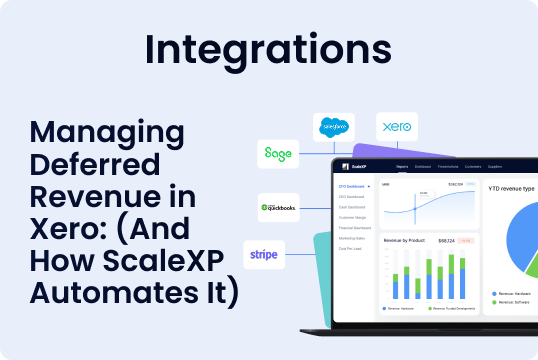
Instead of replacing Xero, it integrates directly with it, allowing finance teams to maintain their existing accounting system while removing manual revenue schedule management.
You can explore this further on the ScaleXP deferred revenue automation page.
Automated Revenue Recognition Schedules
ScaleXP extracts service periods and contract information from invoices and bills to automatically generate revenue recognition schedules.
Automatic Journal Posting
The system generates and posts revenue recognition journals directly back into Xero, removing repetitive manual entries.
Built-In Error Detection
Automated validation helps detect anomalies before journals are posted, reducing the risk of reporting errors.
Real-Time Revenue Visibility
Because schedules and journals are handled automatically, finance teams gain instant visibility into deferred balances, recognised revenue, and future revenue recognition timelines.
For broader financial reporting insights, teams can also use the ScaleXP SaaS metrics and reporting dashboards.
The Result: Faster Close and More Reliable Revenue Reporting
When deferred revenue workflows are automated, the operational benefits are immediate. Finance teams experience faster close cycles, reduced spreadsheet dependency, and stronger confidence in revenue reporting.
Leadership teams also benefit from clearer revenue visibility and faster answers to financial questions.
This shift allows finance teams to focus less on maintaining spreadsheets and more on analysing performance and supporting strategic decisions.
Automate Deferred Revenue Without Replacing Xero
Xero remains one of the most widely trusted accounting platforms for growing businesses. However, once deferred revenue schedules become complex, finance teams often need additional automation to manage the workflow efficiently.
ScaleXP extends Xero by automating revenue schedules, posting recognition journals, and improving financial visibility.
If your organisation is still managing deferred revenue schedules through spreadsheets, it may be time to explore a more scalable solution.