See how ScaleXP works with Xero, QuickBooks or Zoho Books.
In a 30-minute demo, we’ll show the relevant workflows using example data and discuss how they could apply to your finance process. Complex requirements? Discuss them with us first.
Automate recurring month-end work
ScaleXP is month-end close software for finance teams using Xero or QuickBooks. It replaces spreadsheet month-end work with controlled, audit-ready automation across accruals, schedules, consolidation and reporting — reducing close time while giving real-time visibility during the close and stronger audit control.
on the Xero App Store (75+ reviews)
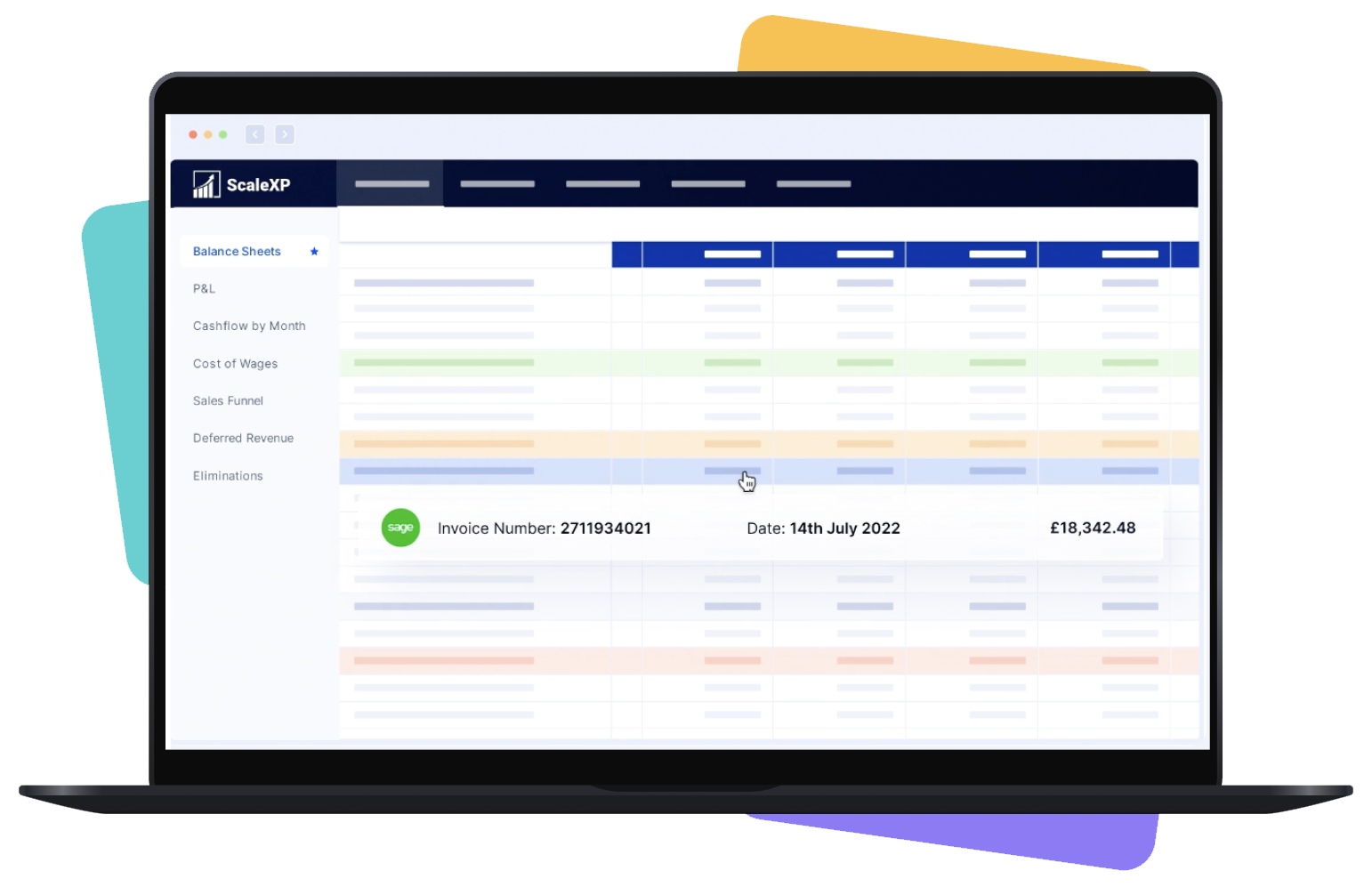








Finance teams are still stitching together journals, schedules, and reports across spreadsheets. The close slows down, control weakens, and reporting lands late. Syncing CRM and accounting data does not remove that work on its own: see which SaaS finance tool actually removes manual work.
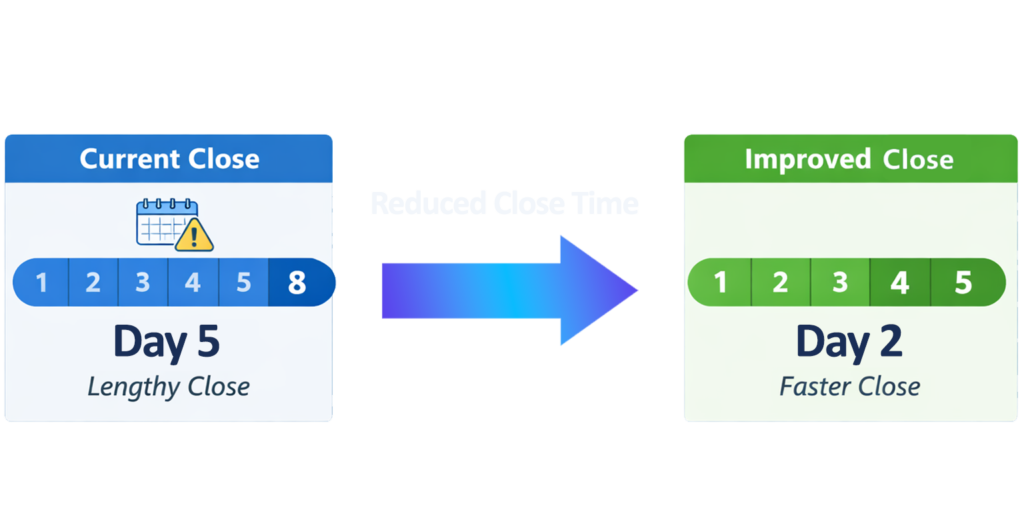
ScaleXP automates the month-end close from live accounting data, generating schedules, journals, and reporting workflows from one controlled process.
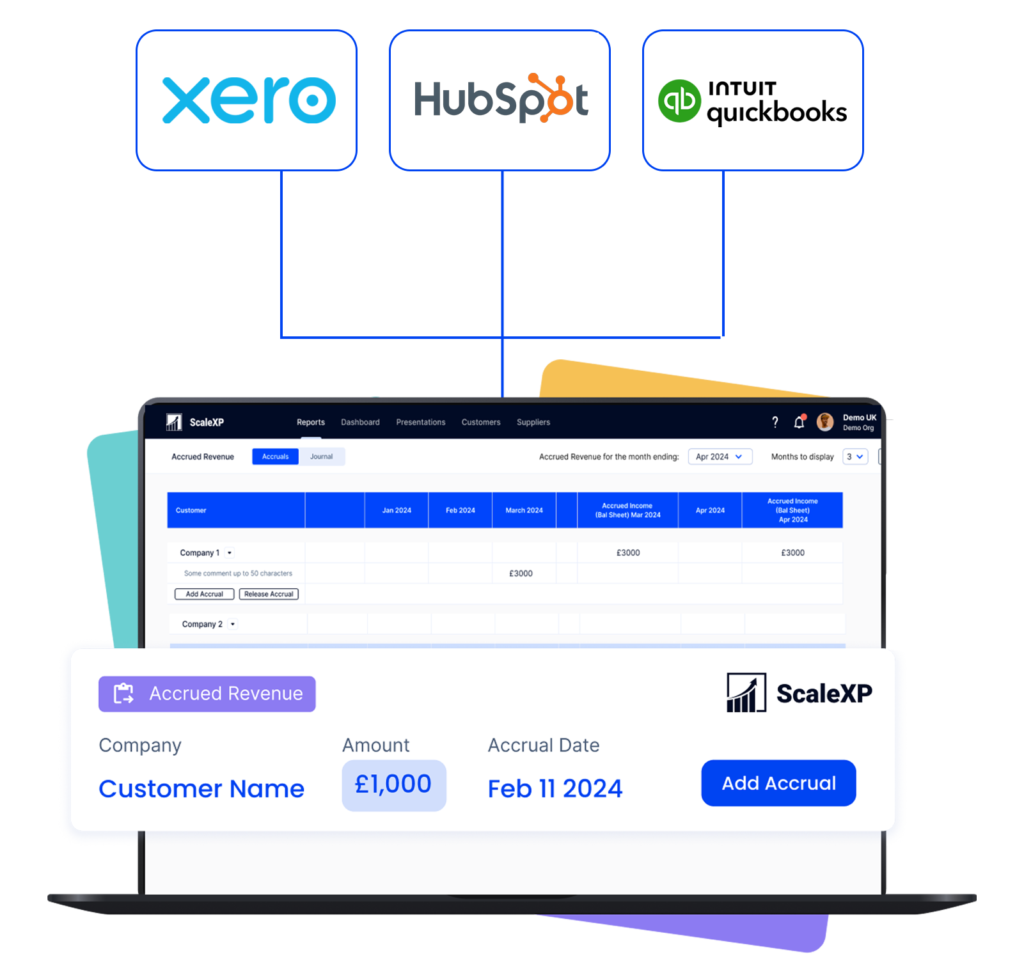
It imports invoices and bills from Xero or QuickBooks, identifies service periods and exceptions, builds compliant schedules, prepares journals for review, and posts approved entries back with full traceability.
Five steps, the same every monthly close.
Complex requirements? Book a meeting to discuss.
ScaleXP reduces month-end close time by automating the work that takes longest: schedule creation, journal preparation and posting for accruals, prepayments, deferred revenue and accrued income. The monthly close runs from live Xero or QuickBooks Online data instead of files rebuilt every period, and reporting time falls with it because reports update as approved journals post.
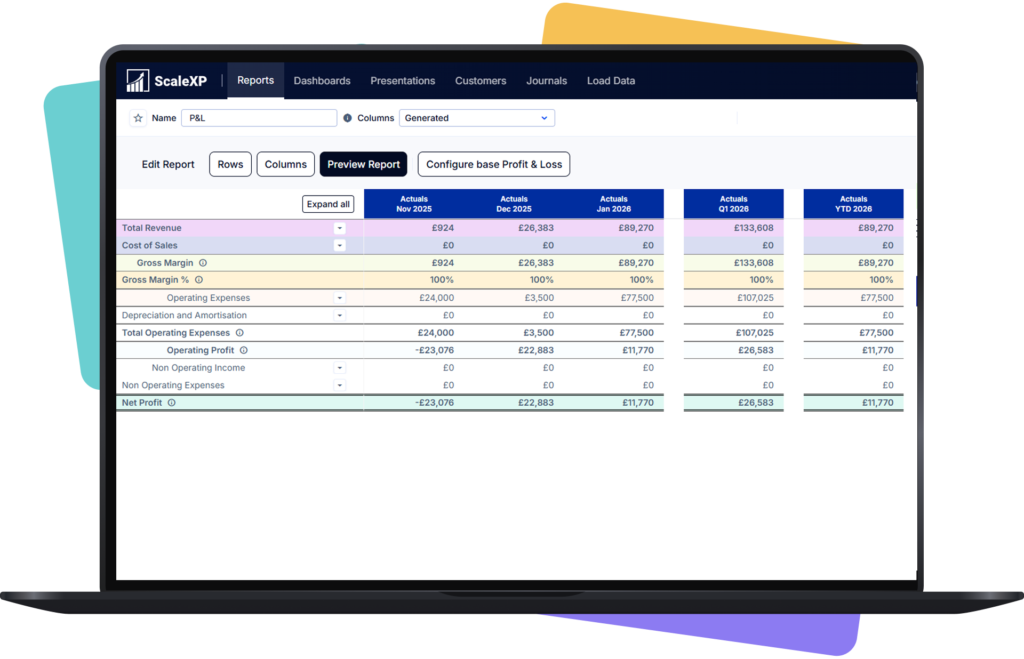
ScaleXP gives finance real-time reporting at month end. Reports refresh from approved close entries as they post, so you can see the current month-end position while the close is still running instead of after the last spreadsheet is updated. Nothing is scheduled or exported by hand: the reporting layer updates as close data changes.
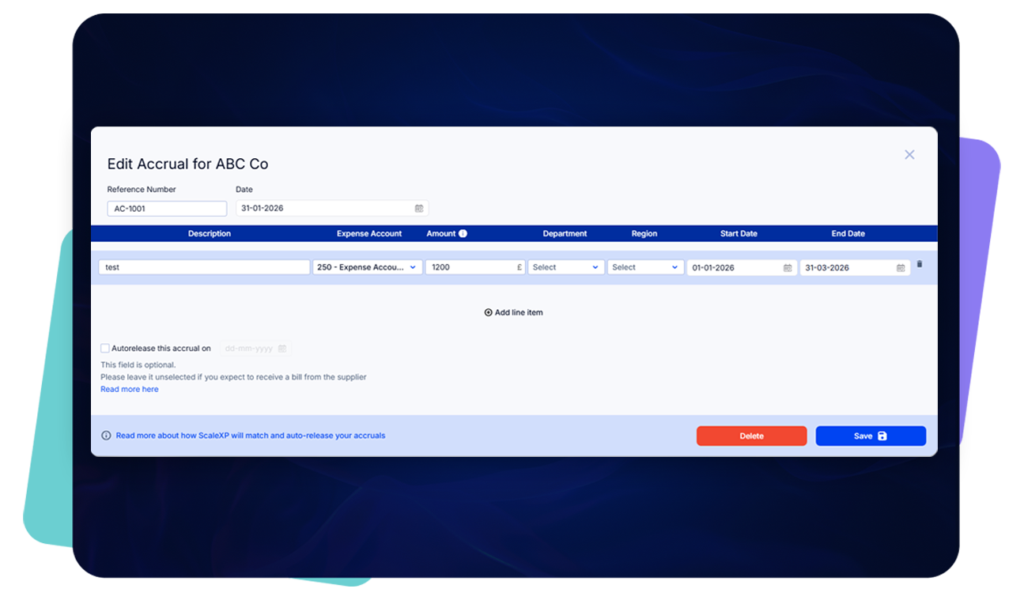
Every automated schedule and journal is tied back to underlying transaction detail, with review steps and traceability built into the workflow.

ScaleXP is a fit if your finance team ticks most of these:
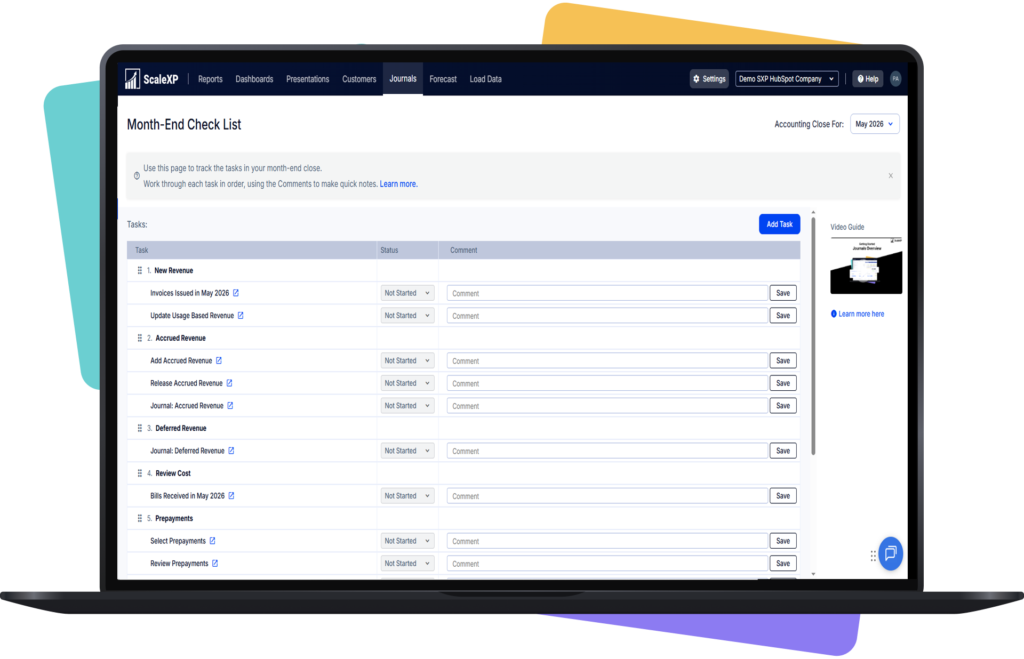
CFOs, finance managers and controllers use ScaleXP for exactly this; see the case studies. ScaleXP’s Journals tab also includes a month-end close checklist, with a status, comments and optional reviewer and approver for each step (see the FAQ).
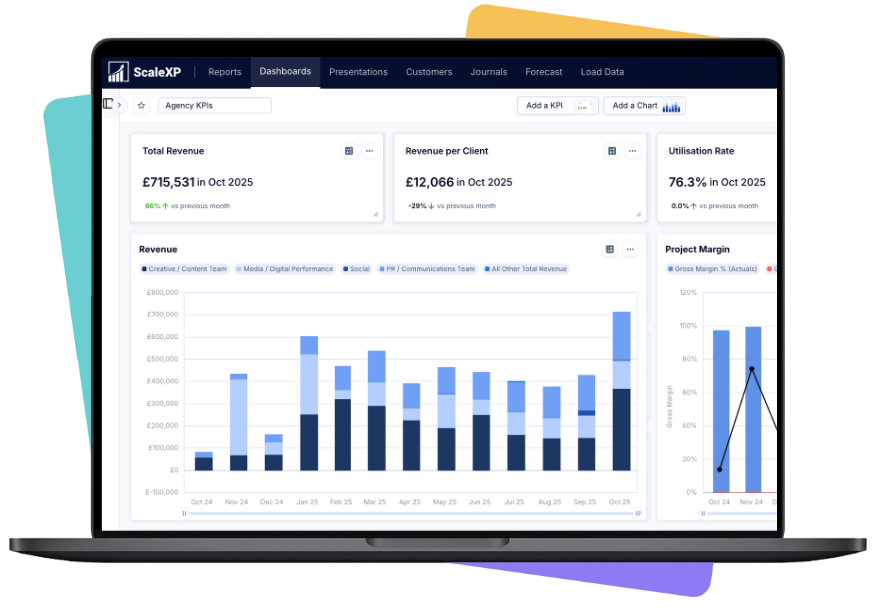
ScaleXP turns live Xero or QuickBooks Online data into accurate schedules and journals for every monthly close, and the accounting close runs from them. Your finance team reviews and approves the results instead of rebuilding the close in spreadsheets.
For finance teams closing in QuickBooks Online, this is the recurring sequence ScaleXP prepares each month. Finance reviews and approves each step before anything is posted.
Customer result
EU Tech Group: month-end close in 90% less time
EU Tech Group moved revenue recognition and lender reporting out of manual spreadsheets and into ScaleXP.
 EU Tech Group
“ScaleXP has simplified our entire finance workflow. Month-end close now takes 90% less time to ensure invoices are flowing correctly through the system.”

Sjoerd Smaal
Co-Founder & CFO, EU Tech Group
Month-end close software prepares the recurring accounting work needed to close each period, such as accrual, prepayment, deferred revenue and accrued income schedules and the journals behind them, from live ledger data. It sits alongside the accounting system rather than replacing it. ScaleXP is month-end close software for Xero and QuickBooks Online: it imports invoices and bills, identifies service periods, builds the schedules, prepares journals for finance review and posts approved entries back with full traceability.
Month-end close automation pulls source data from the ledger, builds the schedules, calculates the adjustments, prepares the journals and refreshes the reports, so finance reviews outputs instead of building them. ScaleXP connects to Xero or QuickBooks Online and runs accrued revenue, expense accruals, prepayments and deferred revenue through one controlled workflow. Finance still reviews exceptions and approves every journal before posting, so the close gets faster and more consistent without giving up oversight or supporting detail.
Yes, and more than that. The Journals tab includes a month-end close checklist: every step has a status and a comment box, and you can turn on a review and approval workflow with a named reviewer and approver. ScaleXP also removes work from that checklist. It connects to Xero or QuickBooks, prepares the accrual, prepayment, deferred revenue and accrued income schedules and journals, and posts the approved entries back to the ledger. Finance still reviews and approves every journal. If you run a checklist tool today, the schedule and journal preparation comes off it; the review and sign-off stay with your team.
A close checklist tool tracks the close: tasks, owners, due dates and sign-offs. Month-end close software does the close work itself. ScaleXP connects to Xero or QuickBooks Online, prepares the accrual, prepayment, deferred revenue and accrued income schedules and journals, and posts the approved entries back to the ledger. Finance still reviews and approves every journal. If you run a checklist tool today, the schedule and journal preparation comes off it; the review and sign-off stay with your team. For the steps themselves, use our free month-end close checklist.
ScaleXP connects to Xero and imports invoices, bills, credit notes and the related transaction detail. It identifies service periods, builds the accrual, prepayment, deferred revenue and accrued income schedules, and prepares the journals for finance review. Approved journals are posted to Xero as manual journals, and revenue journals can be posted by customer or by Xero tracking category. Xero remains the accounting system of record, and every journal stays traceable to its source transaction.
ScaleXP connects to QuickBooks Online and imports invoices, bills, credit notes and the related transaction detail. It identifies service periods, builds the accrual, prepayment, deferred revenue and accrued income schedules, and prepares the journals for finance review. Approved journals are posted to QuickBooks Online as journal entries in two clicks, and revenue journals can be posted by QuickBooks class or location. QuickBooks Online remains the accounting system of record, and every journal stays traceable to its source transaction.
Yes. ScaleXP brings accrued revenue, expense accruals, prepaid expenses and deferred revenue into the same month-end workflow. Each adjustment retains its own accounting logic and supporting schedule, but finance can review the outputs and proposed journals together rather than maintaining separate spreadsheets. This reduces duplicated data preparation, inconsistent period logic and version-control risk. It also gives controllers a clearer view of which schedules are complete, which exceptions need attention and which journals are ready to approve.
Yes for the recurring close work: the same schedules and journals that close a month also close the final month of the financial year, so year-end starts from reviewed, current balances. Accrual, prepayment, deferred revenue, accrued income, revenue recognition and consolidation workflows run from live Xero or QuickBooks Online data, and revenue schedules can span more than one financial year. ScaleXP does not prepare statutory year-end accounts or tax filings; it makes the balances they depend on current and traceable.
Yes. ScaleXP supports accrued income or accrued revenue for amounts earned but not yet invoiced, and expense accruals for costs incurred but not yet billed. It uses available accounting, invoice and contract information to calculate the timing difference, build the supporting schedule and prepare a reviewable journal. Finance confirms the treatment and approves posting. Managing both sides of the accrual process in one system helps keep the balance sheet, profit and loss account and month-end reporting aligned.
When a late invoice, changed bill or credit note arrives, ScaleXP resynchronizes the transaction from Xero or QuickBooks Online, updates every affected schedule and presents the revised journal for finance review before anything posts. That removes the month-end scramble to find the right spreadsheet, repair formulas and check every future period by hand. The source transaction, the revised schedule and the journal movement stay connected, so late adjustments remain controlled and traceable.
Yes. ScaleXP automates data preparation, calculations and proposed journal entries, but finance retains the review and approval decision. Users can examine supporting transaction detail, investigate exceptions and adjust the accounting treatment before anything is posted. Automation therefore removes manual administration rather than financial control. The result is a clearer separation between system-generated calculations and finance approval, with better documentation of what changed, why it changed and who authorized the final month-end entry.
Month-end close automation improves audit readiness by keeping every schedule and journal linked to the source transaction it came from. ScaleXP creates structured schedules, retains transaction-level support and adds a visible review step before posting. Auditors and controllers can follow the movement from invoice or bill through the schedule to the final journal instead of reconstructing the logic from several spreadsheet versions. That reduces formula risk, keeps periods consistent and makes evidence requests easier to answer.
Once Xero or QuickBooks Online is connected and the accounting policies are configured, ScaleXP can start importing data and building schedules quickly; the full timetable depends on the number of entities, transaction volume, accounting systems and the complexity of the existing close. A focused implementation normally starts with the highest-effort adjustment, validates the outputs against the current process and then adds the remaining workflows. The plan is confirmed after reviewing the company’s close process and data quality.
““We've gone from manual spreadsheets to instant clarity.”
Month-end close
See the journals, schedules and review steps that shorten your close while finance keeps approval.
In a 30-minute demo, we’ll show the relevant workflows using example data and discuss how they could apply to your finance process. Complex requirements? Discuss them with us first.