
See how ScaleXP works with Xero, QuickBooks or Zoho Books.
In a 30-minute demo, we’ll show the relevant workflows using example data and discuss how they could apply to your finance process. Complex requirements? Discuss them with us first.
Boost SaaS forecasting accuracy with ScaleXP’s AI-powered annual recurring revenue forecast. Integrate all of your data to predict future ARR with accuracy.
For SaaS businesses, Annual Recurring Revenue (ARR) is the single most important metric to track growth, forecast future revenue, and communicate value to investors. But calculating ARR accurately and forecasting it reliably can be surprisingly complex.
An annual recurring revenue forecast or calculator is a tool designed to automate and simplify this process. By integrating subscription data, churn, expansions, and contractions, it helps finance teams gain clear, real-time insights into their future ARR.
In this blog, we explore how ARR calculators work, common forecasting challenges, and how ScaleXP’s AI-powered tools can help SaaS companies forecast with precision.
ARR is the normalized yearly revenue from active subscriptions. An ARR forecast incorporates all of your data to provide a comprehensive future view of your ARR. Credible forecasts should include:
Why is this important? Because accurate ARR calculation enables:
Automated ARR forecasts consolidate your data from all sources – eliminating repetitive calculations, reducing errors and freeing finance teams to focus on strategy.
Customer behavior shifts revenue over time. Accurately forecasting ARR means accounting for cancellations, downgrades, upsells, and expansions- often across multiple products or regions.
Because ARR anchors valuation, see how SaaS companies are valued on revenue.
Many teams struggle to consolidate data from HubSpot, Salesforce, Pipedrive with their accounting platforms, leading to fragmented or outdated revenue views.
Using static spreadsheets or manual calculations increases risk of misstatement, missed renewals, and inaccurate growth projections. At best, your data is out of date. At worst, there is a mistake in your spreadsheet. In both cases, your numbers are far less credible than they could be.
An ideal calculator pulls data directly from CRM, billing, and accounting systems, updating ARR dynamically.
Tracking customer cohorts, churn rates, LTV, CAC payback, and expansion MRR helps contextualize ARR.
Advanced forecasts incorporate retention rates, churn and expansion – based on historical trends and the very latest data in the CRM system.
For businesses with multiple legal entities, your forecast must be able to consolidate the data and provide an accurate view of sales across your entire business.
Quick question
Choose as many as apply.
Please don’t include personal information. We read every answer.
Considering automating your SaaS metrics?
See it in a 30-minute demo.
Reporting-time estimator
Your accounting system
How long do your metrics and board reporting take today? Working days per month, roughly
Which of these do you still build by hand? Select all that apply
Which of these takes the most time? Pick one
Your estimate
Board pack ready in about 1 day instead of 2–3 days
ScaleXP calculates the metrics you selected from your live Xero and CRM data, reconciled to the accounts, and places them in a board pack your team reviews rather than builds.
ScaleXP offers an AI-powered ARR forecast that integrates seamlessly with your CRM, billing, and accounting platforms.
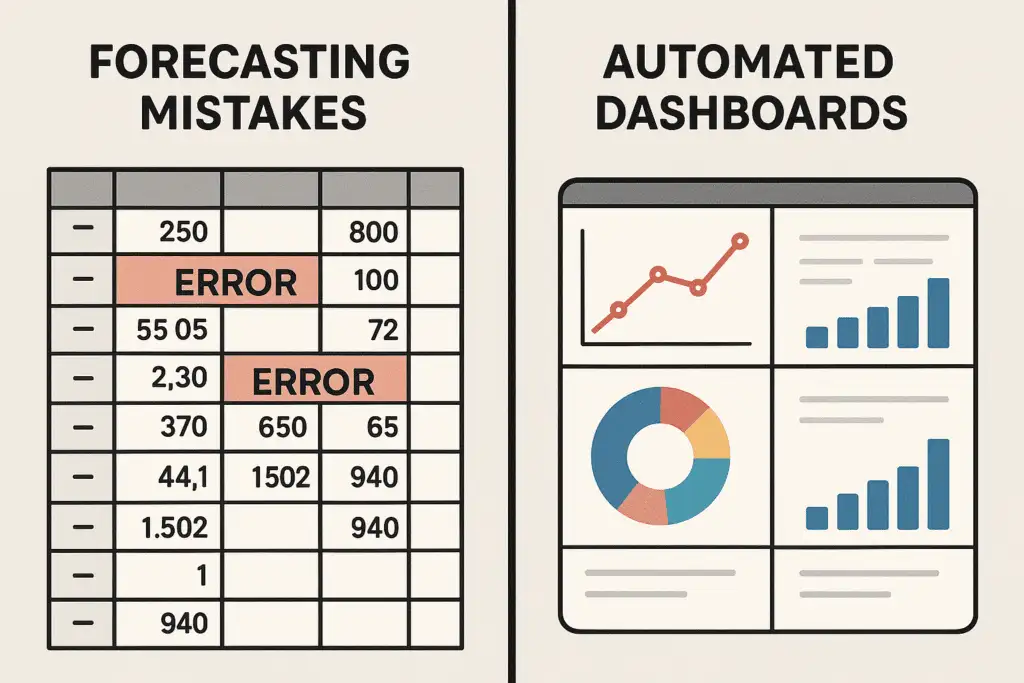
Accurate ARR forecasting isn’t a luxury, it’s a necessity for SaaS growth. Stop relying on spreadsheets and disconnected systems.
An annual recurring revenue calculator should turn real billing and contract data into accurate ARR, accounting for new business, expansion, contraction, churn and reactivation every month. ScaleXP goes well beyond a static calculator by connecting directly to Xero, QuickBooks Online or Zoho Books and to HubSpot, Salesforce or Pipedrive, then calculating ARR automatically from invoices and deals. Finance teams see an ARR waterfall, cohort analysis and retention metrics that reconcile to the financial statements. The outcome is an ARR figure leadership can forecast from with confidence, without rebuilding a spreadsheet each month.
Yes, ScaleXP works as an automated ARR calculator, using Stripe billing data that flows into Xero, QuickBooks Online or Zoho Books, combined with deal data from HubSpot, Salesforce or Pipedrive. Invoices are converted into recurring revenue streams, normalized to monthly values and rolled up into annual recurring revenue by customer, product and segment. Tom, Commercial Analyst at SquaredUp, described the old way: “Calculating MRR and ARR alone required half a day each month.” ScaleXP removes that manual effort, giving finance teams accurate ARR every month and time back for analysis.
ScaleXP forecasts ARR by combining actual recurring revenue from Xero, QuickBooks Online or Zoho Books with open pipeline and upcoming renewals from HubSpot, Salesforce or Pipedrive. Churn, expansion and contraction trends from historical data inform the forecast, so projected annual recurring revenue reflects how customers really behave. Finance teams can also upload budgets and forecasts from spreadsheets and compare them against actuals in ScaleXP. Leadership gets an ARR forecast grounded in real data, which builds credibility with the board and investors.
Yes, ScaleXP calculates consolidated ARR across multiple entities and currencies, applying FX translation so group annual recurring revenue is reported in one currency. Each entity’s Xero, QuickBooks Online or Zoho Books file connects directly, and ScaleXP rolls the results into a single group view while keeping entity-level detail available for drill-down. Intercompany eliminations are handled as part of consolidation, so group figures stay clean. Multi-entity SaaS groups get one consistent ARR number for the board instead of a manual roll-up across spreadsheets.
How ScaleXP does this
ScaleXP calculates MRR, ARR, churn, retention and more from your CRM and accounting data, with no spreadsheets. See ScaleXP’s SaaS metrics