Connect Revenue Recognition to the Systems You Already Use
Xero revenue recognition becomes difficult when schedules sit outside Xero
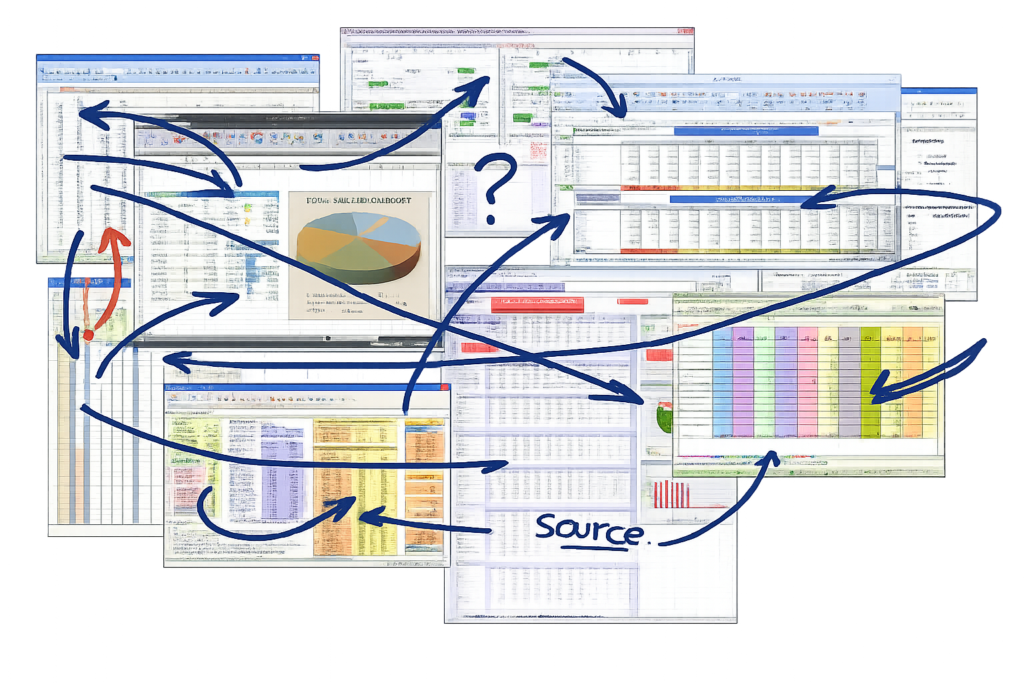
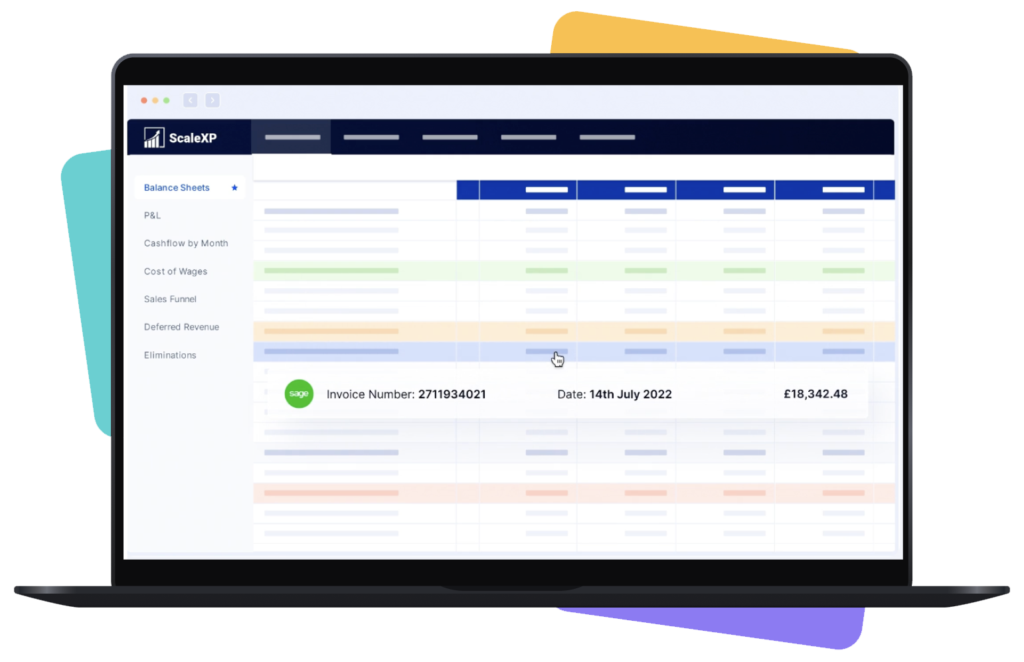
Xero holds the invoice data. But many finance teams still manage revenue recognition software outside Xero, using spreadsheets for service periods, deferred revenue, journals and audit support.
That creates unnecessary pressure at month-end. Finance has to translate invoice data into recognition schedules, check spreadsheet logic, reconcile deferred balances and prepare evidence after the close
Revenue schedules depend on manual spreadsheet logic
ScaleXP can also connect Xero with HubSpot, Salesforce or Pipedrive through its CRM accounting integration software, linking commercial data with revenue schedules, forecasting and reporting.
Automate revenue recognition from Xero invoice data
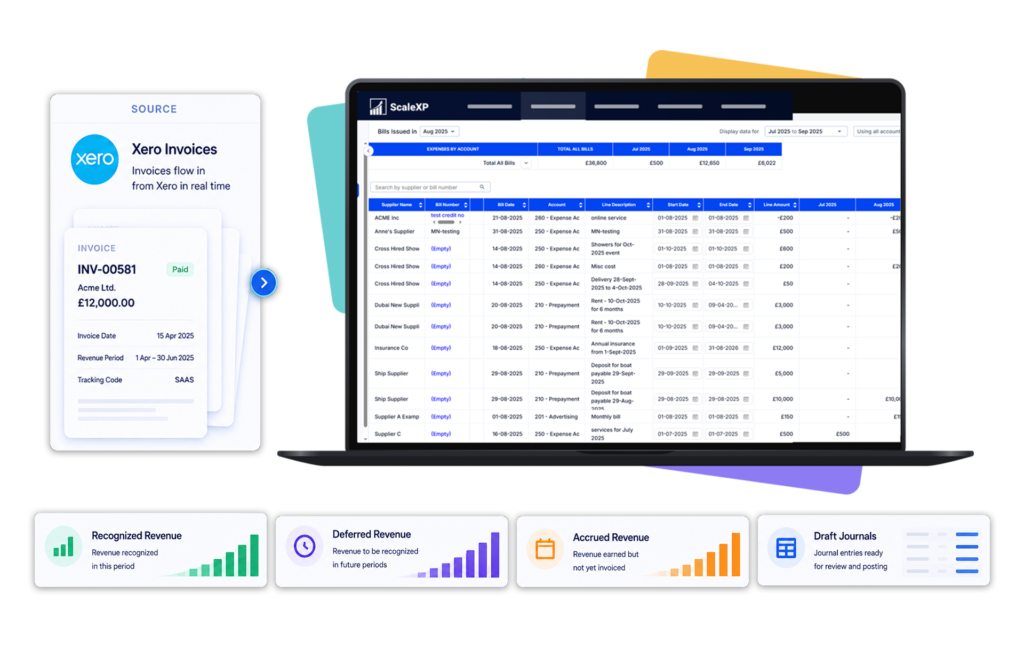
ScaleXP imports Xero invoices through an API connection, then uses AI to read invoice text, line items, dates, currencies and revenue period detail.
Where configured, ScaleXP can also use CRM data from HubSpot, Pipedrive or Salesforce to add contract, customer, salesperson, renewal and deal context to revenue schedules, reporting and forecasting.
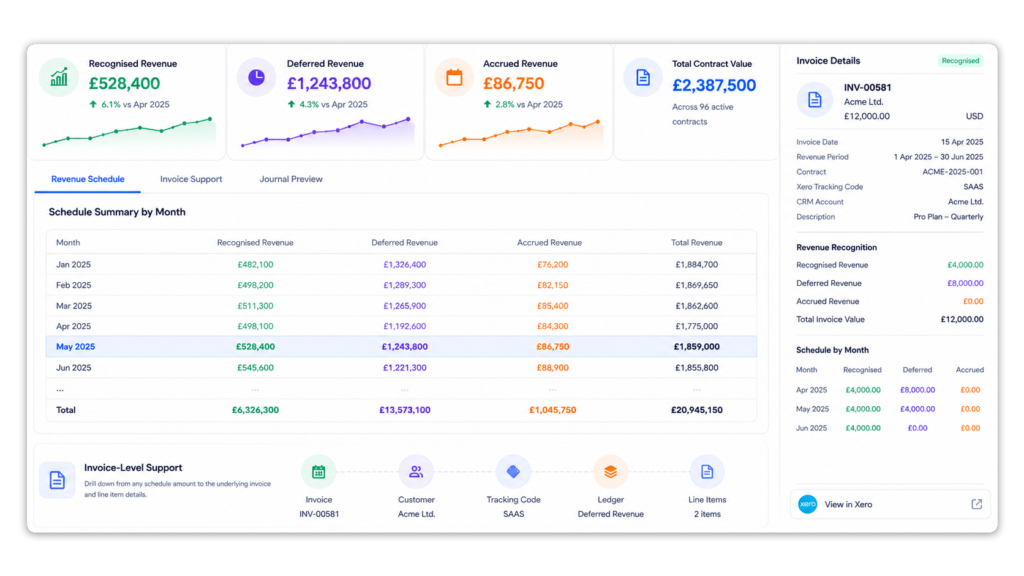
It builds monthly schedules across recognised revenue, deferred revenue and accrued revenue, so finance can review the calculation before preparing month-end journal outputs.
Import Xero invoices automatically
Extract revenue periods using AI
Review schedules before journals are posted
How It Works
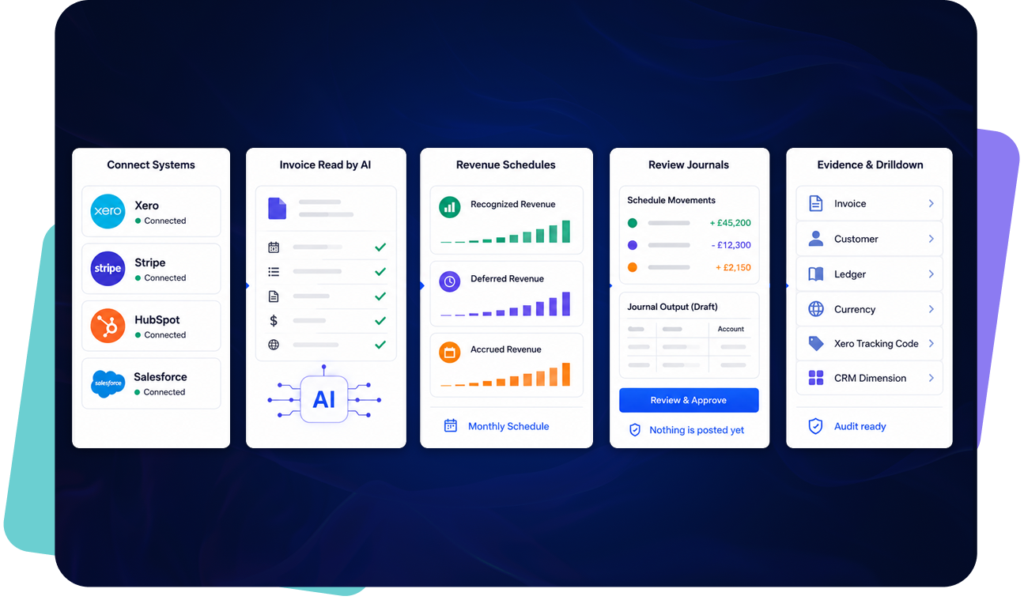
Connect source data: ScaleXP connects to Xero and can use billing or CRM data from Stripe, HubSpot and Salesforce or Pipedrive where configured.
Read invoices: AI reads invoice dates, line items, descriptions, values, currencies and revenue period detail.
Build schedules: ScaleXP creates monthly schedules for recognised revenue, deferred revenue and accrued revenue.
Review journals: Finance reviews schedule movements and journal outputs before anything is posted.
Keep evidence: Schedules remain available by invoice, customer, ledger, currency, Xero Tracking Code and relevant CRM dimension.
ScaleXP reduces manual revenue schedule preparation while keeping finance in control of review and approval. The result is faster month-end work, clearer deferred revenue support and better audit evidence throughout the year.
Save up to 3 days each month
Maintain audit-ready revenue schedules
Preserve Xero Tracking Code reporting
ScaleXP can connect CRM billing automation and CRM accounting integration to save time & link commercial data with revenue recognition schedules, deferred and accrued revenue workflows, and reporting.
ScaleXP clearly understands the pain points of monthly close. All my accrual and deferred revenue manual journals in Xero are now automated — ScaleXP reads invoices and bills directly, pushes entries through, and maintains a full audit trail of every change. What used to be a risky, Excel-heavy process is now a half-day job.
We started using ScaleXP fully in the last few months and are already finding that it's slick automation is saving us numerous hours a month. Gone are the days of running lengthy reports and analysing data. ScaleXP is a must for anyone who wants to streamline their accounts and save time. Love it.
Xero Revenue Recognition FAQs
What is Xero revenue recognition software?
Xero revenue recognition software helps finance teams schedule, recognise and support revenue from Xero invoices. It replaces manual spreadsheets with monthly revenue schedules, journal outputs and audit-ready supporting detail.
How does ScaleXP automate revenue recognition from Xero?
ScaleXP imports invoices through a Xero API connection. AI reads invoice text and data, extracts revenue period detail, builds monthly schedules and produces journal outputs for finance review.
Does ScaleXP support ASC 606 and IFRS 15?
ScaleXP is designed to support revenue recognition workflows that need stronger compliance, clearer schedules, and better audit evidence. The platform helps finance teams apply revenue recognition processes more consistently and maintain outputs that support ASC 606 and IFRS 15 reporting. Teams still retain review and approval control before journals are posted.
Does ScaleXP support FRS 102?
Yes. ScaleXP can support FRS 102 workflows where relevant, including deferred income, accrued income, monthly revenue schedules and supporting detail for finance review.
Can ScaleXP automate deferred revenue from Xero invoices?
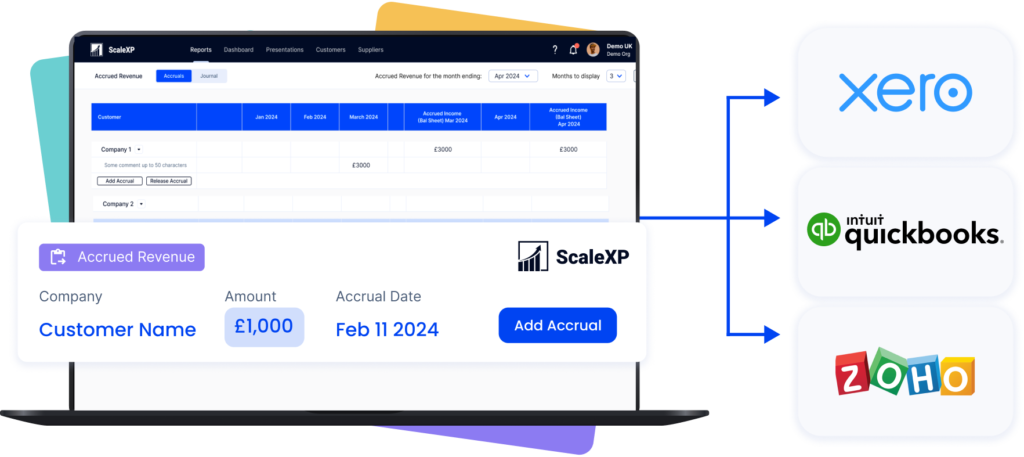
Yes. ScaleXP supports revenue recognition software workflows for Xero and QuickBooks users. Finance teams can generate schedules, review draft journals, and post approved journals back into those systems in a controlled process. ScaleXP also supports Xero Tracking Codes, QuickBooks Classes, and QuickBooks Locations, helping teams preserve the reporting dimensions they already use in their accounting system.
Can ScaleXP support accrued income or accrued revenue?
Yes. Revenue recognition often connects directly to deferred revenue and accrued revenue processes. ScaleXP helps finance teams manage these workflows with more structure by keeping schedules, journals, and supporting detail aligned. This makes it easier to understand balance sheet movements and maintain cleaner reporting across related adjustments. Learn more aboutdeferred revenue automation and accrued revenue automation.
Does ScaleXP use Xero Tracking Codes for revenue reporting?
Yes. ScaleXP supports Xero Tracking Codes so finance teams can analyse recognised revenue, deferred revenue and accrued revenue by department, category, entity, product line or other reporting dimension.
Does ScaleXP use AI to read Xero invoices?
Yes. ScaleXP uses AI to read invoice text and data, including dates, line items, values, currencies, descriptions and revenue period detail.
Can ScaleXP support multi-currency revenue recognition?
Yes. ScaleXP can support multi-currency revenue recognition workflows for businesses with customers, entities, regions or accounting systems operating in different currencies.
Can ScaleXP handle annual prepaid and multi-year Xero invoices?
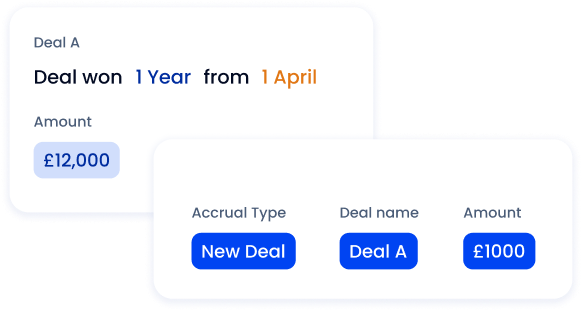
Yes. ScaleXP can spread annual prepaid invoices across the relevant service period and maintain schedules spanning multiple financial years.
Finance can review recognized and deferred revenue by invoice, customer, currency and Xero Tracking Code where configured.
Can ScaleXP use CRM data with Xero revenue recognition?
Yes. Where configured, ScaleXP can combine Xero invoice data with CRM data from systems such as Salesforce, HubSpot or Pipedrive. This helps finance teams connect deals, customers, products, contract terms, renewals and sales owners to revenue schedules, forecasting and reporting.
Can ScaleXP automate deferred revenue from Xero invoices?
Yes. ScaleXP uses Xero invoice dates, line items, descriptions and service-period information to calculate the portion of revenue relating to future periods.
Finance can review the invoice-level deferred revenue schedule and associated journal before approved entries are posted to Xero.
Ready to transform data to insight?
Getting started with ScaleXP is easy! Try it for yourself free for 7 days. Or, if you have specific questions, just use the button to the right to schedule a quick meeting.