QuickBooks SaaS Metrics Dashboard for ARR, MRR and Retention
ScaleXP calculates ARR, MRR, churn, NRR, GRR and retention from your QuickBooks Online and CRM data, with Classes, Locations and customer-level drill-down for SaaS finance teams. Use QuickBooks Online data with an AI-enabled reporting layer for SaaS finance metrics.
ScaleXP helps SaaS finance teams using QuickBooks Online move beyond manual ARR and MRR spreadsheets. Track recurring revenue, retention, churn, cohorts and board KPIs from one finance reporting layer built on trusted accounting data.
ScaleXP is an approved app for leading accounting & CRM systems
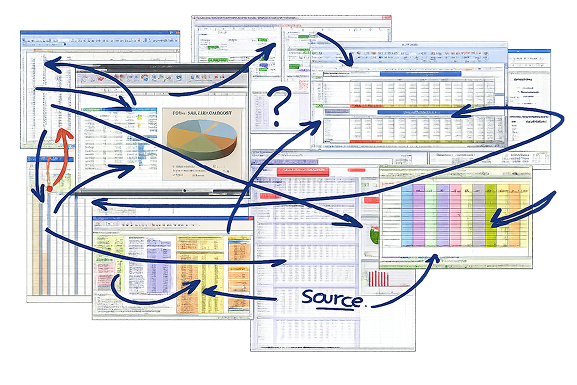
SaaS metrics from QuickBooks often end up in spreadsheets
QuickBooks is the source of truth, but SaaS finance teams need more than standard reports.
ARR, MRR, churn, retention, cohorts, and deferred revenue often live in spreadsheets that become harder to manage as you scale. The issue is not just time, it is credibility.
Finance teams must explain revenue clearly, answer investor questions quickly, and show SaaS metrics tie back to accounting data. When metrics sit across disconnected spreadsheets, teams spend more time proving numbers than explaining performance.
Common problems include:
Hours lost exporting QuickBooks data and rebuilding SaaS metrics
Deferred revenue and MRR that are hard to reconcile
Board reporting that depends on fragile spreadsheet logic
ARR and MRR definitions that change month to month
ScaleXP adds an AI-enabled SaaS metrics layer to QuickBooks Online
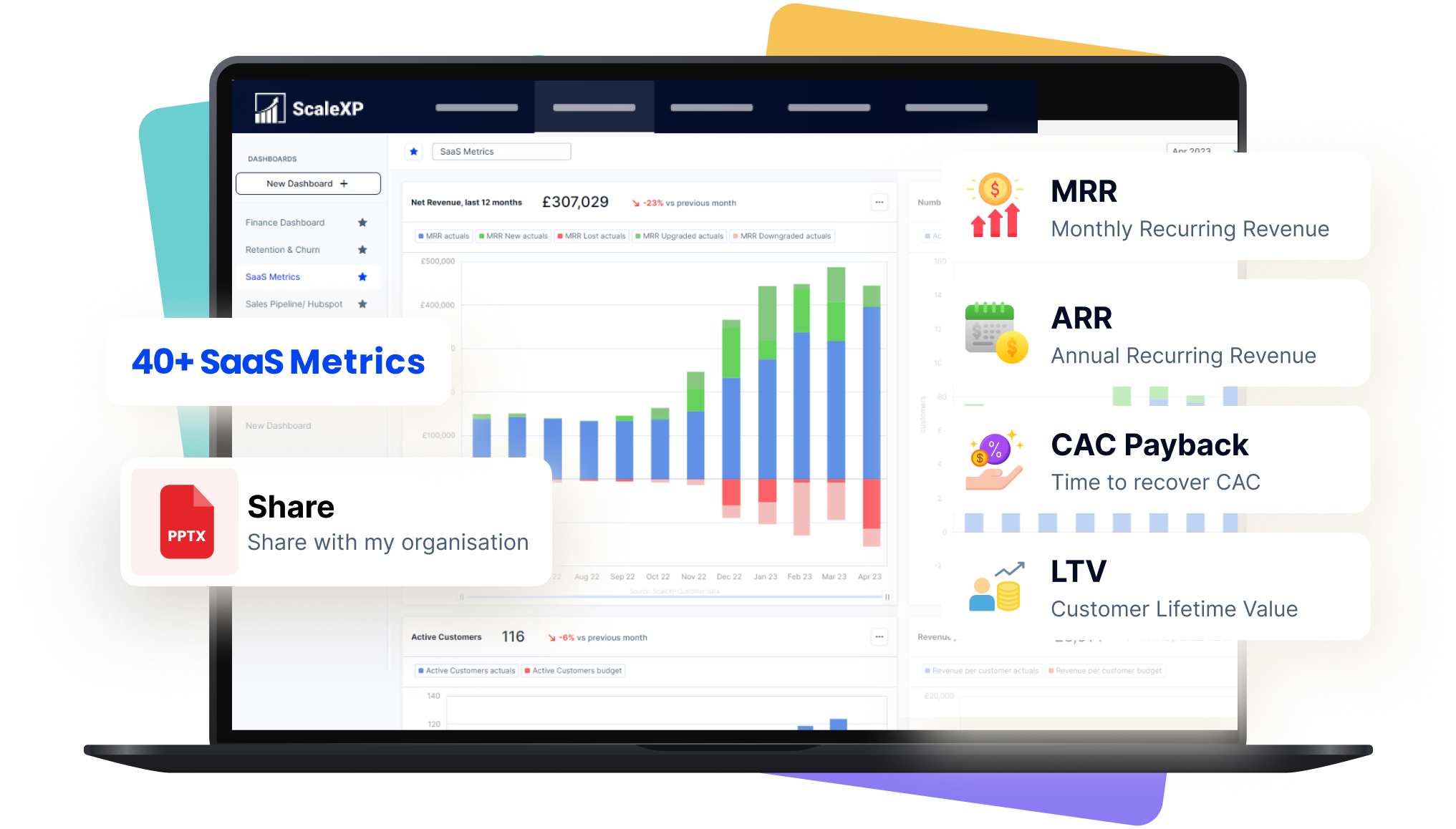
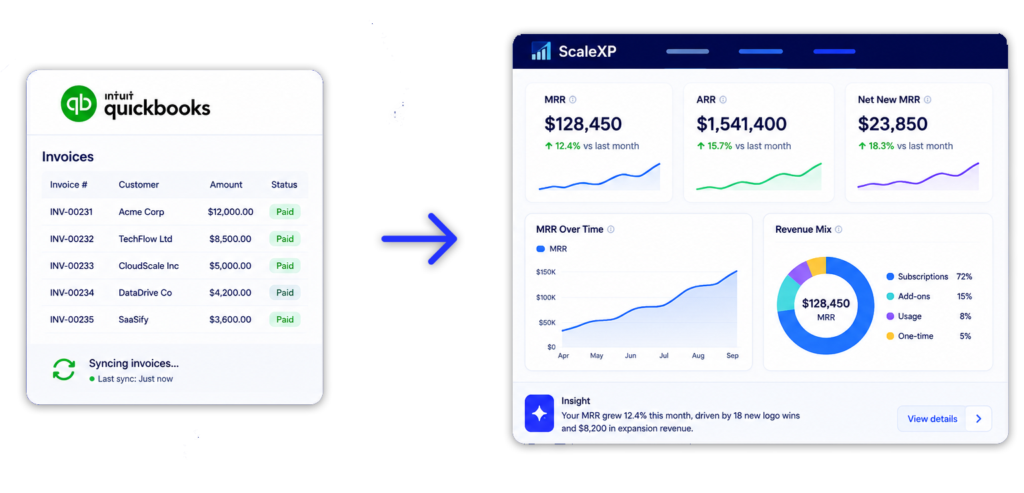
ScaleXP connects to QuickBooks and turns accounting data into a SaaS metrics dashboard for ARR, MRR, retention, churn, cohorts and board reporting.
QuickBooks remains the finance data source. ScaleXP adds the SaaS metrics logic, AI-enabled customization and reporting structure finance teams need as the company scales.
With ScaleXP, finance teams can:
Connect QuickBooks as the finance data source
Track 30+ SaaS metrics from day one
Customize reporting for boards, investors and management teams
Link SaaS metrics with deferred revenue and revenue recognition
ScaleXP is built for SaaS finance teams that use QuickBooks. It helps companies move from manual ARR and MRR spreadsheets to repeatable SaaS reporting that can grow with the business.
ScaleXP is listed on the QuickBooks App Store and is built for SaaS finance teams that need more than standard accounting reports.
Finance leaders use ScaleXP to automate SaaS metrics, deferred revenue, revenue recognition, forecasting, dashboards and board reporting from finance and revenue data.
How ScaleXP turns QuickBooks data into SaaS metrics
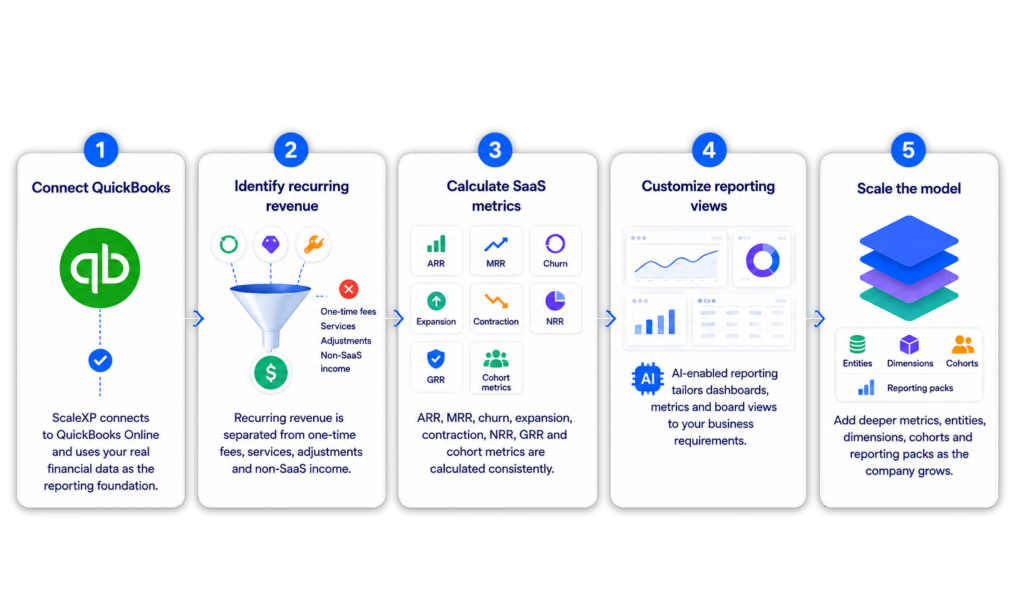
Connect QuickBooks: ScaleXP connects to Xero and uses accounting data as the reporting foundation.
Identify recurring revenue: Recurring revenue is separated from one-time fees, services, adjustments and non-SaaS income.
Calculate SaaS metrics: ARR, MRR, churn, expansion, contraction, NRR, GRR and cohort metrics are calculated consistently.
Customize reporting views: AI-enabled reporting helps tailor dashboards, metrics and board views to your business requirements.
Scale the model: Add deeper metrics, entities, dimensions, cohorts and reporting packs as the company grows.
Track 30+ SaaS metrics from QuickBooks data with an Ai overlay
ScaleXP helps SaaS finance teams report metrics such as ARR, MRR, churn, retention, revenue movements, cohort performance and board-level SaaS KPIs.
Common metrics include: ARR and MRR, New MRR, expansion MRR, contraction MRR and churned MRR, Net Revenue Retention and Gross Revenue Retention, Logo churn, revenue churn and customer churn, revenue by customer, product, class, location, entity or region, Deferred revenue and recognized revenue, actuals vs budget tracking by Location and Class, board and investor reporting KPIs
Reconcile MRR, ARR, deferred revenue and ASC 606 reporting
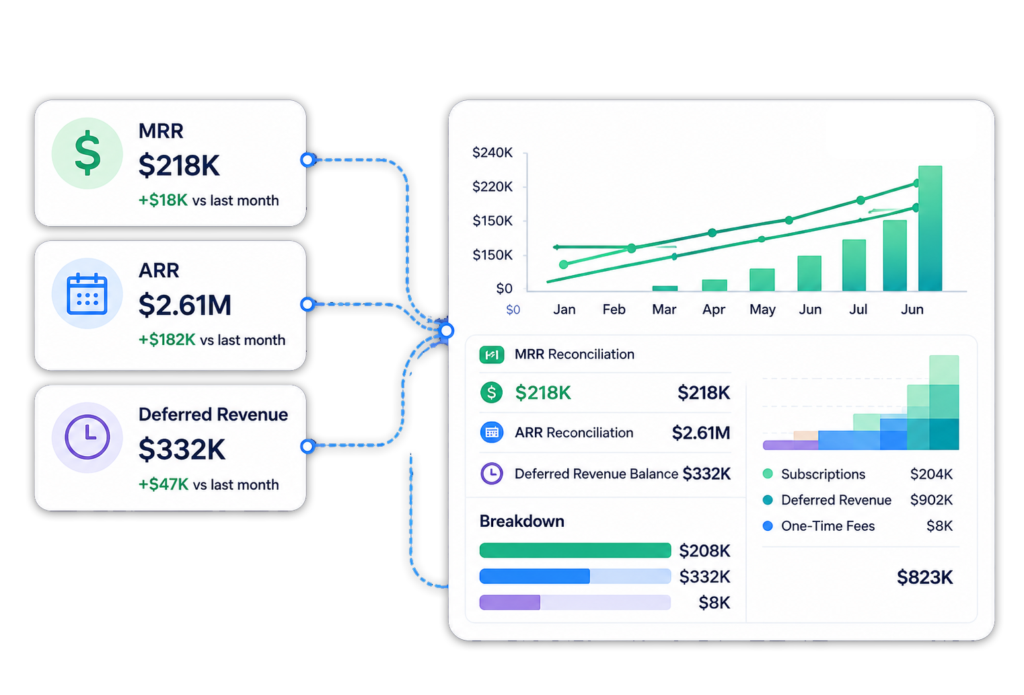
MRR is a SaaS performance metric, while deferred revenue is an accounting balance, and ASC 606 determines when revenue is recognized.
Because of this, MRR, ARR, deferred revenue, and recognized revenue rarely move in sync, especially with annual prepaid contracts where a single invoice can impact multiple metrics across different periods.
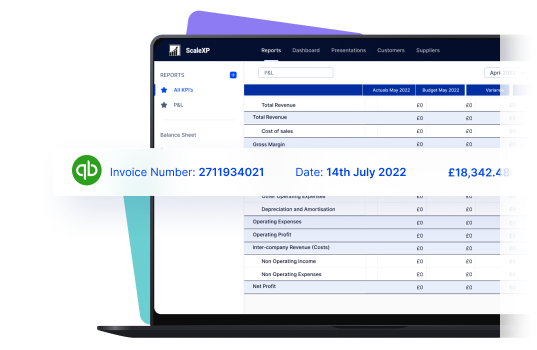
ScaleXP keeps SaaS metrics aligned with QuickBooks data and revenue schedules, making performance and financial reporting easier to reconcile and explain.
Use ScaleXP to:
Link SaaS metrics to finance data
Reduce gaps between MRR and deferred revenue
Connect ASC 606 revenue recognition with SaaS reporting
Explain revenue movements more clearly to boards and investors
Read more about automating Revenue Recognition, including Deferred and Accrued Income.
Built for scale: CRM, classes, locations and multi-entity reporting
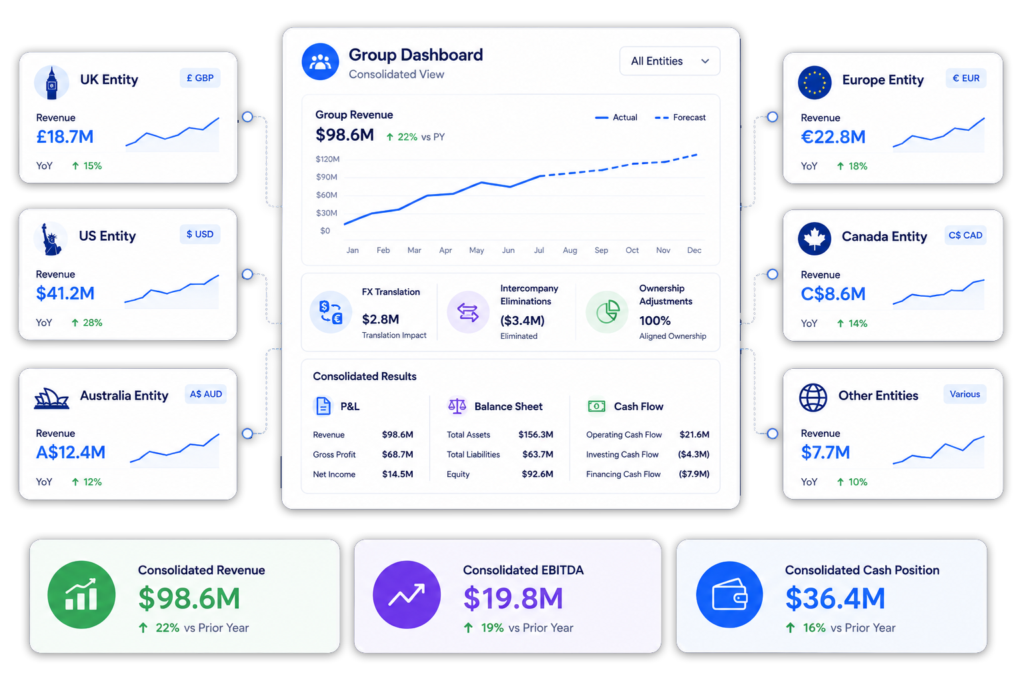
ScaleXP is designed to start with core QuickBooks SaaS metrics, then support more complex reporting as the company grows.
That matters because SaaS reporting usually becomes more complex over time. Companies add new products, new sales channels, new classes, new locations, new entities, new currencies and new investor reporting requirements.
ScaleXP can support reporting across:
QuickBooks Online accounting & CRM and revenue data
QuickBooks classes and locations
Direct and reseller sales models
Sold To and Billed To reporting workflows
Multiple QuickBooks companies
Multi-currency SaaS reporting
This helps finance teams avoid replacing their reporting model every time the business becomes more complex.
Move SaaS metrics out of spreadsheets and into ScaleXP
Use QuickBooks Online as your finance data source and ScaleXP as the SaaS metrics layer on top.
Track ARR, MRR, churn, retention, cohorts, deferred revenue and board KPIs with reporting that can grow from the first dashboard to multi-entity investor reporting.
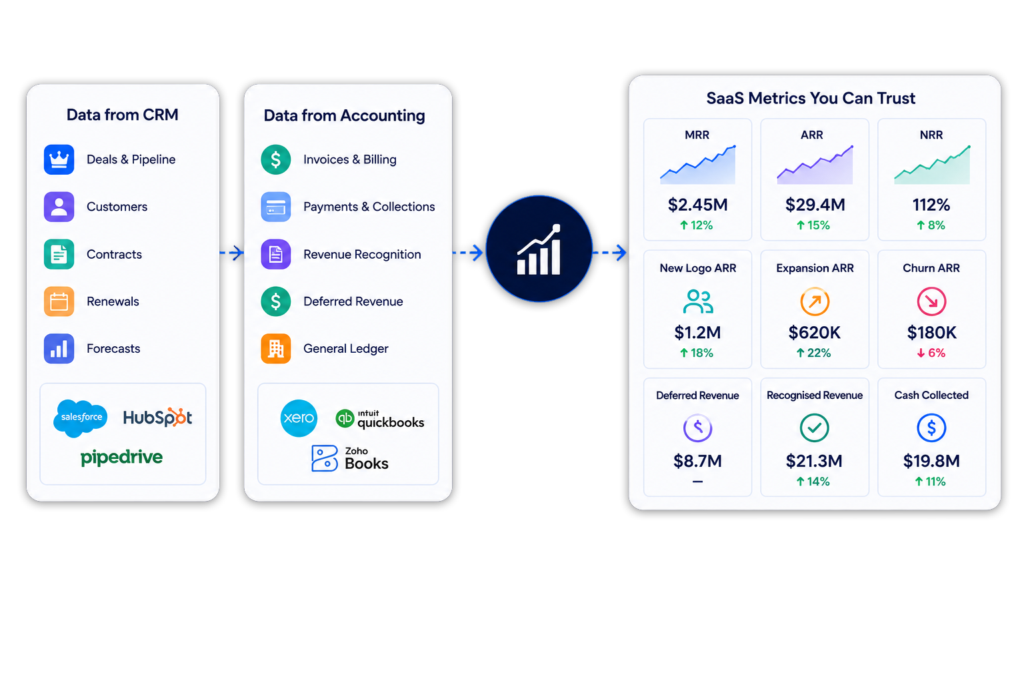
QuickBooks contains invoice and accounting data but does not provide a complete SaaS metrics layer by itself. ScaleXP combines QuickBooks Online with CRM and billing data to calculate ARR, MRR and the customer movements behind them.
A QuickBooks SaaS metrics dashboard converts accounting, customer and contract data into ARR, MRR, churn, NRR, GRR, expansion and contraction. ScaleXP keeps each metric connected to the underlying customer, invoice and contract detail. See our SaaS metrics.
ScaleXP identifies recurring revenue, normalizes annual and multi-period values into monthly amounts and classifies new MRR, expansion, contraction and churn. CRM data can be added when the contract terms are not fully represented in QuickBooks.
Yes. ScaleXP uses the contract or service period to convert an annual invoice into the correct monthly recurring value rather than reporting the full annual invoice as one month’s MRR.
Yes. ScaleXP calculates logo churn, revenue churn, NRR and GRR using customer-level recurring revenue movements. CRM and billing data can supplement QuickBooks when changes occur before an accounting entry is posted.
Yes. QuickBooks Classes and Locations are fully supported. Finance can analyze ARR, MRR, churn and retention by department, product, region, entity or business unit while retaining drill-down to source data.
Yes. ScaleXP connects QuickBooks with HubSpot, Salesforce and Pipedrive for invoicing, renewals, contract management, forecasting and SaaS metrics. Data refreshes automatically every 24 hours and on demand.
Yes. ScaleXP reports SaaS metrics across multiple entities, countries and currencies at group and entity level. It tracks separate compliant rate sets for the P&L, balance sheet, budgets, and invoice consolidation and KPIs.
Yes. Finance can drill from headline metrics into the customers, invoices, contracts, products, Classes, Locations and source records behind the number. This makes board and investor reporting easier to validate and explain.
ScaleXP refreshes QuickBooks, CRM and billing data automatically every 24 hours and on demand. Finance can trigger an immediate update before month-end review, board reporting or forecasting.
“
“far simpler setup and a much gentler learning curve”
QuickBooks SaaS metrics
ARR, MRR and churn, straight from QuickBooks.
See how ScaleXP turns your QuickBooks Online data into a live SaaS metrics dashboard, without a monthly spreadsheet rebuild.
See how ScaleXP works with Xero, QuickBooks or Zoho Books.
In a 30-minute demo, we’ll show the relevant workflows using example data and discuss how they could apply to your finance process. Complex requirements? Discuss them with us first.