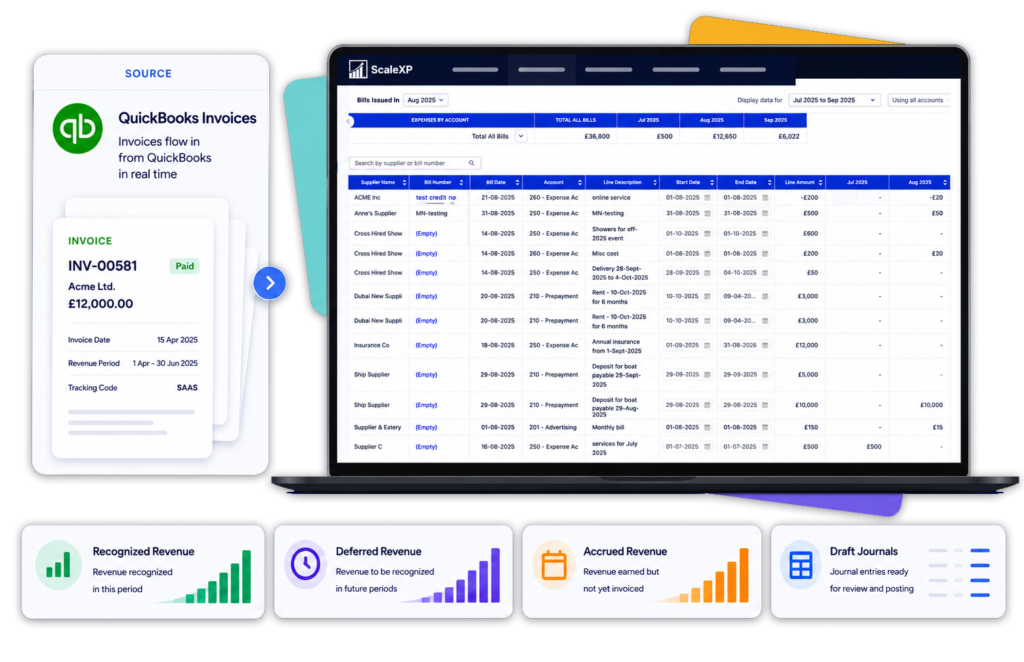
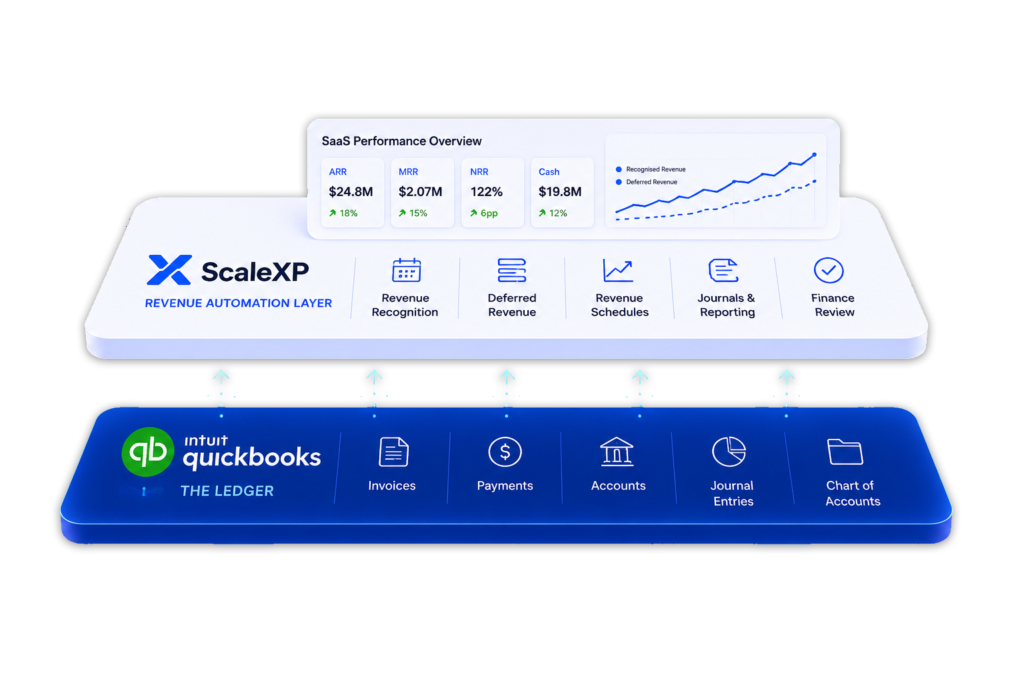
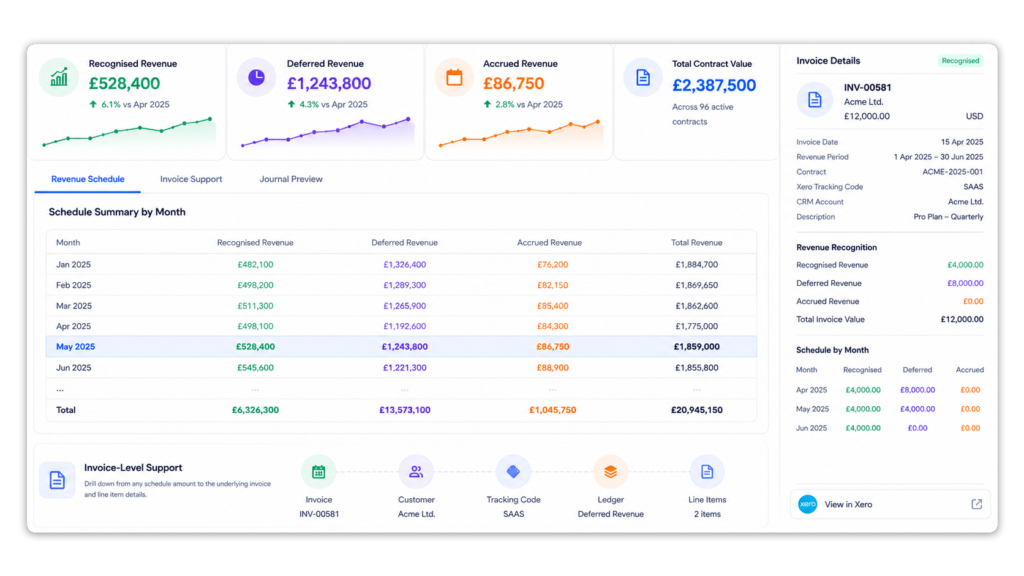
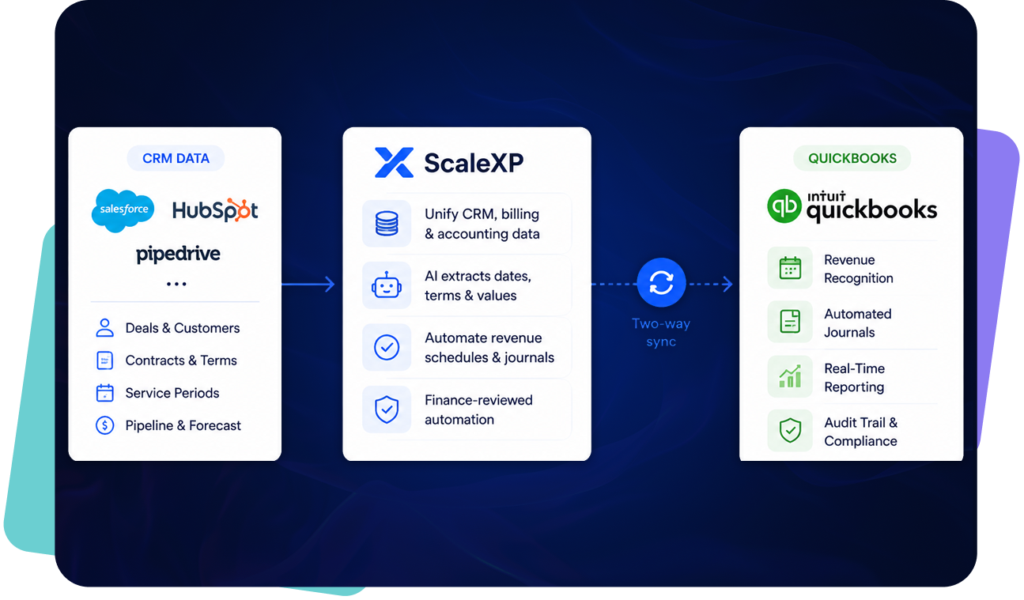
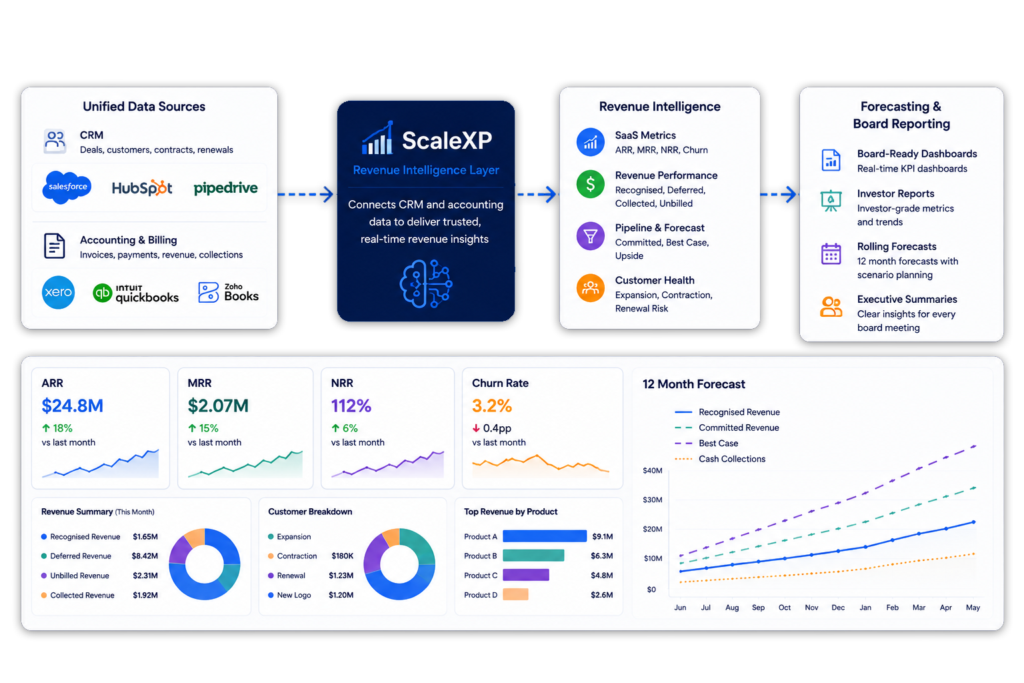
ScaleXP is revenue recognition software for finance teams using QuickBooks Online. It connects QuickBooks with CRM and billing data to automate deferred revenue, accrued revenue and revenue schedules, then prepares the resulting journals for finance review before they post — keeping SaaS metrics and forecasts current. QuickBooks stays the ledger; ScaleXP adds the revenue workflow around it.
Connect QuickBooks with CRM and billing data so finance can recognize the right revenue in the right month.
Where ScaleXP adds value beyond QuickBooks revenue recognition
QuickBooks Online Advanced includes revenue recognition functionality for some use cases.
ScaleXP adds value where finance teams need a broader workflow across QuickBooks invoices, CRM data, billing terms, service periods, journals, SaaS metrics, forecasts and reporting.
ScaleXP helps finance teams:
Connect QuickBooks with Salesforce, HubSpot or Pipedrive
Automate deferred revenue and accrued revenue workflows
Use AI to help capture service periods
Report ARR, MRR, renewals, churn and forecast revenue
Analyze revenue by customer, product, entity or owner
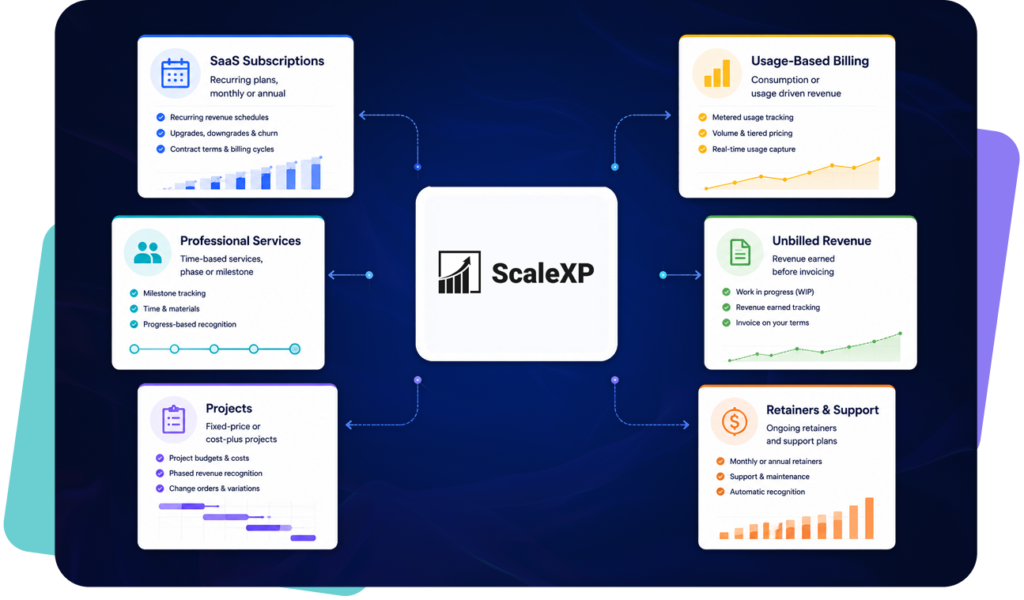
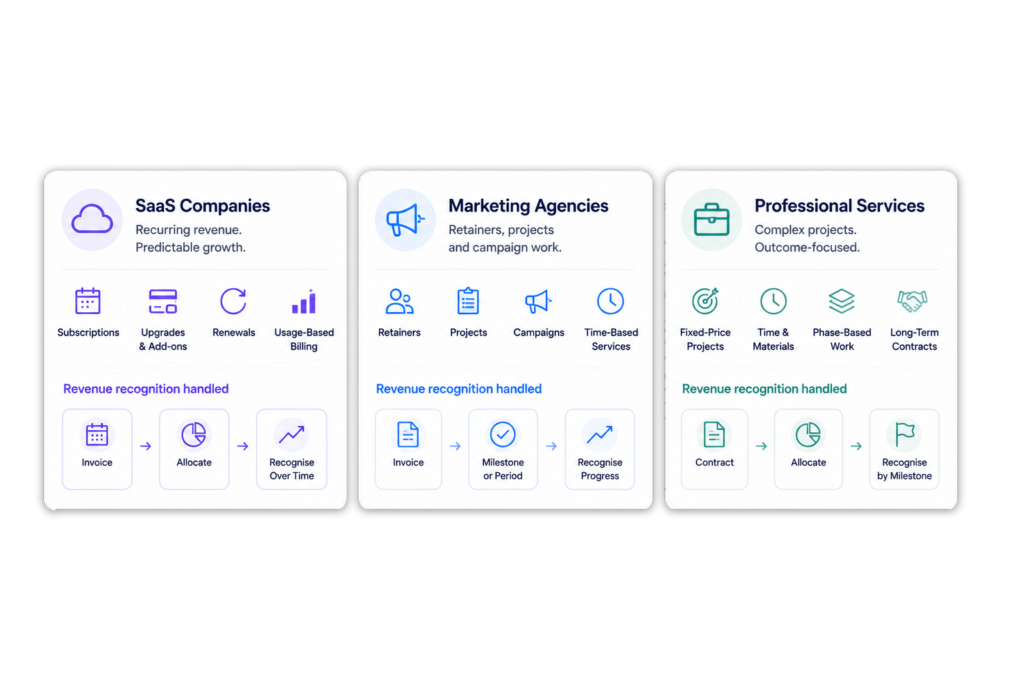
Finance teams often manage different revenue patterns across SaaS subscriptions, services, projects, retainers, usage-based billing and revenue earned before invoices are issued.
ScaleXP can support QuickBooks revenue workflows across:
Automate accrued revenue and unbilled revenue around QuickBooks
Not all revenue starts with an invoice.
Finance teams often need to recognize revenue that has been earned before the customer has been billed. This creates accrued revenue, accrued income or unbilled revenue workflows.
ScaleXP helps finance teams use CRM, billing and finance-reviewed data to identify revenue that should be recognized before invoicing.
This is useful for:
Project work not yet invoiced
Professional services delivery
SaaS contracts with billing delays
ScaleXP helps finance prepare schedules and journal outputs for review before posting.
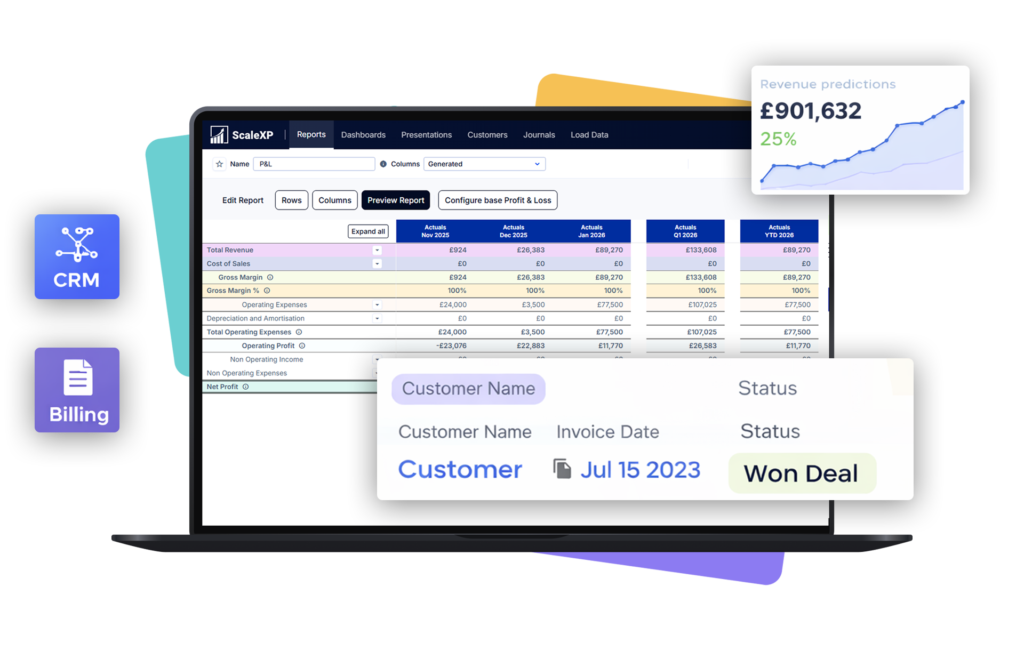
Connect QuickBooks revenue recognition with CRM data
QuickBooks shows what has been invoiced. CRM systems explain what was sold.
Salesforce, HubSpot or Pipedrive may hold the customer, product, owner, renewal date, contract term, billing frequency and service period.
ScaleXP connects QuickBooks with CRM data so finance can build revenue workflows from both invoice data and contract context.
This helps finance connect:
Opportunities and deals
Invoices and payment status
Recognized, deferred and accrued revenue
Renewals and cancellations
Support SaaS, marketing agency and professional services revenue
ScaleXP is useful where revenue timing depends on more than the invoice date.
For SaaS companies, revenue may need to be recognized across subscription terms, renewals, expansions, contractions, onboarding fees and usage-based billing.
For marketing agencies, revenue may come from retainers, campaign projects, creative production, media work, performance fees or statement-of-work milestones.
For professional services firms, revenue may need to be recognized across retainers, delivery periods, project milestones, implementation work or time-and-materials billing.
ScaleXP helps finance teams report revenue by customer, project, product, owner, entity or reporting dimension.
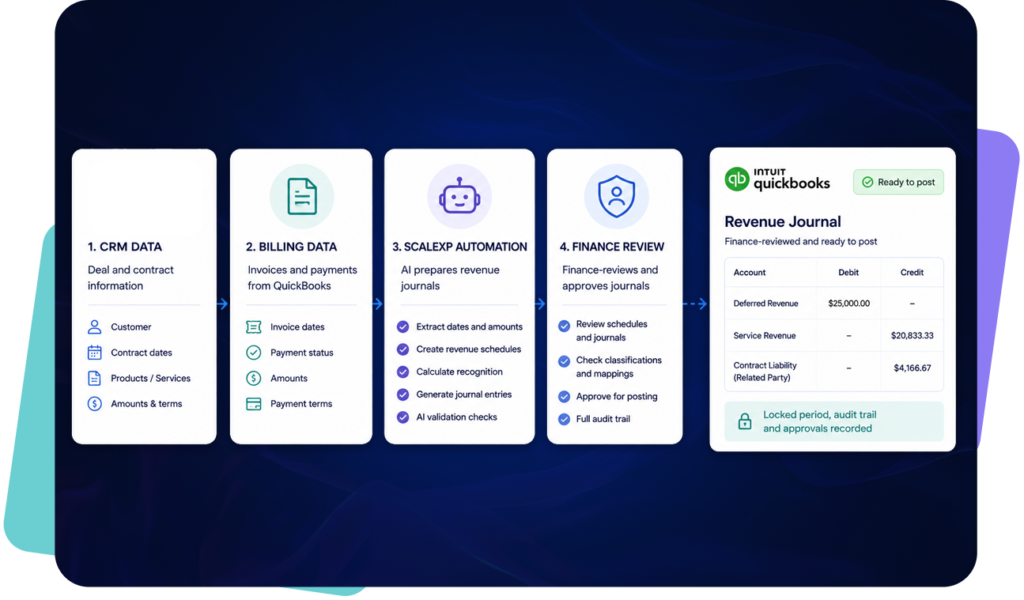
Revenue recognition automation should not remove finance control.
ScaleXP helps finance teams prepare revenue journal outputs from structured schedules and connected source data. Finance can review exceptions before posting.
ScaleXP can support journal workflows for:
Recognized revenue, accrued & deferred revenue
Unbilled revenue
Revenue release
Revenue adjustments
Multi-entity reporting journals
The result is faster journal preparation, clearer review and a better audit trail.
Turn QuickBooks revenue data into SaaS metrics and forecasts
Revenue recognition is only part of the picture.
Finance and leadership also need to understand ARR, MRR, renewals, churn, expansion, contraction and forecast revenue.
ScaleXP connects QuickBooks, CRM and billing data so finance can report:
ARR and MRR
Renewals and future billing
Churn, expansion and contraction
Revenue by customer, product, owner or entity
This gives leadership a clearer view of booked, billed, recognized and forecast revenue.
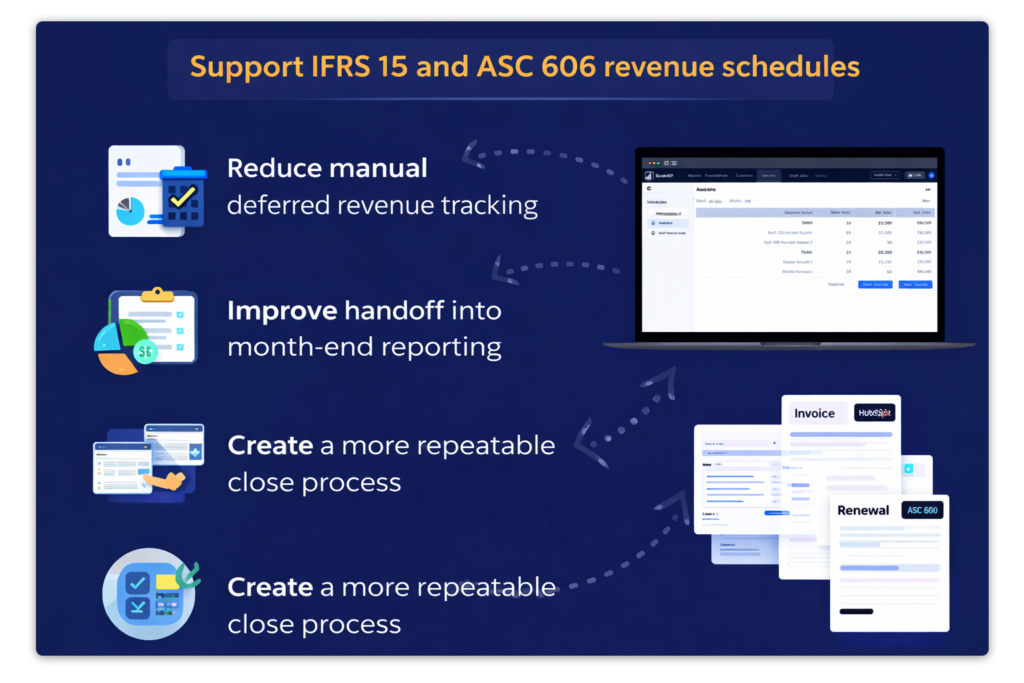
Support ASC 606, IFRS 15 and FRS 102 revenue workflows
Finance teams need revenue schedules that can be reviewed and explained.
ScaleXP helps finance prepare schedules and journal outputs around QuickBooks data for revenue workflows aligned with ASC 606, IFRS 15 and FRS 102 principles.
Finance keeps review, judgment and approval control before journals are posted.
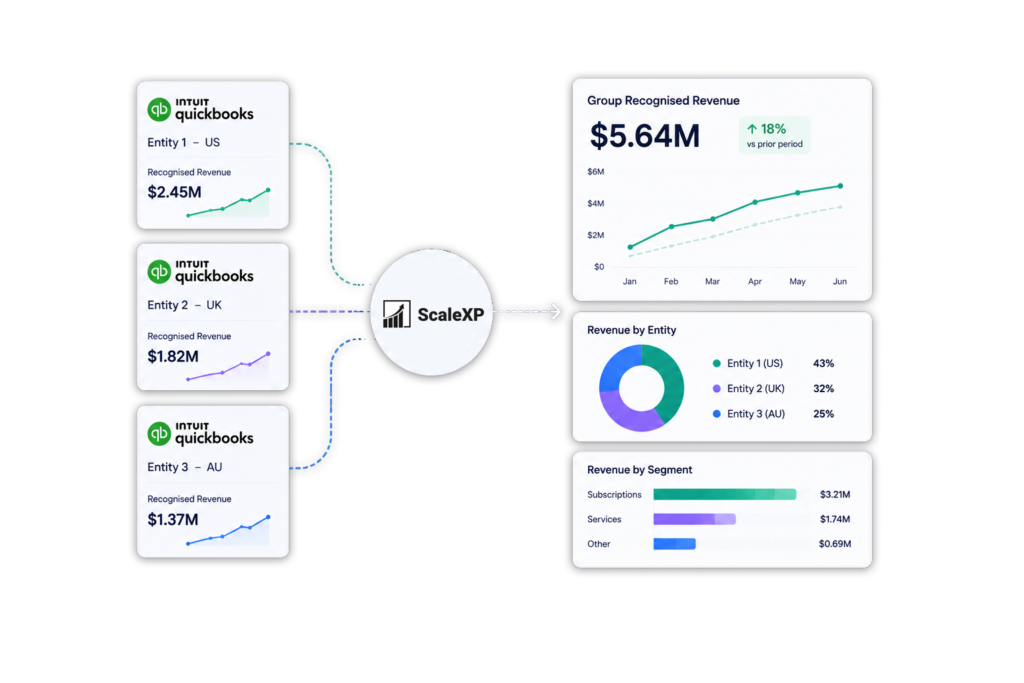
Consolidate QuickBooks revenue across entities
Growing companies often need revenue reporting across more than one entity.
ScaleXP helps finance teams bring QuickBooks revenue into a wider consolidation and reporting workflow, including mixed accounting-system groups where configured.
QuickBooks Online Advanced supports revenue recognition for certain use cases. ScaleXP adds the wider revenue automation workflow growing finance teams need.
It connects QuickBooks with CRM and contract data, automates deferred and accrued revenue, prepares journals, and updates SaaS metrics, forecasts and management reporting.
Yes. ScaleXP uses QuickBooks invoices, service periods, billing terms and connected contract data to calculate deferred revenue by invoice and accounting period.
Detailed schedules and supporting records make month-end review faster and every deferred-revenue movement easier to explain.
Yes, through ScaleXP. ScaleXP connects QuickBooks with Salesforce, HubSpot or Pipedrive so products, contracts, renewals, billing frequencies and service periods can inform revenue schedules.
Finance can finally reconcile what sales agreed with what was invoiced and recognized.
Yes. ScaleXP uses the same connected QuickBooks, CRM and billing data to calculate ARR, MRR, renewals, churn, expansion, contraction and forecast revenue.
CFOs get consistent revenue recognition, SaaS metrics and forecasts from one trusted data foundation.
“
“far simpler setup and a much gentler learning curve”
QuickBooks revenue recognition
Add a revenue layer on top of QuickBooks.
See how ScaleXP automates revenue schedules, deferred and accrued revenue around your QuickBooks ledger.
See how ScaleXP works with Xero, QuickBooks or Zoho Books.
In a 30-minute demo, we’ll show the relevant workflows using example data and discuss how they could apply to your finance process. Complex requirements? Discuss them with us first.