
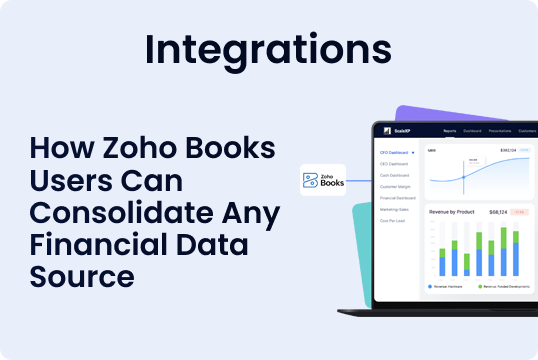


When Your Accounting Systems Do Not Talk: How Zoho Books Users Can Consolidate Any Financial Data Source
Zoho Books gives finance teams a reliable, structured accounting workflow. As companies grow, the financial reality often gets more complex than any single platform. Subsidiaries adopt different tools. Acquisitions bring legacy accounting systems. Regional finance teams use local software that cannot be replaced quickly. Even within the same group, data starts to fragment.
This is normal. The problem is what happens next.
Most finance teams still consolidate disconnected systems using spreadsheets. Exports become monthly rituals. Templates multiply. FX gets updated manually. Charts of accounts drift. The group view becomes slower, harder to explain, and harder to trust.
ScaleXP enhances Zoho Books by providing a practical solution for consolidation when systems do not connect. It combines direct accounting integrations with a Google Sheets integration that can pull in structured financial data from virtually any source, automatically, every day. This creates one consolidated group view without forcing the business into disruptive migrations.
If you want Zoho Books-led reporting with the flexibility to consolidate any accounting package globally, this is the approach finance teams use.
Why businesses end up with multiple accounting systems
Finance leaders often aim for standardization, but operational reality gets in the way. Multi-system finance stacks emerge for predictable reasons:
- Subsidiaries already have established accounting tools and workflows
- Acquired businesses require time before systems can be unified
- Regional teams rely on local platforms for compliance or reporting
- The business is mid-migration, with overlapping tools during transition
The key is to consolidate accurately while the business evolves, not to wait until systems are fully standardized.
The spreadsheet consolidation trap
Spreadsheets feel like the fastest path because they are familiar and flexible. The downside is that they become the consolidation engine, and consolidation was never what spreadsheets were designed for.
Typical risks include:
- Manual copy and paste errors that go unnoticed until month end
- Different versions of the same file across teams
- Inconsistent mapping across entities
- FX rates are applied differently depending on who is updating the sheet
- Limited audit trail and weak transparency into calculations
Over time, the work expands. Finance teams spend more time maintaining the spreadsheet than analyzing the business. Leaders lose confidence in the consolidated view, even when the underlying entity books are accurate.
This is where a structured ingestion workflow, combined with automation, creates immediate leverage.
A better approach: consolidate any financial data source using Google Sheets
ScaleXP includes a Google Sheets integration designed for real-world finance environments where not everything can be integrated directly.
The idea is simple. If a system cannot connect natively, you still need a consistent way to ingest financial data without turning the process into manual work.
What this enables for Zoho Books users
Finance teams can consolidate:
- Entities in Zoho Books
- Entities in Xero and QuickBooks through direct integrations
- Entities in any other accounting system through Google Sheets imports
Once in ScaleXP, everything rolls up into one consolidated group view, updated continuously, with the same logic applied every time.
How the Google Sheets consolidation workflow works
This is the part that matters for finance teams. A useful consolidation process must be repeatable, controlled, and easy to maintain.
Step 1: Standardize the data structure once
ScaleXP uses a structured template so data coming from different systems is consistent. This is where finance teams align the essentials needed for consolidation, such as:
- Account codes and account names
- Reporting categories
- Entity identifiers
- Period and currency columns
This structure removes the ambiguity that often breaks spreadsheet consolidations.
Step 2: Automate the daily import
ScaleXP imports the Google Sheets data automatically each day. This eliminates the monthly scramble to gather and merge exports. As data updates in the source, the group view stays current.
Step 3: Map accounts into a consistent group chart
Multi-system consolidation fails when every entity uses different naming conventions. ScaleXP provides mapping so every entity can roll up into a consistent group chart of accounts. This is what makes consolidated reporting readable and comparable.
Step 4: Consolidate into real financial statements
Once data is ingested and mapped, ScaleXP produces a consolidated:
- Profit and loss
- Balance sheet
- Cash flow
These update as underlying entity data updates, removing manual refresh cycles
What makes this approach reliable and audit-ready
A consolidation workflow is only valuable if it produces numbers finance teams can trust. ScaleXP is built for accuracy, consistency, and transparency.
Automated FX for multi-currency groups
For groups operating across currencies, ScaleXP applies automated FX rates aligned with IFRS and GAAP reporting requirements. This creates consistent, repeatable translation, and reduces the risk of different rates being applied in different places.
Intercompany eliminations and group accuracy
When multiple entities transact with one another, group reporting must eliminate intercompany revenue and costs. ScaleXP supports sophisticated consolidation, including intercompany accounts and eliminations, so the group view reflects real external performance.
Drill down for transparency
ScaleXP makes it easy to drill down from consolidated totals to the entity and account level, which matters for:
- Internal reviews
- Leadership questions
- Audit support
- Variance investigation
When a CEO asks why margin shifted, the answer should be accessible in minutes, not days.
When Google Sheets consolidation is the right answer
This approach is ideal when:
- You have at least one entity outside Zoho Books, Xero, or QuickBooks
- You are consolidating a newly acquired company with a legacy accounting platform
- Your business is mid-migration and systems overlap temporarily
- Regional teams require local tools, but leadership needs one group view
- You want global consolidation without forcing immediate system changes
It gives you a unified reporting layer without disrupting how each entity operates day to day.
ScaleXP and Zoho Books: an enhanced consolidation stack
Zoho Books remains the system of record for each Zoho entity. ScaleXP enhances Zoho Books by adding a consolidation layer that supports both native integrations and Google Sheets ingestion for universal coverage.
ScaleXP is a Zoho-approved Marketplace app and the only financial consolidation solution approved by Zoho. It is designed to help finance teams move from spreadsheet consolidation to a structured, automated process without losing control.
Learn more about ScaleXP consolidation capabilities.
What teams gain when consolidation becomes automated
The shift is not just operational. It changes how finance supports the business.
- Consolidation becomes faster and more reliable
- Reporting stays current without manual refreshes
- Leadership gets a single view they can trust
- Finance teams spend time on insight, not data wrangling
- Board reporting becomes calmer and more consistent
This is real-time clarity in practice. It gives teams control and confidence, even as the business grows more complex.
Consolidate any accounting system into one Zoho Books-led group view
If your group runs Zoho Books but also includes other accounting tools, you do not need to choose between accuracy and flexibility. ScaleXP lets you consolidate Zoho Books, Xero, QuickBooks, and any other financial data source through an automated Google Sheets integration, updated daily.
Book a demo to see cross-system Zoho Books consolidation in action with ScaleXP.