See how ScaleXP works with Xero, QuickBooks or Zoho Books.
In a 30-minute demo, we’ll show the relevant workflows using example data and discuss how they could apply to your finance process. Complex requirements? Discuss them with us first.
ScaleXP joins Salesforce CRM data and QuickBooks accounting data into a revenue intelligence layer for the whole business.
on the Xero App Store (75+ reviews)








Salesforce holds the commercial data behind revenue, including opportunities, products, contract terms and renewals.
QuickBooks holds invoices, payments and accounting records.
When these systems operate separately, teams often work from different versions of revenue performance. ScaleXP connects Salesforce and QuickBooks so sales, finance and leadership can report from one shared revenue view.
For broader CRM-to-accounting workflows, see CRM Accounting Integration Software.
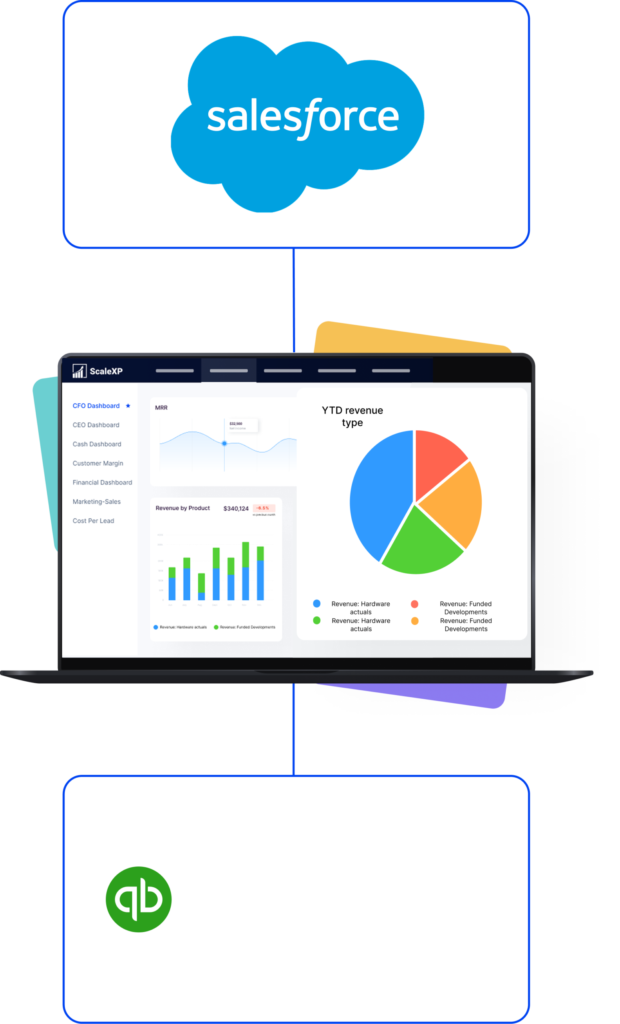
A Salesforce QuickBooks integration should do more than move information between systems.
ScaleXP joins CRM and accounting data into one revenue layer. That layer drives billing, invoicing, revenue recognition, forecasting, SaaS metrics and board reporting.
This creates one trusted view of revenue across finance, sales and leadership.
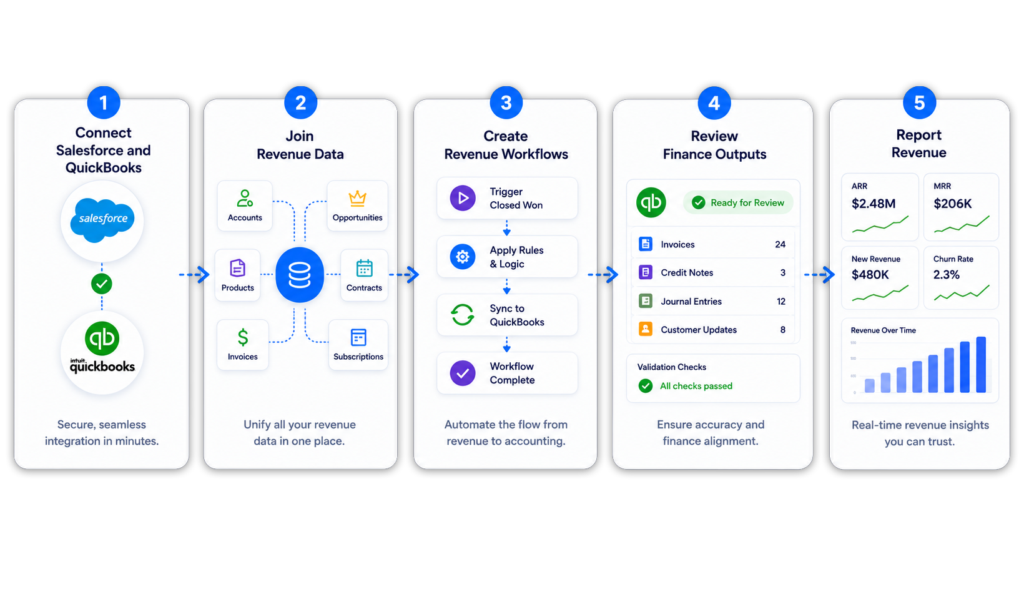
ScaleXP connects Salesforce and QuickBooks through a structured finance workflow.
Explore the full ScaleXP Salesforce integration.
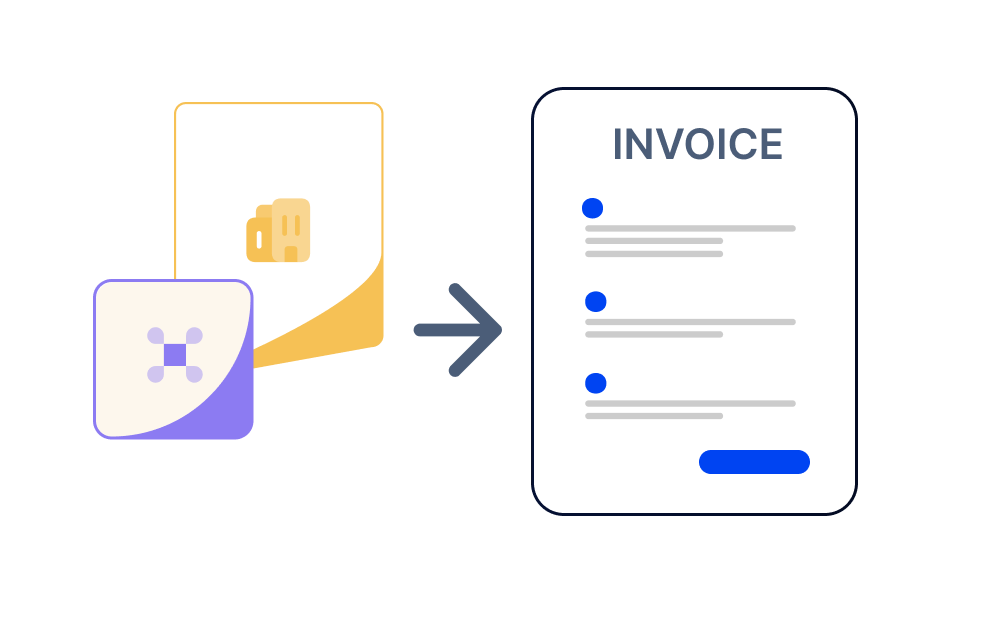
Salesforce contains much of the information needed for billing, including customers, products, pricing and contract dates.
ScaleXP uses that data to prepare QuickBooks invoices for finance review. Less re-keying, and finance still controls the final invoice.
For billing-specific workflows, see CRM Billing and Invoicing Automation.
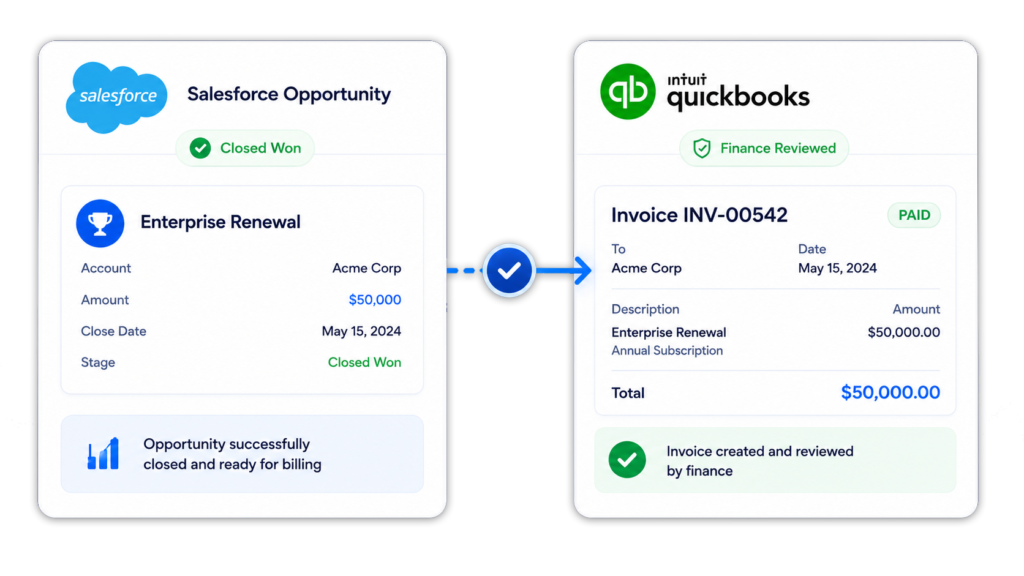
When an opportunity reaches Closed Won, finance should not need to recreate the deal manually in QuickBooks.
ScaleXP helps prepare invoice outputs using Salesforce opportunity data, creating a more structured quote-to-cash workflow.
Finance remains in control of customer details, billing timing and accounting treatment before final approval.
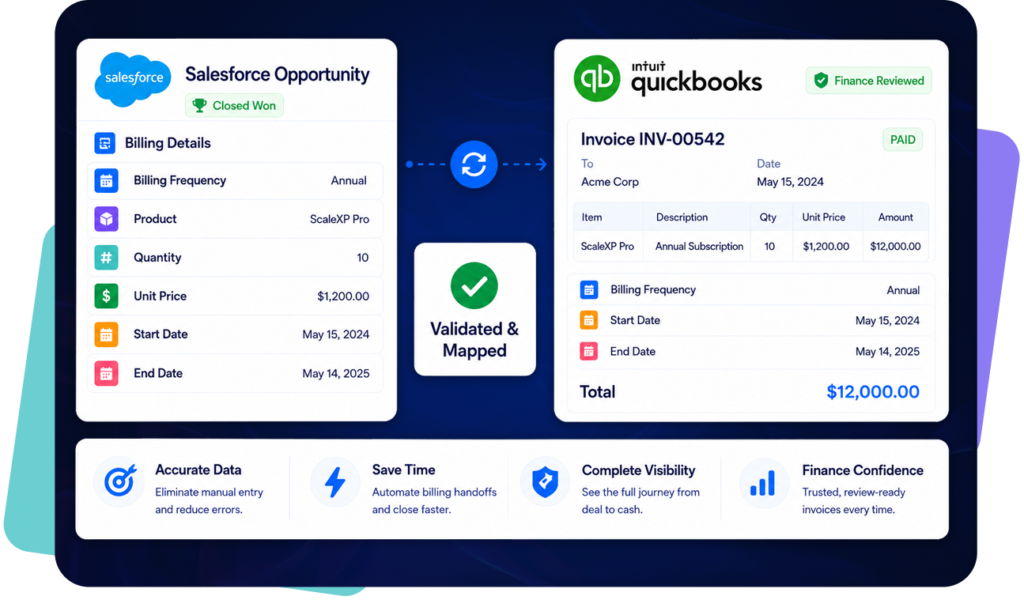
A Salesforce QuickBooks integration should not stop at invoice creation.
Sales, finance and customer success teams also need visibility into invoice and payment status.
QuickBooks remains the accounting system and Salesforce remains the CRM. ScaleXP keeps revenue information aligned across both.
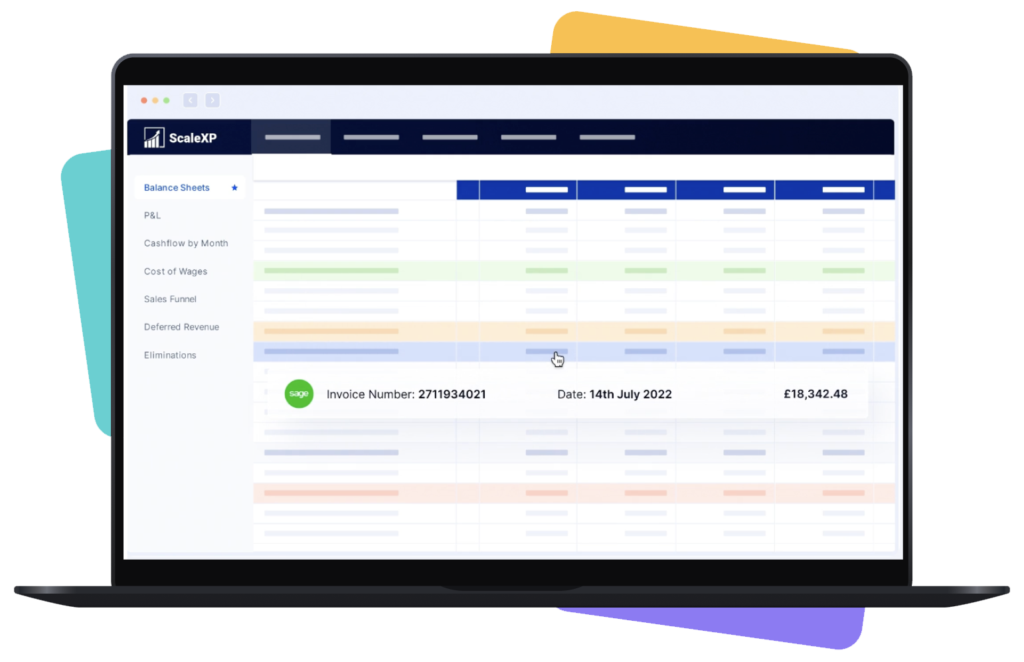
Salesforce contains valuable commercial context. QuickBooks contains the accounting record.
ScaleXP helps finance teams use both.
Where configured, Salesforce opportunity data and QuickBooks invoice data can support revenue recognition, deferred revenue, accrued revenue and reporting workflows.
For more detail, see Revenue Recognition Software.
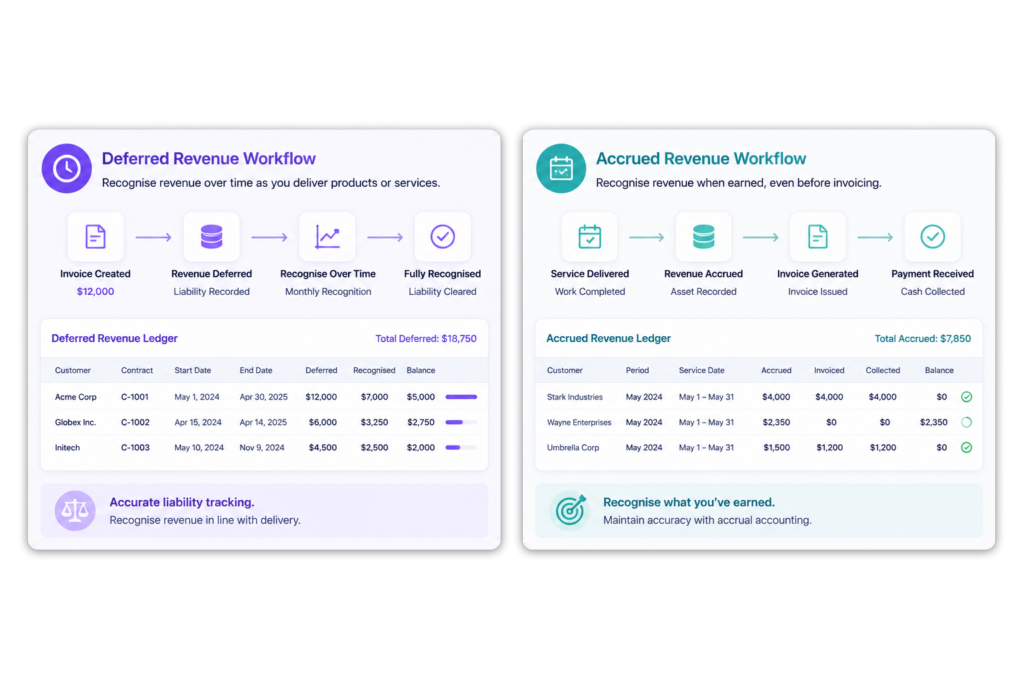
Billing and revenue recognition do not always happen in the same period.
ScaleXP helps finance teams use Salesforce and QuickBooks data to support deferred revenue, accrued revenue and recognized revenue schedules.
ScaleXP helps connect commercial activity in Salesforce with accounting treatment and reporting in QuickBooks.
For deferred revenue workflows, see Deferred Revenue Software.
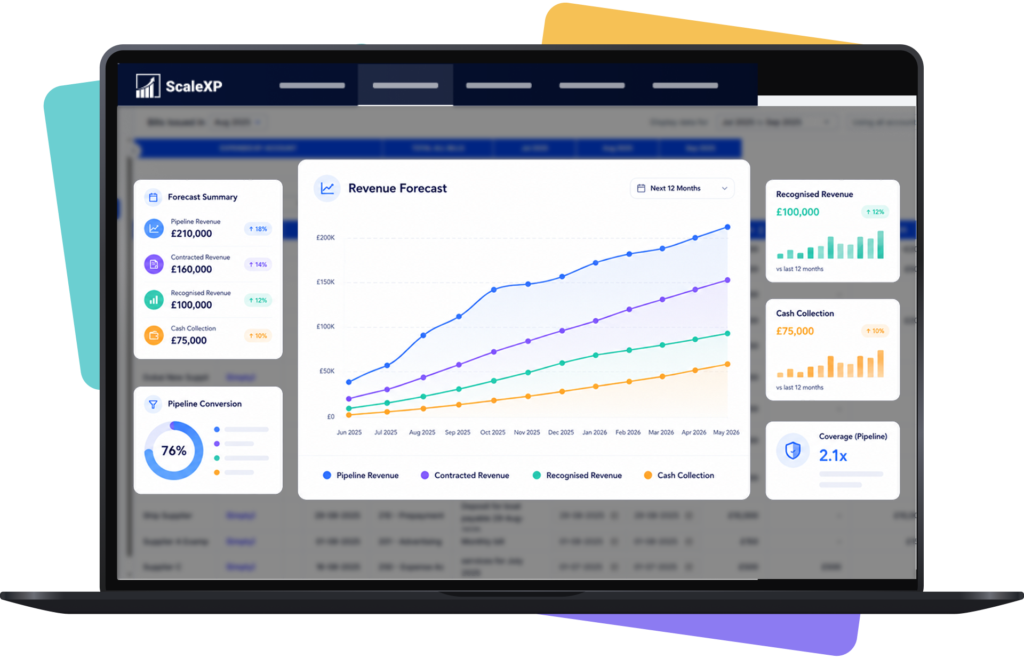
Forecasting is more reliable when pipeline and accounting data are connected.
Salesforce shows future sales activity. QuickBooks shows invoices, payments and actual financial performance.
This gives leadership a clearer view of expected revenue, recognized revenue and future cash flow.
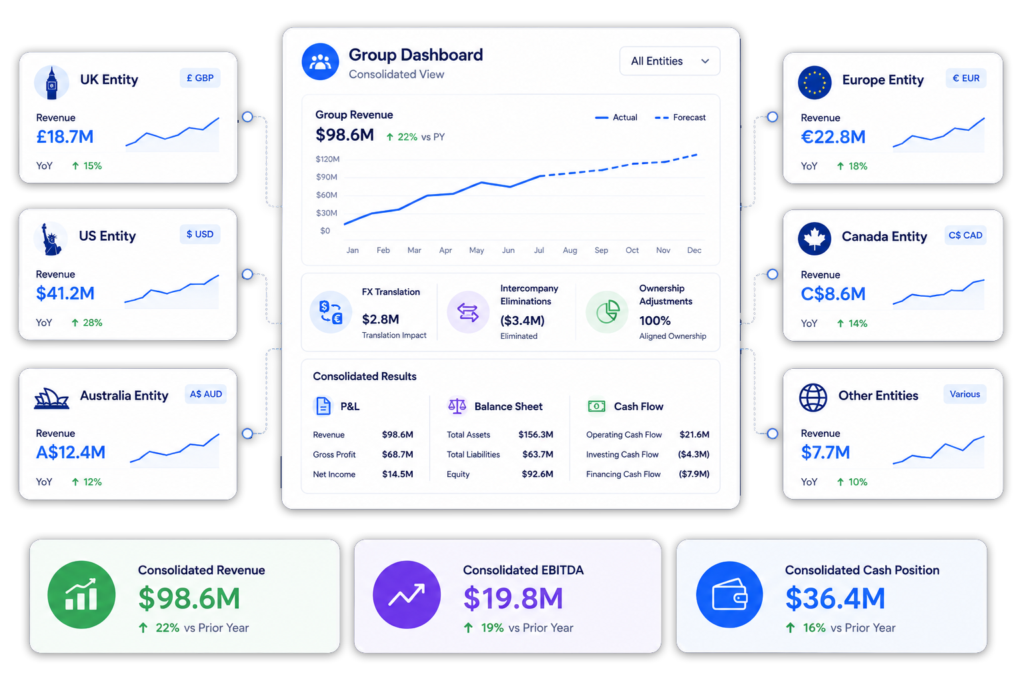
Many businesses operate across multiple entities, currencies or regions.
ScaleXP helps combine Salesforce commercial data with multiple QuickBooks entities for reporting, forecasting and consolidation.
This provides one commercial view while maintaining separate accounting records where required.
For group reporting, see Financial Consolidation Software.
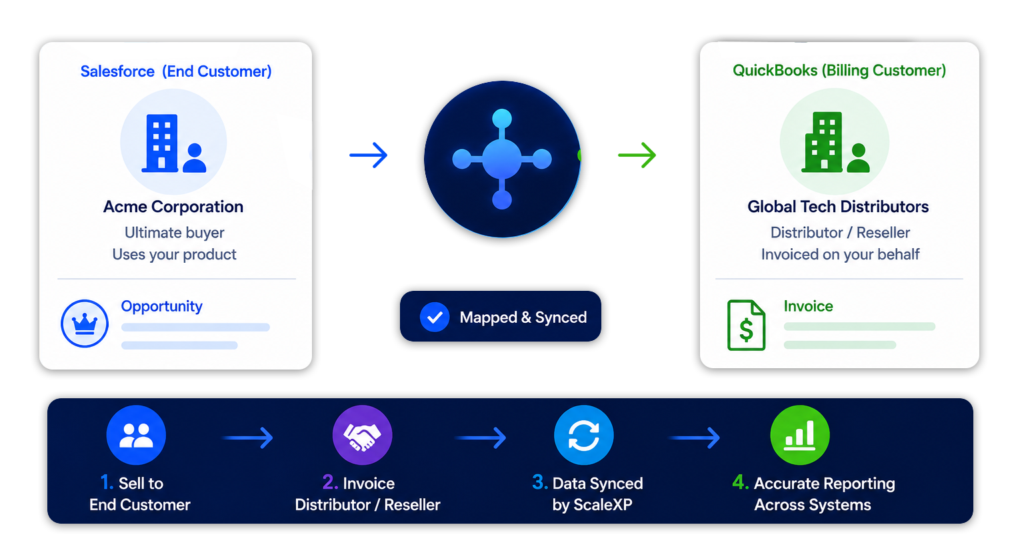
Some businesses sell to an end customer but invoice a distributor, reseller or channel partner.
ScaleXP can support workflows where the Salesforce customer differs from the QuickBooks billing customer.
This helps finance maintain accurate reporting where Sold To and Billed To customers differ.
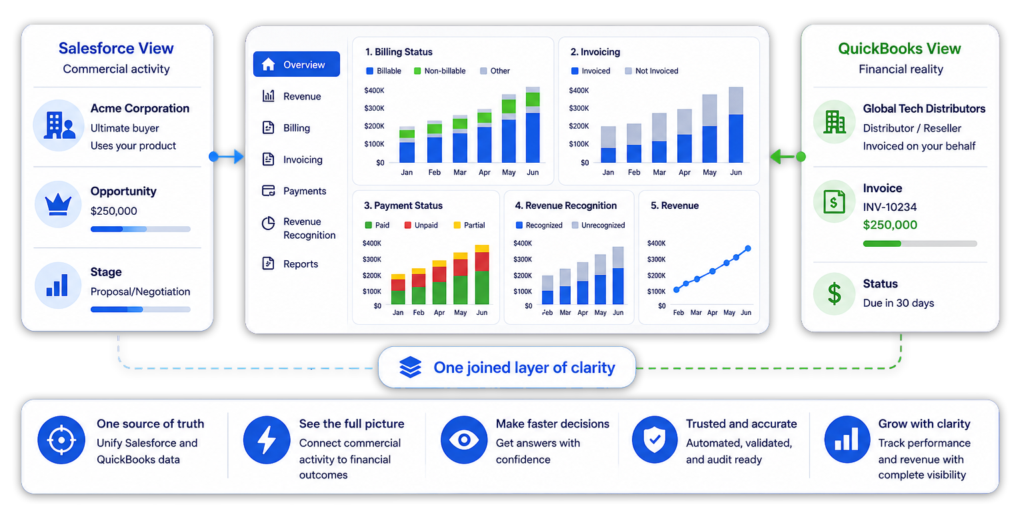
Salesforce and QuickBooks answer different reporting questions.
ScaleXP joins CRM and accounting data so teams can analyze commercial and financial performance from one reporting layer.
This gives finance, sales and leadership a shared view of revenue performance.
Capability
Salesforce + ScaleXP + QuickBooks
Salesforce + QuickBooks
Join CRM and accounting data
Yes
Limited
Create invoice outputs from opportunities
Yes
Limited
Sync invoice and payment status
Yes
Limited
Use Salesforce data for revenue recognition schedules
Yes
Not included
Forecast revenue from Salesforce pipeline and QuickBooks actuals
Yes
Not included
Build board-ready revenue intelligence dashboards
Yes
Not included
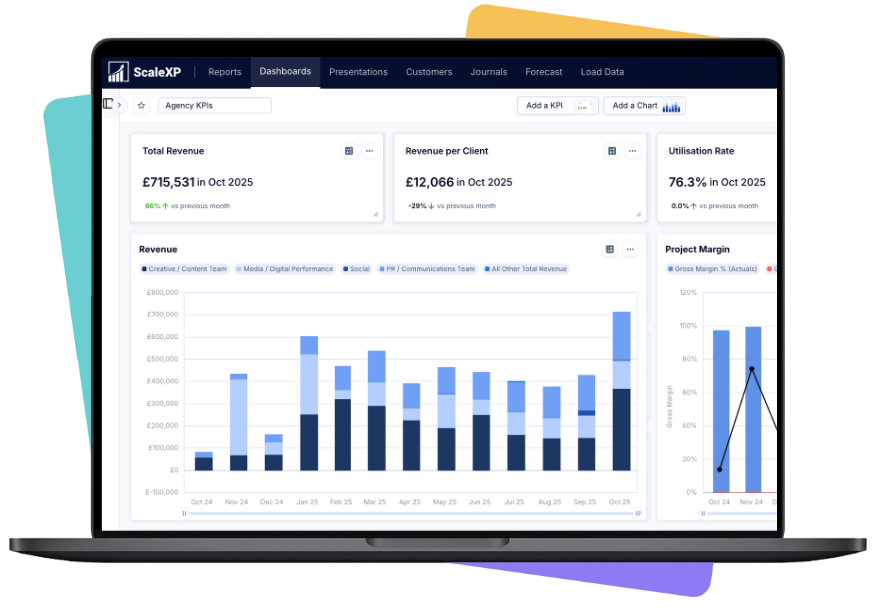
ScaleXP is designed to work with your existing Salesforce and QuickBooks setup.
Most companies can be fully operational within a few weeks, depending on complexity and reporting requirements.


ScaleXP reads commercial data from Salesforce and accounting data from QuickBooks, joins them by customer, opportunity and product, and uses the joined data for billing, revenue recognition, forecasting and reporting. Salesforce stays the CRM and QuickBooks stays the system of record.
Yes. Salesforce and QuickBooks can be connected so sales and finance teams can share customer, invoice, payment and revenue information.
ScaleXP goes further by joining Salesforce and QuickBooks data into a revenue intelligence layer for billing, invoicing, revenue recognition, deferred revenue, forecasting, SaaS metrics and reporting.
Yes. ScaleXP can use Salesforce opportunity data to prepare QuickBooks invoice outputs for finance review.
This helps finance teams move from Closed Won opportunity to billing without rebuilding the deal manually in QuickBooks.
ScaleXP can use Salesforce data such as customer, opportunity, product, quantity, price, start date, end date, billing frequency and renewal information to support invoice output creation.
Yes. Where configured, ScaleXP can sync invoice and payment status back into Salesforce so sales and customer success teams can see billing progress and payment context without asking finance for manual updates.
This helps teams identify unpaid invoices, billing gaps and customer issues earlier.
Yes. Salesforce opportunity data can provide useful commercial context for QuickBooks revenue recognition, including customer, product, contract term, billing dates, service periods, renewal information and owner.
ScaleXP can combine Salesforce data with QuickBooks invoice data to support recognized revenue, deferred revenue and accrued revenue schedules.
This helps finance teams connect commercial activity with accounting treatment and reporting.
ScaleXP can work with QuickBooks Online, including Simple Start.
The best setup depends on the finance workflows you need, such as invoicing, classes, locations, revenue recognition, reporting, consolidation or forecasting.
Even if you are using a simple QuickBooks setup today, ScaleXP can help connect QuickBooks and Salesforce data into a stronger revenue reporting layer.
QuickBooks Classes can be used to report revenue, costs or profitability by business unit, product line, department, region, channel or another management reporting dimension.
ScaleXP can help connect Salesforce opportunity data with QuickBooks Classes so finance teams can report revenue by customer, product, salesperson, opportunity owner, class or other commercial dimension.
This is especially useful where Salesforce holds the commercial detail, but QuickBooks holds the accounting record.
Yes. Many companies manage sales through one Salesforce instance but operate several legal entities in QuickBooks.
ScaleXP can support workflows where Salesforce opportunities are mapped to the correct QuickBooks entity for billing, revenue recognition, forecasting and reporting.
This is useful for multi-entity groups that want one commercial pipeline view in Salesforce and separate accounting records in QuickBooks, while still producing consolidated revenue reporting for leadership and board packs.
No. Salesforce remains the CRM and QuickBooks remains the accounting system.
ScaleXP sits between them as the revenue intelligence layer, joining the data for billing, invoicing, revenue recognition, forecasting, SaaS metrics and reporting.
This means teams can keep their existing systems while improving finance workflows and revenue visibility.
Yes. ScaleXP can support workflows where the end customer is tracked in Salesforce but the invoice is raised to a distributor, reseller or channel partner in QuickBooks.
This helps finance bill the right customer while keeping commercial reporting connected to the real end customer.
This is useful for channel sales billing automation, reseller billing automation, distributor invoicing and Sold To / Billed To workflows.
Yes. ScaleXP can support reporting, forecasting, revenue recognition and consolidation across multiple QuickBooks entities, depending on the company setup and required workflows.
This is useful for companies that use one Salesforce instance for sales but several QuickBooks entities for accounting.
““challenging requirements ... tremendous help in making this happen”
Salesforce and QBO
Walk through finance-reviewed invoice outputs, revenue schedules, forecasts and board-ready reporting.
In a 30-minute demo, we’ll show the relevant workflows using example data and discuss how they could apply to your finance process. Complex requirements? Discuss them with us first.