

Introduction
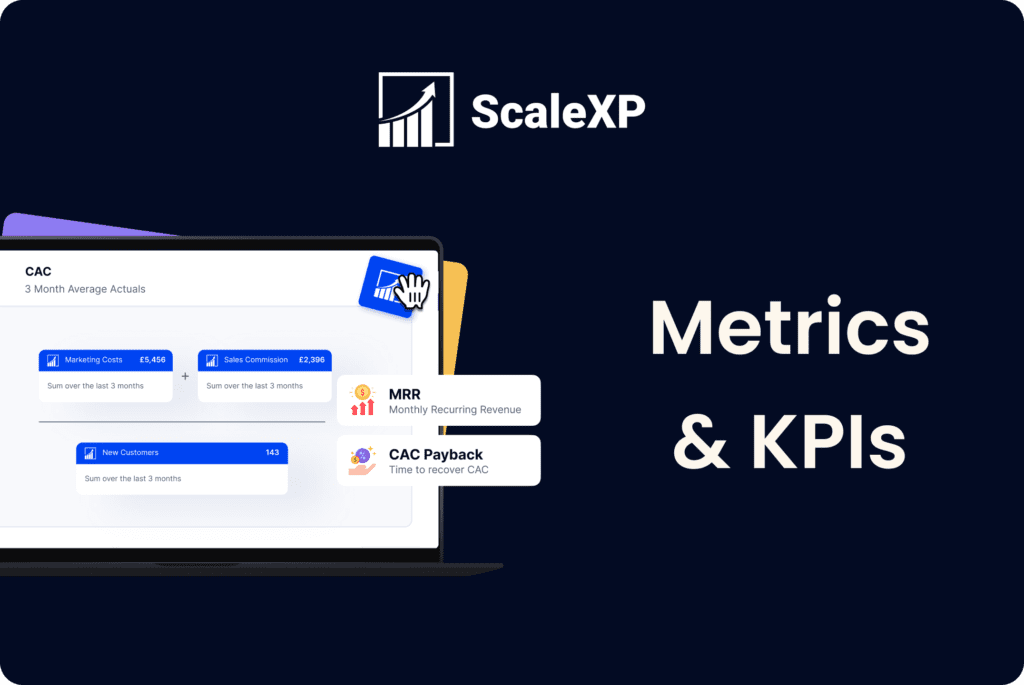
Accurate tracking and management of Monthly Recurring Revenue (MRR) are pivotal for business sustainability and growth in the SaaS industry. MRR serves as a crucial financial barometer, signaling steady revenue streams and guiding strategic business decisions.
ScaleXP takes MRR tracking one step further, surpassing the capabilities of manual processes or most other tools. It achieves this by integrating advanced text recognition software with links to accounting systems, coupled with CRM platforms like HubSpot. This integration ensures a more accurate and comprehensive analysis of MRR, encompassing both invoiced revenue and potential earnings from contracts not yet invoiced.
This article explores the significance of MRR in the SaaS industry and how the advanced capabilities of ScaleXP, alongside CRM tools like HubSpot, can optimize MRR management. We’ll delve into how ScaleXP’s sophisticated approach can provide a more accurate reflection of MRR, enabling smarter, data-driven decisions for your SaaS business.
Understanding Monthly Recurring Revenue (MRR)
Redefining MRR Accuracy with ScaleXP
Monthly Recurring Revenue (MRR) is a fundamental metric in the SaaS industry, reflecting a company’s steady income and forming the basis for strategic decision-making. ScaleXP redefines MRR accuracy by combining invoiced revenue with anticipated earnings from closed-won contracts not yet invoiced. This comprehensive approach to MRR calculation ensures a more accurate financial overview for SaaS companies.
The Significance of MRR in SaaS
MRR is more than just a financial figure; it’s an insight into a company’s growth trajectory and sustainability. Regularly monitoring MRR allows you to identify trends, predict cash flows, and understand customer behaviour. With a more inclusive MRR figure, companies can forecast their financial future more accurately, aiding in strategic planning and investor attraction.
The Power of Integrated CRM and Accounting Tools in MRR Management
The integration of CRM tools like HubSpot with accounting software such as Xero or QuickBooks is a game-changer for your MRR management. This collaboration provides a multi-dimensional view of financial data, encompassing customer relationships and invoicing details. ScaleXP’s text recognition technology ensures that all relevant financial information is accurately captured and reflected in the MRR calculations.
ScaleXP's Approach: Advanced MRR Calculation with HubSpot Integration
By integrating ScaleXP with HubSpot, you’ll gain access to a step-by-step approach for a more precise MRR calculation. This method involves considering not just the revenue from current subscriptions but also the projected revenue from newly acquired contracts that are yet to be invoiced. Such a comprehensive method offers a dynamic and predictive financial model, crucial for SaaS businesses.
Understanding Different MRR Types with ScaleXP
Here, we’ll break down various MRR types – New, Lost, Reactivated, Upgraded, Downgraded – to provide a detailed analysis for better financial planning. Understanding the impact of each MRR type is crucial for business growth and sustainability, and ScaleXP’s integration with CRM platforms like HubSpot makes this analysis more accessible and accurate.
Strategies to Boost MRR: Insights from ScaleXP and HubSpot
Adopting strategies to increase MRR becomes more effective when using ScaleXP and HubSpot. These platforms facilitate actionable strategies like upselling and pricing adjustments, tracking their impact on MRR. The combination of CRM insights and accurate financial data from ScaleXP ensures that these strategies are well-informed and targeted.
Avoiding MRR Calculation Errors with ScaleXP and HubSpot
ScaleXP’s integration with CRM platforms like HubSpot significantly reduces the likelihood of errors commonly encountered in MRR calculations. By automating the data collection and analysis process, ScaleXP ensures accuracy and reliability in MRR tracking, a crucial aspect for SaaS companies.
Setting realistic MRR goals and tracking progress becomes seamless with our HubSpot integration. These tools provide historical data and predictive analytics, essential for setting and achieving realistic financial targets.
ScaleXP and HubSpot: A Powerful Duo for MRR Analysis
Navigating through ScaleXP’s and HubSpot’s combined dashboard offers in-depth MRR insights, allowing you to tailor reports for comprehensive analysis. This integration is invaluable for SaaS companies looking to gain a deeper understanding of their financial performance.
Real-World Success with ScaleXP
Check out these case studies of businesses that have successfully optimised their MRR tracking using ScaleXP and HubSpot. Hear from satisfied clients who have experienced tangible results and achieved greater efficiency and growth.
Conclusion
So, we’ve covered the importance of accurately predicting and analyzing financial metrics like MRR in the SaaS industry. Why not see for yourself? Book a demo with ScaleXP today to get started?
How HubSpot Deal Data Maps to MRR Movements
HubSpot is a CRM, not a financial system. But the deal data it holds — contract values, close dates, start dates, billing frequencies, and renewal dates — contains everything a finance team needs to calculate MRR. The challenge is that HubSpot stores this data in deal properties that were designed for sales workflows, not for financial reporting. Finance teams need to translate that deal data into MRR movements: new MRR from deals that closed this month, expansion MRR from upgrades, contraction MRR from downgrades, and churned MRR from cancellations.
ScaleXP reads HubSpot deal data and maps it to the correct MRR movement type. A new deal closed in March with a monthly value of £1,000 contributes £1,000 of new MRR in March. An existing customer expanding from £1,000 to £1,500 per month contributes £500 of expansion MRR. A cancellation removes the churned ARR from the metric stream. The result is an MRR waterfall — showing new, expansion, contraction, reactivation, and churn — built directly from HubSpot data and validated against the accounting system. See how ScaleXP produces MRR and ARR from HubSpot and Xero.
Why HubSpot Native Reporting Falls Short for SaaS Finance
HubSpot’s native reporting tools are excellent for sales teams. They can show pipeline by stage, closed deals by rep, and revenue projections based on weighted deal values. But for a SaaS finance team that needs to report MRR, ARR, and NRR to investors or a board, HubSpot native reporting has significant limitations.
First, HubSpot MRR calculations are based on deal amounts entered by sales reps — which may not match what was actually invoiced. Second, HubSpot doesn’t know about contract amendments, partial months, or revenue deferrals. Third, HubSpot figures don’t reconcile with the accounting system, which means they can’t be relied on for audit purposes or investor reporting. Fourth, NRR — which requires tracking expansion and churn at the customer level over time — is genuinely difficult to extract from HubSpot without additional tooling.
ScaleXP addresses all of these gaps by connecting HubSpot deal data to Xero or QuickBooks invoices, producing MRR and ARR figures that reconcile with the financial statements. See what HubSpot can’t do for SaaS finance revenue recognition.
Connecting HubSpot to Xero or QuickBooks for Financially Validated MRR
The most reliable source of MRR is not the CRM — it’s the accounting system. Invoice-based MRR, where the calculation is driven by what was actually billed and paid, is the version that reconciles with the P&L and balance sheet. But invoice-based MRR alone doesn’t capture the full picture either, because some contracts are not yet invoiced.
ScaleXP produces the best of both: it reads deal data from HubSpot (for contracts not yet invoiced) and invoice data from Xero or QuickBooks (for revenue that has been recognised), combining them into a single, financially validated MRR and ARR figure. This means your metrics include both booked revenue (from the CRM) and recognised revenue (from the accounting system) — giving finance teams, investors, and boards a complete and accurate picture. See how ScaleXP connects HubSpot to QuickBooks for MRR and ARR.
For contract renewal automation, see our guide to HubSpot Xero contract renewal automation for SaaS.
Frequently Asked Questions
Can HubSpot track MRR?
HubSpot can display an estimated MRR figure based on deal amounts entered in the CRM, but this is not the same as financially validated MRR. HubSpot MRR is a sales estimate — it reflects what the sales team expects to bill, not what has actually been invoiced, collected, or recognised as revenue. For board reporting or investor communications, HubSpot MRR alone is insufficient. You need a tool like ScaleXP that connects HubSpot deal data to the accounting system to produce MRR that reconciles with the financial statements.
How do I calculate MRR from HubSpot deals?
To calculate MRR from HubSpot deals, you need to identify the monthly value of each active deal and categorise each movement (new, expansion, contraction, churn) in the correct period. This requires mapping deal properties — including deal amount, close date, billing frequency, and renewal date — to MRR movement types, and then adjusting for any deals that were amended, paused, or cancelled mid-term. ScaleXP automates this process by reading HubSpot deal data and producing an MRR waterfall that shows all movement types broken down by customer and period. See our guide to generating accurate MRR and ARR from HubSpot and Xero.
How do I get ARR from HubSpot?
ARR from HubSpot is typically calculated by annualising the MRR figure — multiplying monthly recurring revenue by 12. But this only works if the underlying MRR is accurate and reconciles with the accounting system. To get ARR you can rely on, you need to connect HubSpot deal data to your accounting system and validate the figures against actual invoices. ScaleXP does this automatically, producing an ARR figure that incorporates both contracted revenue from HubSpot and invoiced revenue from Xero or QuickBooks.
Why does HubSpot MRR not match the accounting system?
HubSpot MRR doesn’t match the accounting system for several common reasons: deal amounts in HubSpot may differ from what was invoiced; HubSpot records the deal at close date, while revenue may be recognised over a different period; contract amendments, partial months, and billing adjustments may not be reflected in HubSpot; and HubSpot doesn’t account for deferred revenue or multi-element arrangements. ScaleXP resolves this by pulling both HubSpot deal data and accounting system invoice data into a single model, reconciling the two sources and explaining any differences.
How do I generate board-ready MRR reporting from HubSpot?
Board-ready MRR reporting from HubSpot requires three things: (1) accurate MRR data that reconciles with the accounting system, (2) a waterfall showing new, expansion, contraction, reactivation, and churn broken down by customer, and (3) trend data showing MRR and ARR over time with NRR calculated correctly. ScaleXP provides all three, pulling from HubSpot and Xero or QuickBooks to produce dashboards that can be exported directly into a board pack — without any manual spreadsheet work.
Check out more from ScaleXP

How to automate prepaid expenses
Automating prepaid expenses, the costs a business pays upfront for future goods or services, not only saves time but also
How to automate HubSpot billing in QuickBooks
Easily invoice Hubspot deals in QuickBooks using ScaleXP Looking to streamline your billing process between HubSpot and QuickBooks? If your

Revenue recognition automation
Revenue recognition: a guide Revenue recognition is a crucial aspect of financial reporting, ensuring that companies accurately reflect their earned