See how ScaleXP works with Xero or QuickBooks.
In a 15- or 30-minute demo, we’ll show the relevant workflows using example data and discuss how they could apply to your finance process. Complex requirements? Discuss them with us first.
ScaleXP is CRM accounting integration software. It connects HubSpot, Salesforce or Pipedrive with Xero or QuickBooks Online to create a complete SaaS view of pipeline, billing, revenue recognition, forecasting and reporting. Deal, invoice and payment data flow both ways, and invoice and payment status are written back to the CRM, so sales and finance have the data when they need it.
on the Xero App Store (75+ reviews)








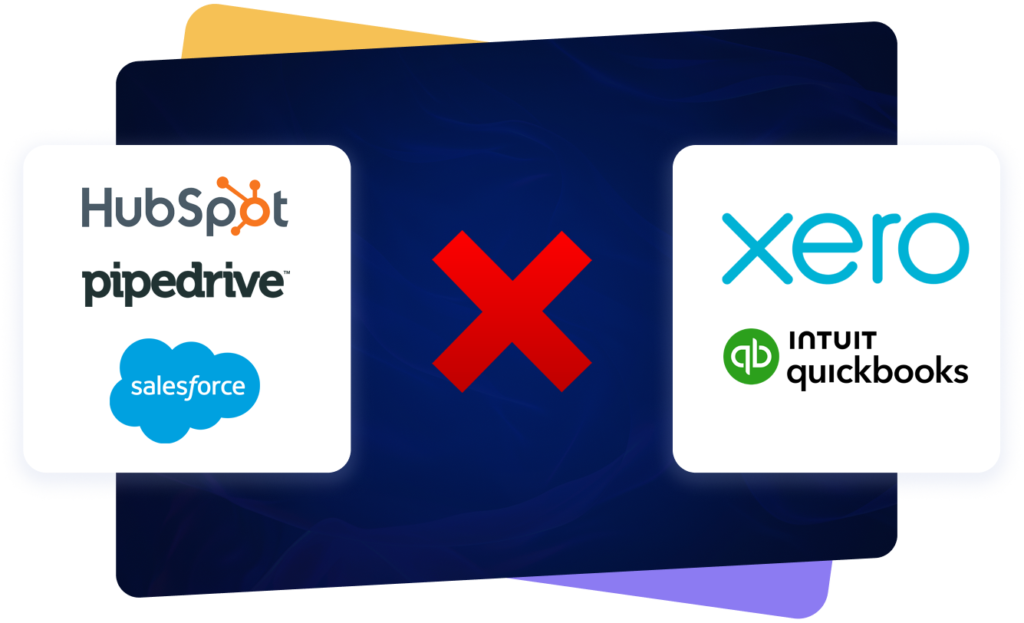
CRM systems show pipeline, deals, opportunities, products, owners and renewals. Accounting systems show invoices, payments, journals, taxes and actual revenue.
When the data is not joined, every team works from a different revenue picture.
Find your CRM and accounting software integration. ScaleXP integrates HubSpot, Salesforce and Pipedrive with Xero and QuickBooks Online. In every pair, invoices are created from CRM deals and invoice and payment status are written back to the CRM; ScaleXP never takes the payment. Each pair has its own page with the setup details.
Create Xero invoices from HubSpot deals, as drafts or approved, and see invoice and payment status back on the deal.
Create QuickBooks Online invoices from HubSpot deals and sync 20+ deal properties from HubSpot.
Create Xero invoices from Salesforce deals, as drafts or approved, with invoice and payment status written back to Salesforce.
Create QuickBooks Online invoices from Salesforce deals, with deal, invoice and payment data flowing both ways.
Create Xero invoices from Pipedrive deals, as drafts or approved, and keep invoice and payment status visible in Pipedrive.
Create QuickBooks Online invoices from Pipedrive deals and sync 20+ deal properties from Pipedrive.
| CRM | Xero | QuickBooks Online |
|---|---|---|
| HubSpot | HubSpot Xero integrationXero invoices from HubSpot deals (drafts or approved), on any HubSpot edition. 20+ fields sync back to HubSpot. | HubSpot QuickBooks integrationQuickBooks Online invoices from HubSpot deals (Send Now or Wait Until Approved), on any HubSpot edition. 20+ fields sync back to HubSpot. |
| Salesforce | Salesforce Xero integrationXero invoices from Salesforce deals (drafts or approved), from any setup with invoice details at the opportunity level. Invoice and payment status written back to Salesforce. | Salesforce QuickBooks integrationQuickBooks Online invoices from Salesforce deals (Send Now or Wait Until Approved), from any setup with invoice details at the opportunity level. Invoice and payment status written back to Salesforce. |
| Pipedrive | Pipedrive Xero integrationXero invoices from Pipedrive deals (drafts or approved). Syncs 20+ deal properties; invoice and payment status written back to Pipedrive. | Pipedrive QuickBooks integrationQuickBooks Online invoices from Pipedrive deals (Send Now or Wait Until Approved). Syncs 20+ deal properties; invoice and payment status written back to Pipedrive. |
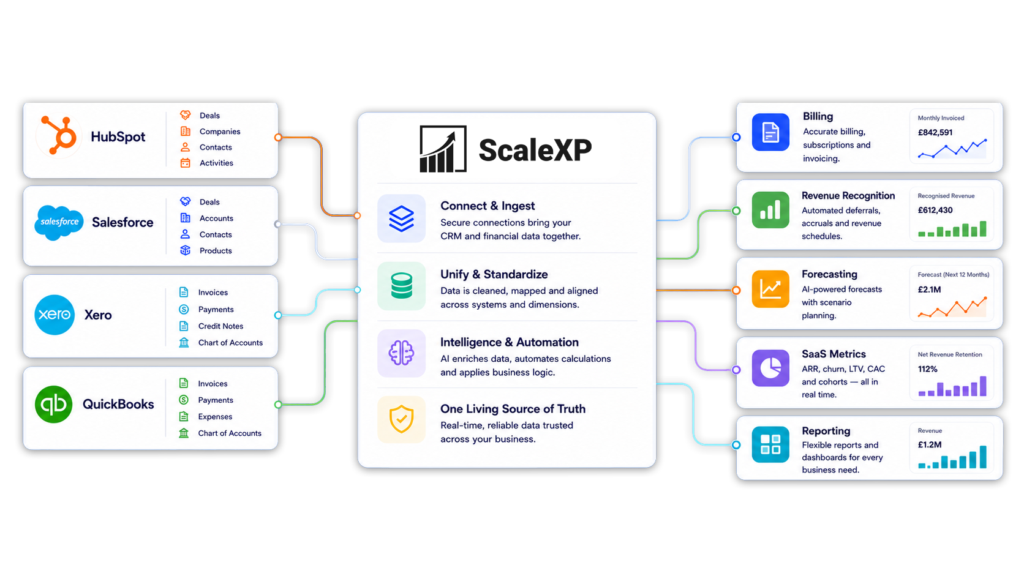
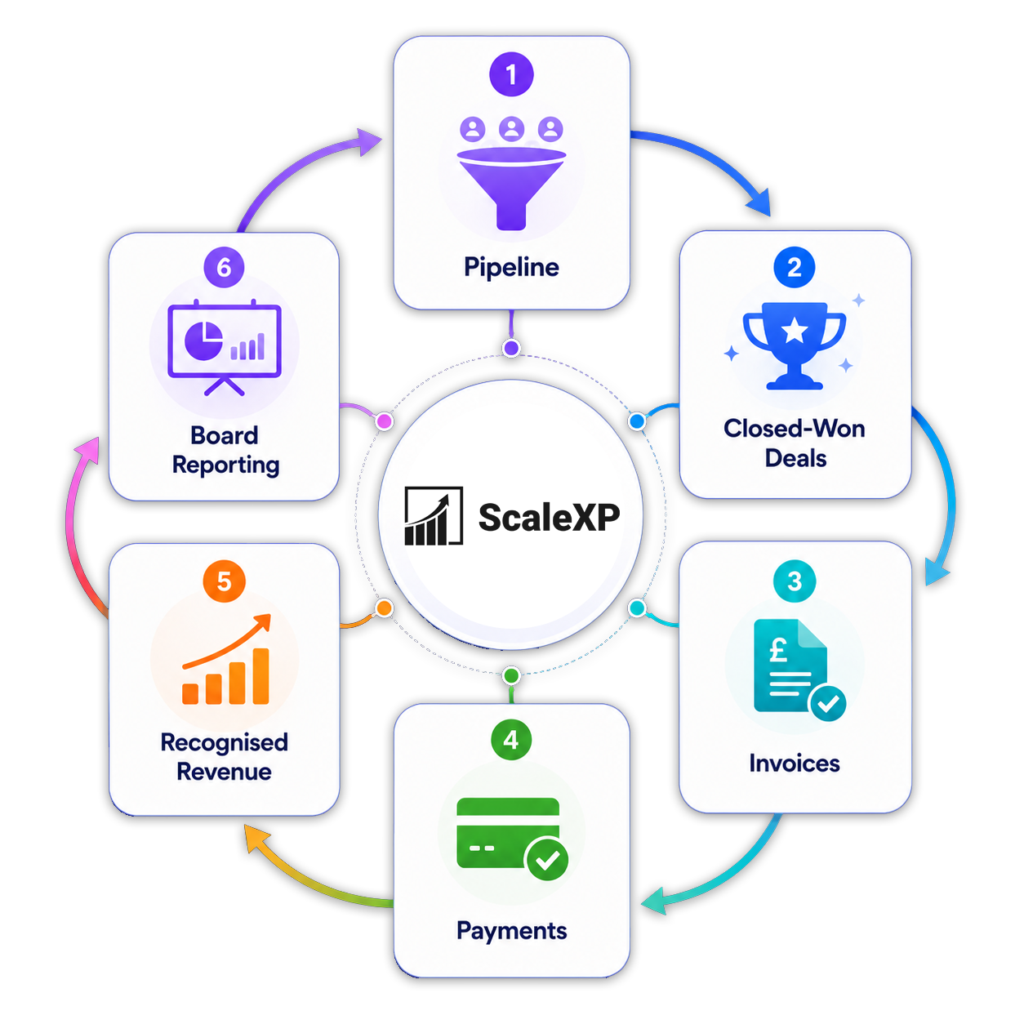
ScaleXP connects CRM and accounting data so the business can see what has been sold, billed, collected, recognized and forecast.
That joined layer powers billing, invoicing, revenue recognition, deferred revenue, accrued revenue, forecasting, SaaS metrics, consolidation and board reporting.
Teams using specific CRM and accounting combinations can also explore HubSpot Xero, HubSpot QuickBooks, Salesforce Xero, Salesforce QuickBooks, Pipedrive Xero and Pipedrive QuickBooks workflows.
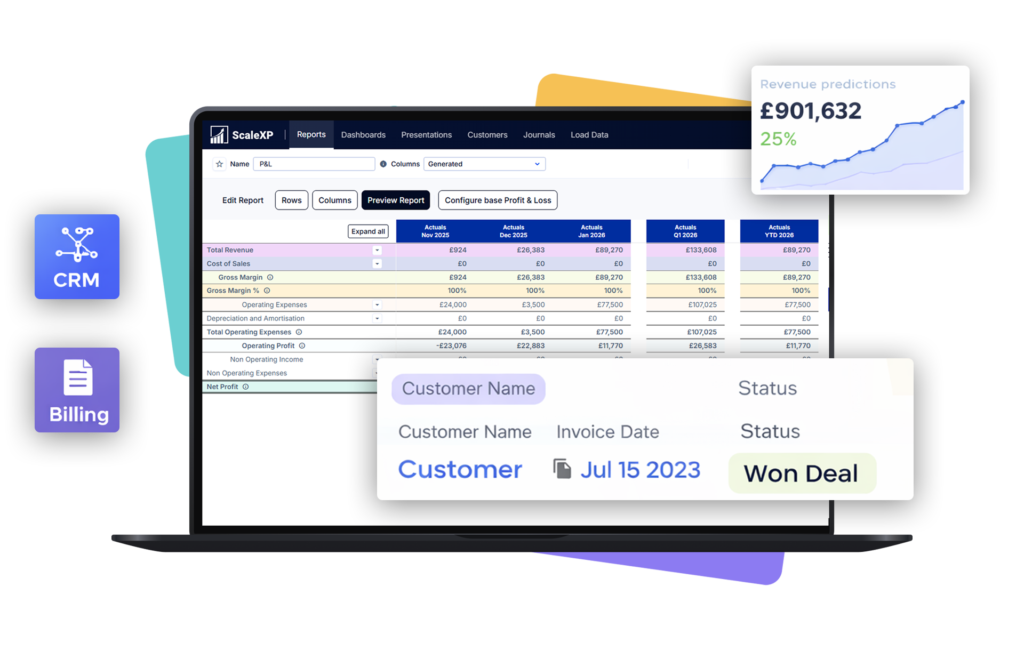
A basic CRM accounting integration moves data between systems. ScaleXP goes further by making that data usable for sales, finance, customer success and leadership.
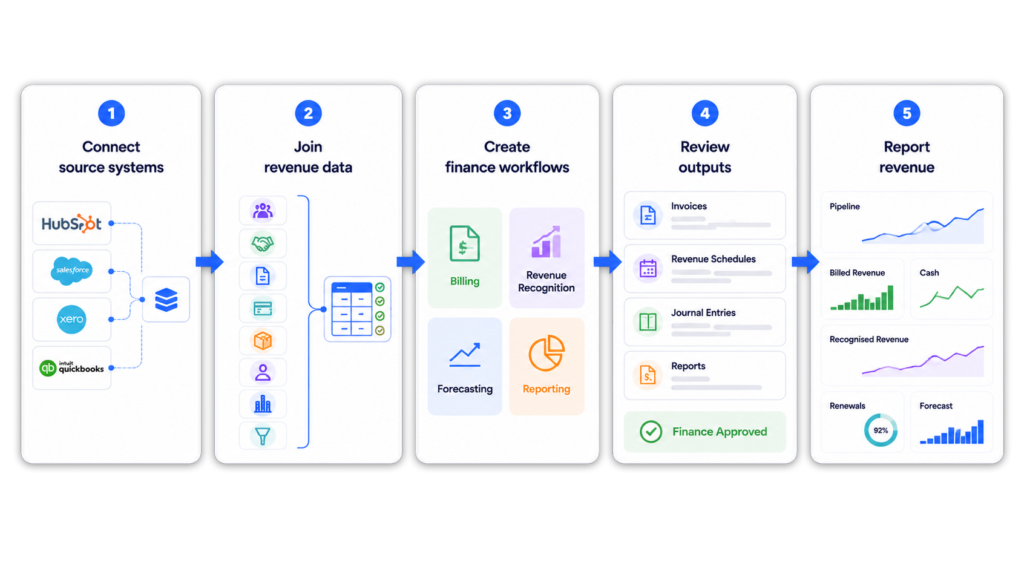
Teams can see how CRM deals convert into invoices, how invoices convert into cash, and how revenue flows into schedules, forecasts and board reports.
This creates a single joined revenue view across the business.
“It pulls data straight from Xero and HubSpot, and everything just lines up. We're saving hours each month”
Hannah · Cofounder (G2 review)
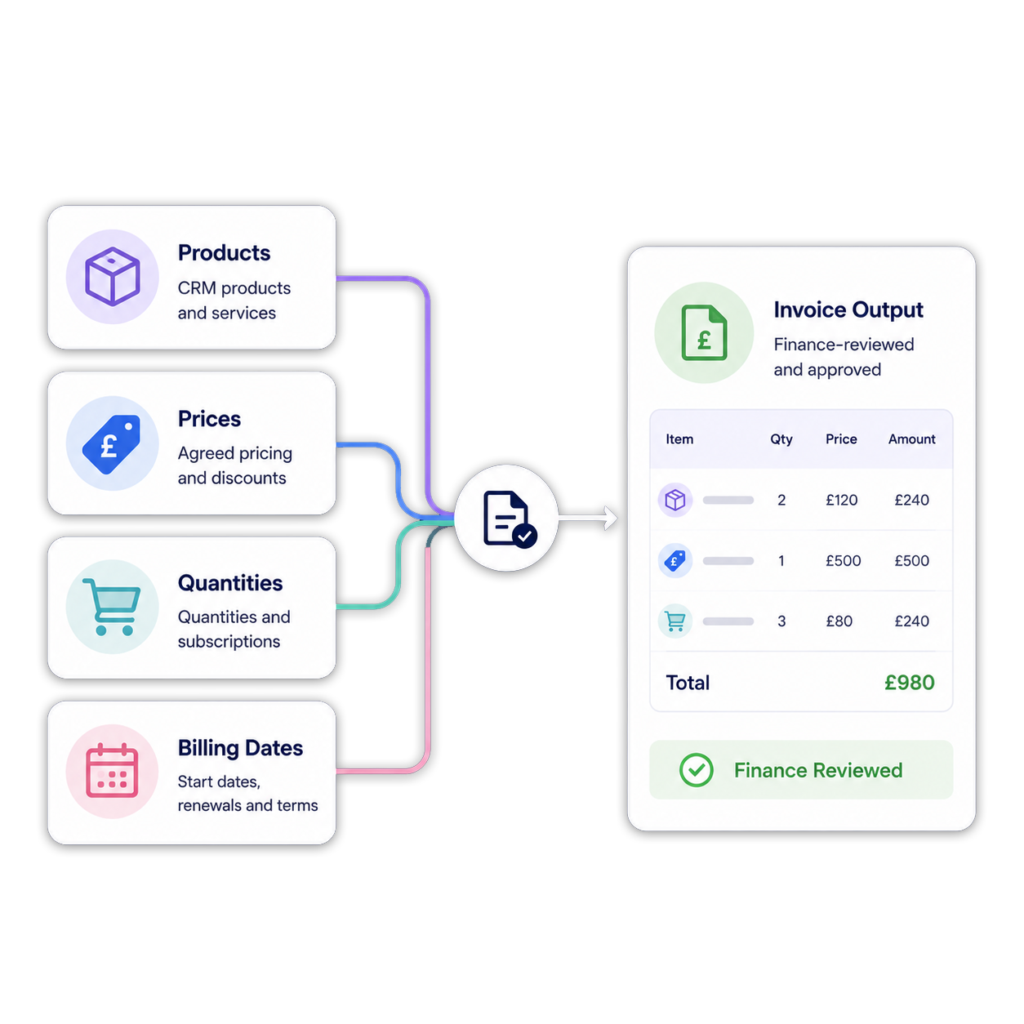
CRM often holds the commercial data needed for billing: customer, product, price, quantity, billing frequency, start date, end date and renewal terms.
ScaleXP helps teams turn CRM deal or opportunity data into finance-ready invoice outputs for review.
Billing becomes part of a connected revenue workflow, not a spreadsheet handoff between sales and finance.
Teams focused specifically on deal-to-invoice workflows can also explore CRM billing automation.
Accounting teams need to understand not only what was invoiced, but when revenue should be recognized.
ScaleXP can use CRM and accounting data to support revenue recognition schedules, deferred revenue, accrued revenue and journal workflows.
This helps teams connect commercial activity to recognized revenue, not just billing.
For more detail, see revenue recognition softwareand deferred revenue software. Teams using Salesforce, HubSpot or Pipedrive can also explore Salesforce revenue recognition, HubSpot revenue recognition and Pipedrive revenue recognition workflows.
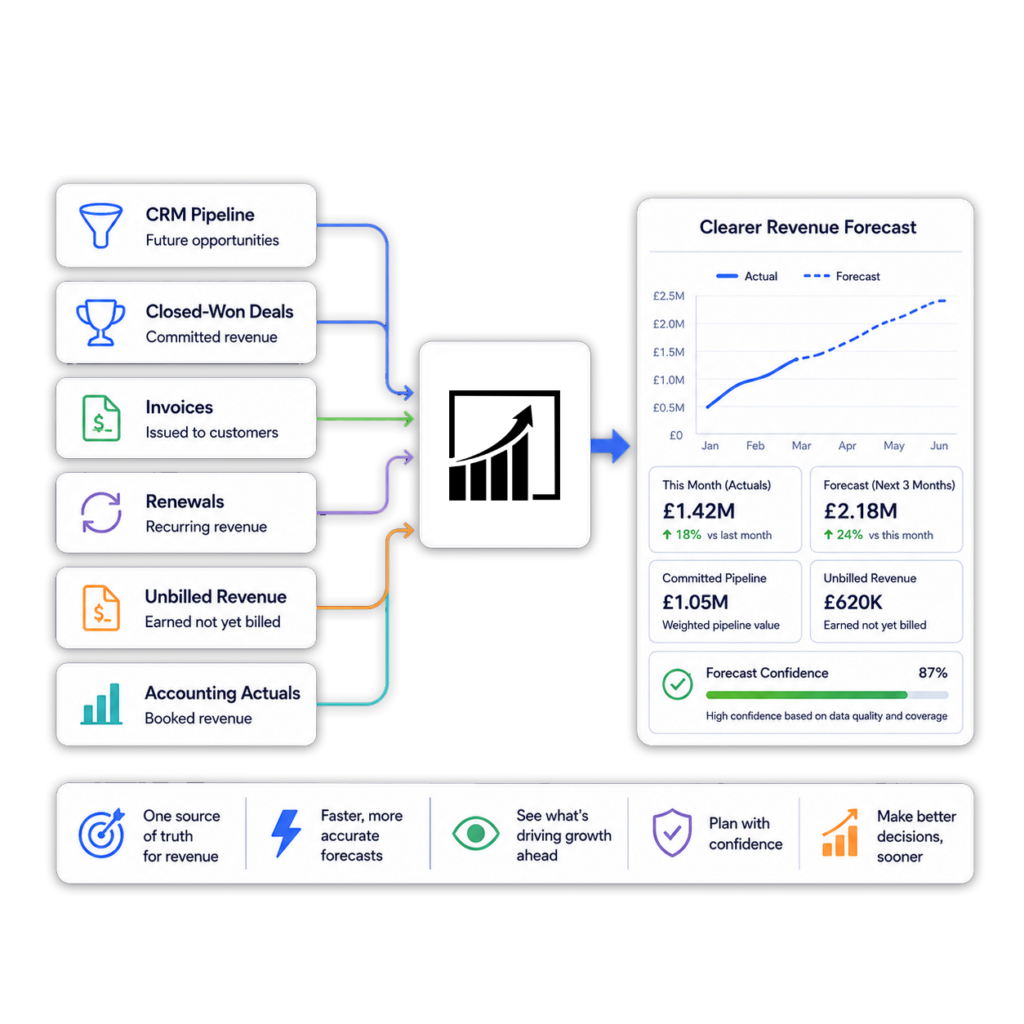
Forecasting is difficult when CRM pipeline and accounting actuals sit in separate systems.
ScaleXP joins CRM pipeline, closed-won deals, invoices, renewals, unbilled revenue and accounting actuals into a clearer revenue view.
Leadership can see expected revenue, billed revenue, collected cash and recognized revenue in one workflow.
Teams building forward-looking revenue views can also explore revenue forecasting software.
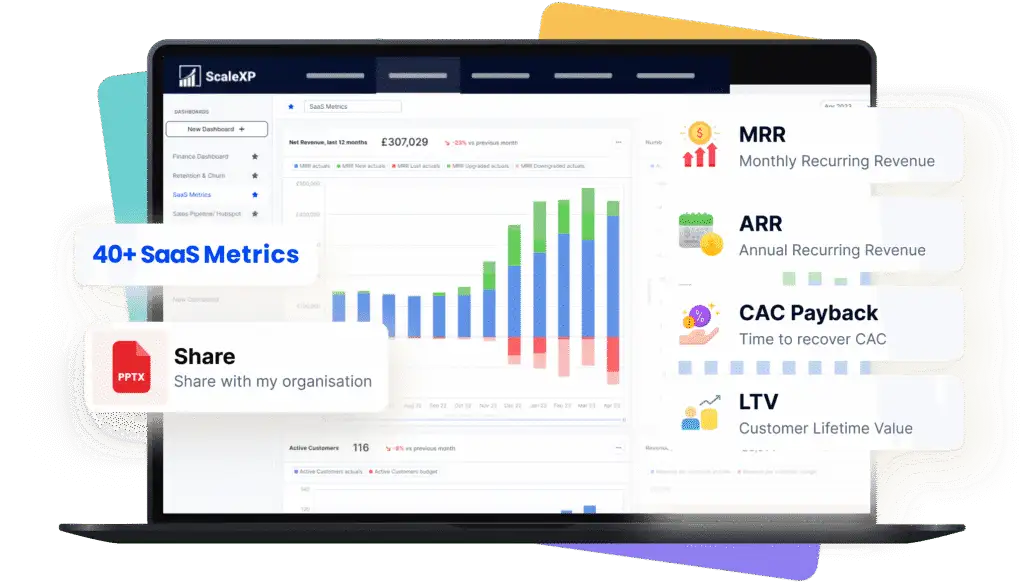
For subscription and SaaS businesses, CRM and accounting data both matter.
CRM data shows bookings, renewals, expansion and sales ownership. Accounting data shows invoices, cash, revenue recognition and actuals.
ScaleXP brings those views together for SaaS metrics and board reporting.
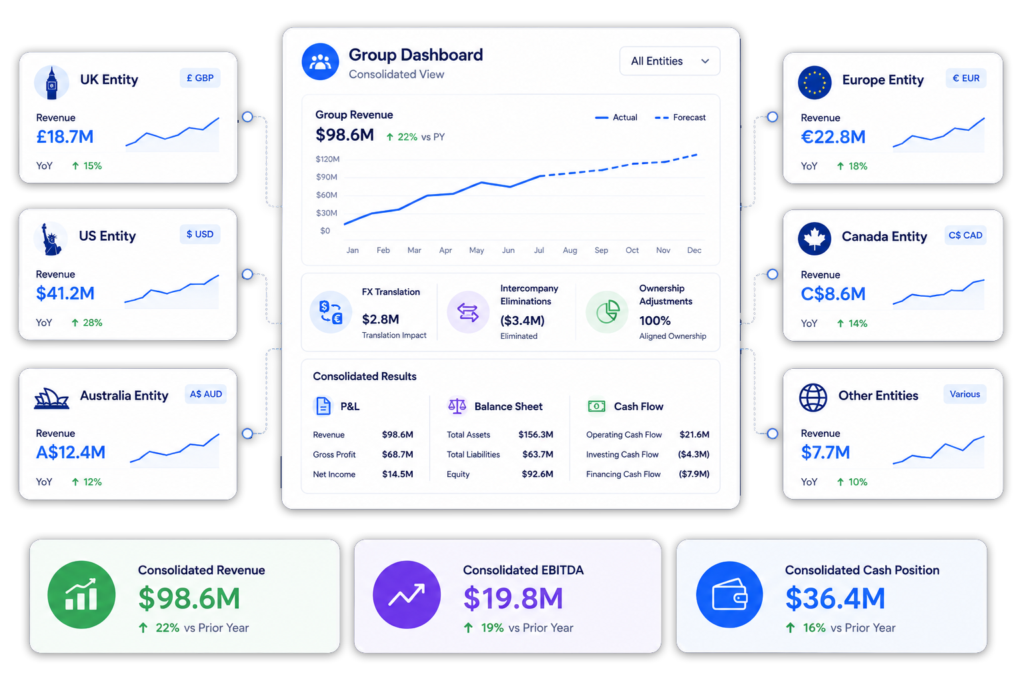
Many businesses sell through one CRM while invoicing and reporting across multiple accounting entities.
ScaleXP can help teams combine CRM data with accounting data across entities, currencies and reporting structures.
This helps teams move from entity-level accounting data to group-level revenue intelligence.
Revenue workflow
With ScaleXP
Without ScaleXP
Join CRM and accounting revenue data
Yes
Limited
Track sold, billed and recognized revenue together
Yes
Not included
Connect deals, invoices, payments and schedules
Yes
Not included
Sync invoice and payment status to CRM
Yes
Limited
Forecast from pipeline and actuals
Yes
Not included
Support consolidated revenue reporting
Yes
Not included
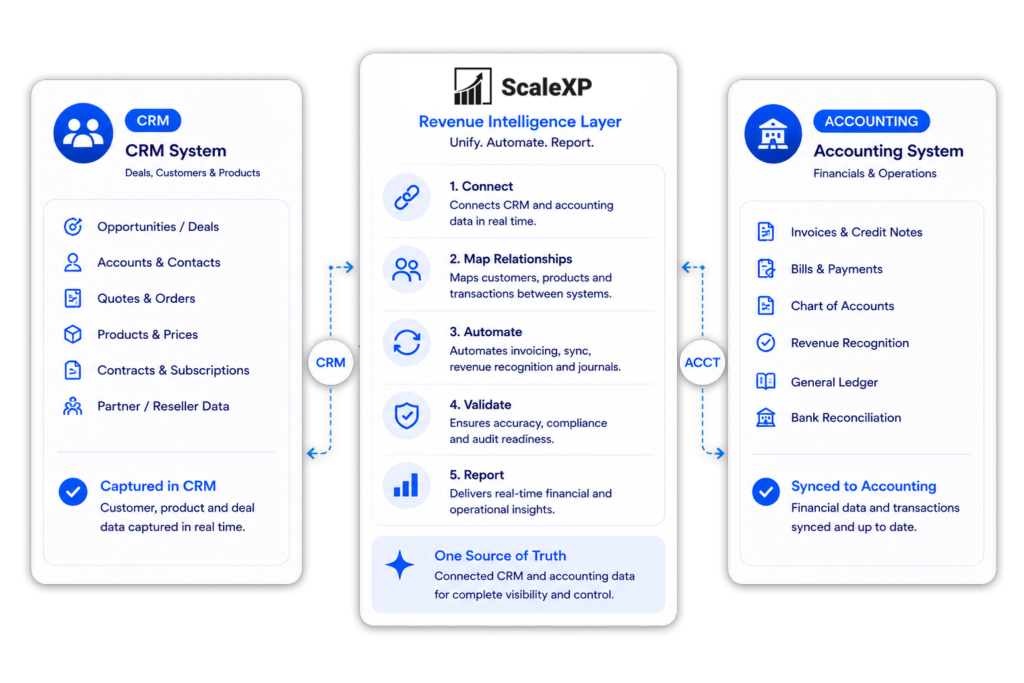
In channel sales models, the customer using the product is not always the customer receiving the invoice.
Your CRM may track the Sold To customer, end customer, opportunity, product, owner and renewal. Your accounting system may hold the Bill To customer, invoice customer, reseller, distributor or channel partner.
ScaleXP connects these views so finance can manage reseller billing, distributor invoicing, channel sales reporting and end-customer revenue reporting in one place.
This gives sales, finance and leadership a clearer view of what was sold, who was billed, what was recognized and how revenue should be reported.

CRM accounting integration software connects customer relationship management (CRM) data with accounting data. This allows teams to align deals, invoices, payments, revenue recognition, forecasting, and reporting in one place.
There are four common approaches (vendor information checked 14 October 2026):
The right choice depends on whether the team needs records kept in sync, custom workflows, metrics only, or the Finance work between the systems.
Revenue intelligence combines CRM, billing, invoicing, payment, and accounting data to give a complete view of revenue. It helps teams track performance from pipeline through to cash collection, revenue recognition, and reporting.
ScaleXP integrates CRM and accounting systems to create a unified data layer. This combined data is then used to support billing, invoicing, revenue recognition, forecasting, SaaS metrics, and financial reporting, while keeping finance in control of outputs.
ScaleXP integrates with leading CRM systems such as HubSpot and Salesforce, and accounting platforms including Xero and QuickBooks. Integrations are configured based on your CRM structure, accounting setup, and reporting requirements.
Yes. ScaleXP can use CRM deal or opportunity data to generate finance-reviewed invoice outputs. This includes customer details, products, pricing, quantities, billing dates, and contract terms.
Yes. ScaleXP combines CRM deal or opportunity data with accounting invoices to support recognized, deferred and accrued revenue schedules.
Finance teams can use Salesforce opportunities, HubSpot deals or Pipedrive deals as commercial inputs, while Xero or QuickBooks remains the accounting ledger. Finance reviews the schedules and journals before approved entries are posted.
For CRM-specific workflows, explore:
Yes. ScaleXP supports businesses operating across multiple entities and currencies. It enables consolidated reporting and analysis of CRM and accounting data across different regions and accounting structures.
No. Your CRM remains your commercial system of record, and your accounting platform remains your financial system. ScaleXP sits between them, applying finance logic to improve billing, invoicing, revenue recognition, forecasting, and reporting.
Yes, where configured. ScaleXP can sync data between CRM and accounting systems, including sending invoice and payment status back to CRM records. This gives sales and customer success teams visibility into billing progress without relying on finance updates.
Billing determines what should be charged, when it should be charged, and under which commercial terms. Invoicing is the creation of the invoice document and corresponding accounting record based on those billing rules.
Yes. ScaleXP combines CRM pipeline data, such as deals and forecasts, with accounting actuals like invoiced revenue and cash. This gives leadership a more complete and accurate view of current and expected revenue.
Every ScaleXP plan includes tailored onboarding (1 hour on Starter, 3 hours on Growth and Scale). CRM integrations (HubSpot, Salesforce, Pipedrive) can be added to any plan. Implementation time depends on your CRM structure, accounting configuration, number of entities, and the complexity of your required workflows.
The best CRM accounting integration for SaaS connects CRM and accounting data to automate billing, revenue recognition, forecasting and reporting across the customer lifecycle. ScaleXP does this in one platform.
““challenging requirements ... tremendous help in making this happen”
CRM to finance
Tell us which systems and workflows matter most and we will show the most practical configuration.
In a 15- or 30-minute demo, we’ll show the relevant workflows using example data and discuss how they could apply to your finance process. Complex requirements? Discuss them with us first.