

See how ScaleXP works with Xero or QuickBooks.
In a 30-minute demo, we’ll show the relevant workflows using example data and discuss how they could apply to your finance process. Complex requirements? Discuss them with us first.
How churn erodes ARR and valuation, how to tell whether your ARR churn is too high, and which SaaS metrics to watch as you work to reduce it.
Churn is the silent killer of ARR and Growth. It saps momentum from SaaS businesses, adds unnecessary costs, and can leave companies chasing their tails. In this article, we offer some practical steps to assess and reduce churn.
Churn is the revenue lost from customers who cancel or don’t renew their subscriptions.
Customer churn is calculated as the number of lost customers divided by total customers. Monitoring annual churn is most common. However, we also recommend monitoring a shorter time frame, such as three-month churn, as shown below. Comparing a short time periodwith an annual number provides insights around whether churn is increasing or decreasing. This feedback is critical, particularly as churn reduction initiatives are put in place.
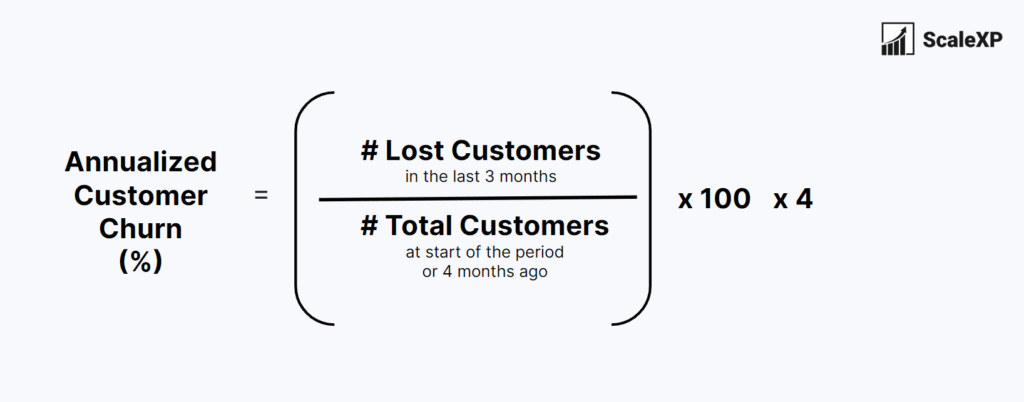
High churn escalates costs, and has the potential to damage a brand’s reputation. It forces SaaS companies to drive much higher acquisition costs, just to maintain flat revenue or ARR. As a simple example, if a company experiences a 20% annual churn, it needs to achieve 20% new customer growth just to maintain its position. This results in 20% more acquisition costs and lost hours spent by the customer success team, just to maintain revenue.
To effectively determine if churn is excessively high, compare it to your company’s historical performance. By taking factors such as seasonality into account, this active approach provides the most accurate indication of whether churn is moving in a favorable direction.
Benchmark comparisons can be valuable as well; however, it is crucial to actively use granular data, based on churn expectations for your specific customer profile. At ScaleXP, we continuously evaluate the market to identify the best SaaS benchmarks. To access the most recent articles,simply visit our SaaS benchmarks page.
To decrease your churn, concentrate on enhancing your customer experience and proactively tackling issues that may lead to cancellations. Naturally, that’s general advice, so if you’re seeking more specific guidance, consider the following practical steps:
Determine the primary reasons customers are canceling or not renewing their subscriptions. Collect data through customer feedback, surveys, support tickets, and even customer interviews. If possible, create a weighted list of factors.
Categorize customers based on demographics, usage patterns, and other relevant factors. This approach helps pinpoint which segments face the highest churn rates.
Delve into customer behavior to comprehend how they use the product and why they cancel their subscriptions. This analysis may involve examining user activity data, support tickets, and customer feedback.
One of my favorite tools for analyzing churn is Cohort Analysis, focusing on elapsed time. For instance, 20% of customers churn within the second month, which is alarmingly high. This finding suggests that the company might not be providing a comprehensive onboarding experience.
It’s worth mentioning that 15-30% of churn can be resolved in the moment of cancellation according to data by OpenView, so it is critical to create programs to save customers during the cancellation process.
As you start to implement initiatives, monitor progress, using the metrics shown below.
Our three favorite metrics to assess churn are:

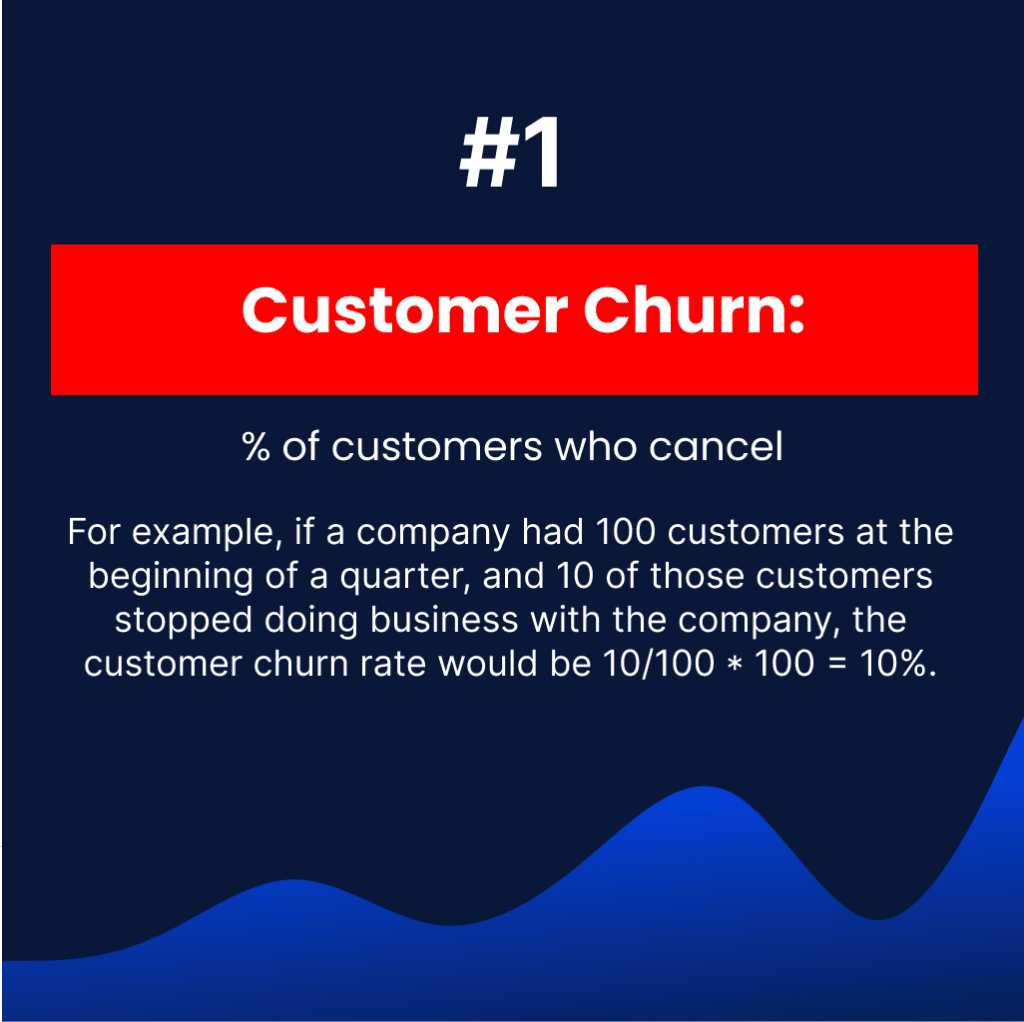
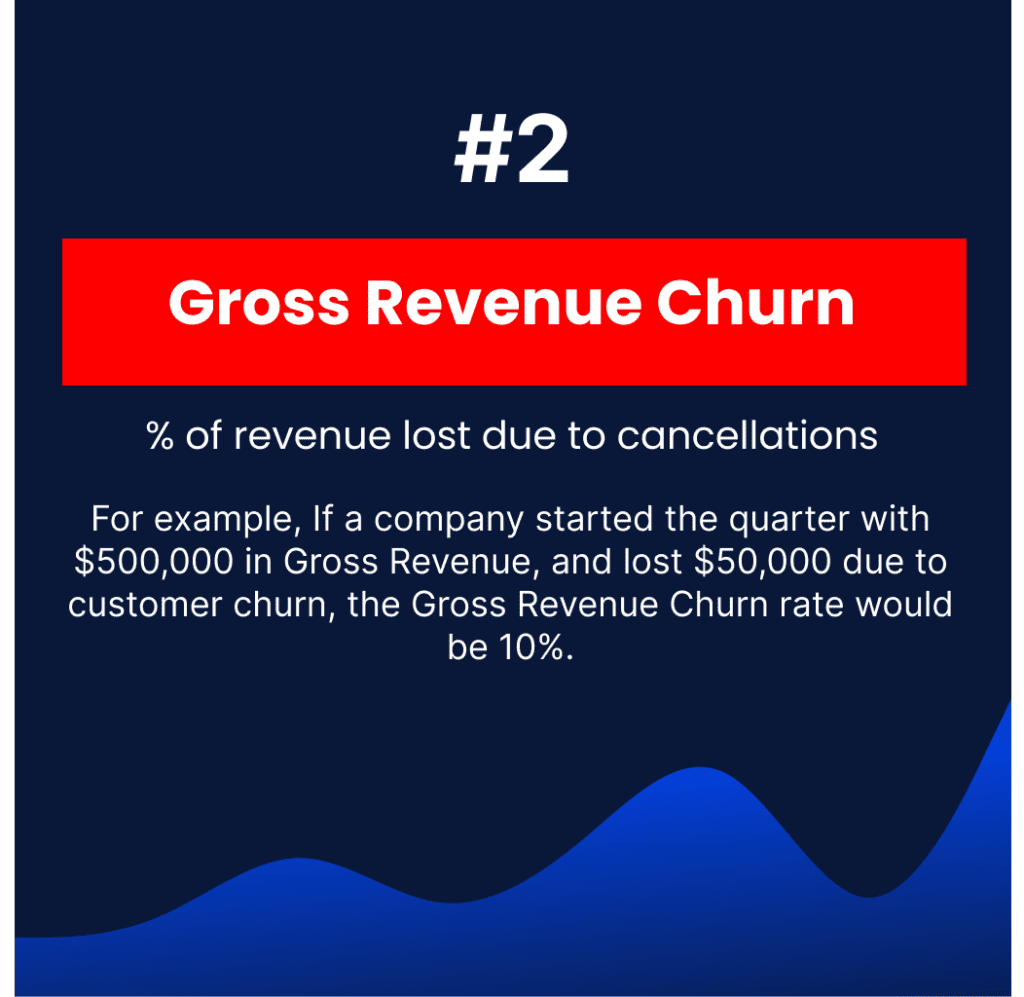
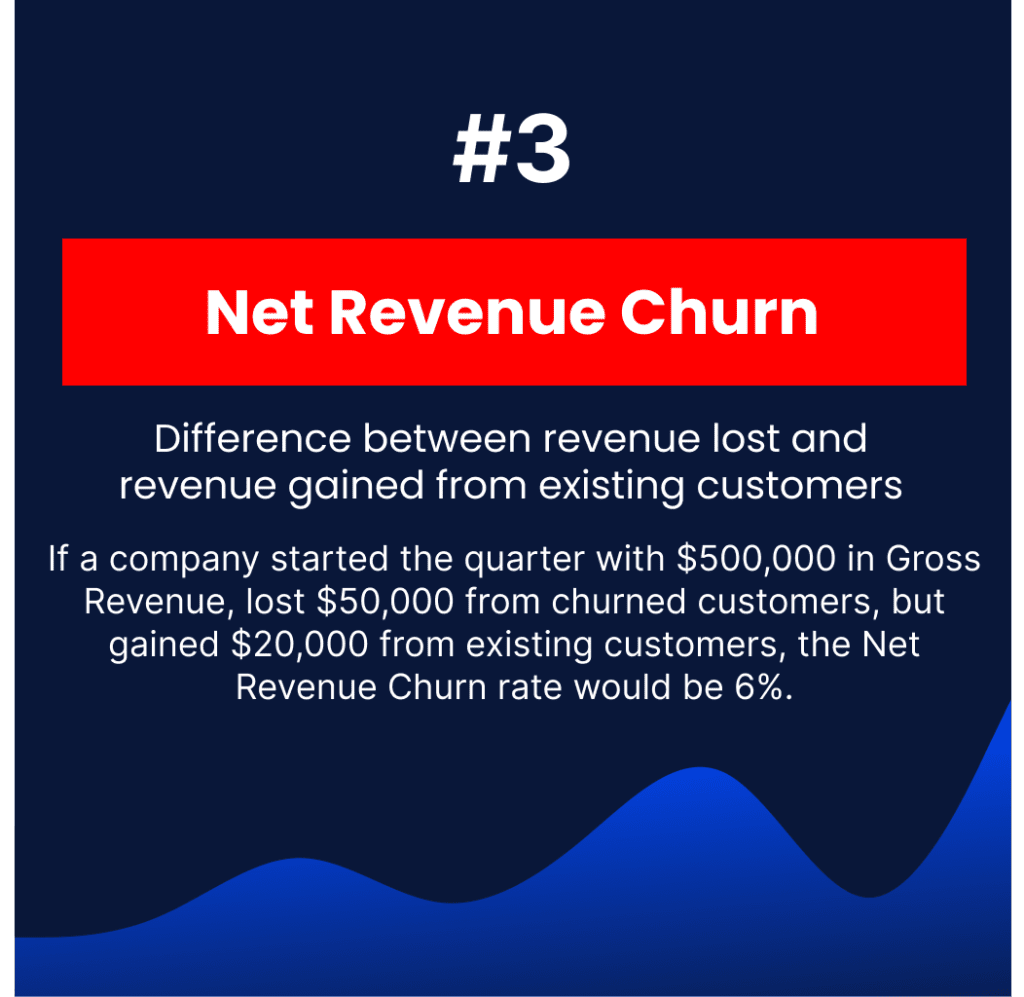
A full definition for each metric is included in ourSaaS metric library.
By conducting a churn analysis, SaaS companies can gain insights into the underlying issues causing churn and take steps to address them, which can help improve customer retention and increase ARR (see current SaaS revenue multiples).
Quick question
What’s most frustrating about reporting your SaaS metrics?
Choose as many as apply.
Please don’t include personal information. We read every answer.
Considering automating your SaaS metrics?
See it in a 30-minute demo.
Reporting-time estimator
How long does it take you to report your SaaS metrics each month?
Your accounting system
How long do your metrics and board reporting take today? Working days per month, roughly
Which of these do you still build by hand? Select all that apply
Which of these takes the most time? Pick one
Your estimate
Board pack ready in about 1 day instead of 2–3 days
ScaleXP calculates the metrics you selected from your live Xero and CRM data, reconciled to the accounts, and places them in a board pack your team reviews rather than builds.
ScaleXP calculates a full suite of SaaS metrics automatically each month. It imports data from your accounting system (Xero or QuickBooks) and your CRM (HubSpot, Salesforce or Pipedrive). As data is imported, it prepares a full ARR schedule, broken down by customer, and tags customers based on past buying behavior, so churn metrics stay up to date without spreadsheets.
Churn reduces ARR directly because every canceled or non-renewed contract removes recurring revenue that new sales must replace before the business can grow. A SaaS company with 20% annual churn needs 20% new customer growth just to stay flat, which pushes acquisition costs up. ScaleXP makes churn visible by calculating logo churn, gross revenue churn and net revenue churn automatically from Xero, QuickBooks Online or Zoho Books invoices and HubSpot, Salesforce or Pipedrive data. Finance teams spot churn early in the ARR waterfall and protect growth before it erodes valuation.
Yes, ScaleXP shows exactly which customers churned, contracted or expanded each month in an ARR waterfall built from invoices in Xero, QuickBooks Online or Zoho Books. Missed-invoice visibility flags customers who should have been billed but were not, so revenue leakage is caught quickly. Natalie, Director of Operations, said: “Being able to see which of our customers are churning, identifying who we’ve missed billing that month was invaluable, the missed invoices that show as red / churned probably saved us around £100k!” Finance and customer success teams act on churn while there is still time to save the account.
ScaleXP uses automated cohort analysis to group customers by start month, segment or product and show how each cohort’s recurring revenue holds up over time. Finance teams see whether churn concentrates in the first months after onboarding, in a particular plan or in a specific customer segment. Because cohorts are built from Xero, QuickBooks Online or Zoho Books invoices combined with HubSpot, Salesforce or Pipedrive data, every chart reconciles to the financial statements. Leadership gets clear evidence of where churn starts, so retention investment goes where it protects the most ARR.
ScaleXP tracks gross revenue churn, net revenue churn and logo churn automatically, alongside GRR, NRR and the full ARR waterfall. Each metric is calculated from the same invoice and journal data in Xero or QuickBooks Online, enriched with HubSpot, Salesforce or Pipedrive records, so the numbers stay consistent with each other and with the P&L. Live dashboards and PowerPoint board packs present churn trends clearly, with drill-down to individual customers. Boards and investors see a churn story they can trust, and finance teams stop rebuilding it in spreadsheets.
How ScaleXP does this
ScaleXP calculates MRR, ARR, churn, retention and more from your CRM and accounting data, with no spreadsheets. See ScaleXP’s SaaS metrics