See how ScaleXP works with Xero, QuickBooks or Zoho Books.
In a 30-minute demo, we’ll show the relevant workflows using example data and discuss how they could apply to your finance process. Complex requirements? Discuss them with us first.
ScaleXP automates revenue schedules, deferred revenue, ASC 606 workflows and journal entries. AI reads dates, terms and service periods from invoices, billing records and CRM data. Finance reviews and approves every schedule before anything is posted.
on the Xero App Store (75+ reviews)
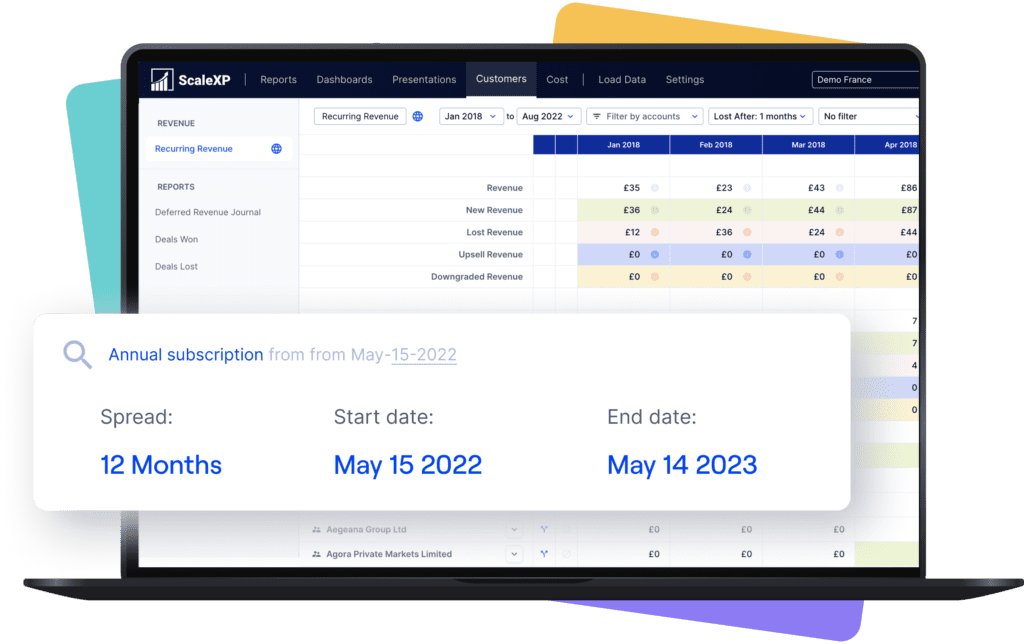








Finance teams often manage service dates, contract changes and deferred revenue across disconnected spreadsheets.
Many teams face the same spreadsheet risk across related workflows, including deferred revenue automation, accrued revenue automation and month-end close automation.
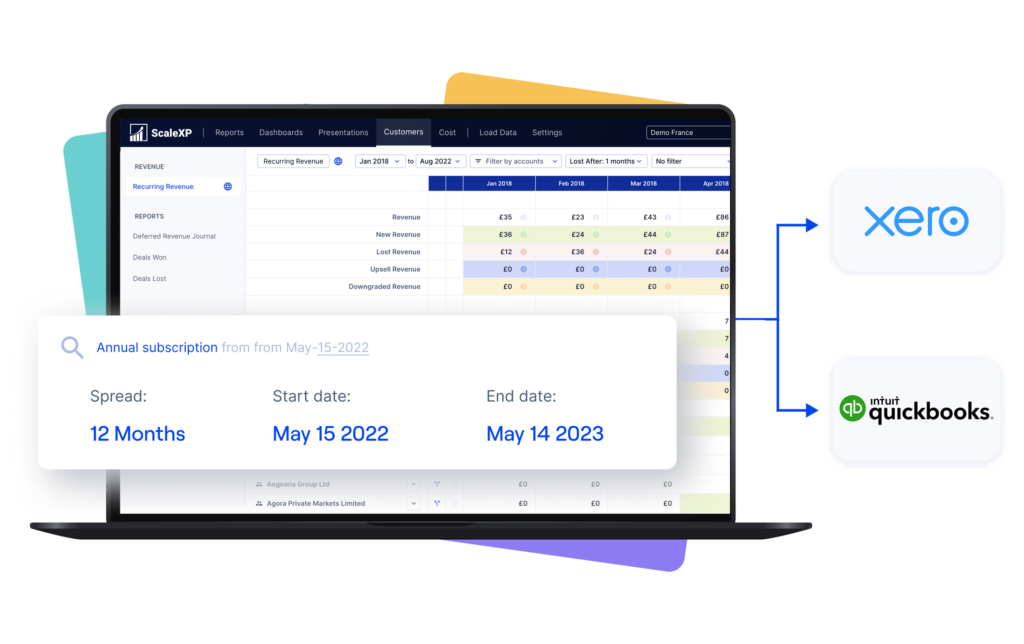
ScaleXP connects directly to Xero or QuickBooks and uses AI to read invoice descriptions, line items, dates, currencies and service-period information.
It then applies configured rules to prepare recognized, deferred and accrued revenue schedules for finance review.
Explore ScaleXP’s deferred revenue software.
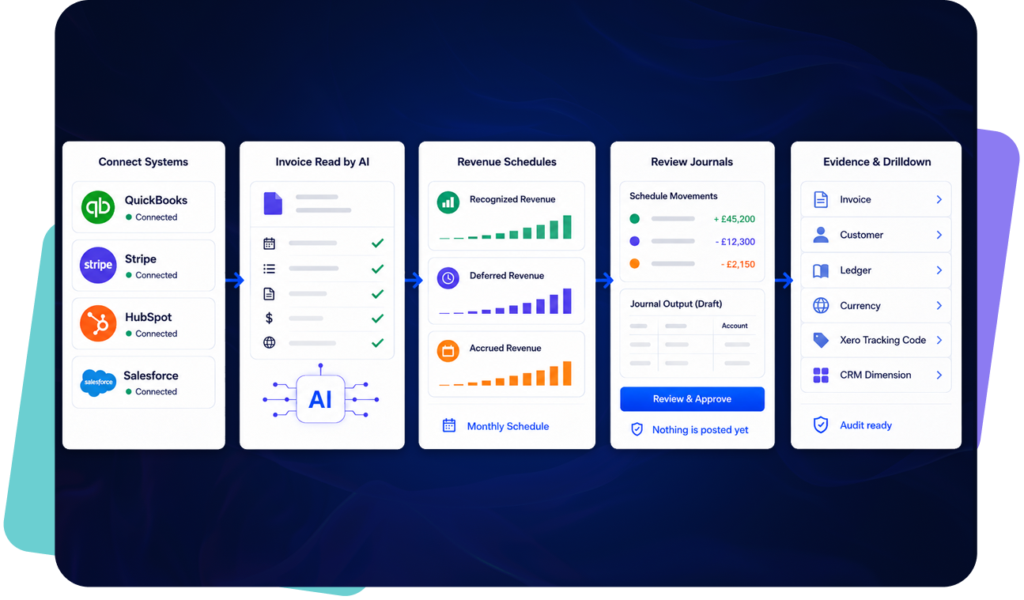
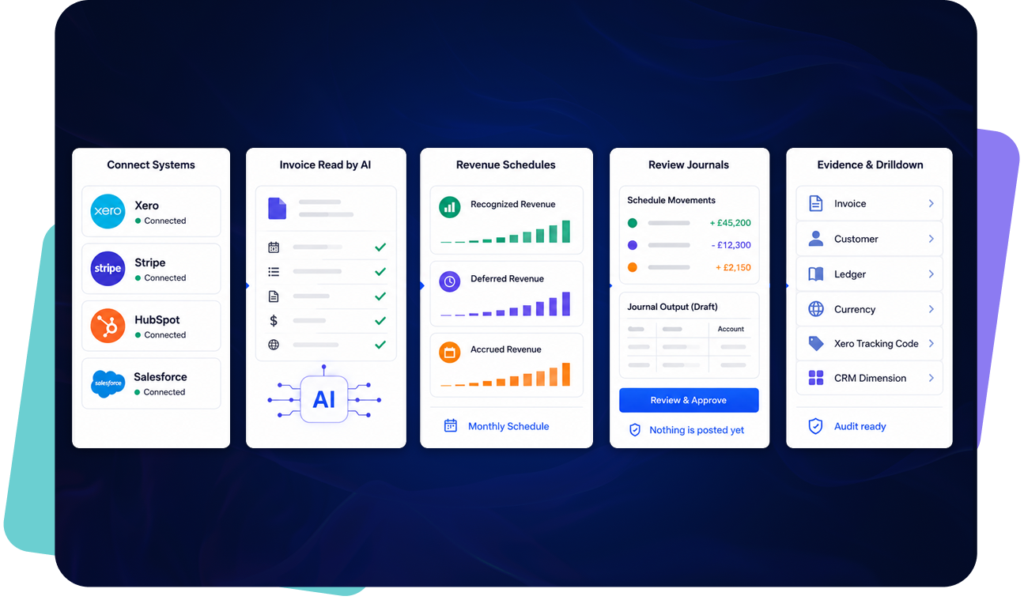
Revenue recognition depends on accurate dates, service periods, billing terms and contract values. For many finance teams, that information sits across invoices, billing records, CRM deals and spreadsheets. This creates manual work before a revenue schedule can even be reviewed.
ScaleXP helps finance teams use AI-assisted preparation to identify the inputs needed for revenue recognition workflows.
This can include: invoice dates, service start dates, service end dates, billing frequency, contract terms, customer and product information, values to recognize or defer, items requiring finance review.
ScaleXP then helps prepare revenue schedules and deferred revenue schedules for finance review. AI supports the preparation process, but finance teams remain responsible for reviewing the accounting treatment, approving schedules and managing month-end outputs.
Learn more about AI Revenue Recognition Software.

ScaleXP prepares the revenue schedule and associated journal using QuickBooks Online invoice and accounting data.
Finance reviews the detailed calculation and can post the approved revenue-recognition journal to QuickBooks Online in two clicks.
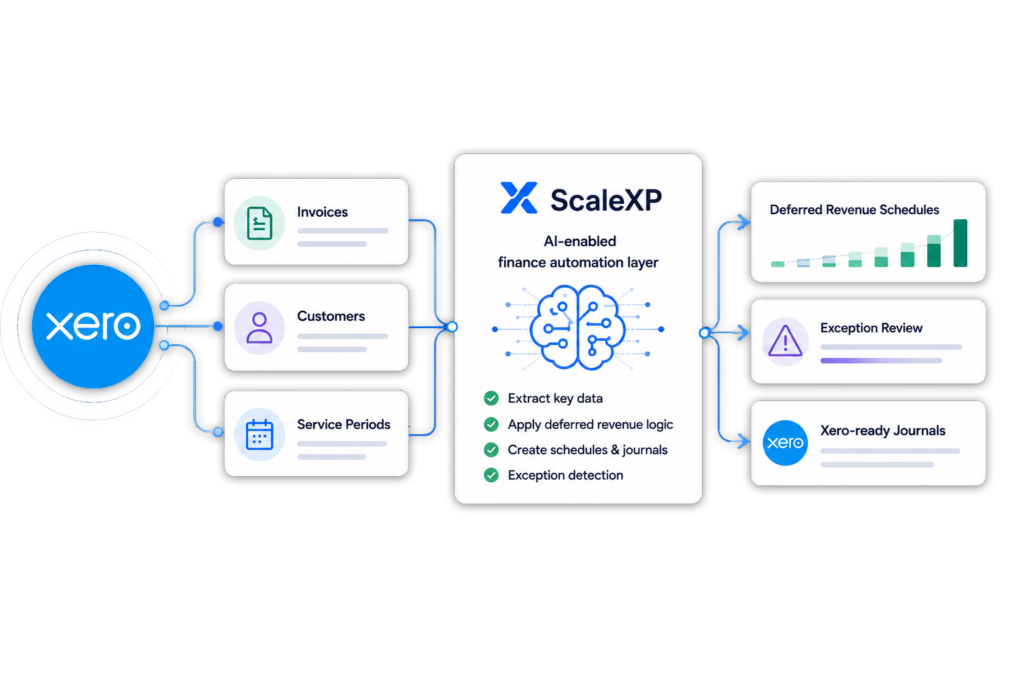
ScaleXP prepares the revenue schedule and associated journal using Xero invoice and accounting data.
Finance reviews the detailed calculation and can post the approved revenue-recognition journal to Xero as a manual journal in two clicks. ScaleXP is a Xero Staff Pick in the Xero App Store.
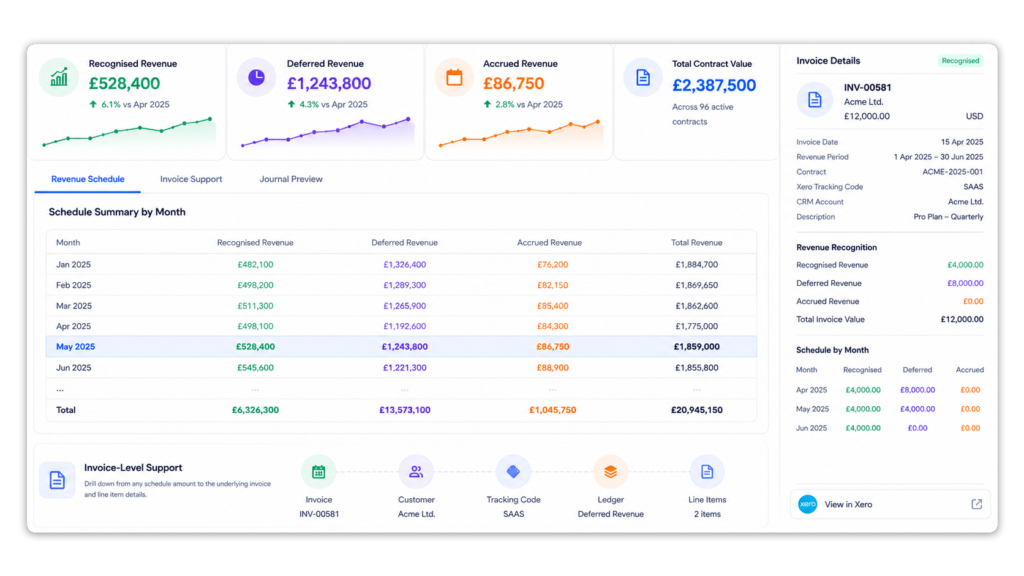
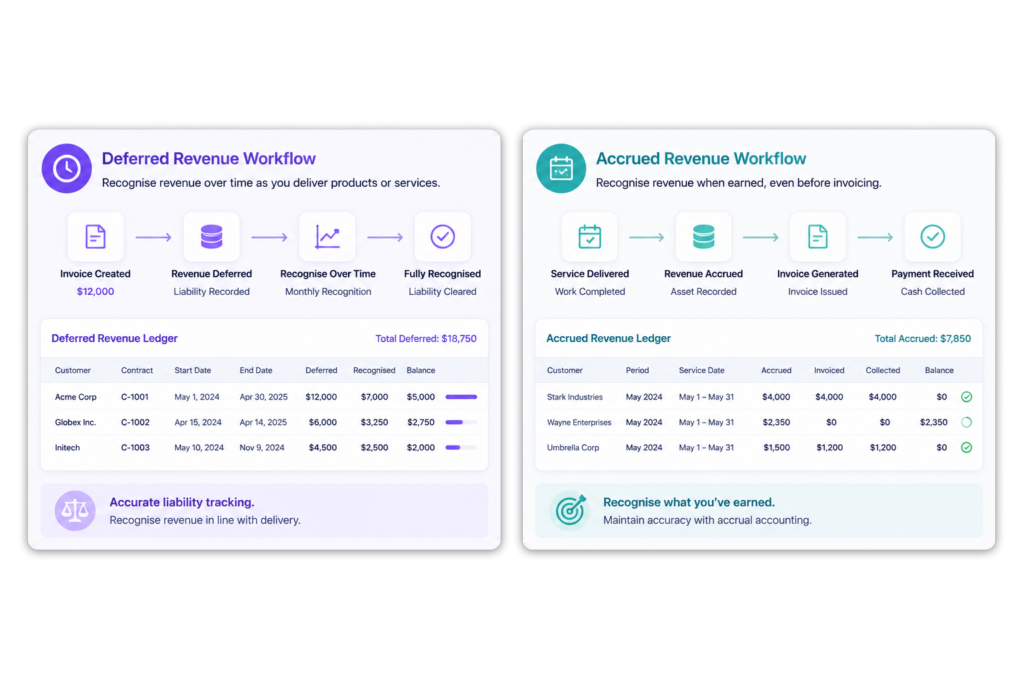
Annual prepaid contracts create immediate cash and invoicing activity, but the revenue normally belongs across a future service period.
ScaleXP reads the invoice and service dates, then spreads the revenue across the relevant months.
This gives CFOs a clear view of current-period revenue and the remaining balance-sheet liability.
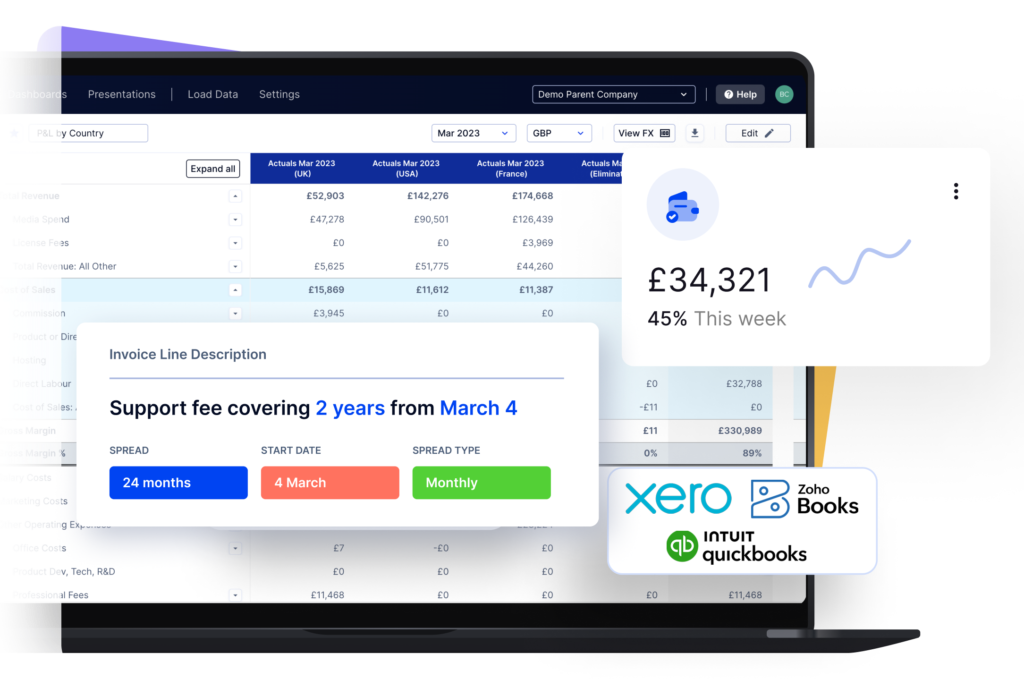
Multi-year SaaS arrangements can include annual billing, phased service periods, multiple products and contract changes.
ScaleXP combines invoice, product and CRM data to maintain the revenue schedule across the contract term.
The same connected data can support ARR, MRR, renewals and revenue forecasting.
ASC 606 is the revenue recognition standard under US GAAP, and IFRS 15 is its international equivalent. Both follow the same five-step model. ScaleXP is revenue recognition automation software for the part of that model that repeats every month, built for Controllers, VP Finance and CFOs whose ledger is QuickBooks Online or Xero.
Steps one to four (identifying the contract and its performance obligations, then determining and allocating the transaction price) are accounting judgments that finance makes and configures. Step five, recognizing revenue as each obligation is satisfied, is the recurring work ScaleXP automates:
ScaleXP automates the workflow and supporting calculations. Each company remains responsible for determining and approving its accounting policies.
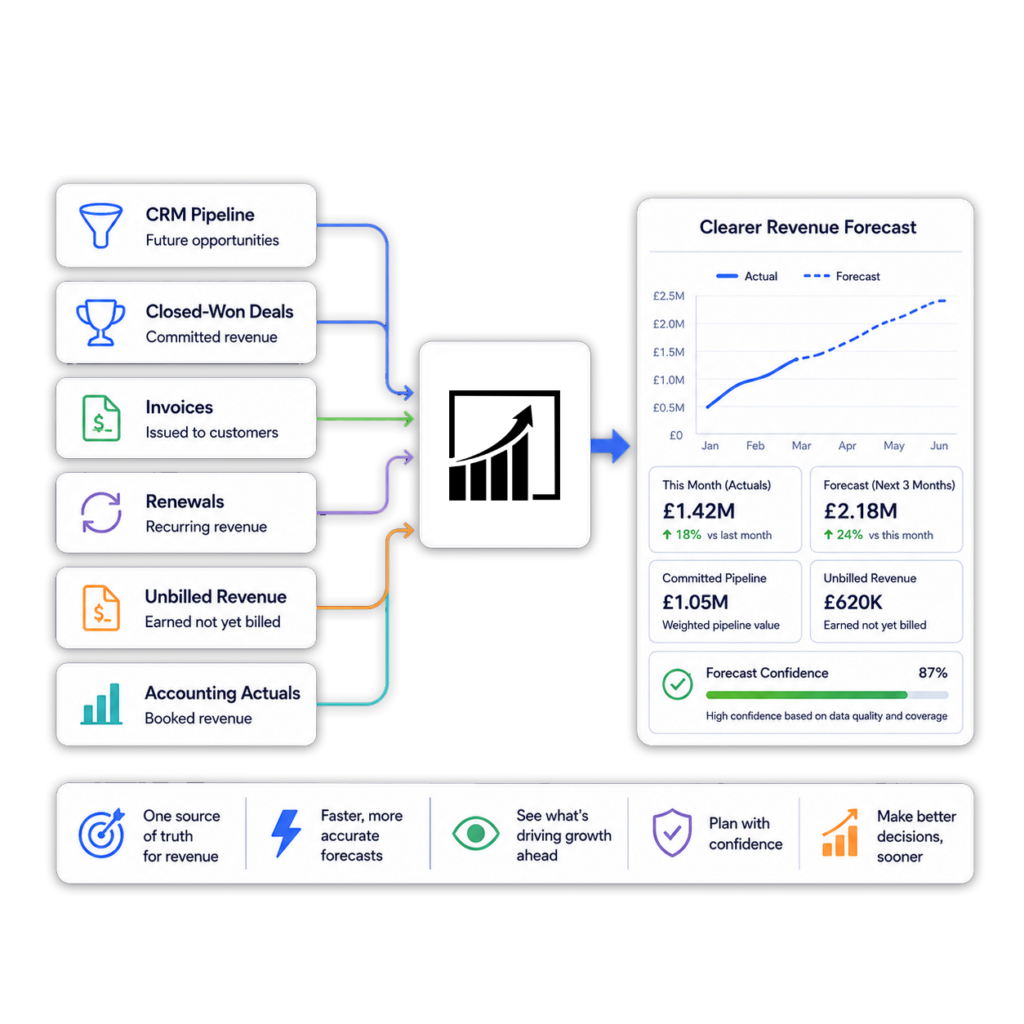
Accounting invoices explain what has been billed. CRM data adds what was sold, what is due for renewal and what may be billed in the future.
ScaleXP connects Xero or QuickBooks with HubSpot, Salesforce or Pipedrive to support:
Learn more about CRM accounting integration.
For finance teams reducing manual schedule preparation, ScaleXP also supports AI Revenue Recognition Software to help identify dates, terms and service periods for finance review.
CFOs need more than a monthly journal total.
ScaleXP retains the detail needed to explain each balance and movement.
Complex revenue recognition?
Multi-year contracts, unusual service periods or bespoke recognition rules? Talk them through with us.
Revenue recognition software comes in three shapes: a focused rev rec tool that builds schedules and nothing else, a billing platform that replaces invoicing and adds revenue recognition on top, and a finance automation platform that keeps your accounting system and automates the schedules, journals and reporting around it. Before comparing products, decide which systems will stay in place, which revenue types you sell, what the journal and audit workflow must look like, how much other month-end work you want removed, and what implementation and total cost you can accept. The grid below compares ScaleXP with the platforms finance teams most often shortlist; for seven products scored on ten criteria, read our guide to choosing revenue recognition software.
Summary
ScaleXP
Revenue recognition software for Xero and QuickBooks Online users: AI-assisted invoice reading, recognized, deferred and accrued revenue schedules, two-click journal posting, SaaS metrics and CRM-linked forecasting, without replacing the accounting system.
ScaleXP vs Maxio
Choose ScaleXP to keep Xero or QuickBooks and add automation; choose Maxio if you are ready to implement a full billing platform.
Ordway
A quote-to-cash platform offering subscription billing, collections and revenue management in one system.
ScaleXP vs Ordway
Choose ScaleXP if the goal is to automate revenue schedules and journals while keeping your existing accounting and CRM tools; choose Ordway if you also need billing and collections replaced.
No credit card required
ScaleXP is the right revenue recognition software for you if most of these are true:
Customer result
3–5 finance-team days saved every month
Deferred revenue was tracked in long, tedious spreadsheets. Data required hours of checking, across the UK and South African subsidiary.
 Cue Technology
“ScaleXP has allowed us to save between 3 and 5 days a month.”

Estiaan Schoombie
Finance Manager, Cue Technology
Revenue recognition software, also called rev rec software or a revenue recognition tool, calculates when invoiced or contracted revenue should be recognized in the financial statements under ASC 606 or IFRS 15.
It turns invoice, contract and service-period data into schedules for recognized, deferred and accrued revenue, prepares the related accounting journals for finance review, and keeps the supporting detail so each balance can be traced to its source.
AI can read invoice descriptions, line items, dates, currencies and service-period information.
ScaleXP uses this data with configured finance rules to prepare revenue schedules and journals for review.
Yes. ScaleXP reads the invoice date, service start date and service end date on each Xero or QuickBooks Online invoice and spreads the revenue across the months of the service period, so the recognized, deferred and accrued revenue schedule is built automatically at invoice level. Where the invoice does not carry the dates, ScaleXP can take contract and deal dates from HubSpot, Salesforce or Pipedrive instead. Finance reviews every proposed schedule and journal before anything is posted.
Yes. ScaleXP connects directly with QuickBooks Online to import invoice and accounting data, calculate revenue and prepare journal entries.
Approved revenue-recognition journals can be posted to QuickBooks Online in two clicks.
Yes. ScaleXP connects with Xero to automate revenue schedules, deferred and accrued revenue calculations, journal preparation and reporting.
Yes. ScaleXP spreads an annual prepaid invoice across the relevant service period.
It separates current recognized revenue from the amount deferred into future periods.
Yes. ScaleXP can prepare schedules across multiple financial years using the available invoice, service-date, product and contract information, including free periods and contract extensions.
Different invoice lines can use different recognition periods where configured, and usage-based contracts are supported.
Yes. ScaleXP is revenue recognition software that automates the ASC 606 (US GAAP) and IFRS 15 workflow for companies using Xero or QuickBooks Online: it prepares the recognition schedules, separates recognized, deferred and accrued revenue, keeps invoice-level evidence and prepares the journals for review.
It does not make the accounting judgments for you. Identifying performance obligations, allocating the transaction price and approving the policy remain finance decisions, and every journal is reviewed before it is posted.
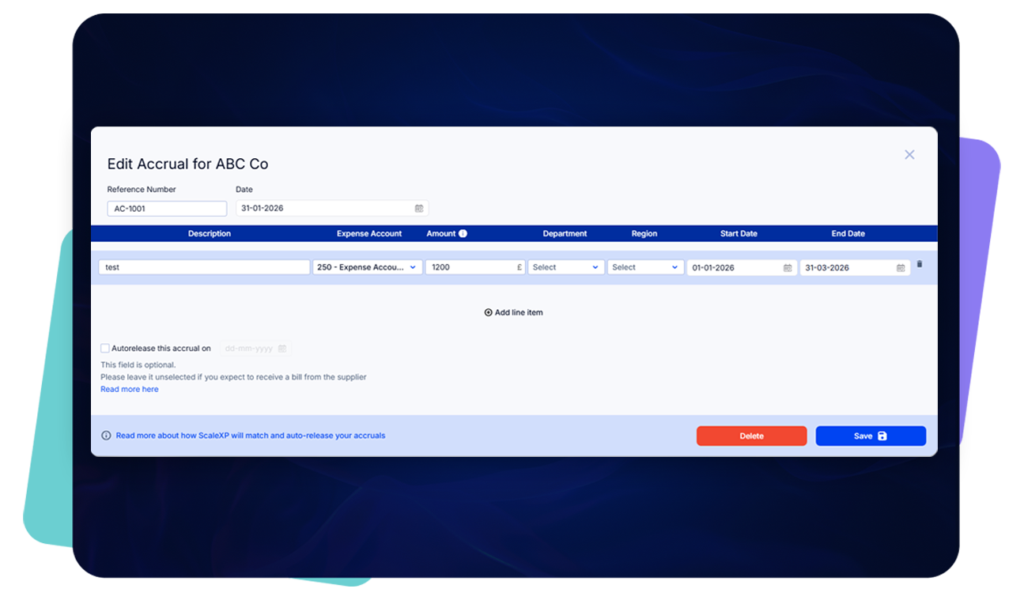
Yes. ScaleXP can calculate revenue earned before invoicing where the relevant service-period and commercial data is available.
This supports accrued or unbilled revenue schedules and journals.
Yes. Finance reviews the detailed schedules and proposed journal before approved entries are posted to Xero or QuickBooks.
ScaleXP can be an alternative for teams that already use Xero or QuickBooks and do not need to replace them with a broader subscription billing or quote-to-cash platform.
It focuses on accounting automation, revenue schedules, journals, CRM-connected reporting and SaaS metrics.
No. ScaleXP does not position AI as a replacement for finance review. AI-assisted preparation helps reduce manual work around extracting dates, terms and service periods. Finance teams remain responsible for reviewing exceptions, approving schedules and controlling revenue recognition outputs.
The best SaaS revenue recognition tool depends on which systems you intend to keep. If you use Xero or QuickBooks Online and want to keep it as your ledger, ScaleXP is a strong fit: it automates recognized, deferred and accrued revenue schedules and journals from invoice and CRM data, and adds SaaS metrics, prepayments, accruals, consolidation and forecasting in the same finance-controlled platform. If you are replacing billing as well, a billing-led platform such as Maxio or Chargebee may suit better. Our buyer’s guide compares seven products on ten criteria.
Yes. Unearned or deferred revenue is the liability created when you invoice or are paid before you have delivered the service; earned or recognized revenue is the amount released from that liability as you deliver. ScaleXP calculates both from the invoice and service dates each month and keeps the opening balance, movement and closing balance by invoice and customer, so the deferred revenue liability on the balance sheet reconciles to the schedules without a spreadsheet.
ScaleXP is a revenue recognition platform that sits on top of Xero or QuickBooks Online, not a billing system and not a single-purpose rev rec tool. A standalone revenue recognition tool builds schedules and stops there. ScaleXP keeps your existing accounting and invoicing, automates the revenue schedules and journals, and uses the same reconciled data for SaaS metrics, month-end journals, consolidation and forecasts.
Yes, the recurring part of ASC 606 and IFRS 15 revenue recognition can be automated. ScaleXP reads service periods from Xero or QuickBooks Online invoices, applies your configured recognition rules and prepares the deferred, accrued and recognized revenue schedules and journals each month, with invoice-level detail kept for audit. What cannot be automated are the judgments ASC 606 and IFRS 15 ask of management, such as identifying performance obligations and allocating the transaction price; those stay with finance, which reviews and approves every journal.
““move away from a recurring revenue master spreadsheet”
Revenue recognition
Walk through recognized, deferred and accrued revenue using example contract and invoice data.
In a 30-minute demo, we’ll show the relevant workflows using example data and discuss how they could apply to your finance process. Complex requirements? Discuss them with us first.